WIP Ai GitHub Code Pushes and Pull Requests
Template to help with one way of reviewing your code for you with every push of code
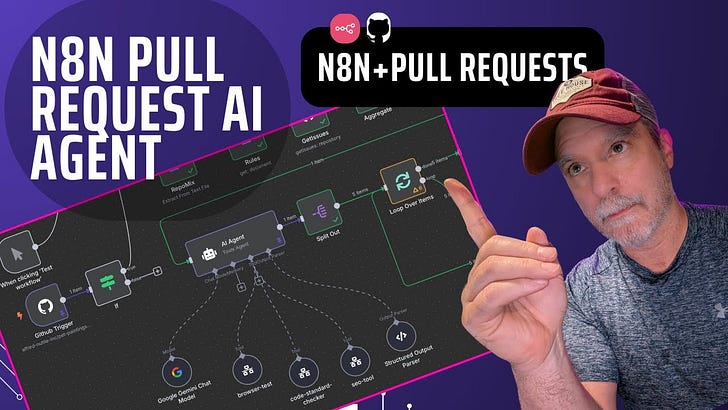
👉You can see the video here.
Intro (then I will go into detail)
This is a POC I did for the DailyAi.Studio team. This was before we started building more in Softr but still has value with some of our more standalone sites. For example we have an SEO checker which could do more to make sure none of us forget any steps in the process.
In this workflow a user pushes code to GitHub (or any tool really) and N8N will be triggered. Then we use the “Execute” scripts to run Repomix on that code to hand over the results to different external workflows. One will do the code review, one will do the SEO review, the final one coming back to the main Workflow to create the GitHub Issues. Of course at this point the Issues could trigger agents or tickets on a board for someone or ai to fix!
Overview Of Workflow
[
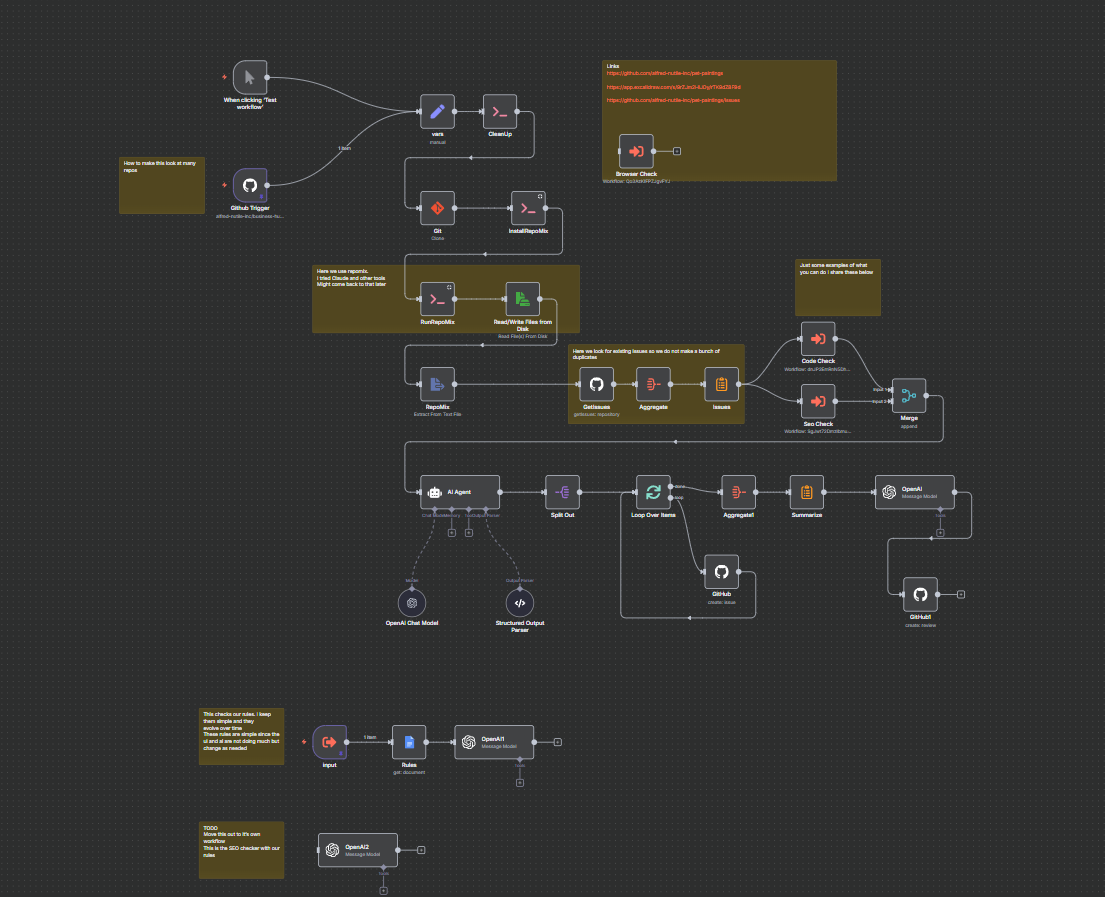
Let’s look at this one part of a time.
Pulling down the Code
[
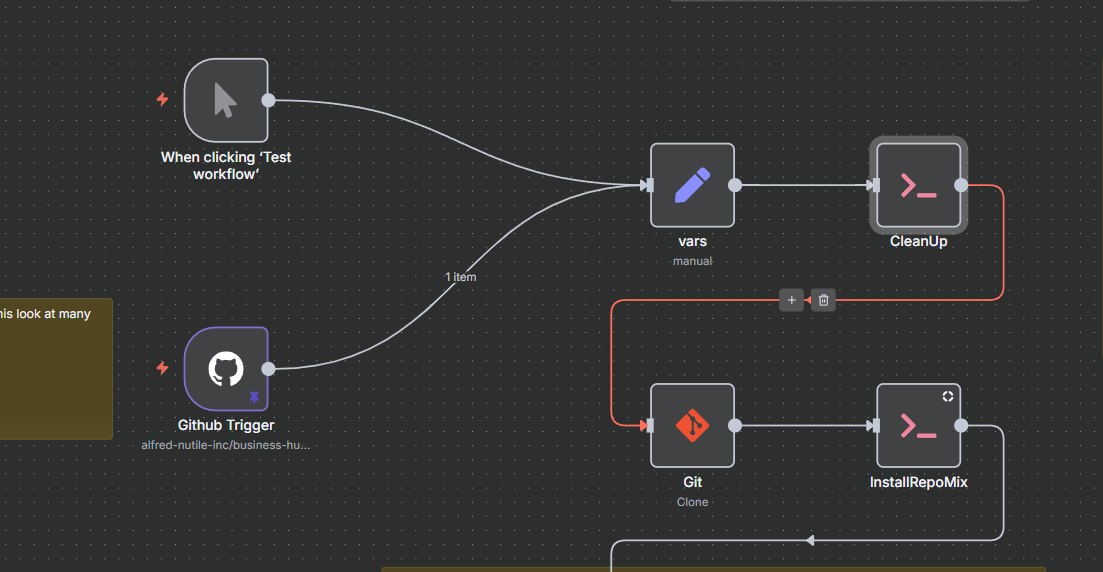
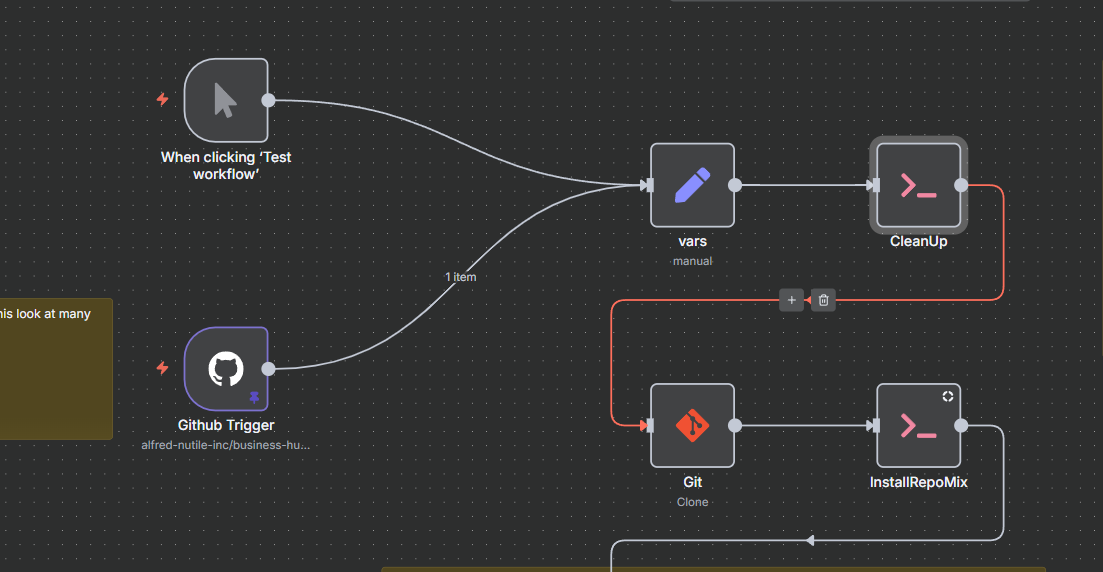
Here we get the code from the Pull Request. We then set some variables (you can see this video on how to do that better here.
So then we use the “Execute” node to download the code to a folder that we setup. We even then install Repomix.
Why Repomix? It helps to summarize the code in a way you can hand it over to the llm without taking up all the possible context window. This idea might be a little dated. And honestly the moment I can run some other open source code focused llm here I would just do that.
Running Repomix and Getting Existing Issues
[
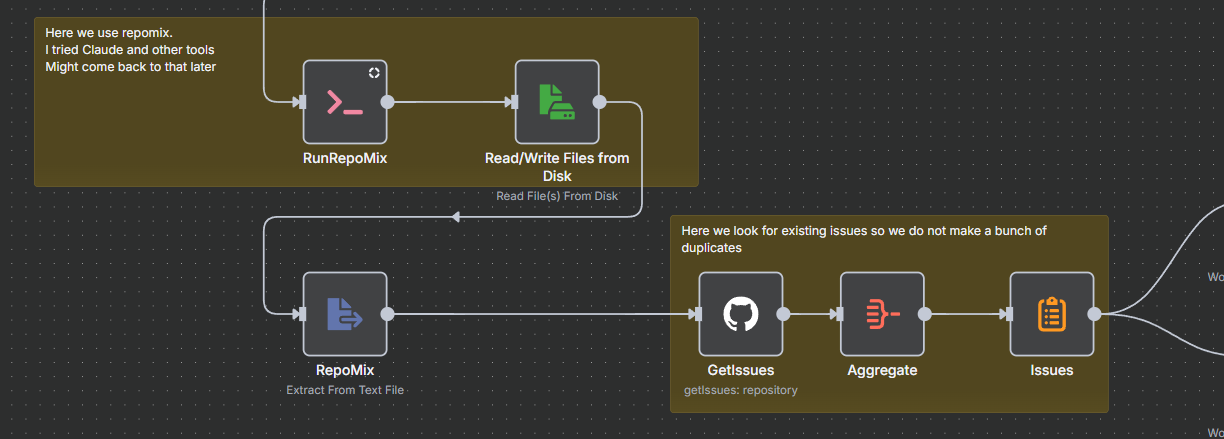
Now that we have the code and Repomix we will just get the results from that and gather existing GitHub Issues (since we might make more I want the LLM to see what is there to try and prevent duplicates)
Plugin Workflows Here
[
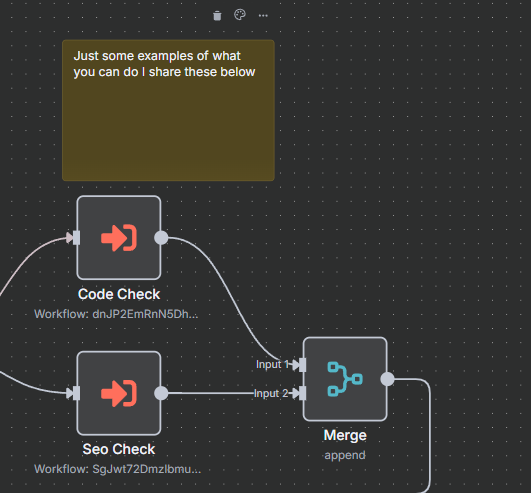
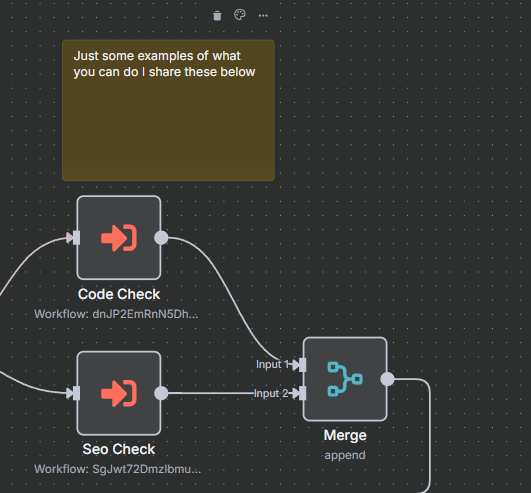
At this point your team can plug in any tools they want like “Code Check”, “SEO Check” security checking and more. Basically what are the things your team needs to automate. These “rules” are yours and you can use simple markdown files to help keep them available for the LLMs. I even use a Google doc here to make it easier to maintain.
Convert any issues found into Issues in GitHub
[
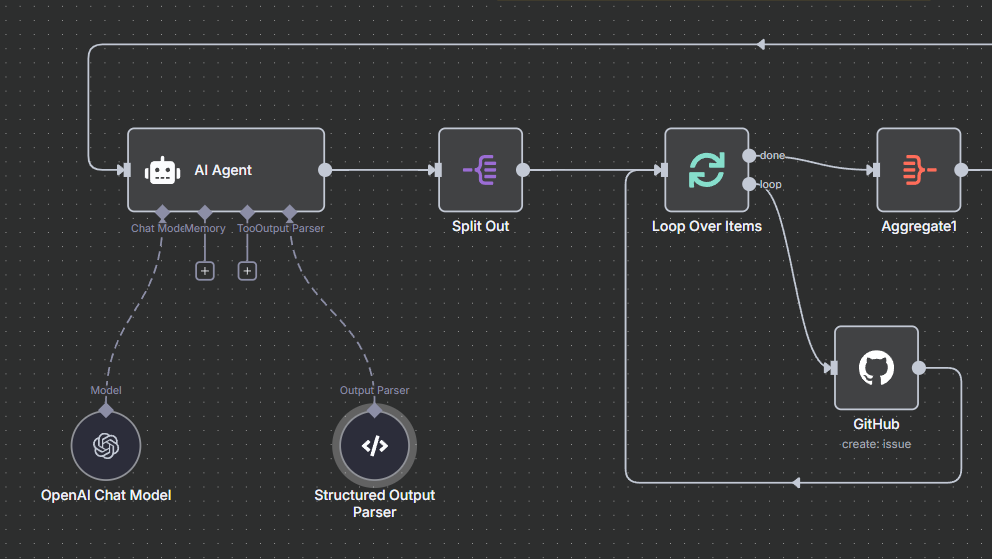
Now we get into the final part of the flow. And this really comes down to prompting. We give it past Issues, results from the other Workflows, and a Structured output pattern to then enable the LLM here to generate “issues”.
[
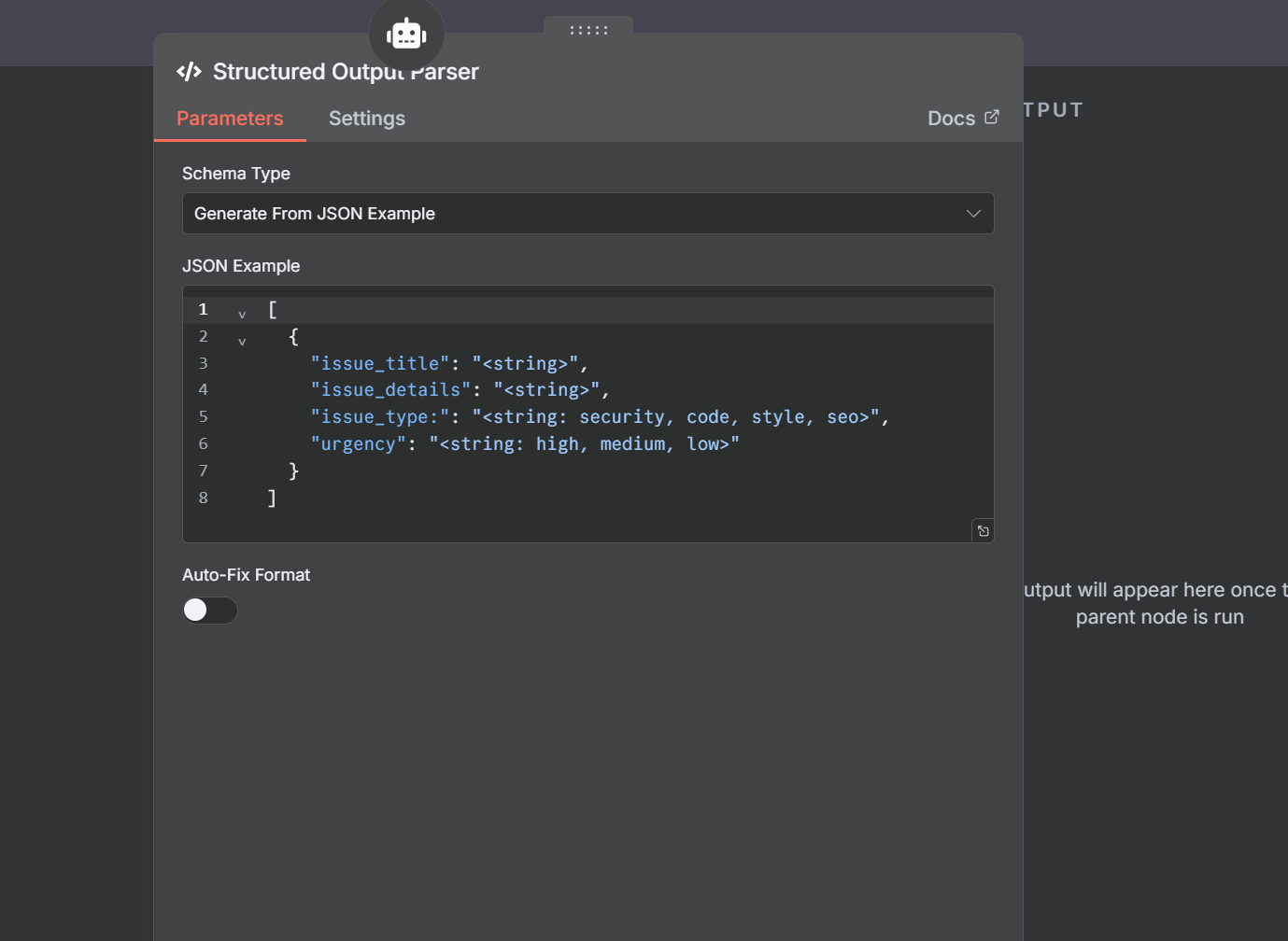
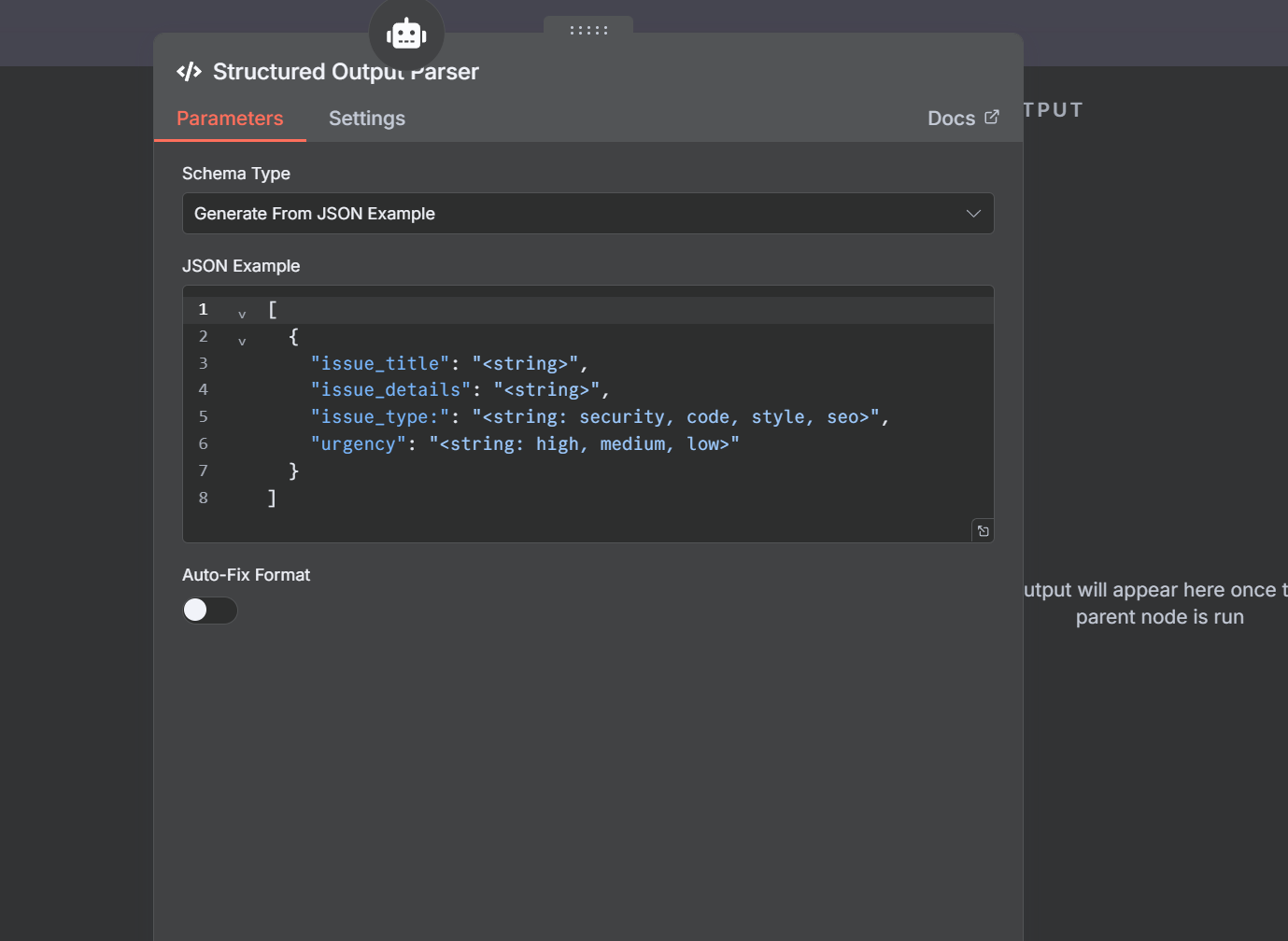
At this point we return zero or more objects that represent an issue. The resulting issues should look something like this.
[
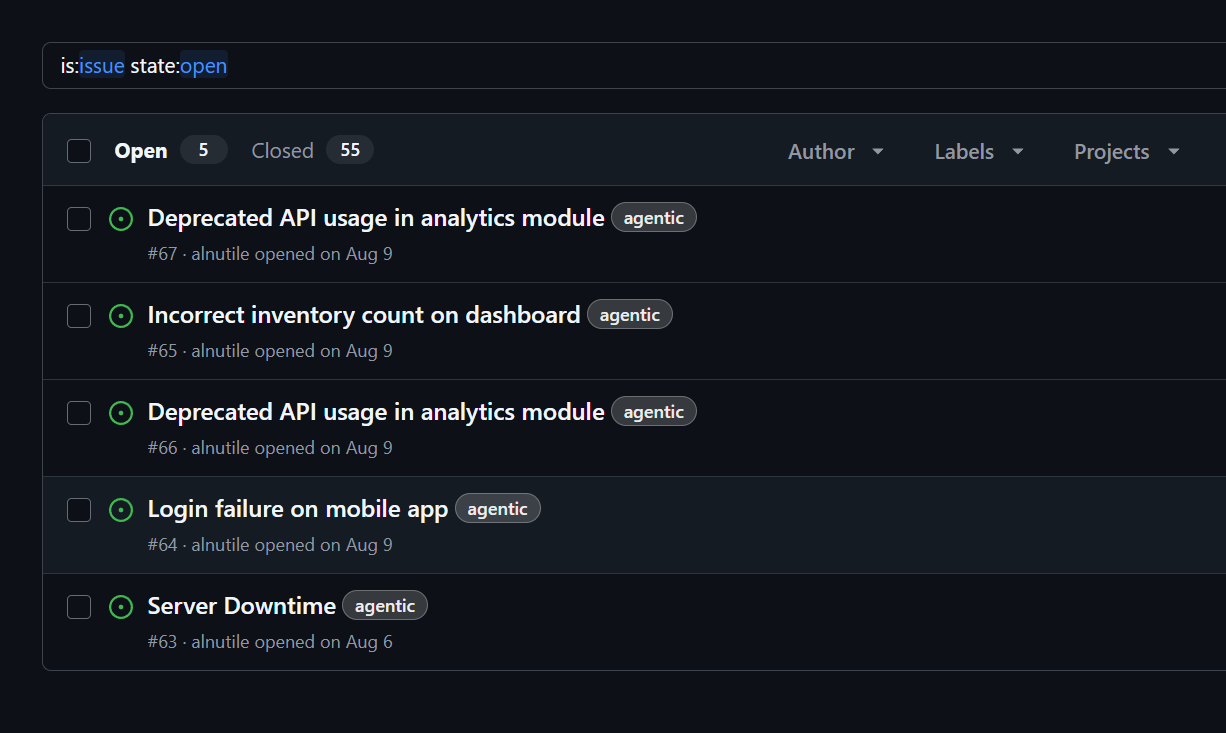
With more prompting and work to prevent duplicates. If the user tags them “Fix” then this could trigger the next workflow to do the work.
Final Part Pull Request Review
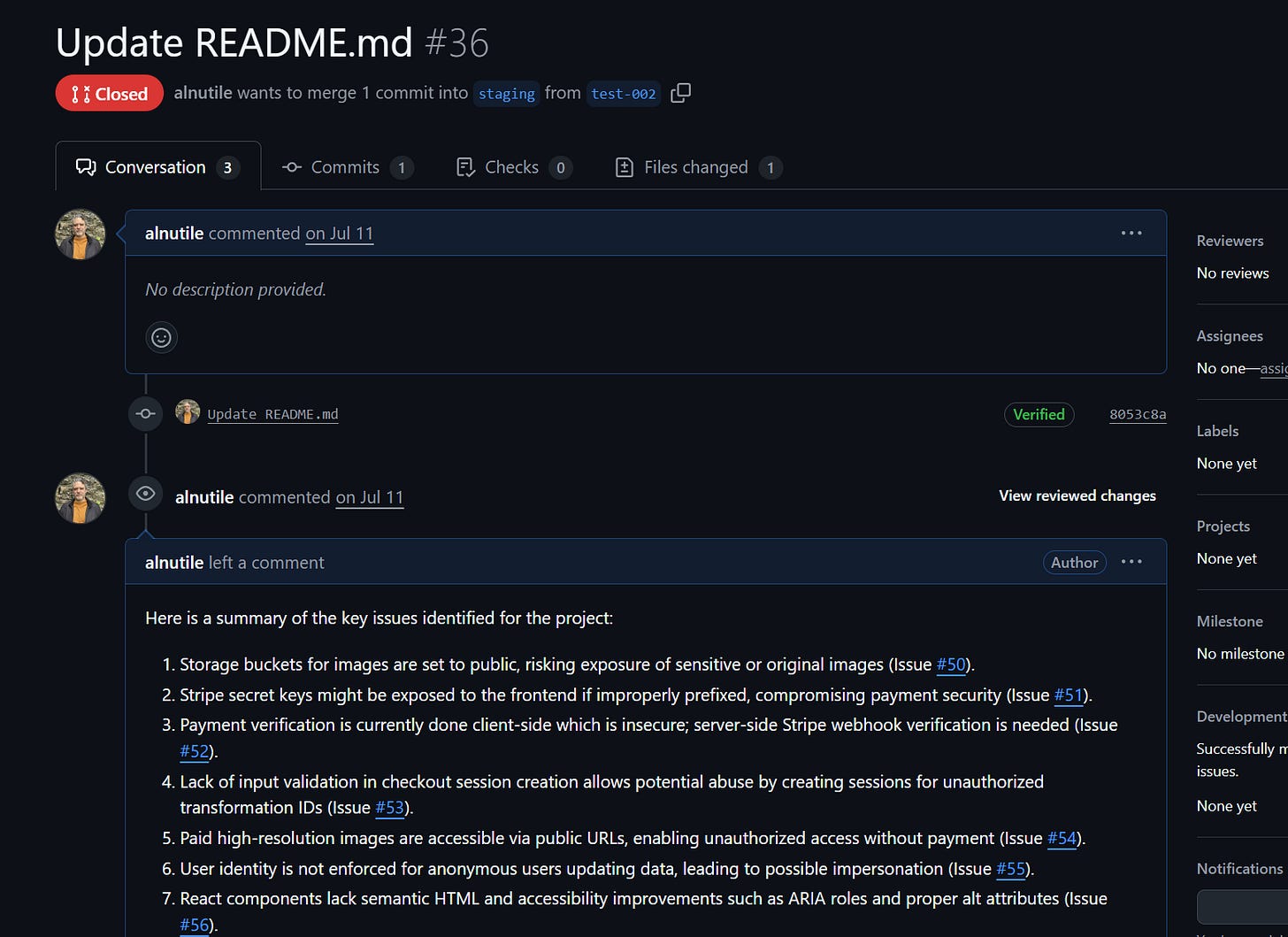
The final part will make a nice PR review so you can go about fixing the work.
[
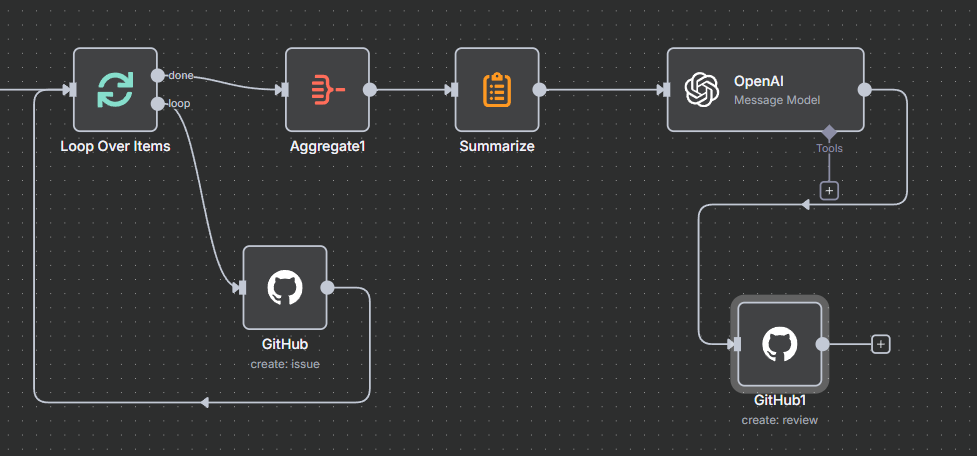
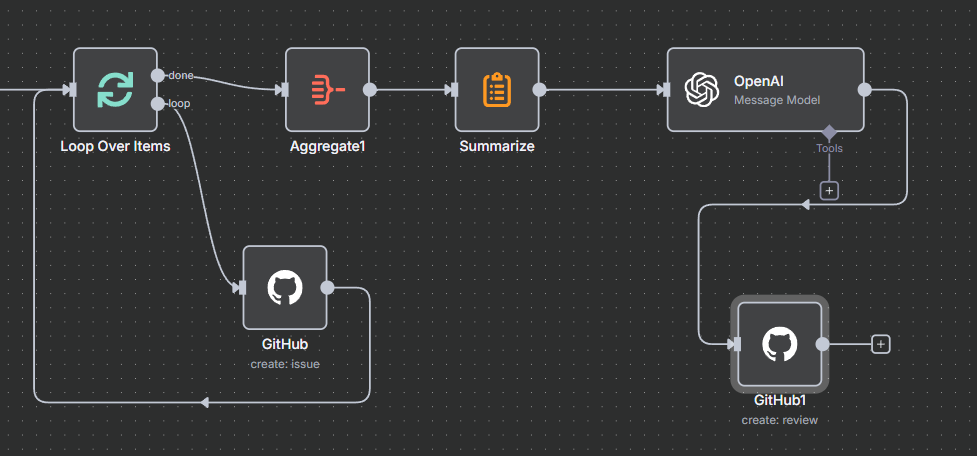
Remember a lot of this comes down to prompting. You can easily make it yours for your personal code flows and team flows.
[
👉The workflow is here.