N8N Quick Dive Switch Node #n8n
The switch node in n8n might seem like a “boring” component, but it’s absolutely critical to building sophisticated automation workflows.
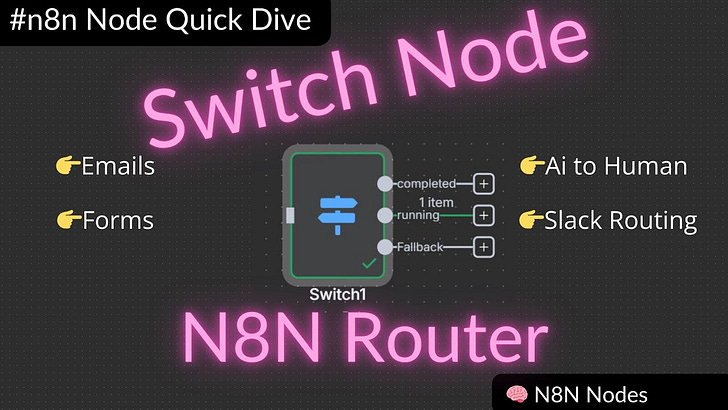
The switch node in n8n might seem like a “boring” component, but it’s absolutely critical to building sophisticated automation workflows. Whether you’re routing emails, handling API responses, or creating dynamic forms, the switch node is your traffic director—determining where data flows and what happens next.
In this comprehensive guide, we’ll explore four powerful use cases that demonstrate why the switch node is essential for any serious automation builder.
Why the Switch Node Matters
Think of the switch node as a router for your workflows. Just like a network router directs internet traffic to the right destination, the switch node takes incoming data from triggers (Slack messages, webhooks, emails) and routes them to the appropriate next steps in your automation.
The concepts we’ll cover apply beyond n8n—whether you’re using Zapier, Make, or any other automation platform, these routing principles will elevate your workflow game.
Use Case 1: Basic Routing with Slack Triggers
Our first example demonstrates routing at its most fundamental level. When a Slack message comes in, the switch node examines the channel and directs the workflow accordingly.
The Setup:
•Slack trigger receives messages from multiple channels
•Switch node evaluates the channel name
•Different outputs handle different channels (support, bot testing, human-in-the-loop)
Key Insight: By naming your outputs clearly instead of using default numbers (0, 1, 2, 3), you create workflows that are easier to understand and maintain.
This same pattern works brilliantly for:
•Email routing based on subject lines or sender addresses
•File processing based on folder locations in cloud storage
•Webhook handling from different sources
Use Case 2: Handling API Status Responses
APIs don’t always return the same response. Your video rendering service might return “completed,” “running,” or “failed” status codes. The switch node lets you handle each scenario appropriately.
The Pattern:
•API call returns different status values
•Switch node routes based on status
•”Completed” → Process the result
•”Running” → Wait and retry
•”Failed” → Error handling or fallback
•Fallback route → Handle unexpected statuses
Pro Tip: Always include a fallback route using regex patterns. This catches any status you didn’t anticipate and prevents your workflow from breaking.
Use Case 3: AI-Powered Email Routing
Here’s where things get exciting. Instead of manually defining routing rules, we can let AI decide where emails should go.
The Magic:
•Incoming email arrives at a central inbox
•AI (using Grok for speed) analyzes the email content
•AI determines the appropriate department: billing, support, or sales
•Switch node routes based on AI’s decision
Why This Works:
•No need to maintain complex rule sets
•Handles edge cases automatically
•Adapts to new types of inquiries
•Scales effortlessly as your business grows
This approach transforms a static routing system into an intelligent, adaptive one that gets smarter over time.
Use Case 4: Dynamic Form Flows
The final example showcases creating multi-step forms that adapt based on user input—essentially building a “form tree” that branches based on choices.
The Flow:
•Form trigger starts the process
•User makes a selection (billing, support, etc.)
•Switch node evaluates the choice
•User sees a customized next step
•Process continues with relevant form fields
The Power: You can create infinitely complex form flows that guide users down different paths based on their needs, creating personalized experiences without manual intervention.
Key Takeaways for Your Workflows
-
Name Your Outputs: Clear, descriptive names make workflows maintainable and debuggable.
-
Always Include Fallbacks: Use regex patterns or default routes to handle unexpected inputs gracefully.
-
Think Beyond Simple Rules: AI can make routing decisions that would be complex to code manually.
-
Chain Switch Nodes: Complex routing scenarios often require multiple switch nodes working together.
-
Test Edge Cases: Consider what happens when your switch receives unexpected data.
Get the Workflows
Want to implement these patterns in your own automations? I’m sharing all the workflows demonstrated in this tutorial. These templates will give you a head start on building intelligent routing into your own processes.
Access the workflows: [Link to workflows]
What’s Next?
The switch node is just one piece of the n8n puzzle, but it’s a crucial one. Once you master routing, you’ll find yourself building more sophisticated, resilient automations that handle real-world complexity gracefully.
Questions for you:
•What routing challenges are you facing in your current workflows?
•Which of these use cases would be most valuable for your business?
•What other n8n nodes would you like to see covered in detail?
Drop your thoughts in the comments—I read every single one and use your feedback to guide future tutorials.
Workflows
Get them here