Quick Dive - N8N File Extract
A practical walkthrough of N8N's file handling capabilities that replace custom development with simple drag-and-drop workflows
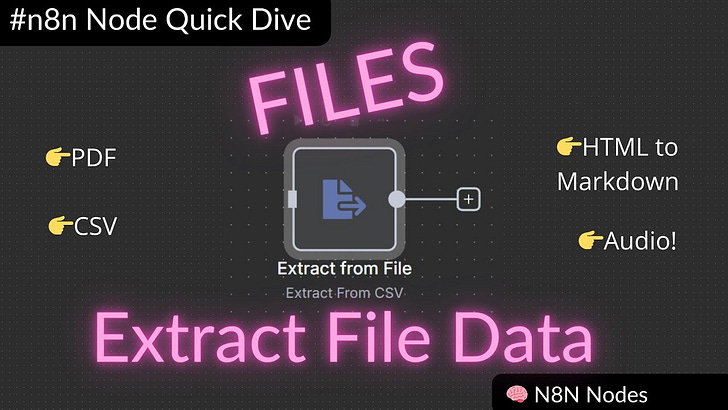
What This Covers
I put together a video showing how N8N handles file processing tasks that typically require custom coding. This article breaks down each workflow so you can see what’s possible before watching the implementation.
Full video tutorial: [Link to your YouTube video]
The goal is simple: show how easy it is to build file processing APIs without writing backend code.
Five File Processing Workflows
1. CSV Data Processing
What it does:
•Creates an API endpoint that accepts CSV files
•Automatically extracts all data into structured format
•Returns processed data or saves to cloud storage
Setup:
1.Add webhook node (receives file uploads)
2.Add “Extract from CSV” node
3.Add response node
4.Done
Testing: Upload CSV via Postman, get structured JSON back instantly.
Use cases: Data imports, customer lists, product catalogs, survey responses.
The video shows this working with a real movie dataset - you can see all the data extracted and formatted automatically.
2. HTML to Markdown Conversion
What it does:
•Accepts HTML files via API
•Converts to clean Markdown format
•Preserves structure (headings, tables, lists)
The workflow:
1.Webhook receives HTML file
2.”Extract from HTML” node pulls out text
3.”Convert to Markdown” node formats it
4.Return clean Markdown
Practical applications: Content migration, web scraping cleanup, documentation processing.
The demo uses a complex HTML file with tables, code blocks, and styling - all converted cleanly.
3. PDF Text Extraction
What it does:
•Processes PDF files (text-based or image-based)
•Extracts all text content
•Handles multi-page documents automatically
Simple setup:
1.Webhook for file upload
2.”Extract from PDF” node
3.Return extracted text
Real-world example: The video shows processing business documents and then using AI to structure the extracted text into organized JSON data.
This is particularly useful for invoices, reports, or any document where you need to pull out specific information.
4. AI-Powered Data Extraction
What it does:
•Takes unstructured text (from PDFs or other sources)
•Uses AI to identify and organize specific data points
•Returns structured JSON
The process:
1.Extract text from document (using PDF node)
2.Send text to AI with formatting instructions
3.Get back organized data
Example transformation:
•Input: Paragraph of text with employee names, IDs, performance metrics mixed together
•Output: Clean JSON with separate employee records, metrics, and categories
Business applications: Processing invoices, lab results, legal documents, customer feedback.
5. Audio Transcription
What it does:
•Accepts audio files
•Returns full text transcription
•Handles multiple audio formats
Workflow:
1.Webhook receives audio file
2.AI transcription node processes it
3.Return text transcript
Use cases: Meeting notes, podcast processing, voice memos, interview transcription.
The video actually uses the tutorial’s own audio as the demo file.
Why This Matters
No Backend Development Required
These workflows replace what would typically need:
•Custom file upload handlers
•Format-specific parsing libraries
•Error handling and validation
•Storage management
•API endpoint creation
With N8N, it’s drag-and-drop nodes instead of writing code.
Quick Setup
Each workflow takes minutes to set up, not days of development. The video shows the complete process from start to finish.
Built-in Features
N8N handles the complex parts automatically:
•File validation
•Binary data processing
•Multiple format support
•Error handling
•Secure endpoints
Technical Notes
Webhook Configuration
•All workflows use simple POST endpoints
•Form data support for file uploads
•Response modes for returning processed data
File Handling
•Binary files are automatically managed
•Preview capabilities for most file types
•Easy integration with cloud storage services
Testing
•Postman works perfectly for testing file uploads
•Form data configuration is straightforward
•Immediate feedback on processing results
Getting Started
Watch the Video
The article gives you the overview, but the video shows exactly how to build each workflow. You’ll see:
•Step-by-step node configuration
•Live file processing demonstrations
•Postman testing setup
•Real results with actual files
Try the Demo Files
I’ve included sample files for each workflow type so you can test everything yourself.
Start Simple
Begin with CSV processing - it’s the most straightforward and immediately useful.
The Bottom Line
File processing doesn’t have to involve custom development anymore. N8N’s extract features handle the complexity while you focus on building your actual application.
These workflows show how no-code tools can replace significant development effort with simple, visual configurations.