Vibe Coding With Confidence
It still amazes me that we can vibe code our own apps. Here's how to do it with confidence — keeping it secure, getting it hosted, and not getting scared off by GitHub — all built around the humble to-do list.

TLDR: It still kind of amazes me that we can vibe code our own apps now. This is me sharing how to do it with confidence — three things that trip people up (security, hosting, and GitHub), none of them as scary as they sound. We’ll build the whole thing around the most boring, most perfect example there is: a to-do list. By the end you’ll go from a static “hello world todo app” all the way to your own agent that has access to one of your own systems (Google Tasks).
I want to write about vibe coding because, honestly, it’s still amazing to me that we can build and ship our own applications this way. Something shifted at the start of the year — Claude Code, Codex from OpenAI, Cursor — these tools got genuinely good at vibe coding a real application and at hosting a simple static file you just want to share with someone.
So I want to cover the little nuances of vibe coding so you can feel more comfortable doing it, and not get caught up in the negative vibes floating around about it right now.
Quick disclaimer before we go: I’m just sharing what’s worked for me. The audience I have in mind is pretty wide — maybe you’re a junior dev, maybe you’re someone who just wants to get an idea out of your head and onto the internet. Either way, this is for you.
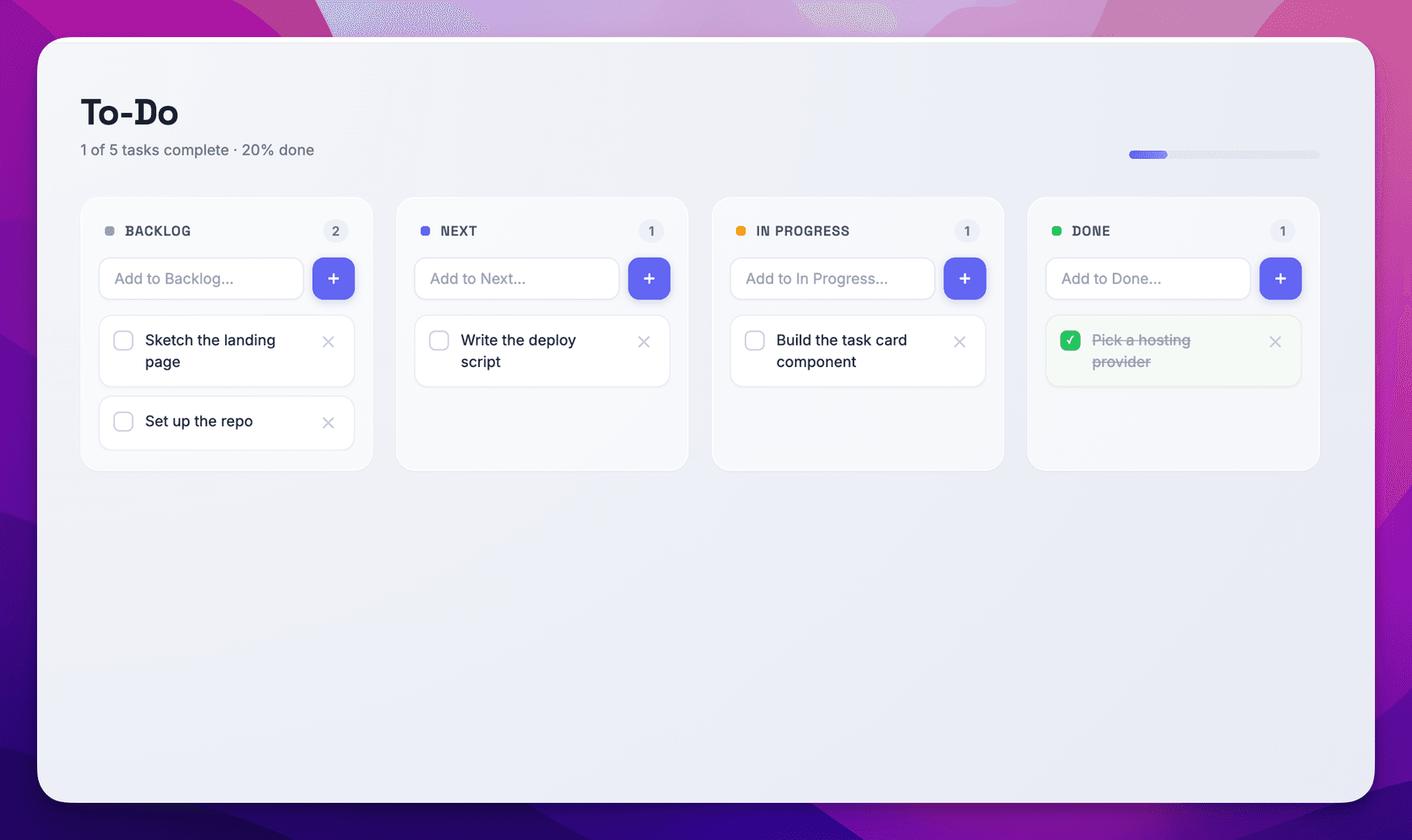
ALL THE CODE IS HERE https://github.com/alnutile/training-todo-app all the prompts etc. Nothing special but just some patterns that might help you vibe-code with confidence
The four things I will cover
- 🔒 Security
- ⛴︎ Hosting
- 🧑💻 GitHub
- 🚀 Zapier Agents (bonus: running services that gets tasks from Google Tasks and more)
Those are the four things that can make people nervous about putting their vibe coded work into the world. I’m going to walk through each one, and then we’ll do it for real with the to-do list.
NOTE: There is not one way to do things. This is just an example of how to end up with something that has authentication, has some security, and can deploy easily.
If you go through this start to end the order might be different for you depending on your experience level. For example GitHub might be new to you so maybe read through once to get the bigger picture.
I share prompts and skills but there are no “magic” prompts. So just use what makes sense and work with AI to continue building the way that works for you.
Why a to-do list?
Because everyone understands it. A to-do list is the perfect foundation. We can literally start with a static “hello world” page — technically even that could be a kind of to-do list — and grow it step by step until it’s a real, secure, multi-user app that syncs with your phone.
The first prompt we will do you can find here
1. Security — it won’t be scary
Let’s get the scary one out of the way, because it isn’t.
There’s no single magic answer to security, and here’s the honest truth: no matter how hard you work, your site is hackable. It’s very rare for a site to be completely un-attackable. But — and this is the key idea — the scope of hackability grows with the complexity of your site.
So if I’m just sharing a static artifact — some HTML with CSS and JavaScript baked in — and I put it on a web host so people can visit it in their browser, that thing is pretty darn safe. All that’s happening is: a browser downloads an HTML file and renders it. There’s not much there to attack.
Remember obscurity is NEVER security. You can not depend on funky URLs etc to equate to a secure page.
(Side note on why hosting beats emailing a file: if you just email someone an HTML file, it might not open, their machine might block it, Windows vs. Mac weirdness, or your interactive bits silently don’t work. Hosting it means everyone gets the same experience, the way you intended.)
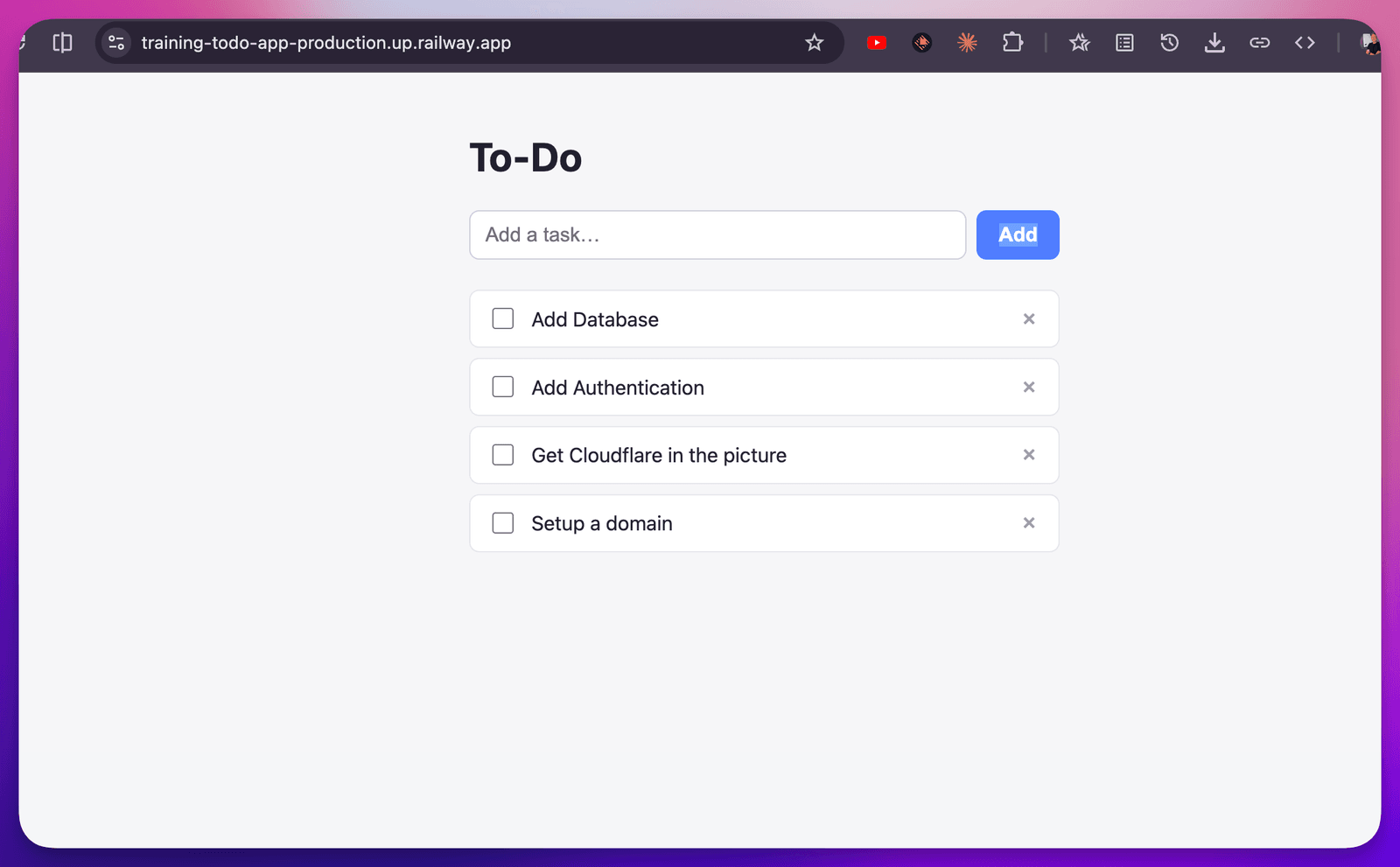
👆 As noted this is the prompt found here
We’ll talk about putting Cloudflare in front of things in a moment, which adds another layer. But the headline for this section is simple: the more your app does, the more you have to think about. Start simple and you start safe.
2. Hosting — also not scary
Ok, so I’ve vibe coded a static artifact and I want to share it. I’m not using Lovable or Replit here — for whatever reason (pricing, preference) I’m doing it on my own. So I tell the AI:
“Deploy this to a known service.”
I’m going to choose Railway. (Not a paid plug — just what I’m using here. There are plenty of other options, and the AI knows how to work with them.)
Here’s the nice part: this kind of integration is already industry standard. When I tell the AI to release this thing, it uses my GitHub repository (more on GitHub in a second), and after a one-time setup it shows up on Railway automatically.
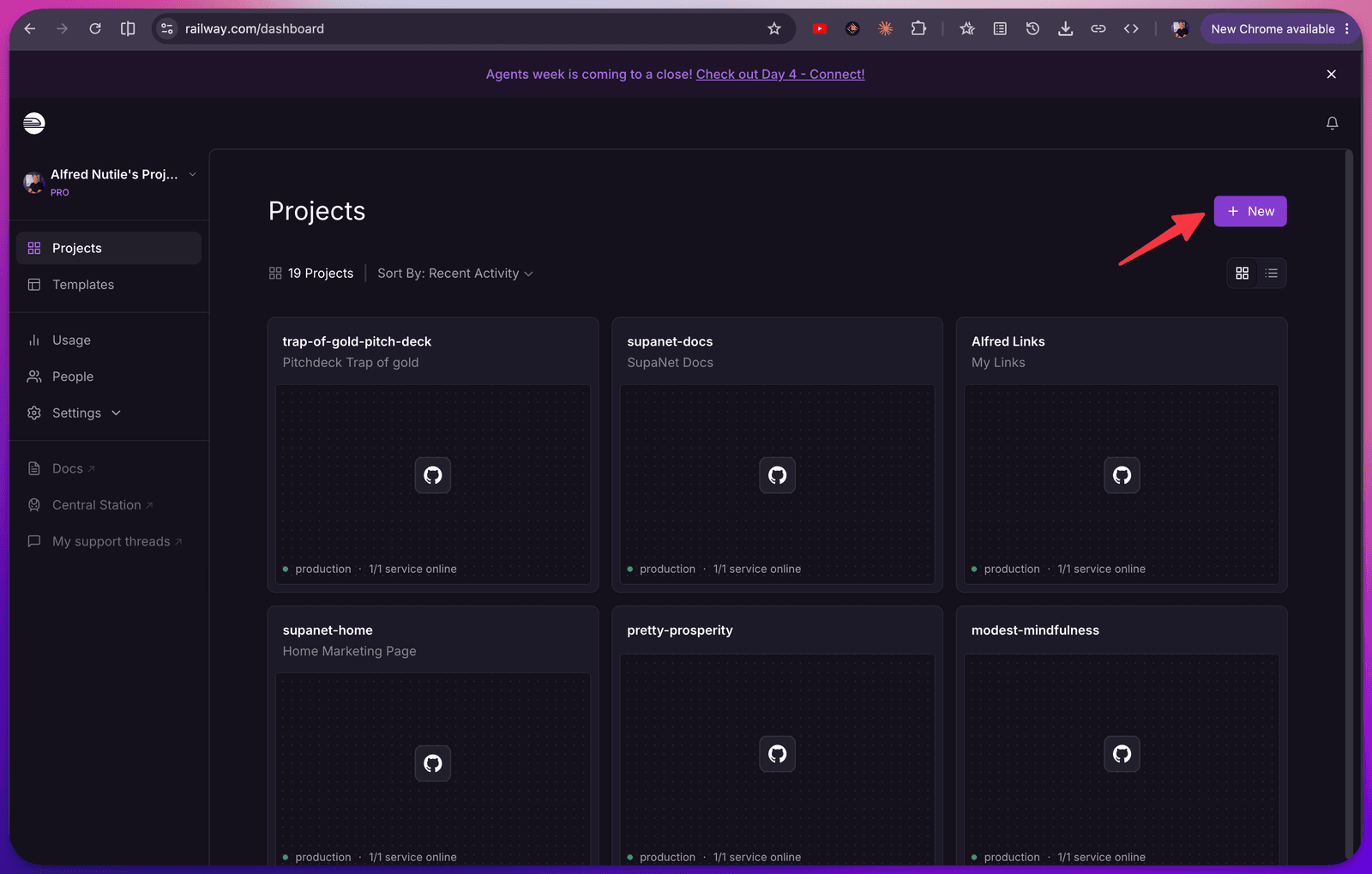
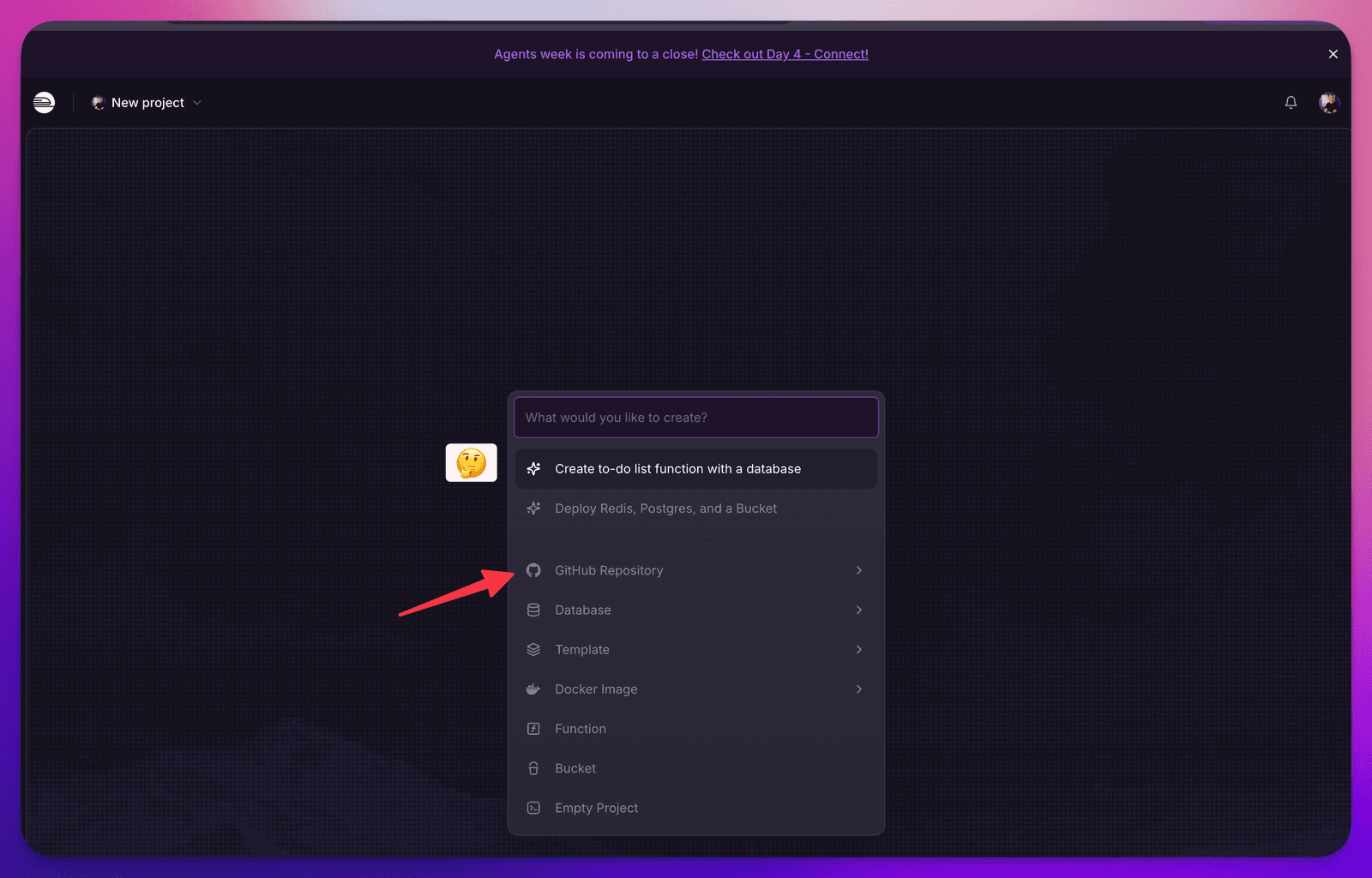
That first-time setup might mean clicking a few things myself — set up a new project, find the repo, hit deploy. The AI can probably do most of it; here I just want to do it by hand to show it working.
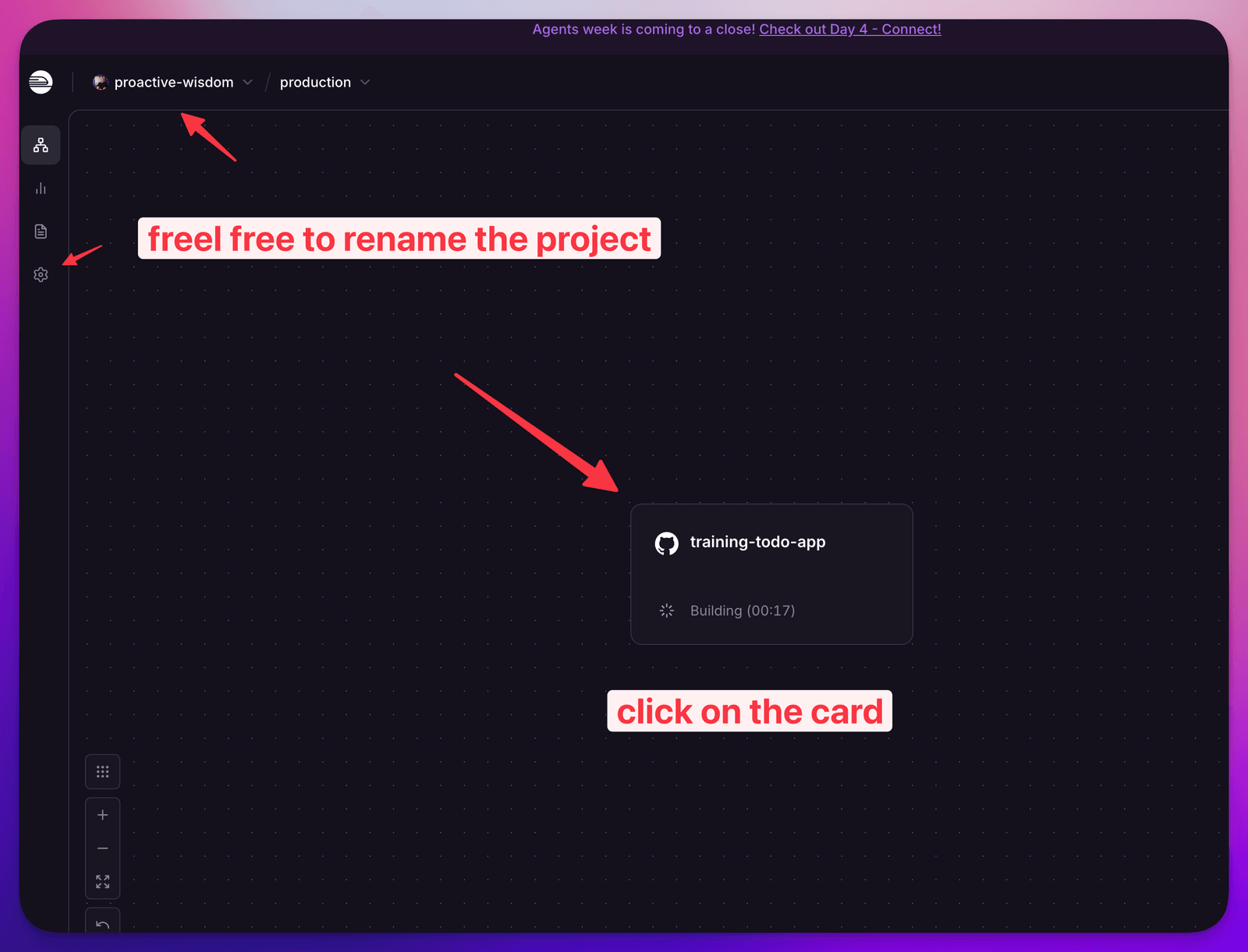
Step One - New App
Step Two - Pick the Repo
Step Three - wait and edit
Step Four - generate a url
Just for a moment we will use the built in URL:
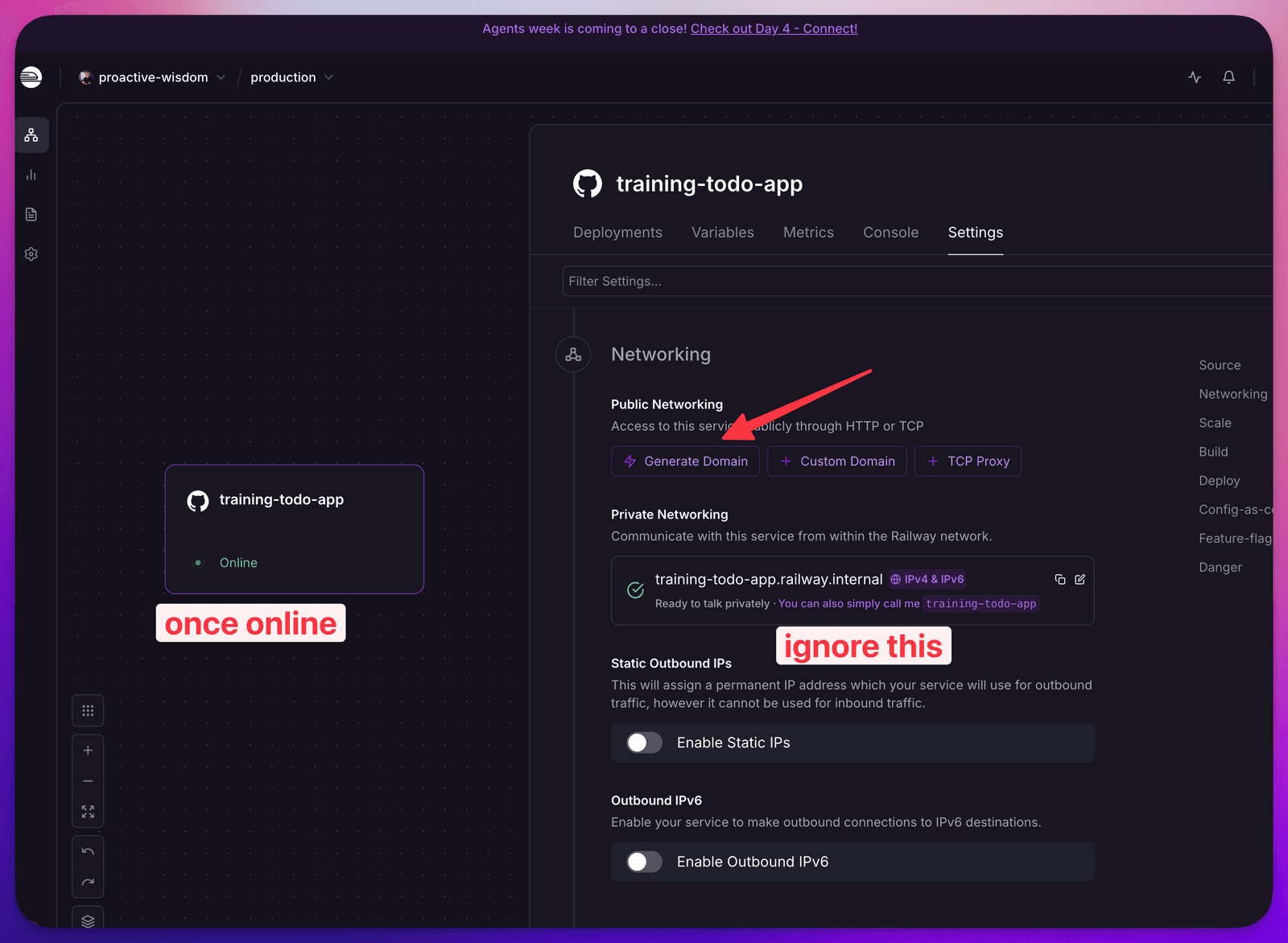
NOTE: 👇
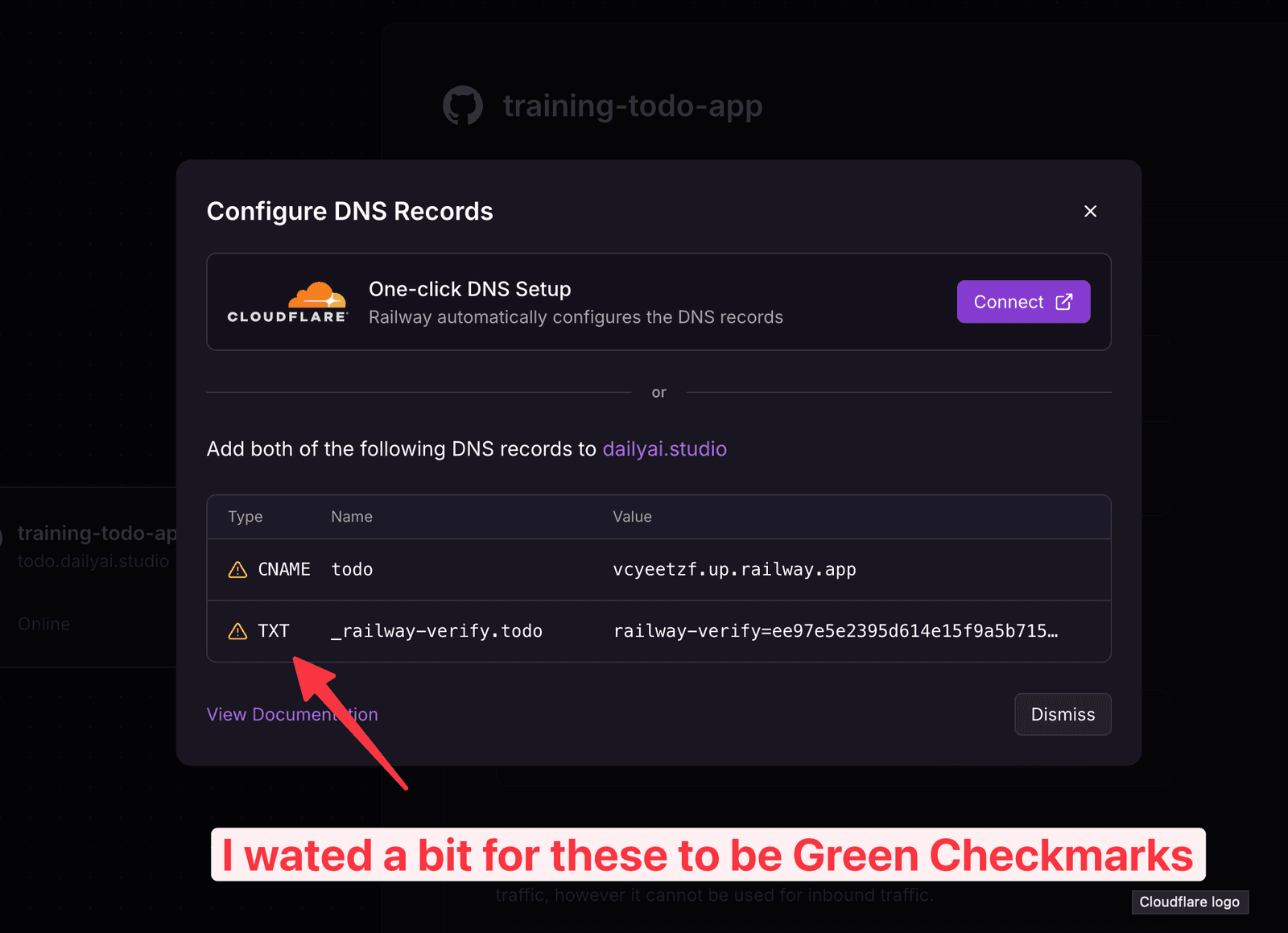
TIP
Try running the below command once the Cloudflare shows ready if you still can not connect to the site on your Mac
sudo dscacheutil -flushcache; sudo killall -HUP mDNSResponderAnd then the magic: when I want to make a change, I just push the code and walk away. Railway redeploys the update on its own. Hello world → hello world version two. You can already feel how this scales.
Want it on your own fancy domain? Point it through Cloudflare and you’re set — which ties right back to that security layer I mentioned.
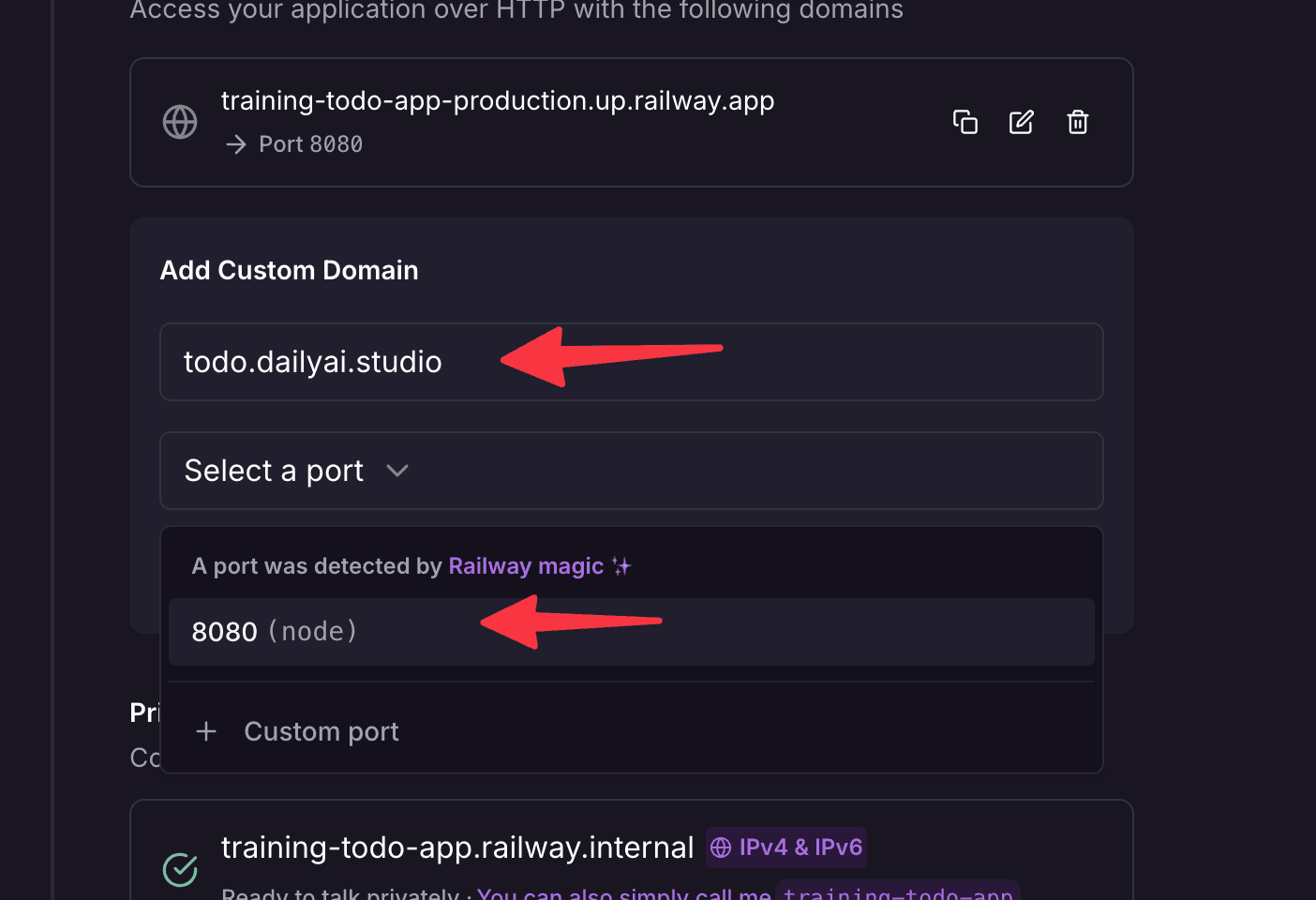
So now we’ve hosted a simple asset, it’s behind a real domain, and updates are one git push away. That’s genuinely it.
3. GitHub — the concept, not the fear
GitHub came up twice already, so let’s face it. 😱
Conceptually, GitHub is just where your code lives so that other tools — like Railway — can pick it up and deploy it. That’s the whole job to understand for now. It happens to be run by a company (GitHub) in a way that AI uses really well, but that can also be confusing the first time you see it.
The reassuring bit: the AI can handle most of the GitHub steps for you. It helps to understand what it’s doing — that’s why I’m naming it instead of hiding it — but you do not need to be a Git wizard to vibe code with confidence.
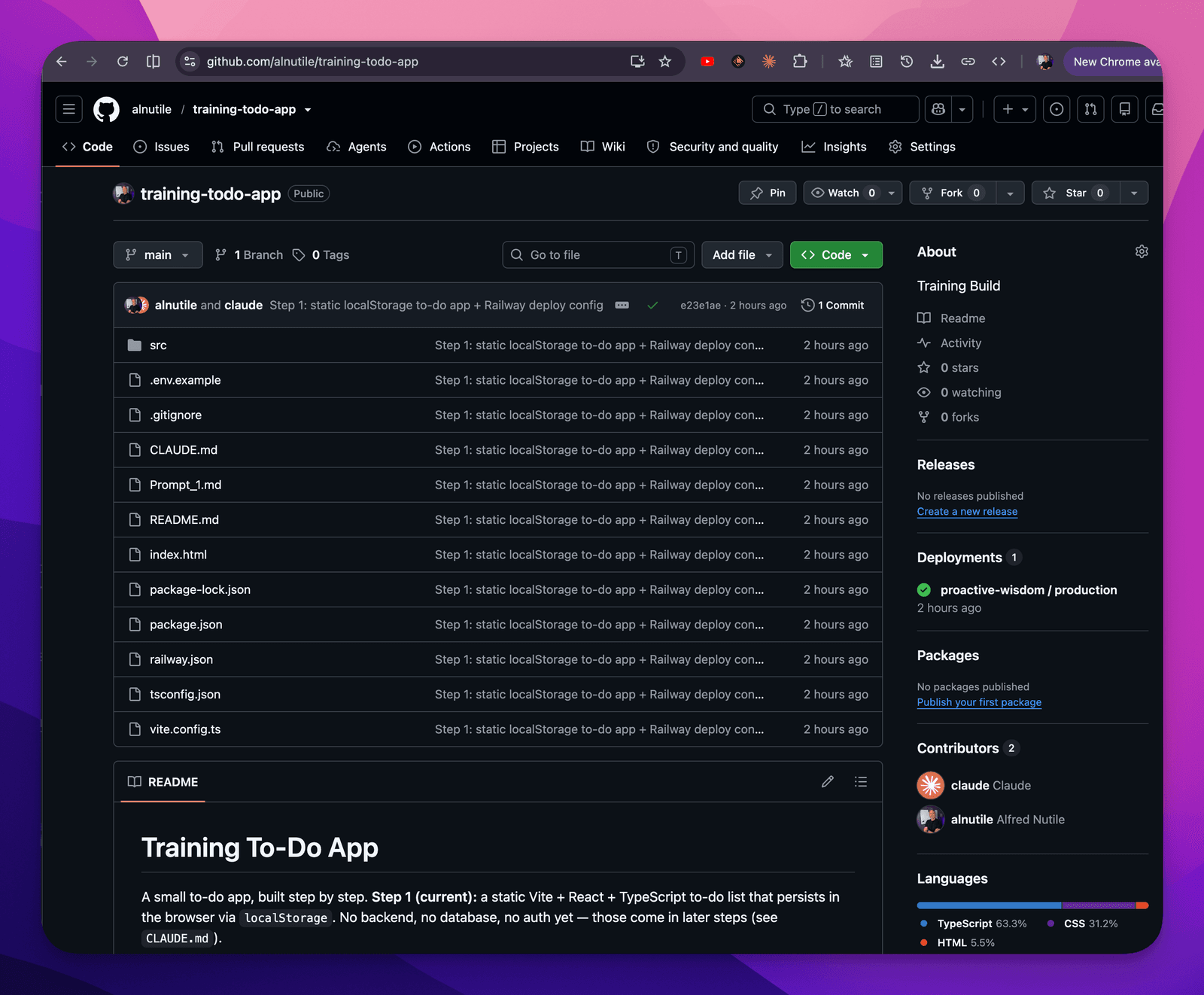
Scary moments when you can not “merge” a file without “conflicts” 😱😱😱😱
This can come up and be pretty frustrating but just paste your issue or screenshot into AI and let it help you find the right commands to run. I just had to do it for this article and was told to run:
git pull --rebase origin YOUR_BRANCH_NAMESo bizarre but now so easy!
Leveling up: the real to-do list with a database
Prompt 2 can be found here
Static files are great, but now I want to actually save things. The classic example — our to-do list.
Here’s a thing to be careful about when you vibe code: you don’t want your to-do list living only in a browser session. When you use a tool like Replit or Lovable, there’s a layer of built-in prompting that nudges the AI toward building things consistently and “for real.” If you’re rolling on your own, you have to bring that opinion — your own set of requirements, your own sense of how it should be built. (That’s exactly what skills/rules files are for, and I’ll share some at the end.)
So I’m going to make a new GitHub repo for the to-do app, and I’m going to use a database. There are tons of great database providers — Supabase is my favorite, so that’s what we’ll use. I’m leaning on Supabase on purpose, because I’m going to build on its auth and websockets as we go.
My prompt to the AI is roughly:
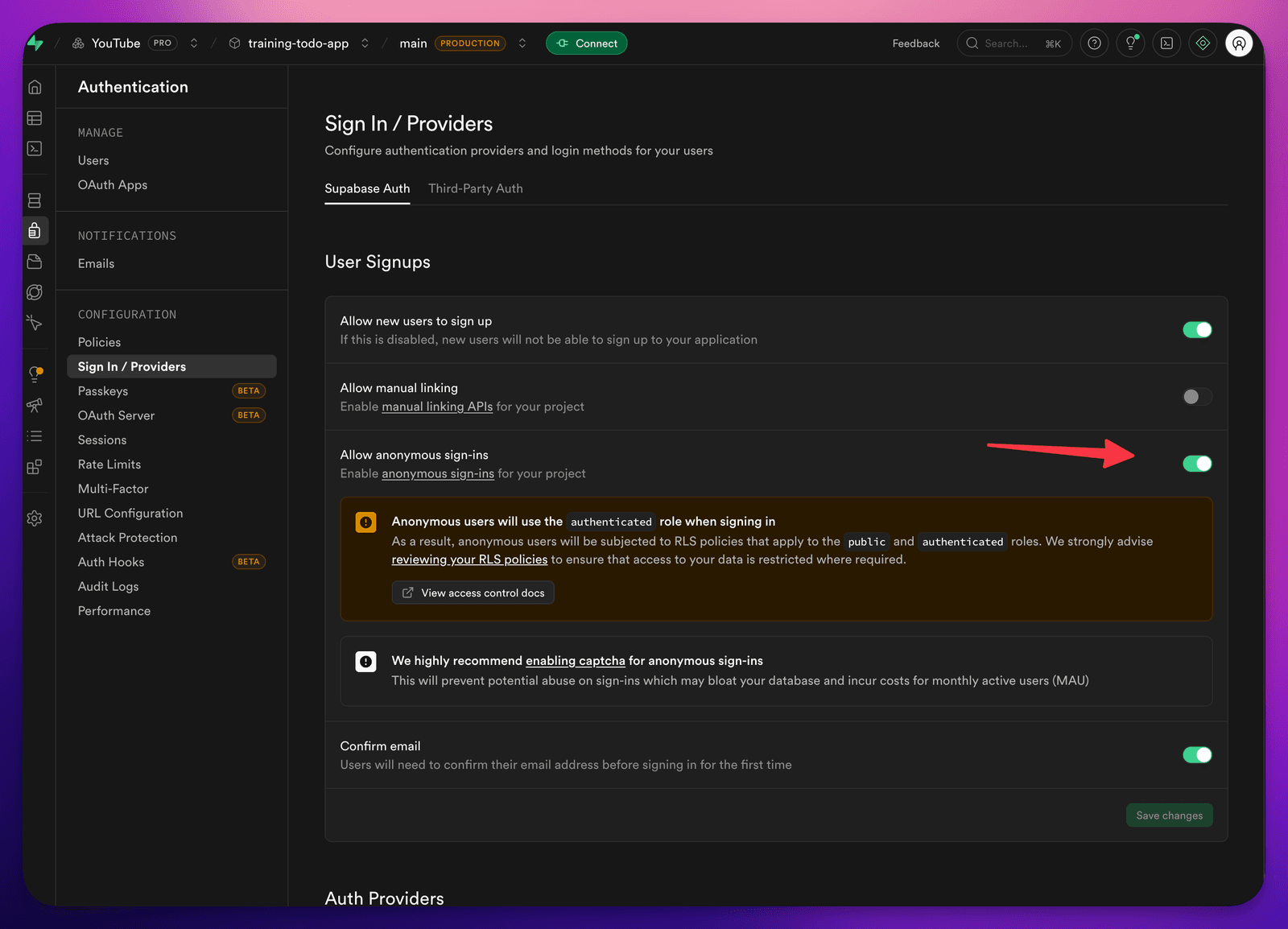
“Using anonymous authentication in Supabase, set up a session for me and a to-do list. Save my to-dos using the classic to-do schema. I should be able to mark items as Backlog, Next, In Progress, and Done, and drag them from lane to lane — and when I drag one, it updates. If I have another tab open and I move an item, use websockets so it shows in both screens.”
You will be asked to turn it on:
The one careful bit: public vs. private
When you build a web app, there are two parts that really matter: the front-facing / public part, and (when you have one) the back-facing / API part.
In a lot of setups, when you see a variable prefixed with VITE_ (or similar), you’re looking at something that gets shipped to the front-facing part — meaning users can see it. So don’t put anything in there you don’t want the public to see. That’s the whole rule.
This is exactly why I love Supabase: they understand this split, and they let you do a surprising amount safely on the public side while keeping a secure foundation underneath. We’ll lean on that next.
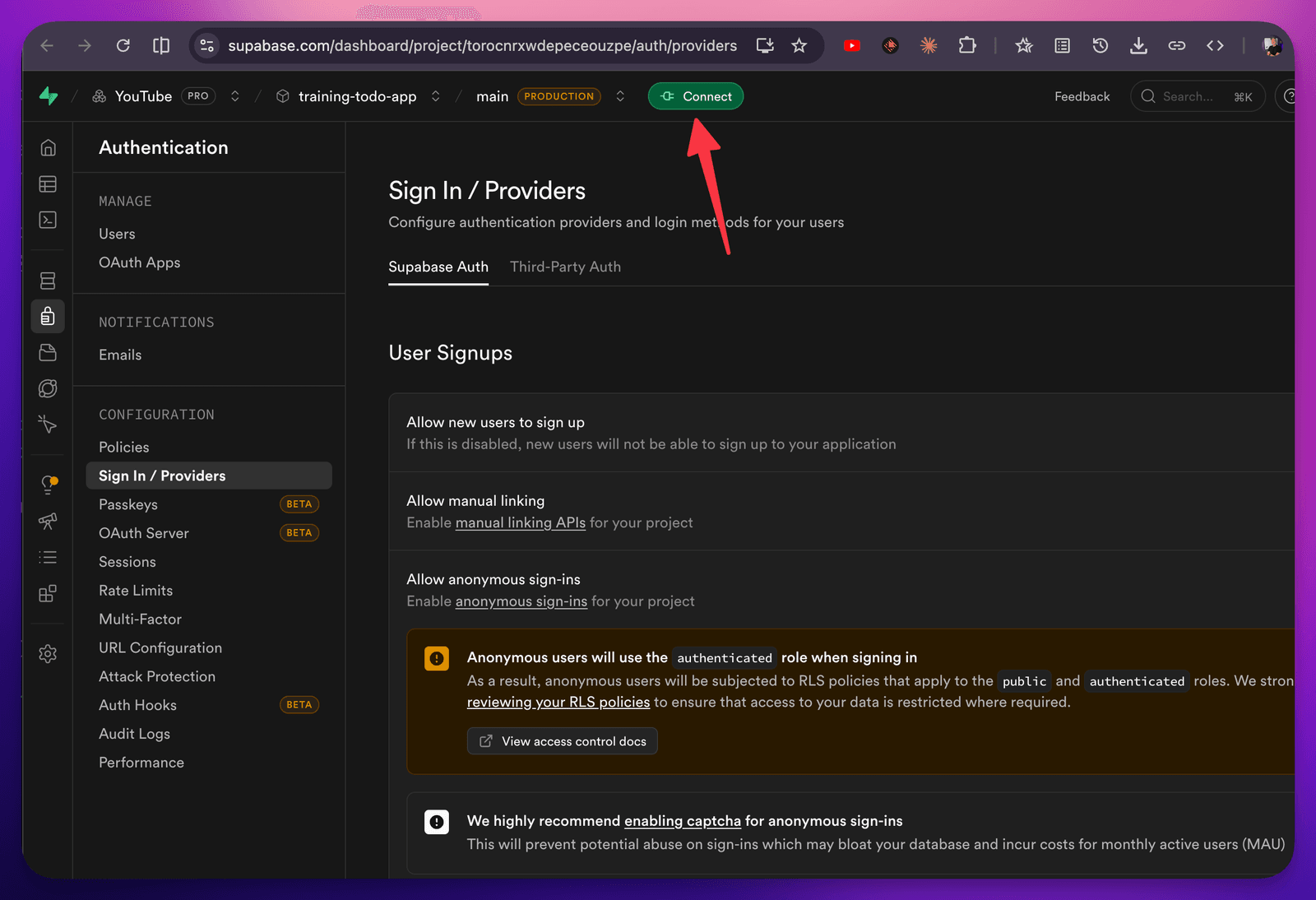
And the public key:
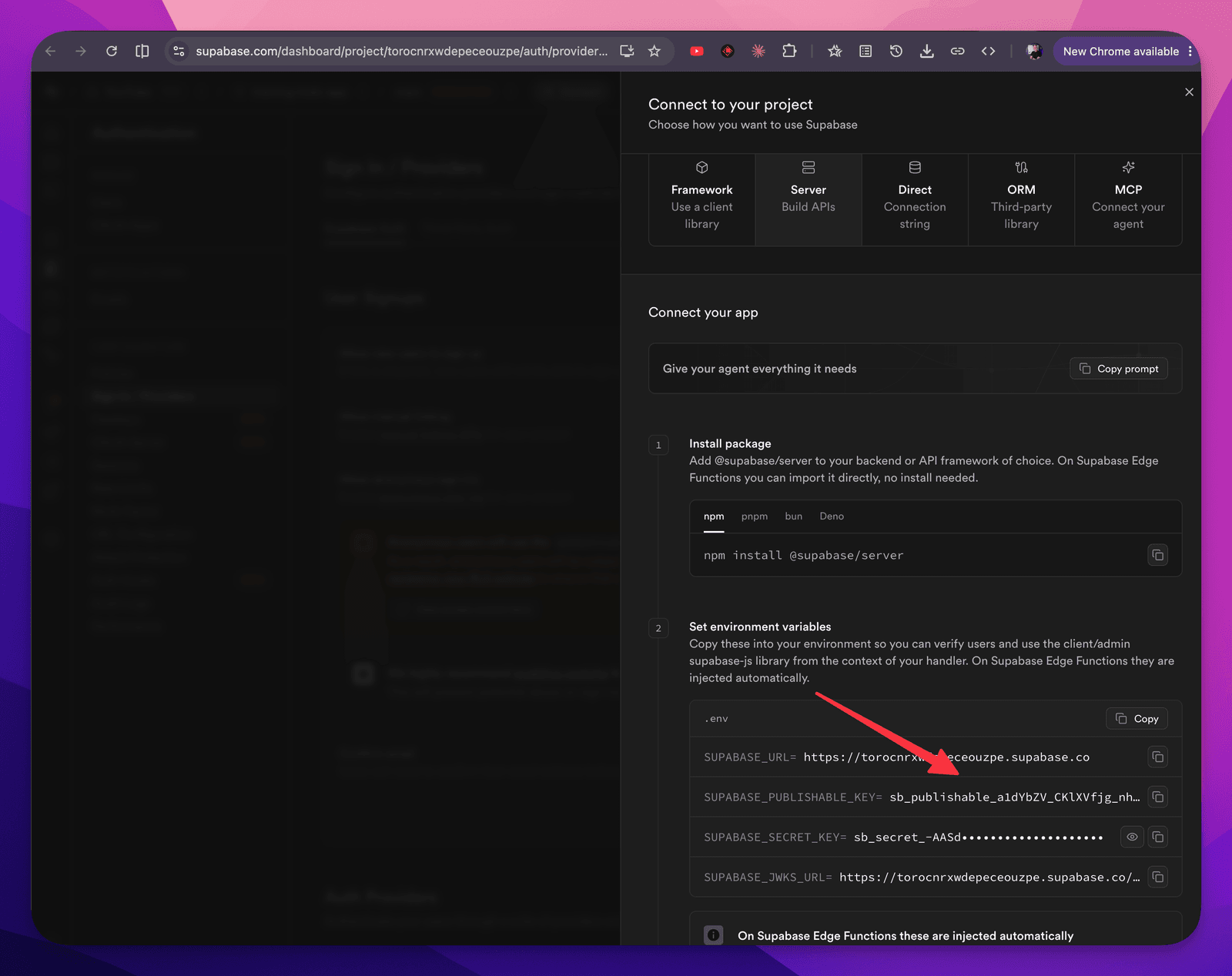
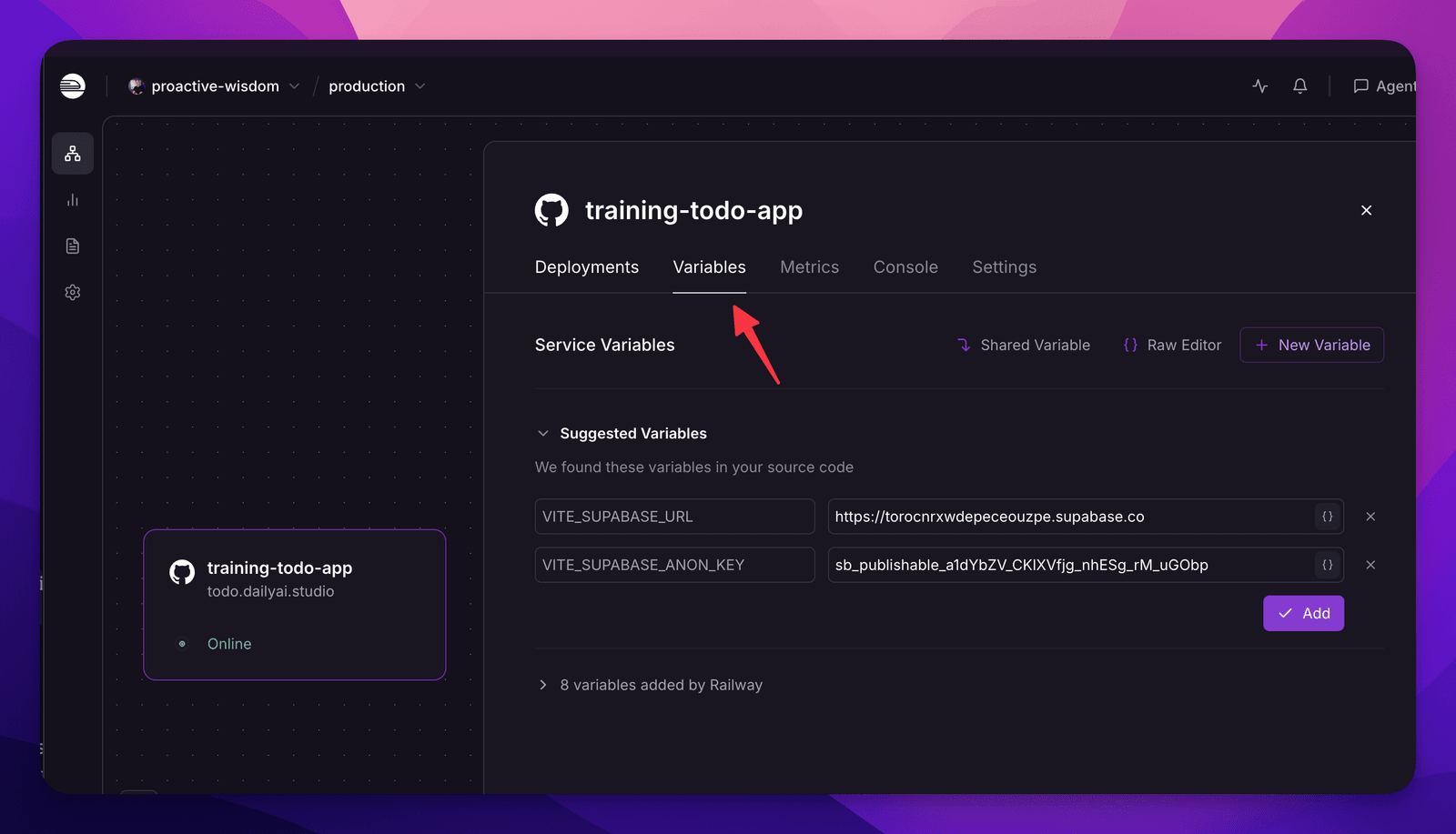
Locally as I build, the system already had these keys for me:
# Local dev env — gitignored. Public anon/publishable values only.
VITE_SUPABASE_URL=https://torocnrxwdepeceouzpe.supabase.co
VITE_SUPABASE_ANON_KEY=sb_publishable_a1dYbZV_CKlXVfjg_nhESg_rM_uGObp
It put them into a .env file which is how we deal with secrets. They never go into Github.
We had to put these on Railway as well:
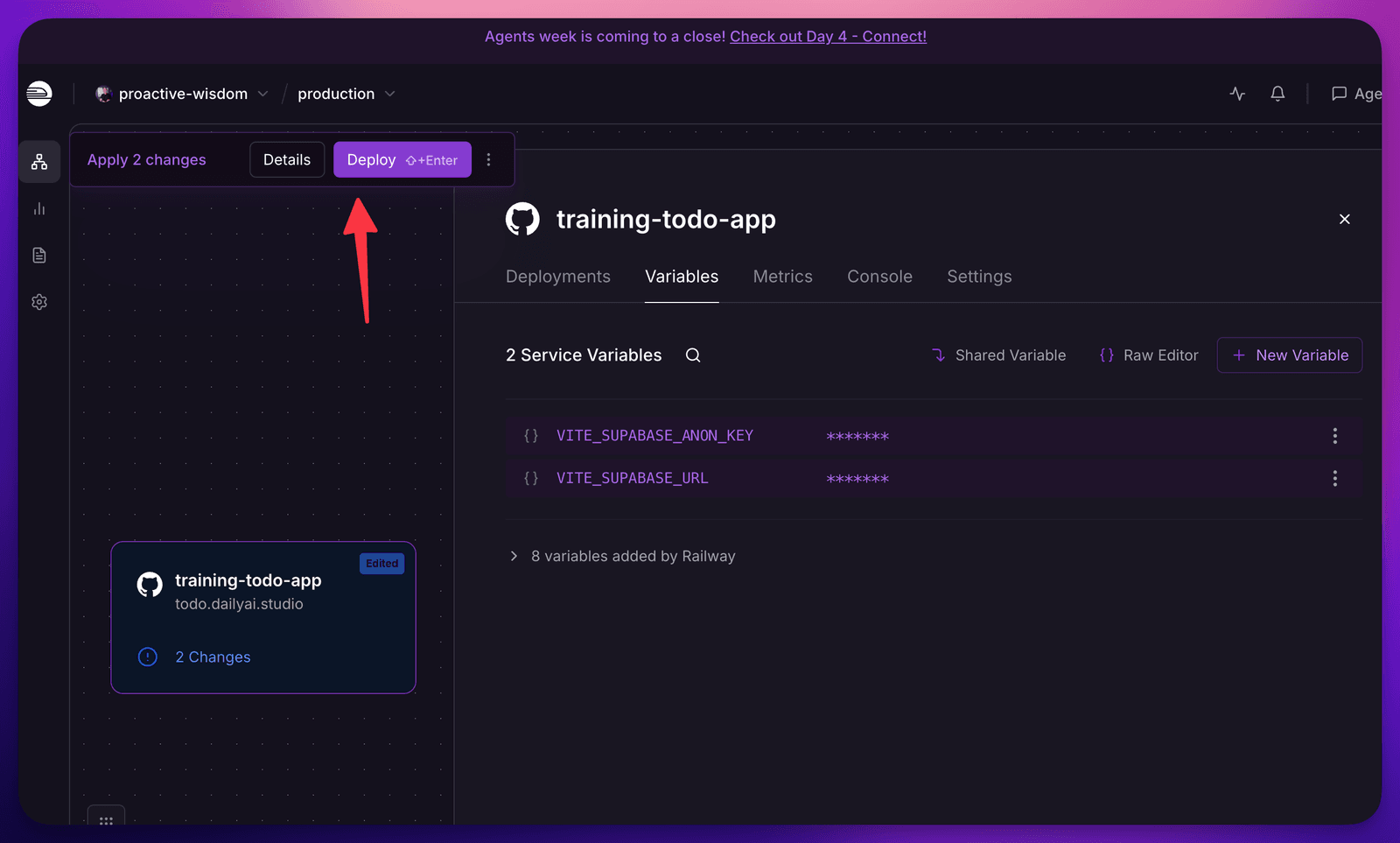
And deploy again:
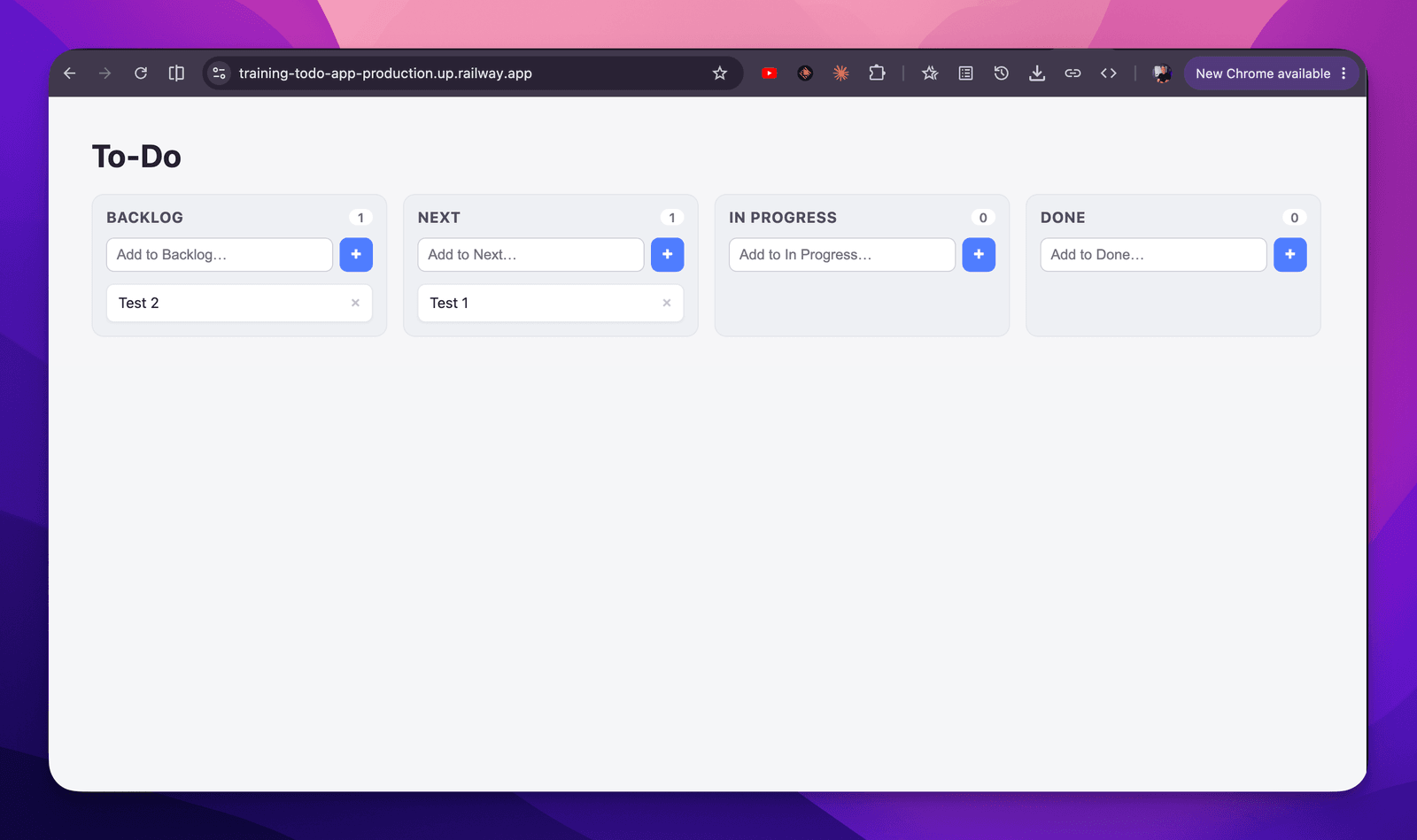
We are making progress 🎉
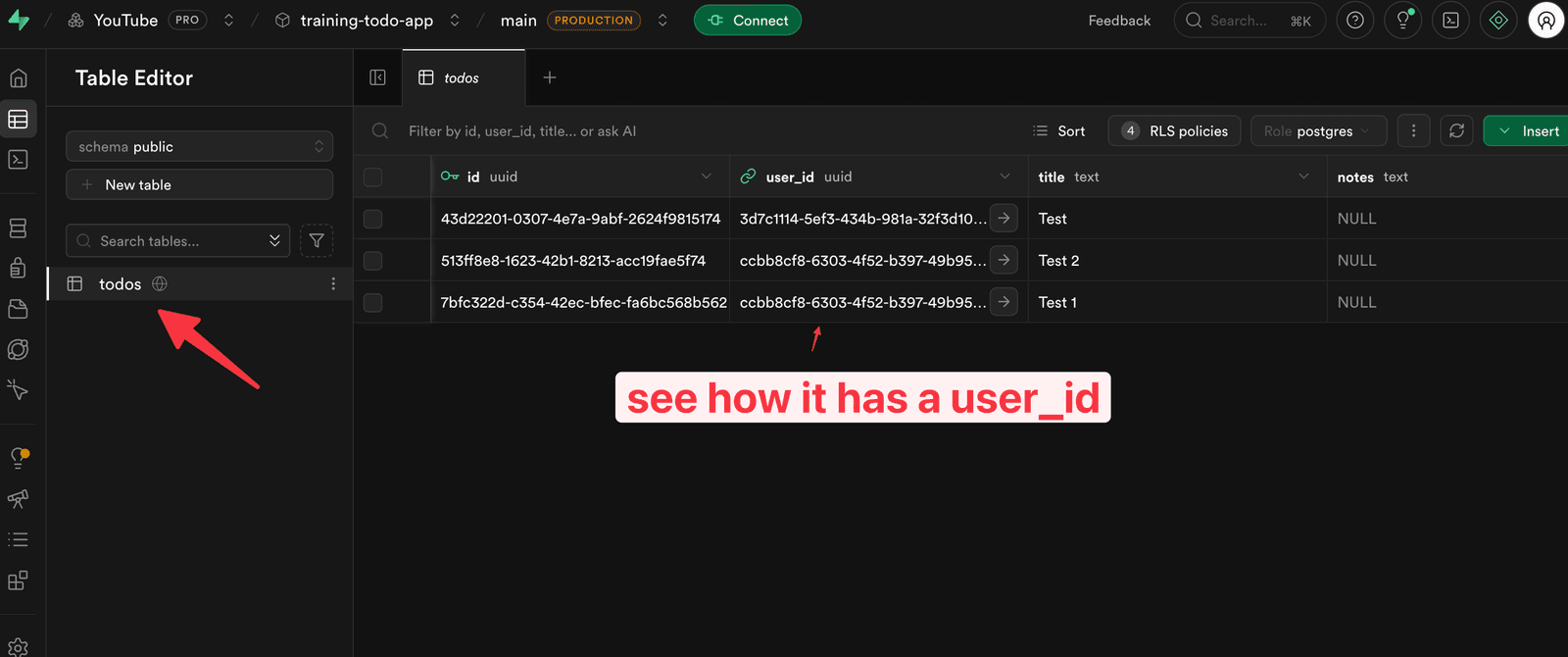
And you can see it in the table:
But if I open up a private browsing session:
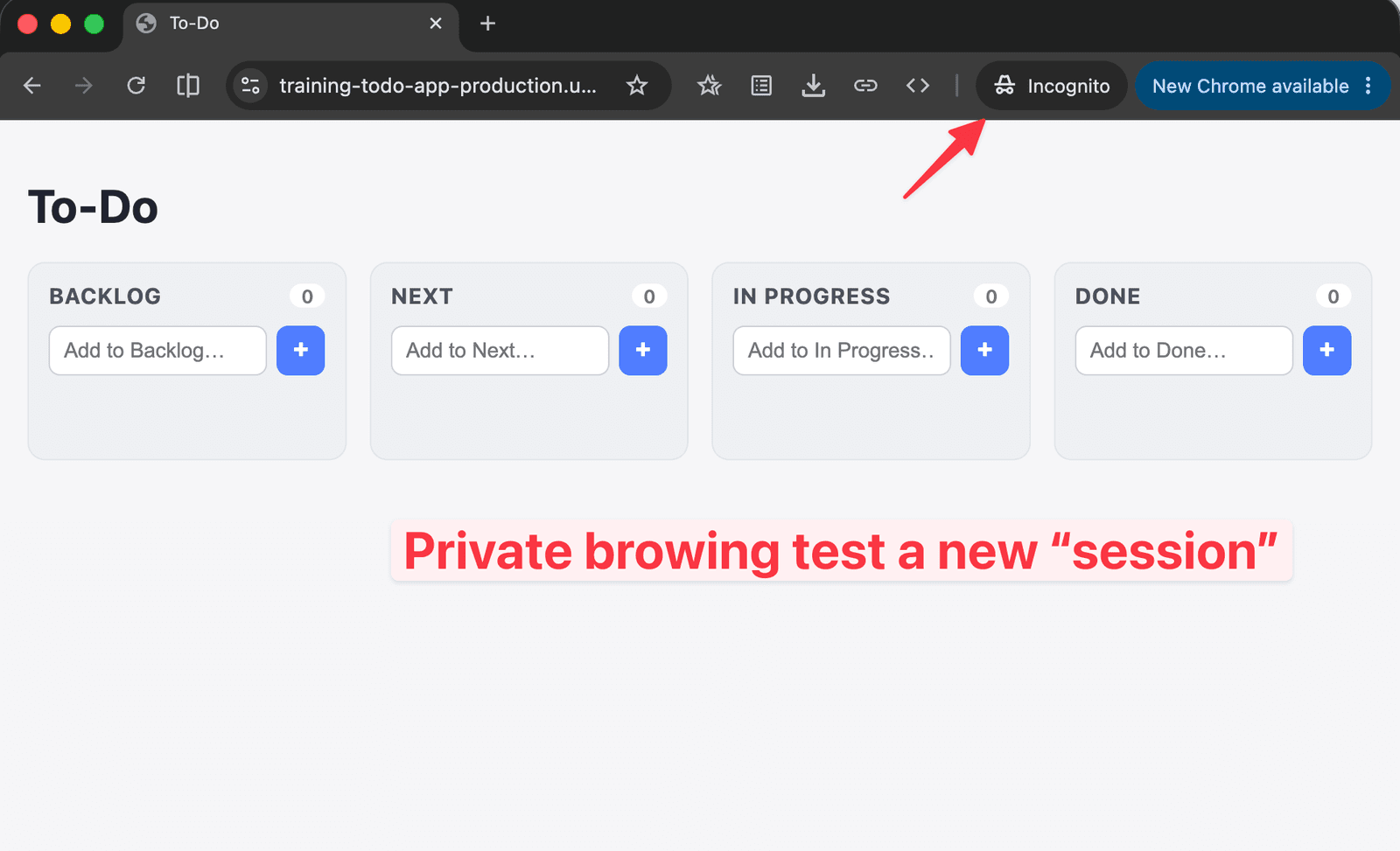
There are no TODO items — but if I add a few, we can see a new user_id:
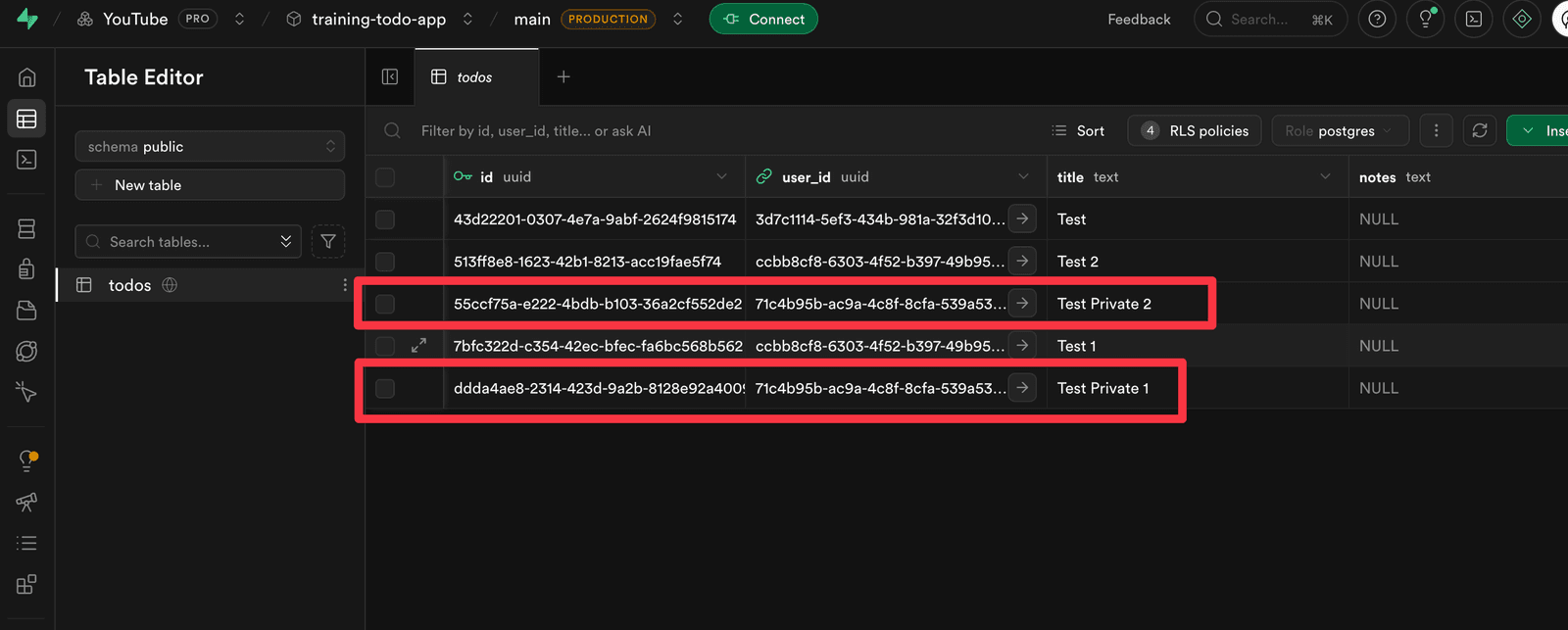
So that’s real per-user data in 2 prompts! We are now going to move into our final prompt and have user signup.
Adding real authentication
Prompt 3 can be found here
So far we’ve used anonymous auth — fine for a session. Now I want real accounts, so I get private state (my tasks are mine) and the option of shared state later (a team board you log into).
Still using Supabase, but the big rule applies to every auth system: never roll your own. There are plenty of proven options — pick one.
Here’s where having an opinion pays off again. I tell the AI:
“Using Supabase, let people register and log in. They don’t need to verify their email, they can use magic links to sign in. Sign-up is open.”
That’s wide open on purpose — you can tighten it however you like (even invite-only). Then, since I’d already set up anonymous auth, I just say:
“Remove the anonymous auth feature.”
…to keep things simple, and now we have a to-do system stored per user, behind a login.
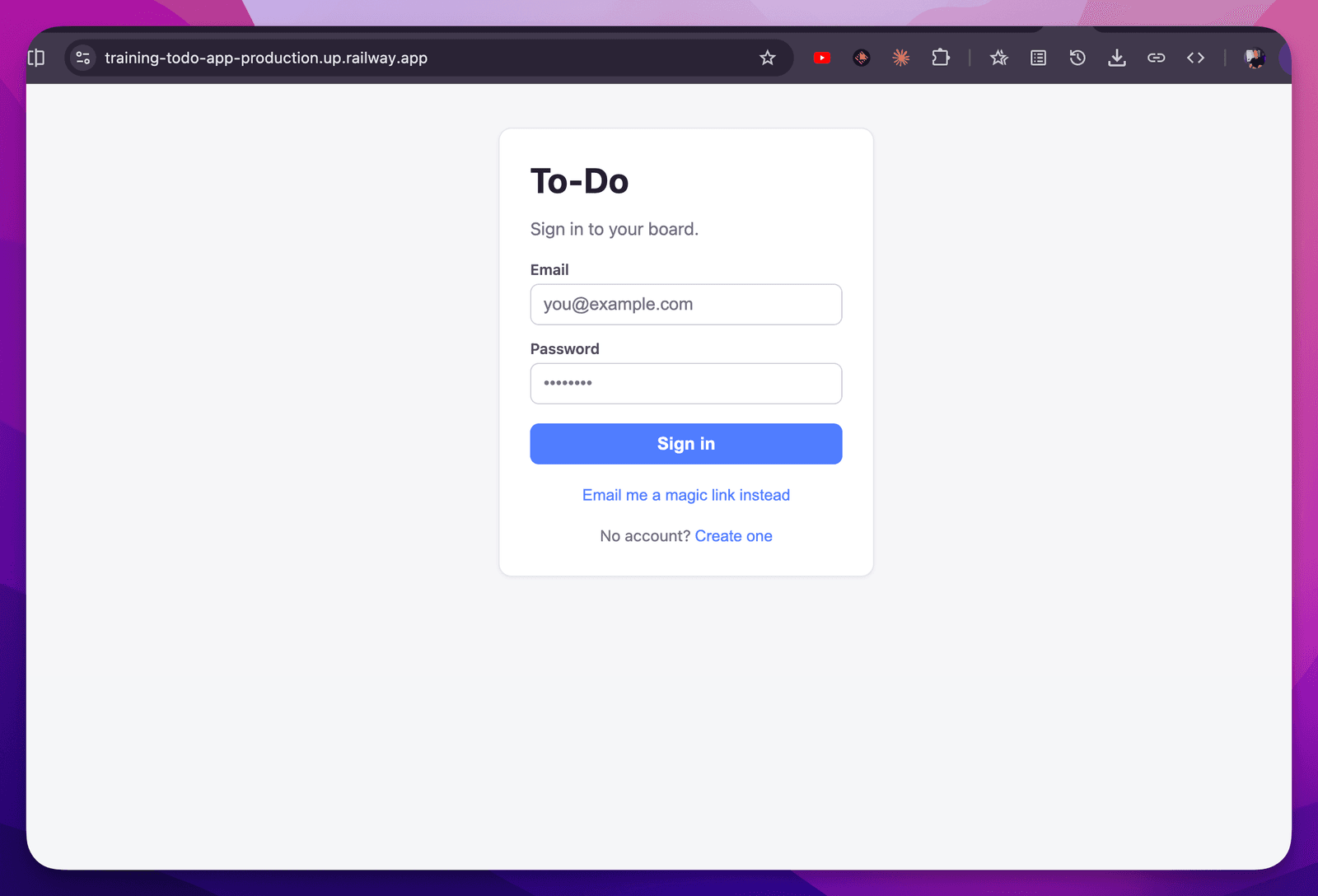
We can Sign out:
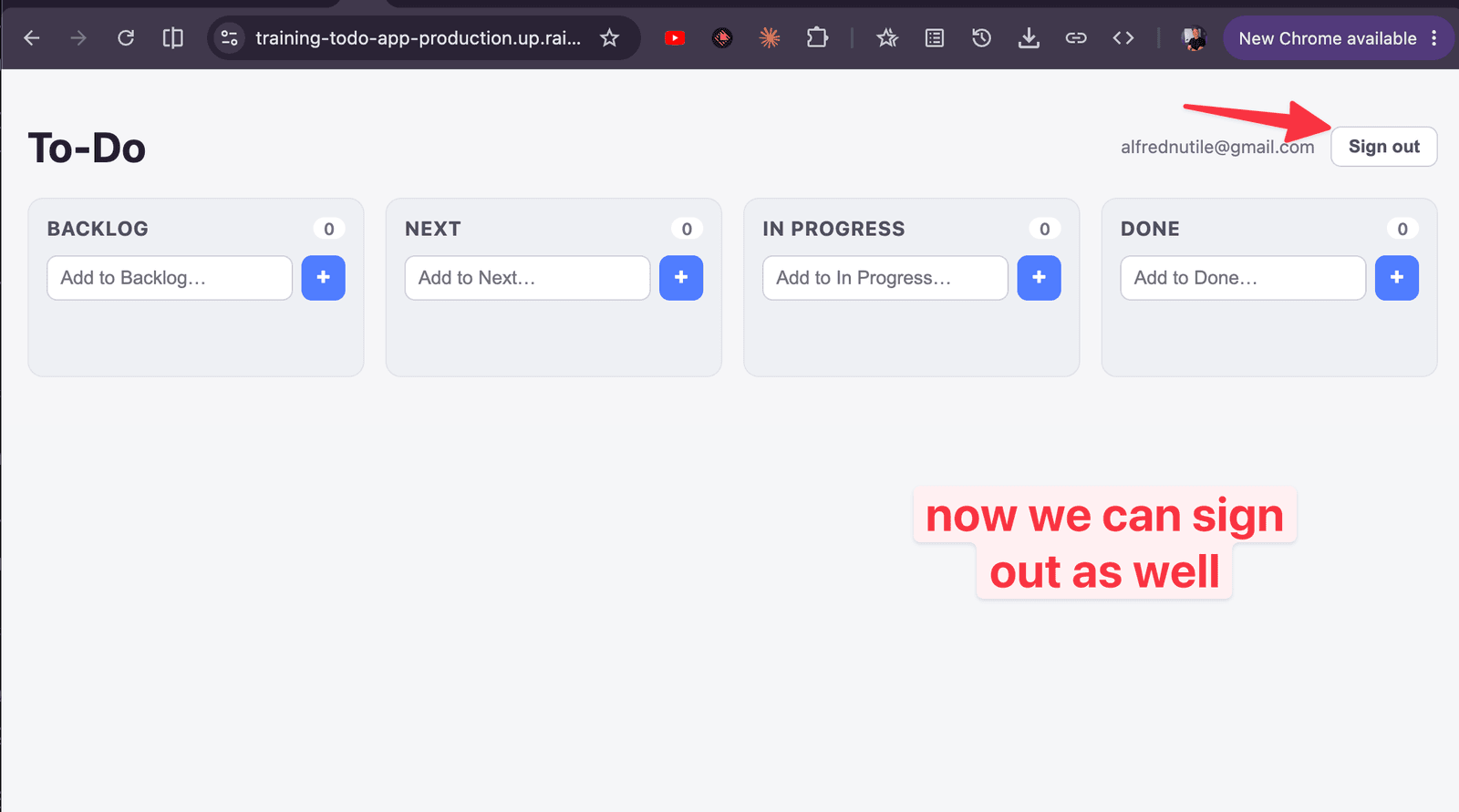
And we see the todo items I make are mine:
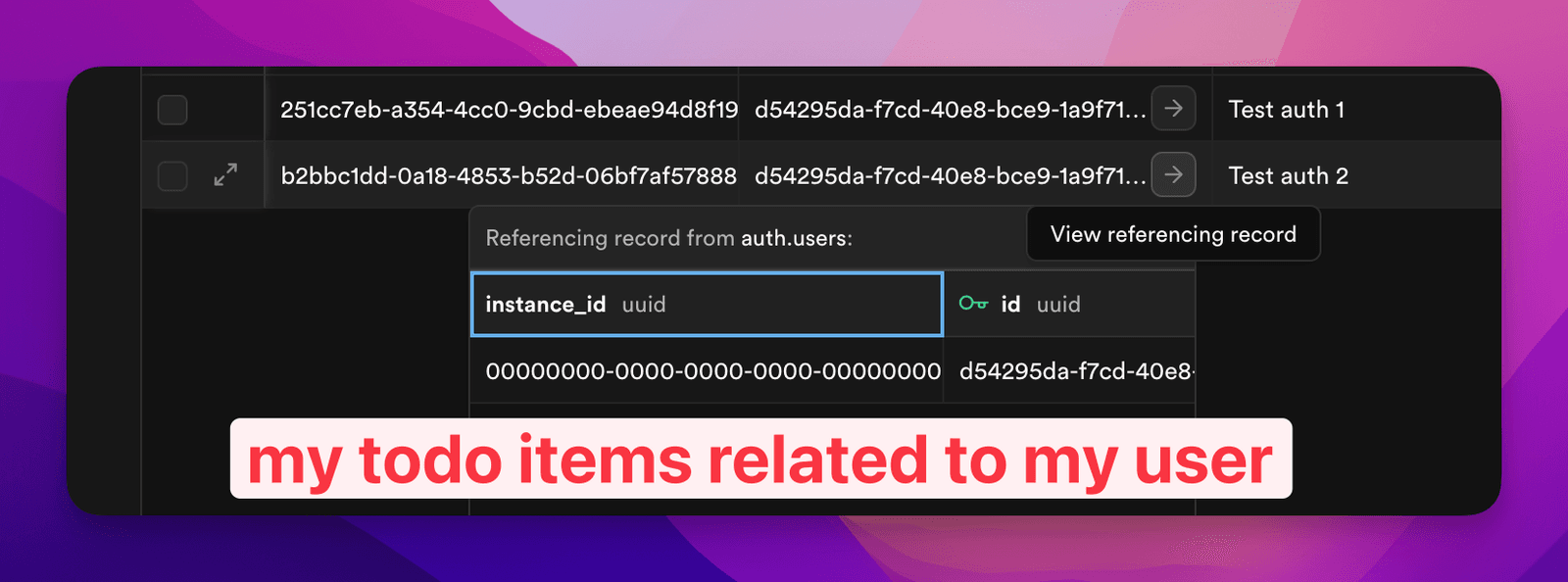
The part people forget: row level security
This is important. Depending on your database setup, the gate on the front isn’t enough — you also want the database itself to enforce that people can only touch their own rows. Supabase calls this Row Level Security (RLS), and I just have the AI make sure it’s turned on and the policies are right.
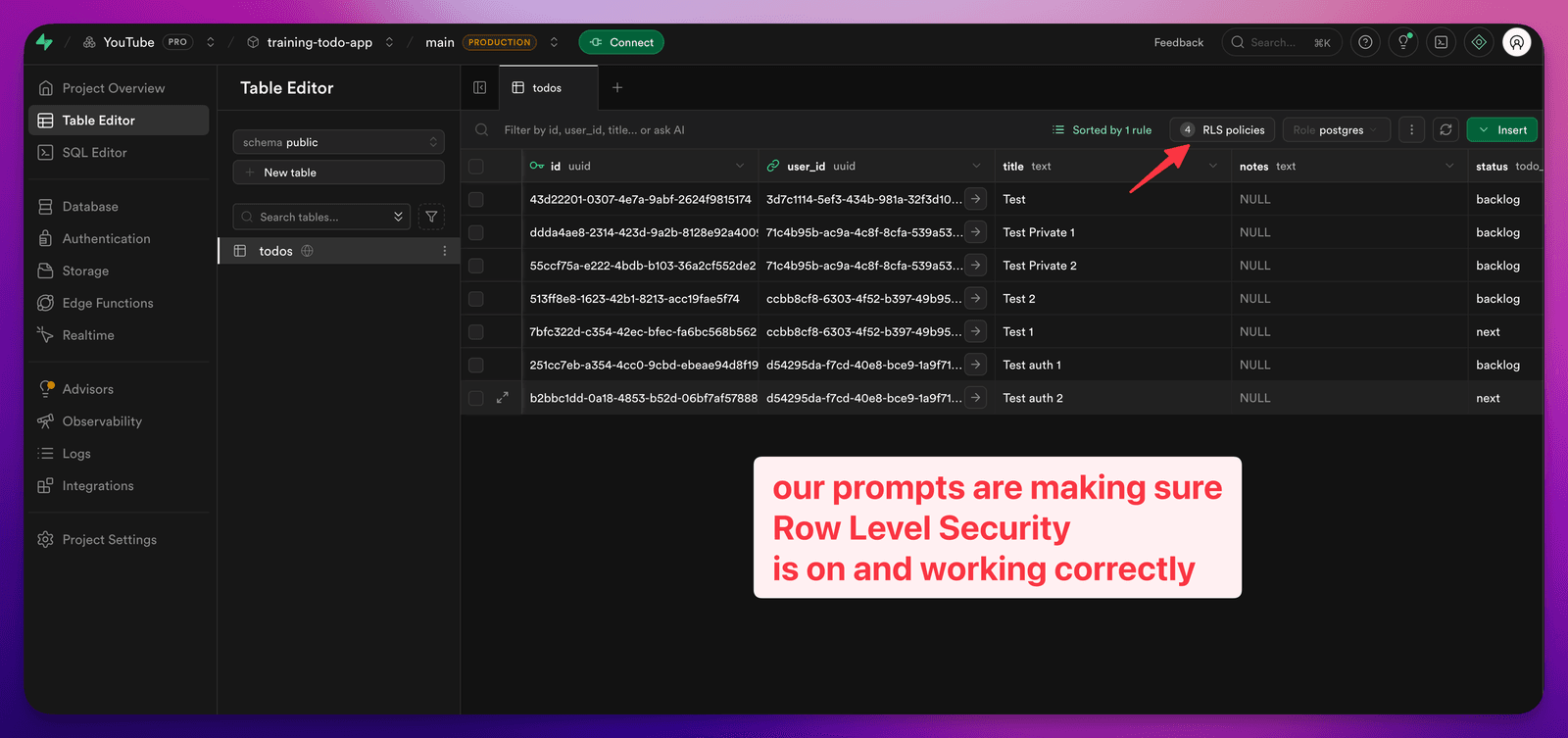
And then the details of what it is doing:
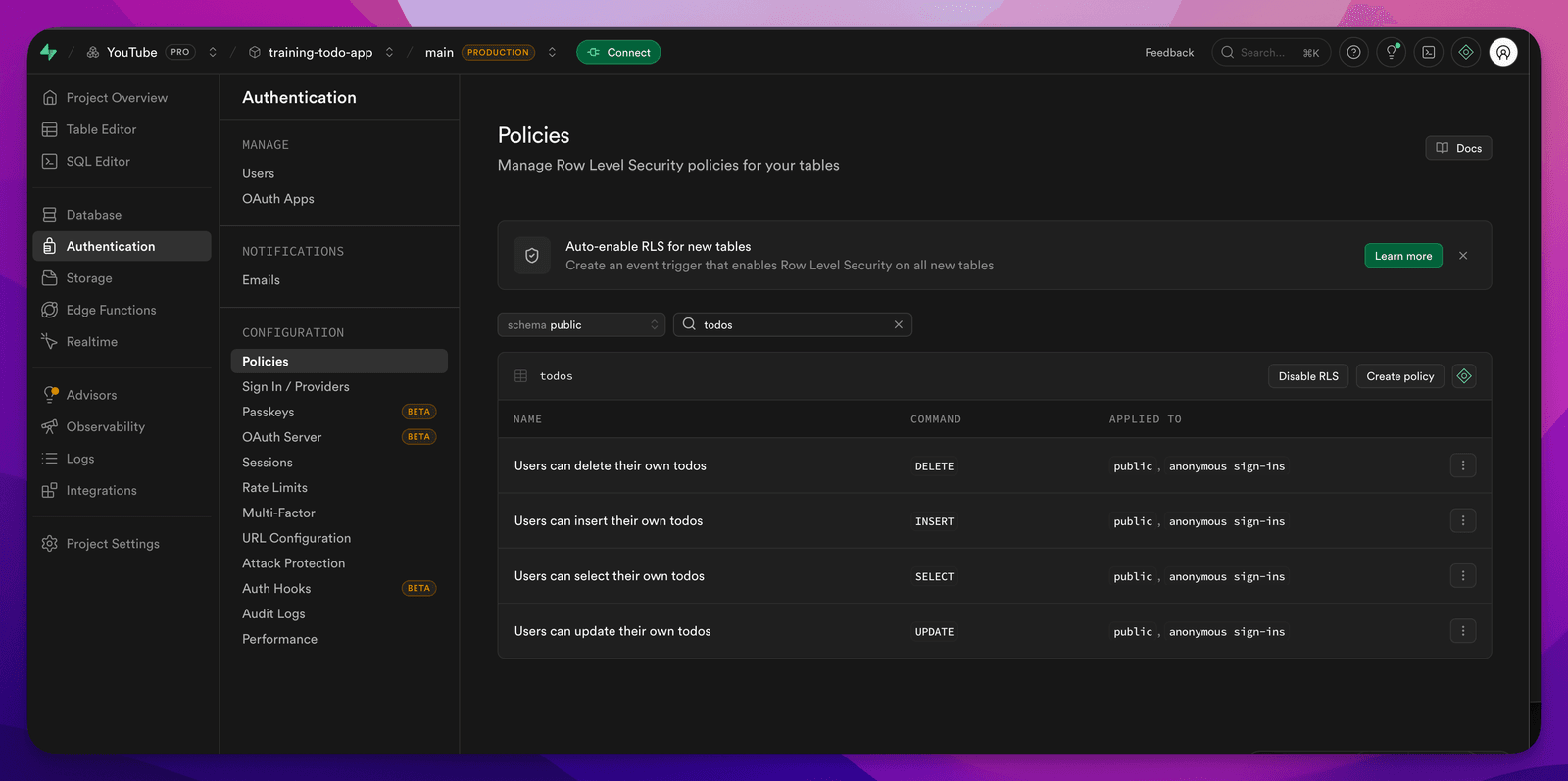
A couple of freebies worth naming: with Railway you already get HTTPS out of the box (certificates are free), so that box is checked. If your host doesn’t default to HTTPS, go get that in place.
So now we’ve got: authentication, row level security, sensible permissions. That keeps your app secure and ready at the baseline. Not bulletproof — nothing is — but sensible.
Cloudflare Proxy
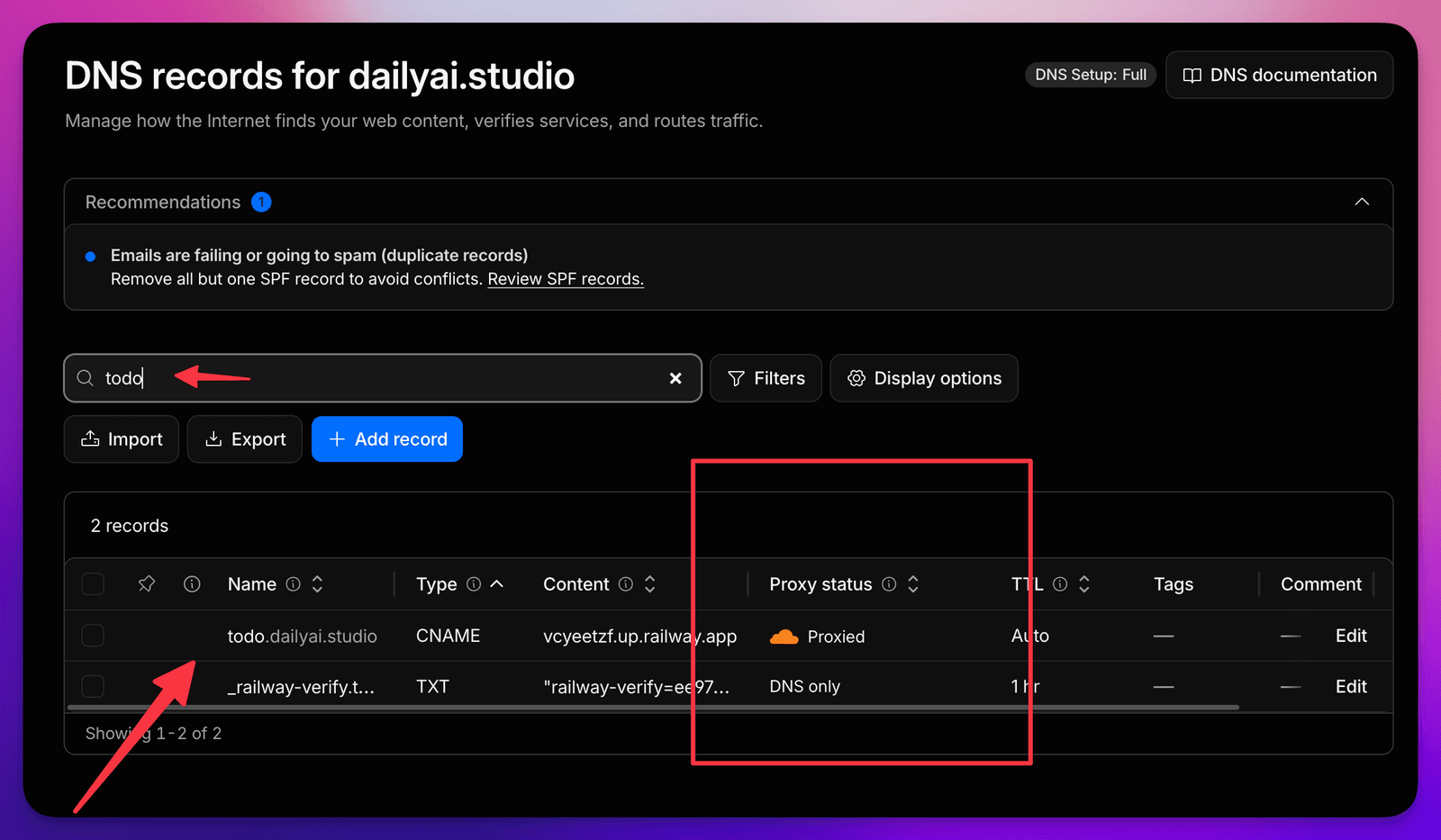
The proxy (that “orange cloud” toggle next to your DNS record) is a great way to get some instant baseline “security” on your project — I put “security” in quotes on purpose, more on that in a second. A few quick wins the moment you turn it on:
- It hides your origin. Visitors hit Cloudflare instead of your Railway app directly, so your real server isn’t just sitting out in the open for someone to poke at.
- HTTPS everywhere, free. You get SSL at the edge, and you can flip on “Always Use HTTPS” so anyone who shows up on
http://gets bounced tohttps://. - DDoS protection out of the box. Cloudflare soaks up the big, dumb traffic floods at the network level before they ever reach you — included even on the free plan.
- A CDN you didn’t have to set up. Your static stuff gets cached and served from somewhere near your visitor, so it’s faster and your origin gets hit less.
- Bot Fight Mode. One toggle that knocks back a lot of the low-effort bots and scrapers.
- Simple firewall rules. Block an IP, block a whole country, or throw up an “Under Attack” challenge page if something’s going sideways — all from the dashboard.
Now the honest part (this is why “security” is in quotes): the proxy is a baseline, not a force field. It’s a great layer to put in front of the real work — your auth and row level security — not a replacement for it. Same theme as the rest of the article: layers, start simple, nothing’s bulletproof.
If you have an SSL error like this:
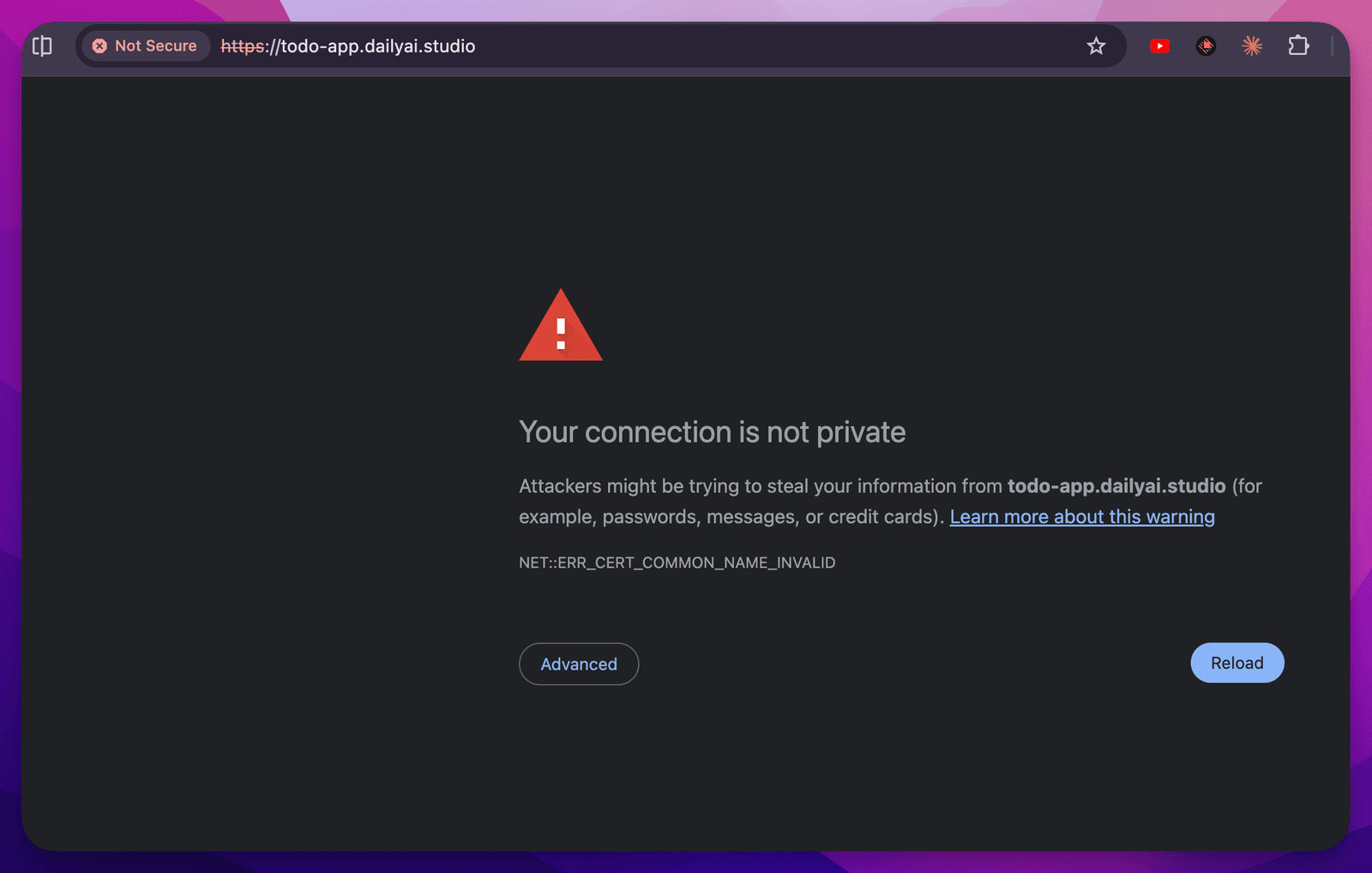
It can be really frustrating. One suggestion is to:
- Set the record to DNS only (grey cloud) first.
- Wait for Railway to show the domain verified + certificate issued (the ⚠️ turns green).
- Then turn the orange cloud (proxy) back on.
- In Cloudflare, set SSL/TLS mode to Full (strict).
You can turn it off this way:
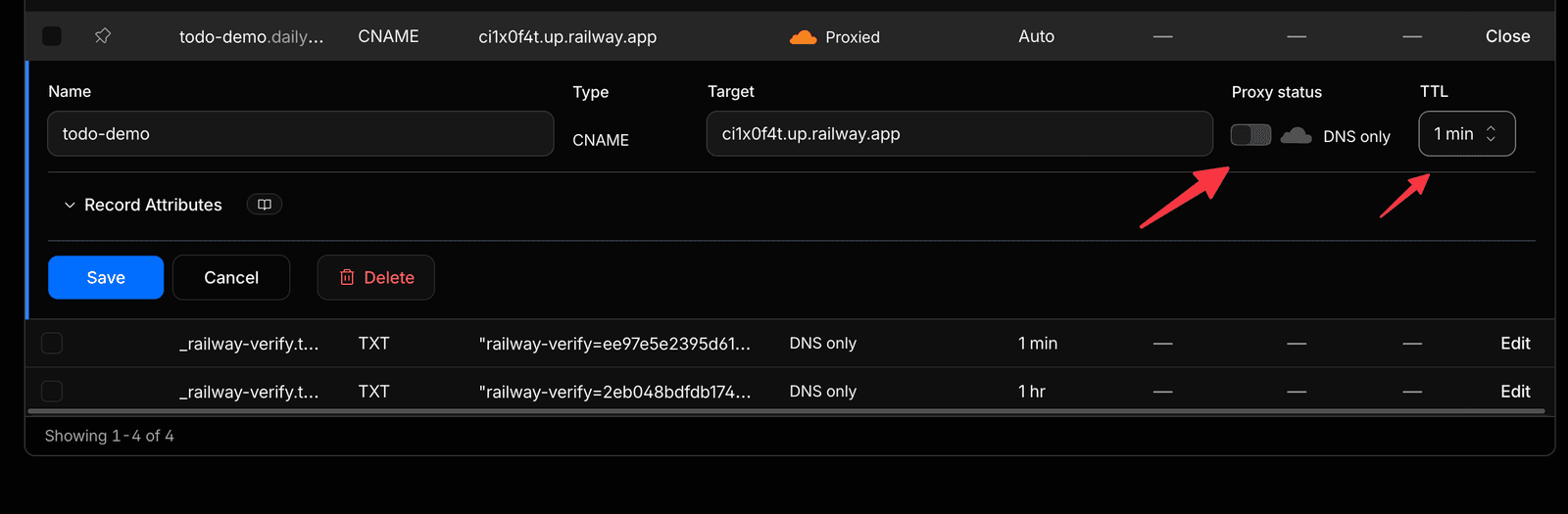
The fun finale: give your app its own agent
Prompt 5 can be found here
Here’s the part I’m most excited about, and where Zapier comes in.
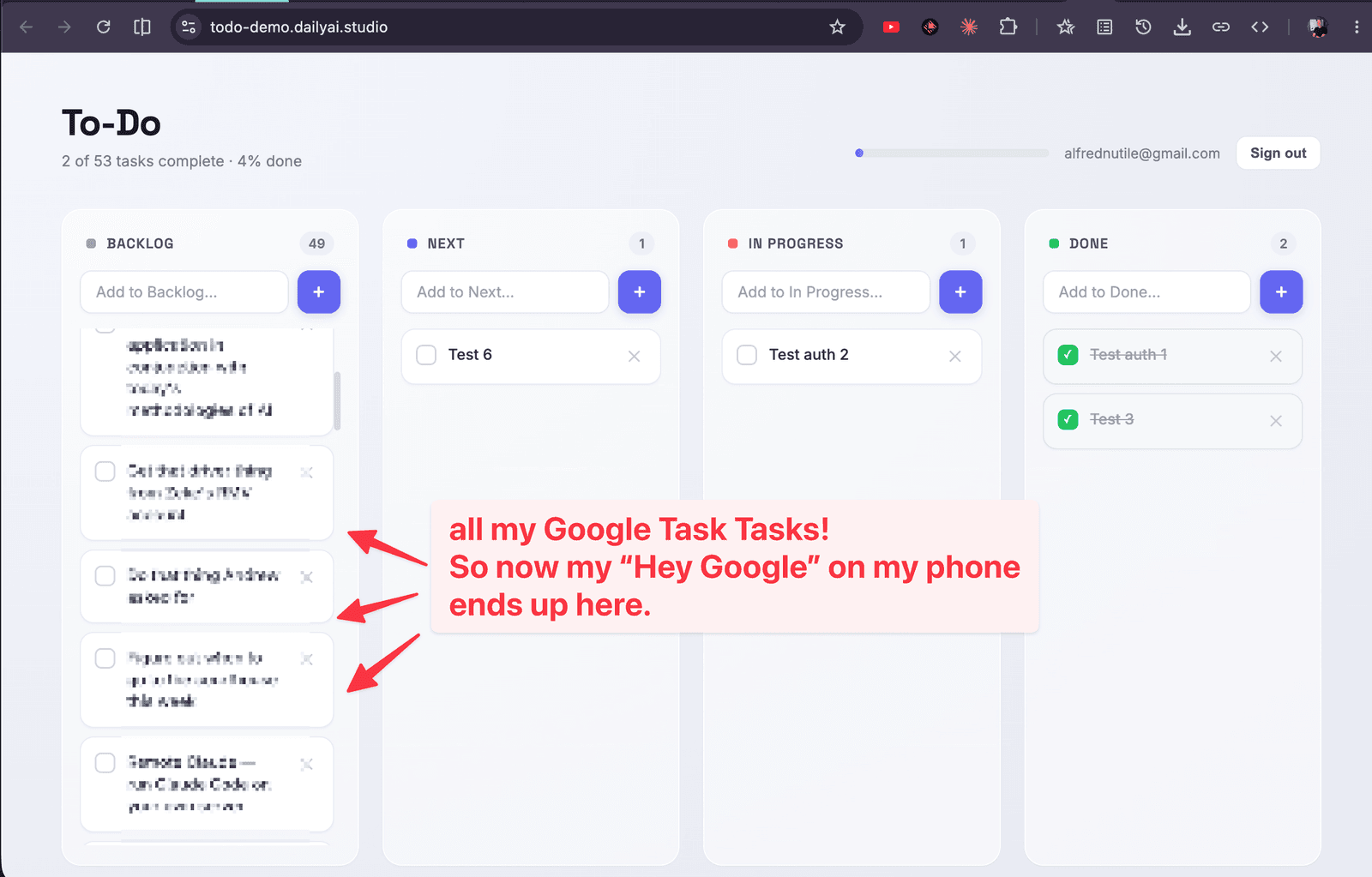
When everything’s working, you honestly start treating your app like Dropbox — stuff just syncs and shows up. So let’s make that real: I want a little agent that syncs tasks from one of my own systems into this to-do app. In the demo it pulls from Google Tasks, so a task I jot on my phone shows up on the board.
The usual headache with connecting two services is all the credential and authentication plumbing — OAuth, refreshing tokens, learning each app’s API one at a time. This is exactly what an SDK is for — Software Development Kit — and Zapier’s SDK hands me one consistent way to reach the 9,000+ apps it already knows how to talk to, using connections I’ve already authorized. I don’t have to build any of that plumbing myself. (Their quickstart is here.)
Nice touch: when you set the SDK up, it gives you a ready-made prompt to run. I took that default prompt and just changed the tail end to my actual goal — the sync agent — instead of the little demo it ships with. (I even had Claude help me translate it into exactly what I wanted.)
So here’s what I asked for, in plain words: make a small agent in its own agents/ folder that I can push to Railway as a second little service and run on a schedule — every hour, though I’ll just run it by hand for the demo. Have it connect to my Google Tasks connection, read my tasks, and sync them into the todos table — being careful not to create duplicates as it re-runs (a small external_id on each row keeps track of what’s already come across).
You can find Apps or Connections by searching in Zapier
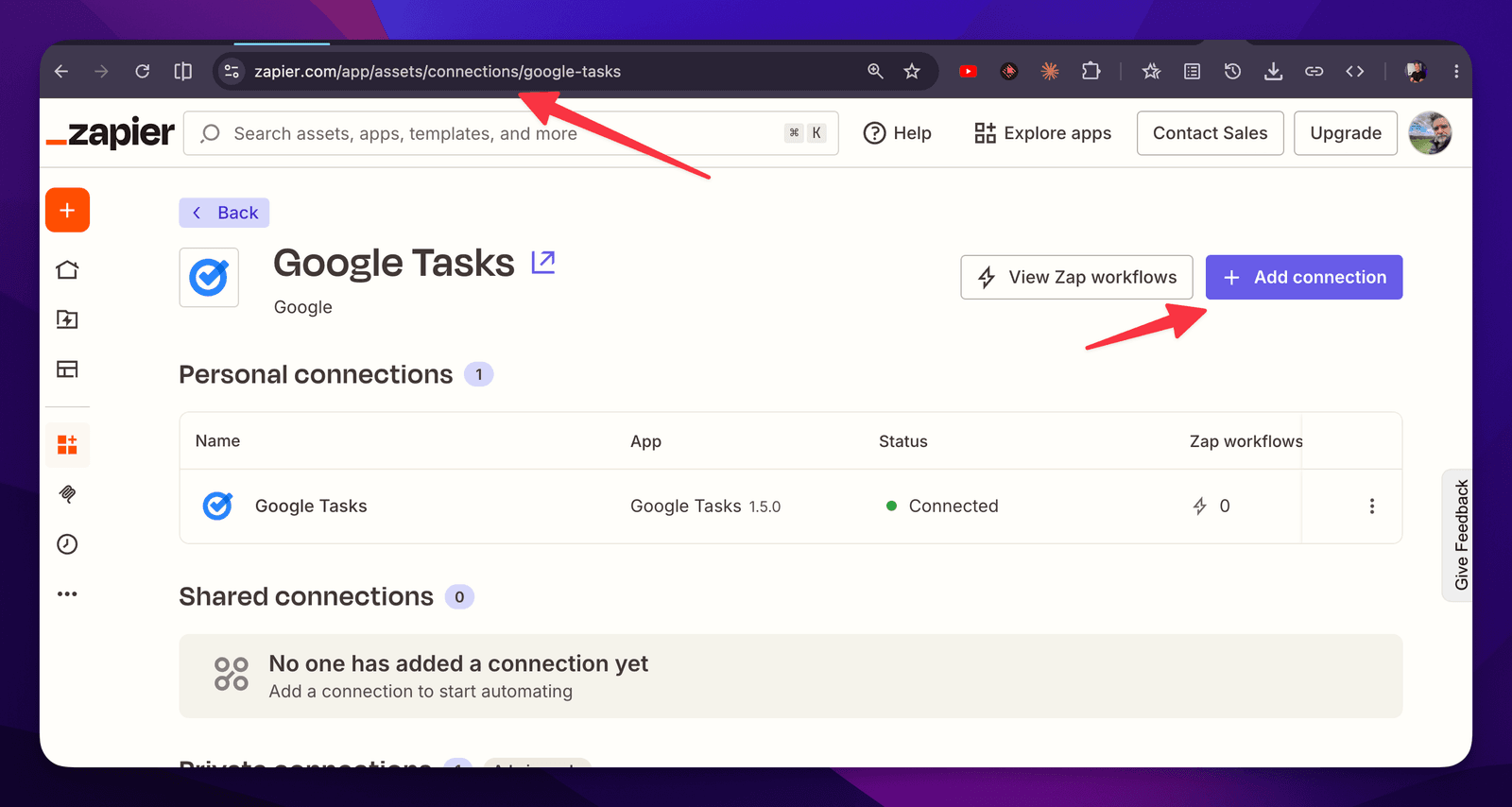
You can see here I had to get the Connection ID in Zapier
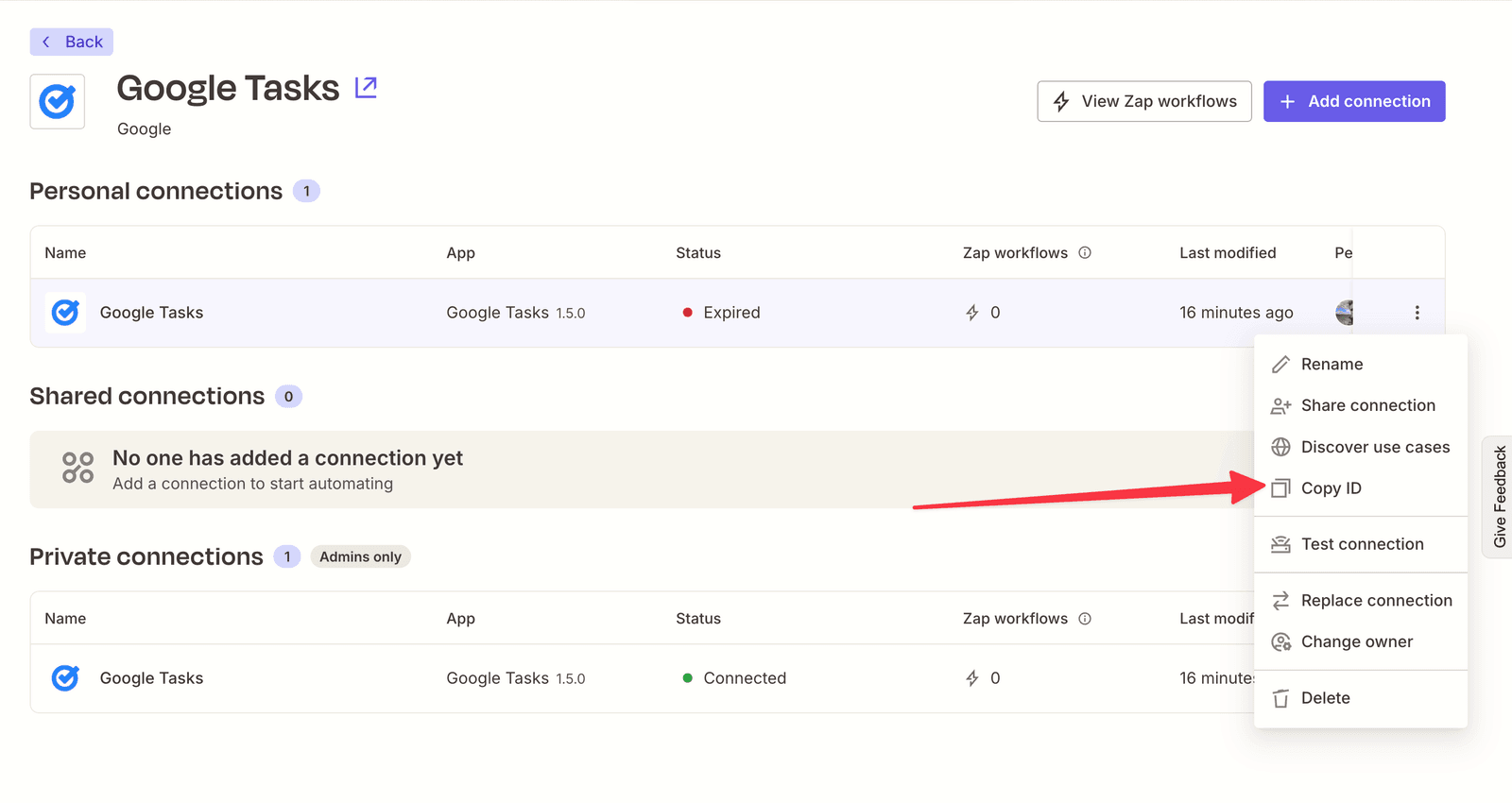
Then back to Railway we put the agents in a folder so we can as many agents as we want!
Then I choose the subfolder we put the code into
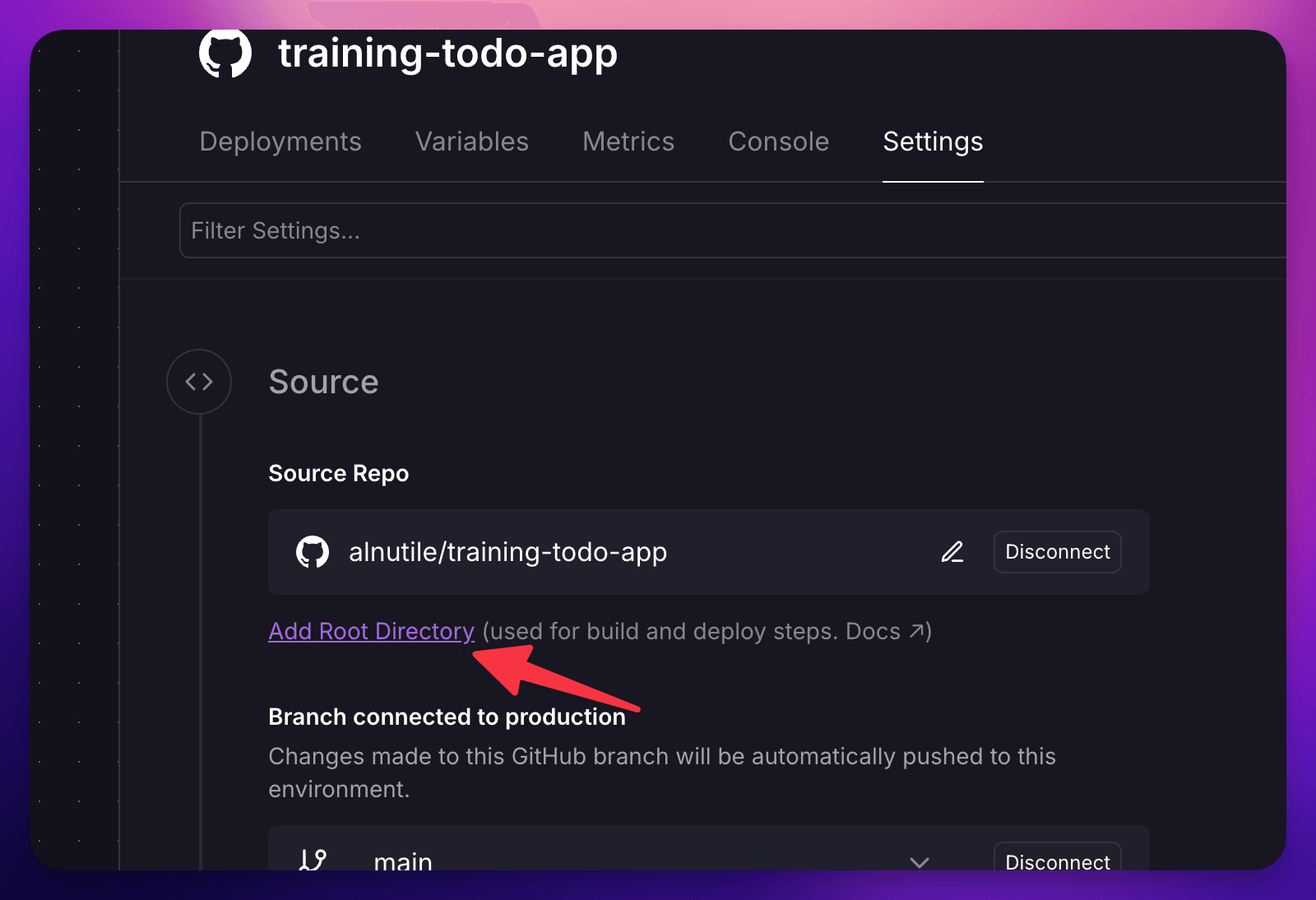
You can see the code here
It wasn’t all smooth — and honestly, that’s the point
I want to be straight with you: this last step threw the most curveballs of the whole build. Not one of them was actually scary once I slowed down — but I hit a bunch. And this is the part I most want you to take with you, because this is what “with confidence” really means. It’s not that nothing goes wrong. It’s that you trust you’ll work through whatever does.
Here’s the messy reality, quickly:
The setup leaked into the wrong place. Adding the Zapier tools quietly dropped some dependencies into my web app that didn’t belong there, and it broke the web app’s deploy — an out-of-sync lockfile, plus it tried to build on an old version of Node. The fix was just tidiness: the agent’s stuff belongs with the agent, in its own folder, not mixed into the web app.
Then the agent “crashed” with zero explanation. The deploy log got as far as Found 22 Google Tasks lists and then… stopped. No error. No stack trace. Nothing. That’s the worst kind of bug — the silent one. Turned out my agent was quitting in a way that threw its own error message in the trash before it could print it. So step one wasn’t fixing the bug, it was making the program louder — forcing it to log stubbornly, no matter how it died.
And then the real culprit showed up: the credentials my agent used had been created without permission to actually run actions — only to peek at a bit of metadata. The tell was sneaky: listing my task lists worked fine (that’s why it got to “22 lists”), but actually reading the tasks was denied. This one was on me — the SDK lets you control exactly what a set of credentials is allowed to do (which is a good thing, security-wise), and I just hadn’t set that scope. One flag later, it worked.
I just pasted any logs into the AI session and the fix was that easy:
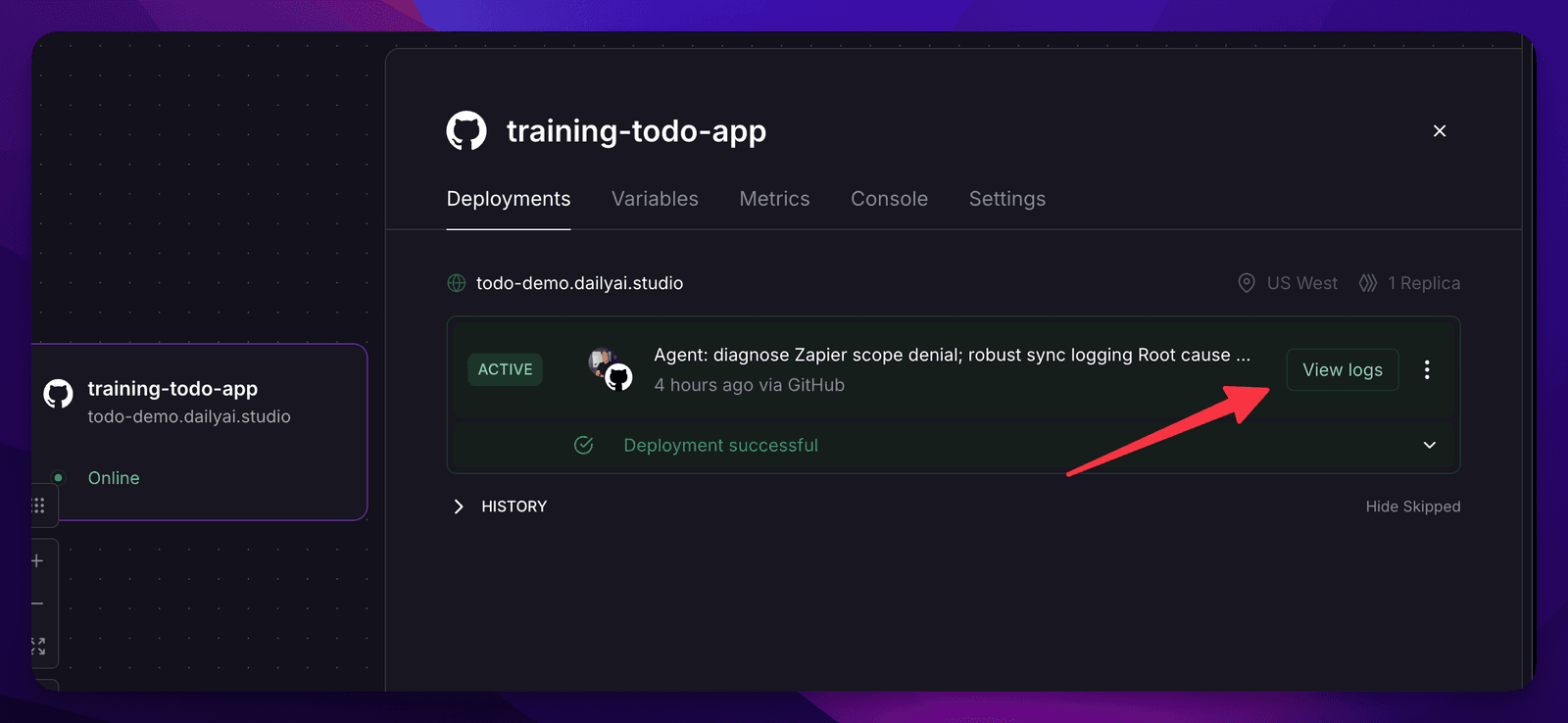
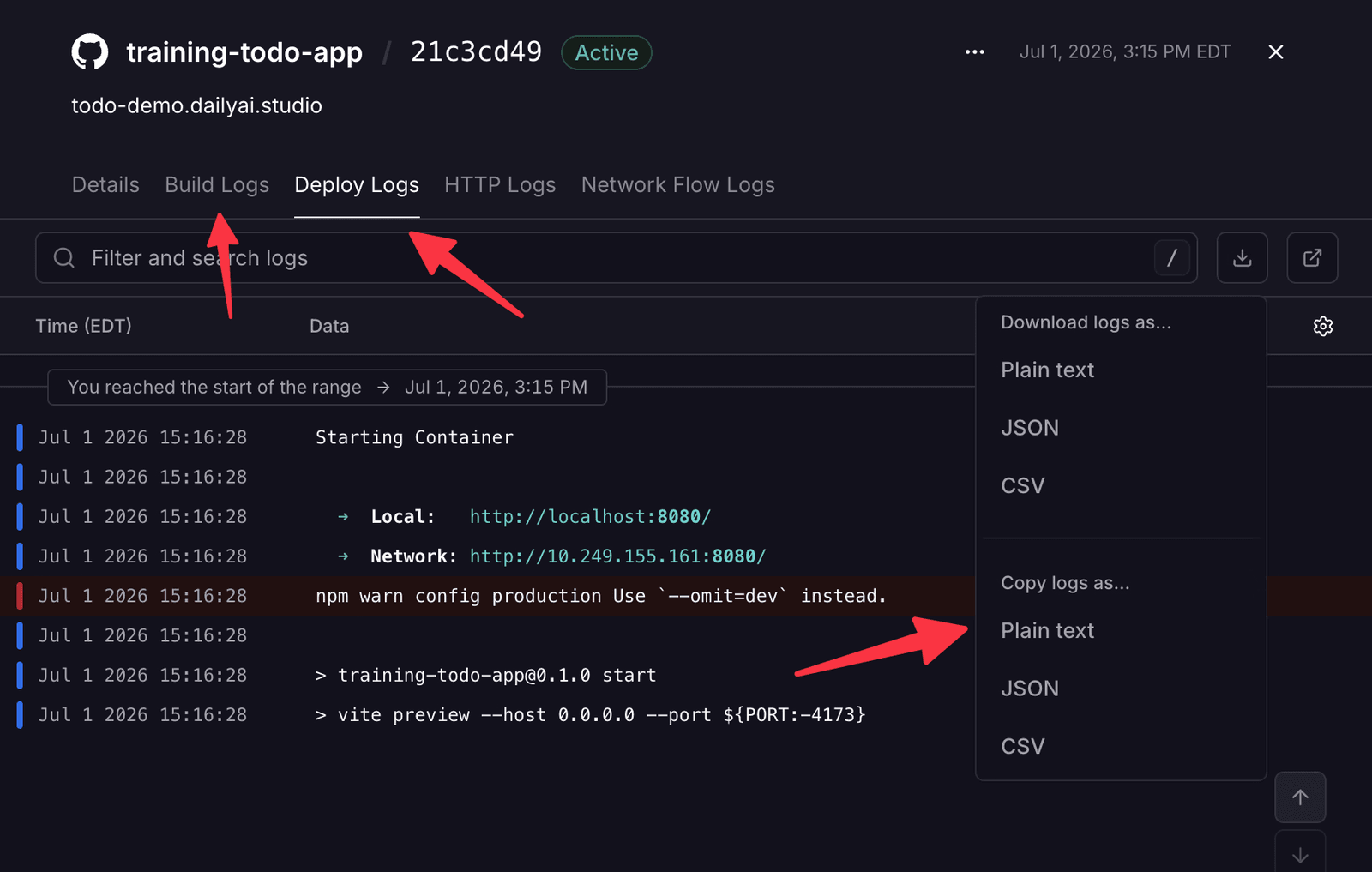
🛠️ For the devs reading — the transferable bits: a program that dies with no output is usually being hard-killed, or it’s throwing away its logs on exit — make it log synchronously and loudly before you theorize. “Half of it worked” doesn’t mean your auth is fine; a metadata call passing can hide that running the real action is denied, so test the real action early. Keep a sub-component’s dependencies in the sub-component. And pin your Node version for the host (
engines+.nvmrc) so it doesn’t default to something old. I wrote the whole gory trail up separately: debugging my Google Tasks sync agent.
And here’s the spin that makes this genuinely cool — and honestly why I like this more than pointing one shared bot at everything: this isn’t one big brain with one set of keys. Each person runs their own agent, wired to their own connections, touching only their own account. Your agent reaches your stuff, on your terms. That’s a really nice place to land: your own little system, quietly talking to your other systems.
Wrapping up
We went from a static “hello world” to a hosted artifact, added a database and a real to-do board, put proper authentication and row level security in front of it, and finished with our own agent syncing from a system we already use — all vibe coded.
None of the three scary things turned out to be that scary:
- Security scales with complexity — start simple, stay safe, layer in auth + RLS as you grow.
- Hosting is a
git pushaway once Railway is pointed at your repo. - GitHub is just where the code lives so the host can grab it.
That’s vibe coding with confidence.
So here’s the only call to action that matters: pick one idea that’s been stuck in your head, open up your AI tool, and ask it for a static “hello world.” That’s it. That’s the first step. Everything else in this article just builds on that one move.
🛠️ Skills & files: here are the rules files I used to keep the AI building things my way — the opinions that replace what Lovable/Replit bake in for you. Drop the
CLAUDE.mdinto a fresh repo and start from it: vibe-coding-with-confidence skill files.
One more Thing
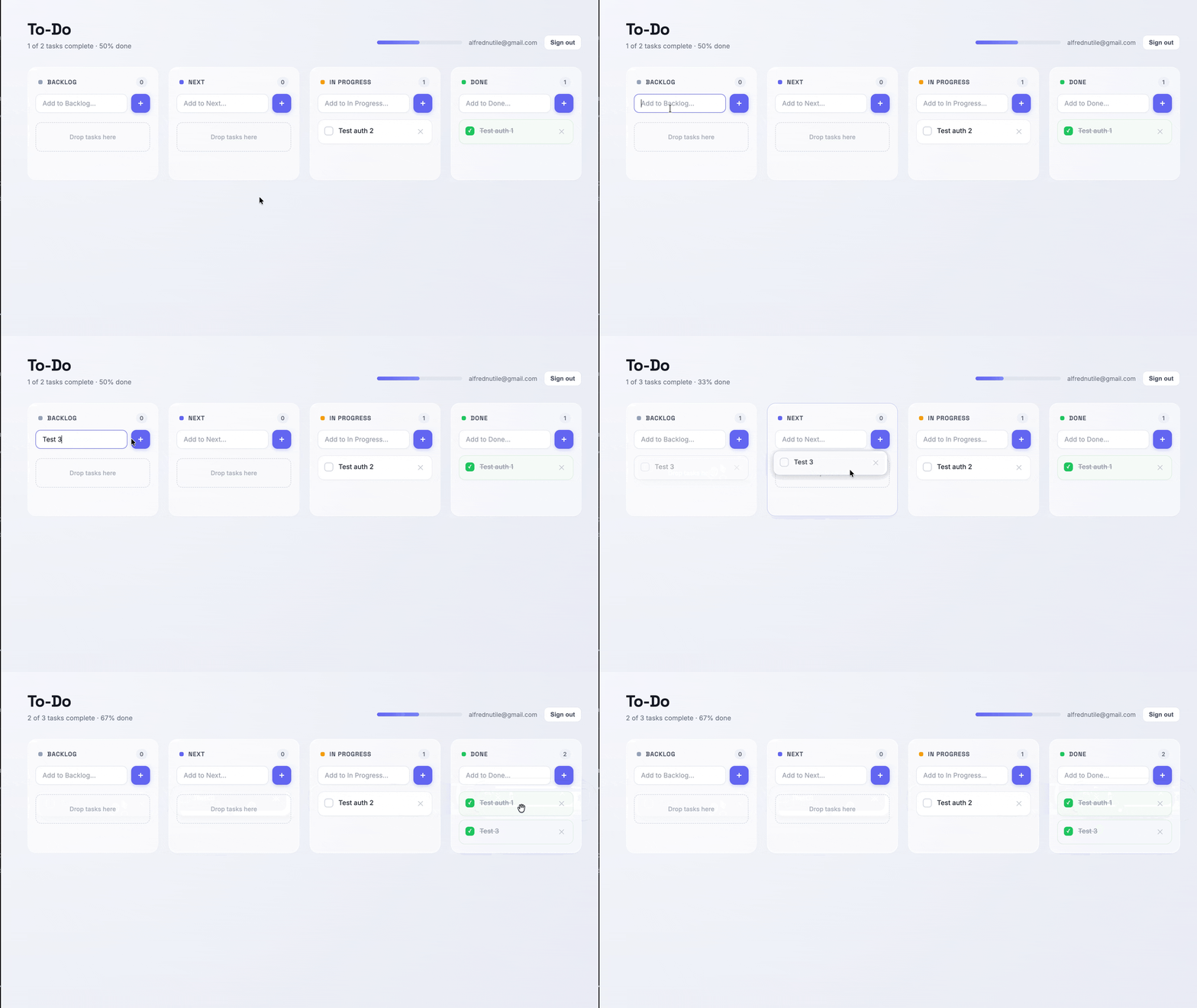
Design, lets go to Claude Design and bump up the ui a bit
We can then export the “prompt” and pass it over to Claude Code 🤯
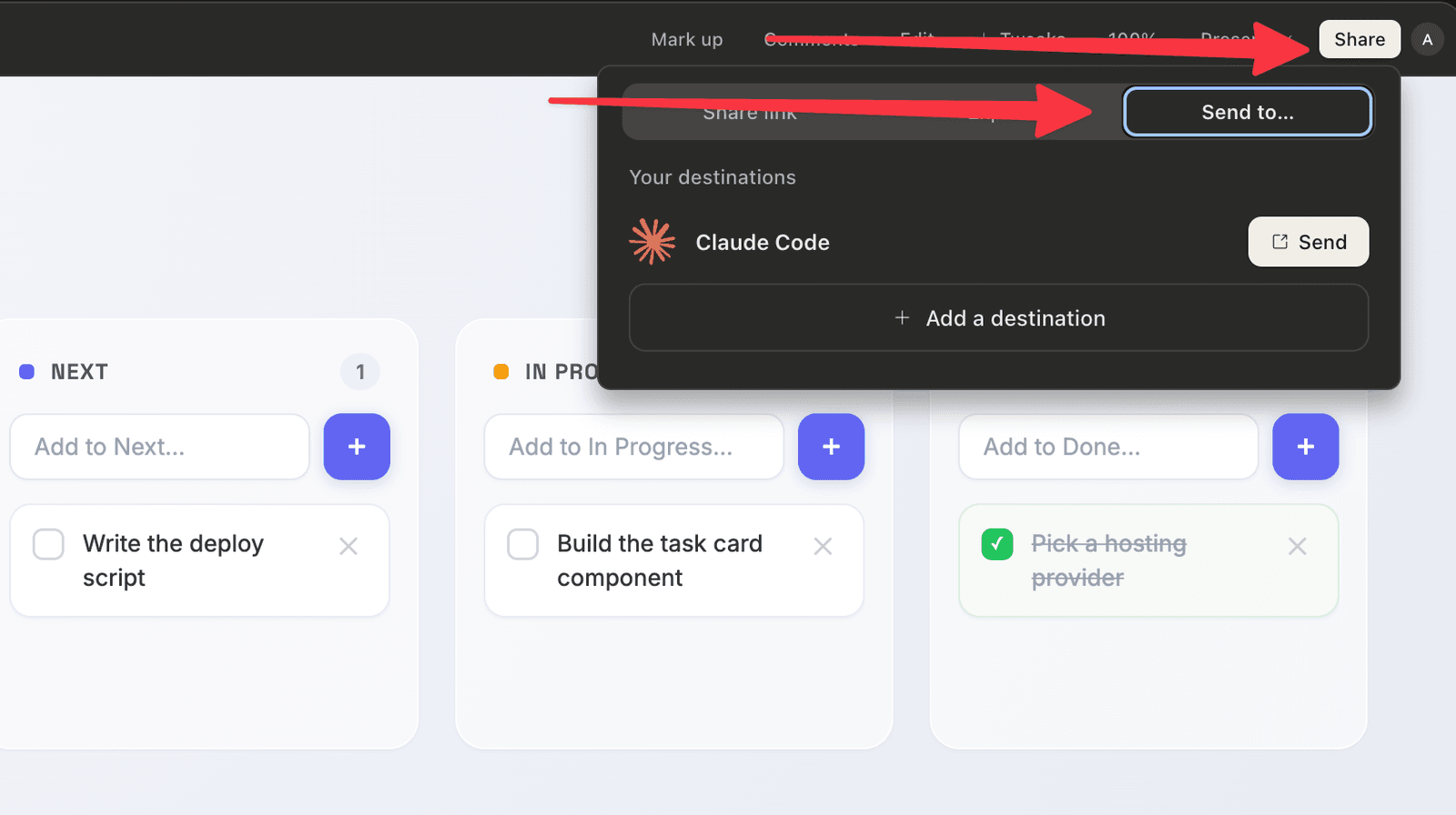
The prompts, in order
Want to follow along? Here are the exact prompts I used, step by step:
Frequently asked questions
- Is a vibe coded site safe to put online?
- It depends on what it does. A static HTML file you host on a service like Railway and put Cloudflare in front of is pretty safe. The more your app does — logins, a database, saving people's data — the bigger the surface to think about. Nothing is unhackable, but you can be sensible about it.
- How do I host something I vibe coded without a lot of setup?
- Push your code to a GitHub repo, point a host like Railway at that repo, and it deploys on every push. You get HTTPS for free. You can add your own domain through something like Cloudflare after that.
- Do I have to learn GitHub to vibe code?
- Not deeply. Conceptually it's just where your code lives so a host can pick it up and deploy it. The AI can handle most of the GitHub steps for you — it helps to understand what it's doing, but you don't need to be an expert.
- How do I keep a user's data private in a vibe coded app?
- Use a real auth system (never roll your own) and turn on row level security in your database so people can only see their own rows. Supabase makes this approachable. Also be careful what you expose to the public-facing front end — anything prefixed for the browser is visible to users.
- Can my vibe coded app talk to other services without me wiring up all the credentials?
- Yes — this is where an SDK like Zapier's helps. It handles the integration and credential side so your app (or an agent you host) can sync with things like Google Tasks without you managing all the auth plumbing yourself.