Make Your Own Headless Browser (And Let Any AI Use It)
There are plenty of hosted ways to give an AI a browser. This week I built my own — a little Chromium-on-a-server that stays logged in, spits out clean Markdown, and that any of my AI tools can drive. The real unlock: wrap it as an MCP and every agent I make gets a browser for free.
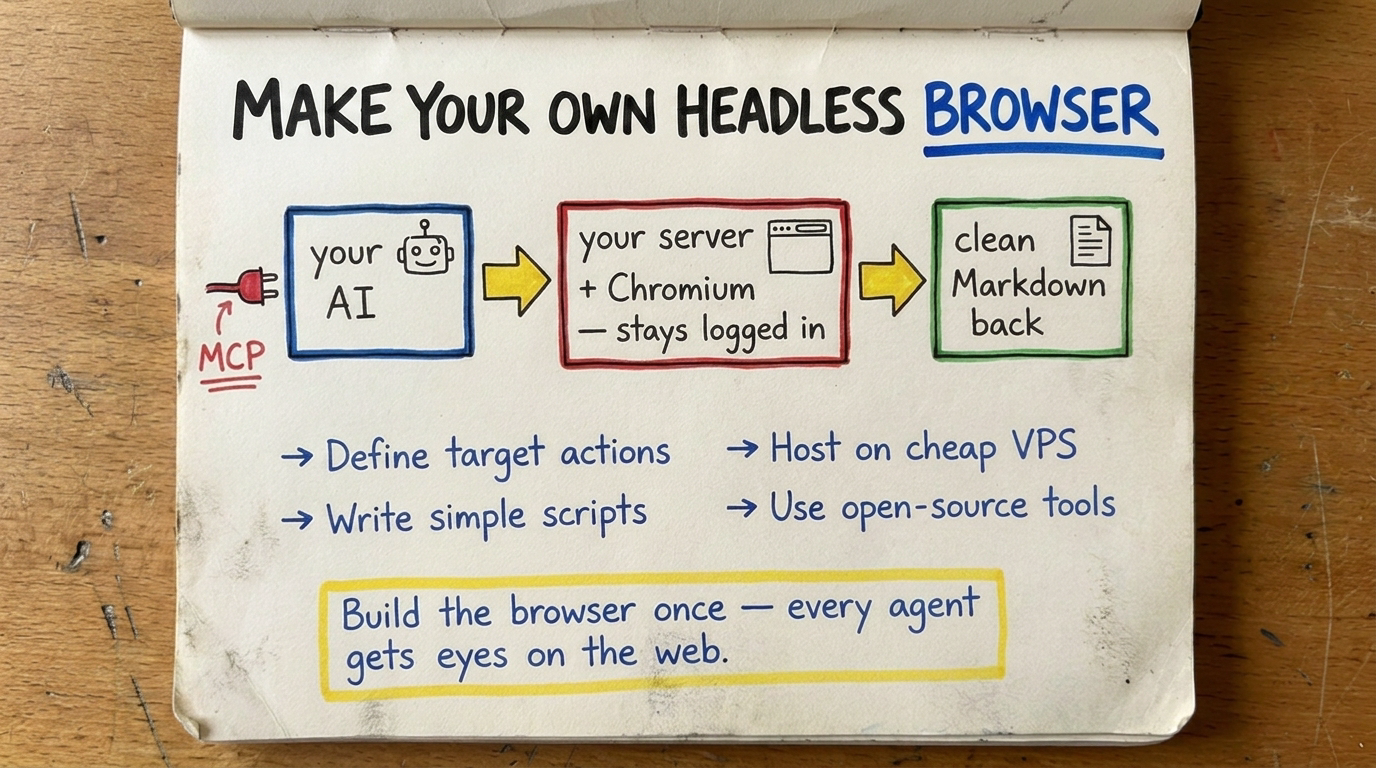
TLDR: I built my own headless browser — a real Chromium running on a small server — that stays logged in, turns messy web pages into clean Markdown, and that any of my AI tools can drive over a simple API. There are hosted ways to do this and they’re good. I wanted mine, mostly because once it’s wrapped as an MCP, every agent I make gets a browser for free.
👉 The build: github.com/alnutile/browser
Why I even wanted this
Here’s the wall I keep hitting.
I’ll be building some little AI thing — a research helper, a “go check this for me” agent — and it needs to read a web page. Easy, right? Except half the web doesn’t really exist until a browser runs it. You grab the page with a plain request and you get… an empty shell. All the good stuff loads later, with JavaScript. Or it’s behind a login, so you get a “please sign in” wall instead of the thing you wanted.
A person doesn’t have this problem. You open the page, it fills in, you’re already logged in, you read it. That’s all a browser doing its job.
So the idea was simple: give my AI that same browser. A real one, running on a server, that I can point at any page and say “load this like a human would and tell me what’s there.”
And I want to say up front — there’s more than one way to get here. There are hosted services that hand you a browser over an API, and they’re genuinely good; if you just need this to work tomorrow, reach for one. This is just the path that fit me this week, and I think the “why” is worth sharing even if you pick a different “how.”
What it actually is (in plain terms)
Strip away the jargon and it’s this:
Your AI → simple web call → a little server → a real Chromium browser → the live pageA small server sits there holding an actual browser open. Your AI doesn’t talk to websites directly — it talks to my little server, and the server drives the browser. Go to this page. Click that. Fill in this box. Now hand me back what’s on screen.
Three things make it genuinely useful instead of just a toy:
1. It stays logged in — even after a restart. This was the part I cared about most. A browser normally forgets everything when it closes. So I have it save its “profile” — the cookies, the logged-in state — onto a little bit of permanent disk (a Volume, in Railway terms). When the server restarts, it reads that profile back and it’s still logged in. No re-doing the login dance every time the thing reboots. The one trick that makes this work: shut the browser down gently on the way out, so it has a second to write that profile to disk before the process ends.
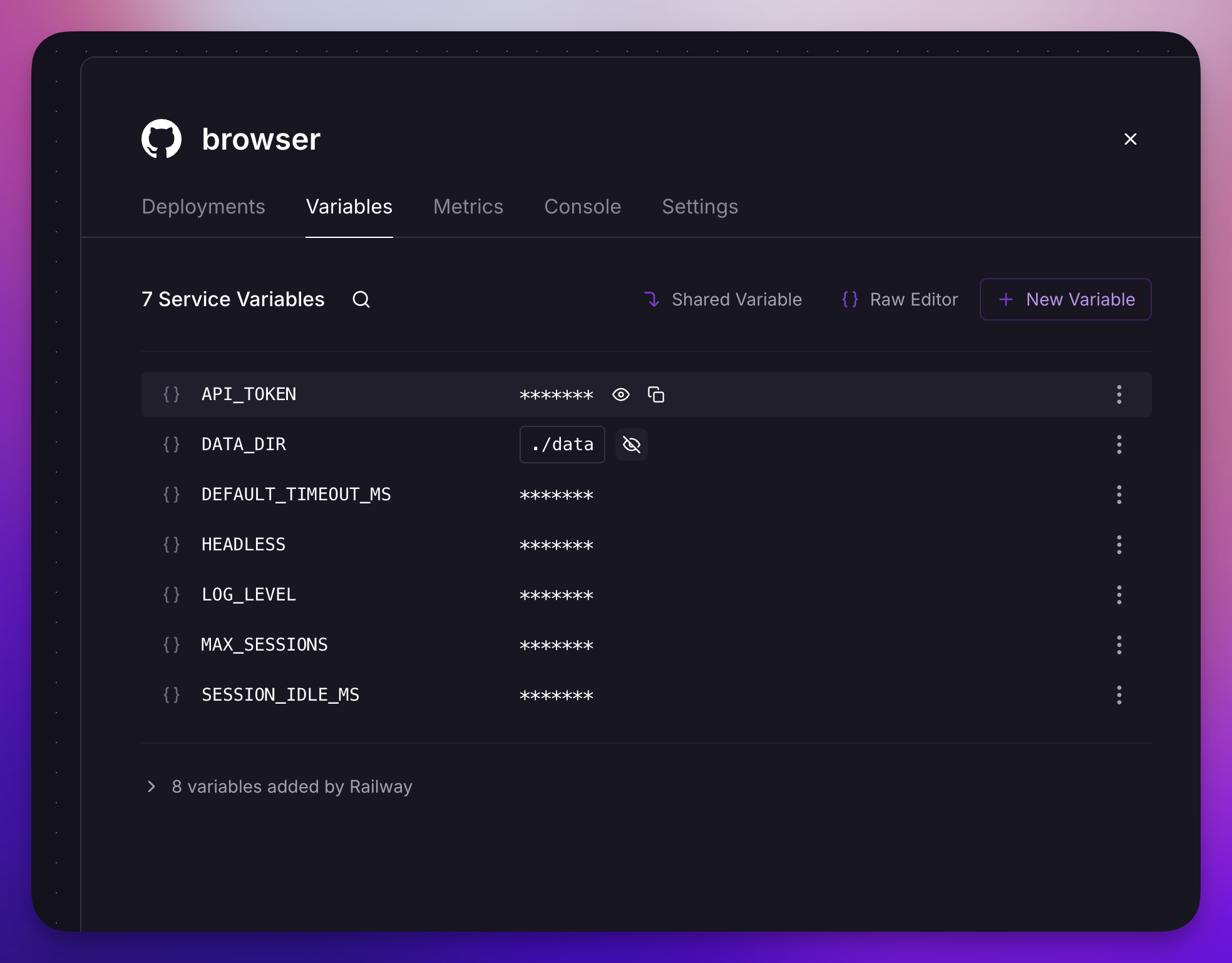 The little bit of permanent disk that keeps the login alive across restarts.
2. It gives back clean Markdown, not a mess. When you ask a page “what’s on you?”, you don’t want the ads, the nav bars, the cookie banners, the footer with forty links. So it runs the page through reader-mode (the same idea as the “reading view” button in your browser), strips it down to the actual article, and converts it to tidy Markdown. That’s the format AI models love. Point it at a cluttered page, get back the clean version.
3. There’s a lock on the door. Every request needs a secret token. No token, no browser. Because a browser-on-the-internet that anyone can drive is exactly the kind of thing you don’t leave open.
Two ways to drive it
This is the part I like, because it fits how I actually work.
Way one — spell out the steps. When I know exactly what I want, I send an ordered list: go here, type this in the search box, click the button, now give me the Markdown. It runs them in order and reports back on each one. Predictable, boring, reliable — perfect for a task I do the same way every time.
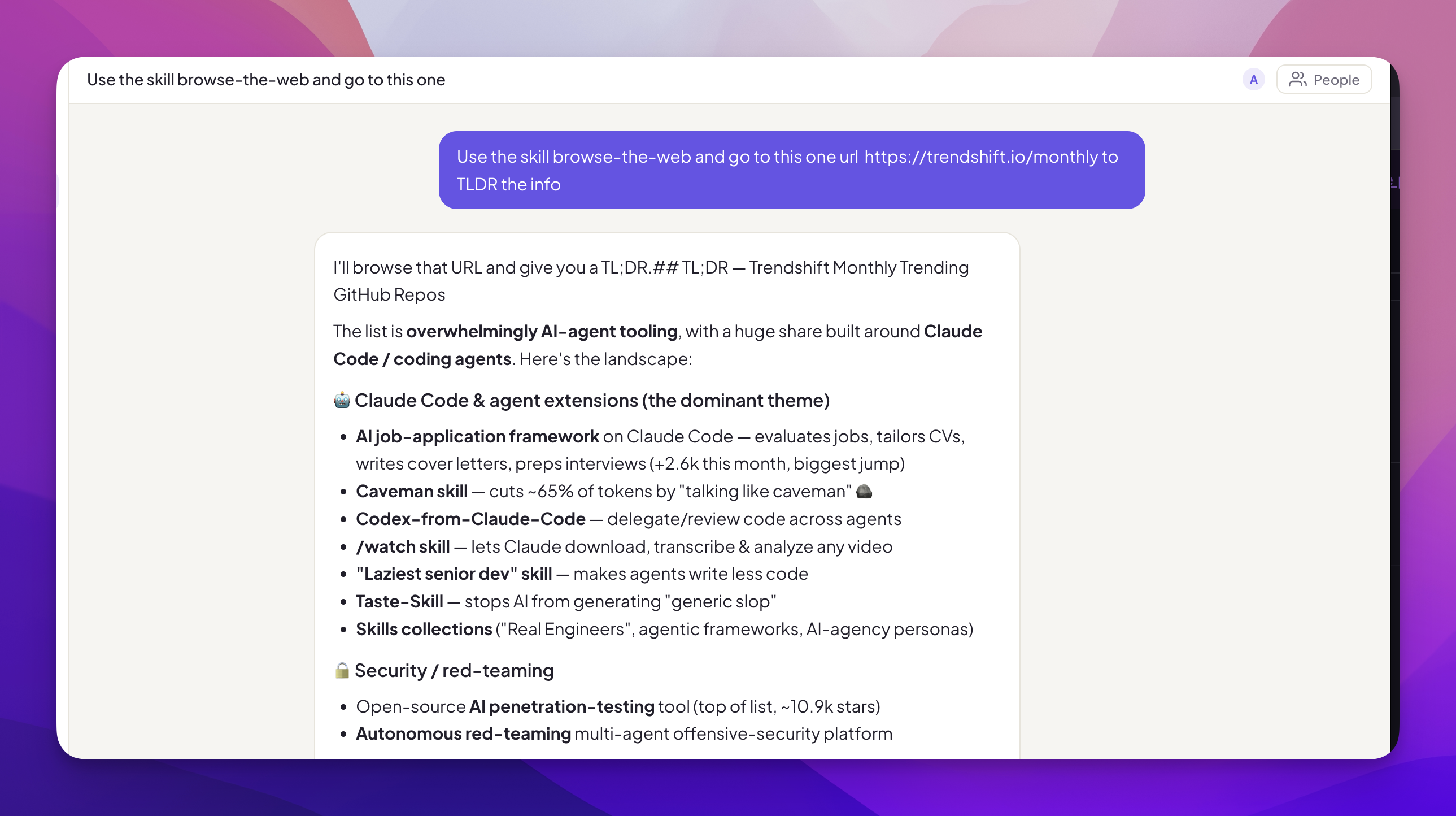 A list of steps in — per-step results out.
Way two — just say the goal. When I don’t want to think through every click, I send plain English: “Go collect every product on this site, and paginate through all the pages.” Behind the scenes an AI loops on the browser — look at the page, decide the next move, do it, check again — until the job’s done. Then it hands me the result and a transcript of everything it clicked, so I can see exactly what it did. That last part matters. I’m not blindly trusting it; I can audit the whole run.
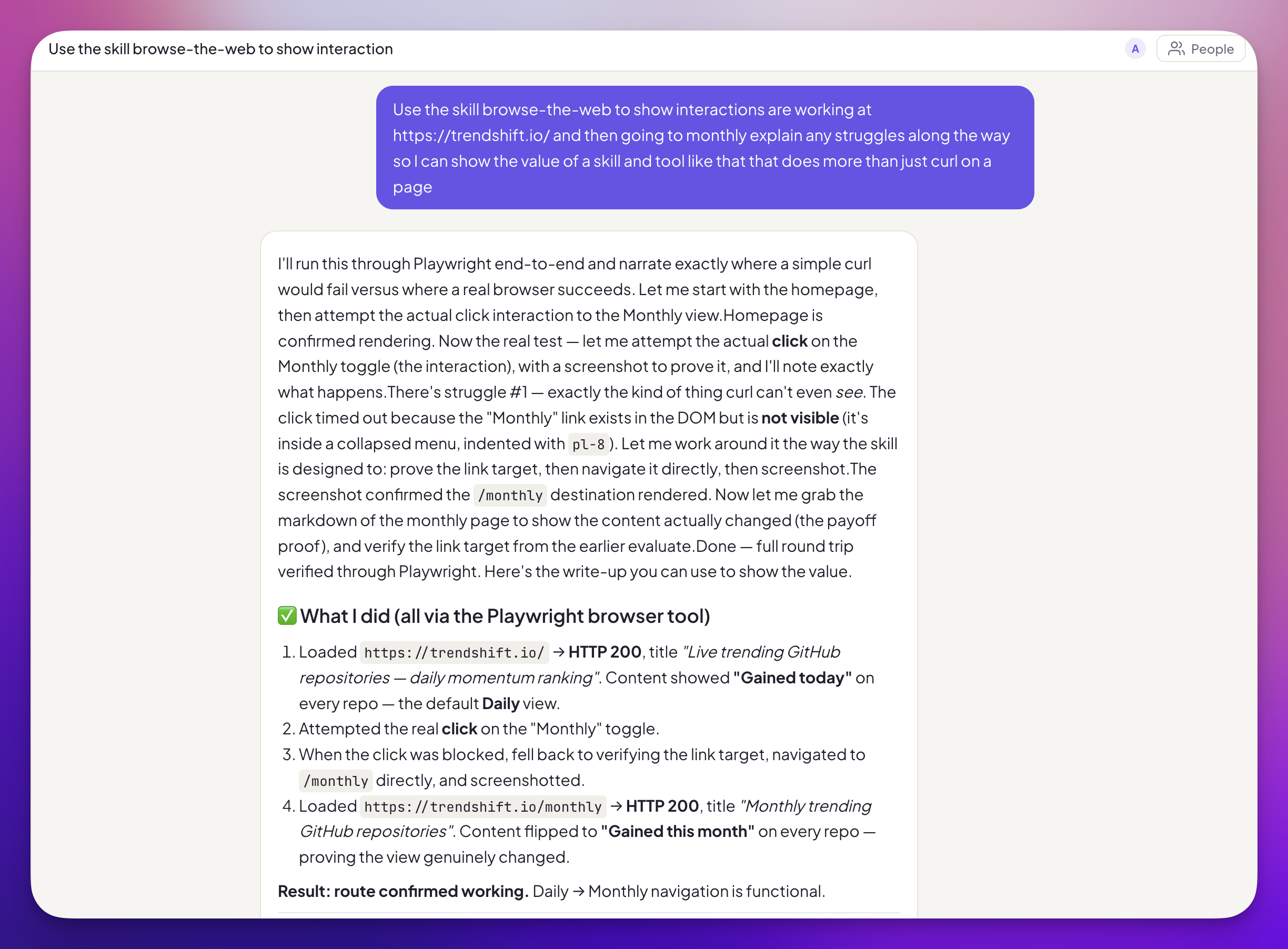 Plain-English goal in — the final answer plus a transcript of every move it made.
The skill is in the browser repo as well Skill
Same little server. Same browser. Two gears — one for “I know the steps,” one for “you figure it out.”
The real reason: wrap it as an MCP
Okay, here’s the thing I’m actually excited about.
Everything above is just a web API. Useful, but it means each new AI tool I build has to know how to call it. Fine, but a little repetitive.
MCP fixes that. If you haven’t run into it yet, MCP is basically the standard plug that lets AI clients — Claude Desktop, Cursor, my own homegrown agents — discover a tool and use it without custom wiring each time. It’s the USB-C port of the AI world: one shape, and everything speaks it.
So I wrap this browser as one MCP tool. And now?
- My research agent can browse the live web.
- A little “check my dashboard and summarize it” bot can log in and read the thing.
- Claude Desktop itself can reach out and pull a real page.
…all sharing one browser that’s already logged in to the sites I care about. I build the browser once. Every AI I make after that just gets to “see the web” as a built-in ability. That’s the leverage. That’s why I bothered to make my own instead of renting one — a rented one is great, but this one snaps into everything else I’m building.
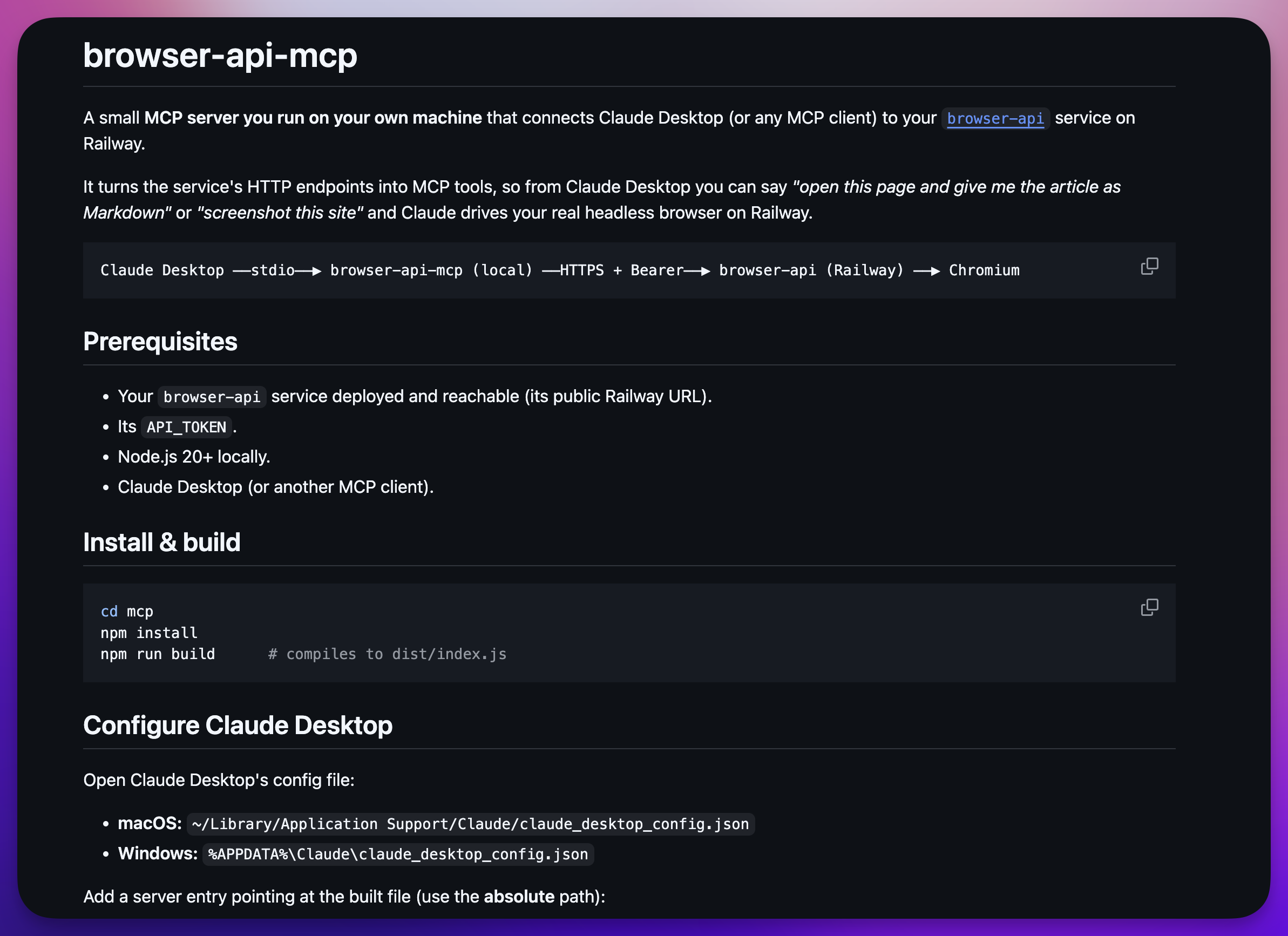 One tool in the list — and every agent can reach the same logged-in browser.
See the README.md
Was this hard? Honestly, no
I described what I wanted to Claude Code in Claude Desktop — a browser on a server, keeps its login, gives me clean Markdown, locked behind a token, drivable two ways — and worked through it with AI doing the heavy building. My job was the judgment calls: yes, put the profile on a Volume so it survives restarts. Yes, require a token. Give me a transcript so I can see what the agent did.
The pieces underneath are all off-the-shelf and battle-tested — Playwright to drive the browser, a small web server to take the calls, Railway to host it with that bit of permanent disk. None of it is exotic. The “hard” part was really just deciding what I wanted it to be, and then wiring good parts together.
The one thing I’d leave you with
You don’t need a browser company to give your AI eyes on the real web. A small server, a real browser, a place to save the login, and a lock on the door — that’s the whole recipe. Build it once, wrap it as an MCP, and every agent you make afterward inherits it.
There are other roads to this, and some of them are shorter. But I like owning this one. It’s mine, it stays logged in, and it plugs into everything.
The whole build is open if you want to read it or make your own:
Frequently asked questions
- What is a headless browser and why would an AI need one?
- A headless browser is a real web browser (Chromium, here) running on a server with no window on screen. An AI needs one because a lot of the web only shows up after JavaScript runs, or after you log in. A plain web request just grabs the raw HTML shell and misses all of that. A headless browser actually loads the page like a person would, so the AI sees what you'd see.
- Why build your own instead of using a hosted browser service?
- Hosted services are great and I'd happily use one. I built my own for three reasons: it stays logged in to the sites I care about across restarts, it's mine end to end so I control the cost, and — the big one — I can point any AI system at it, especially by wrapping it as an MCP tool that every agent I build can share.
- How do you keep a headless browser logged in after it restarts?
- Store the browser profile — cookies and local storage — on a persistent disk (a Railway Volume in my case) and point the browser at that folder each time it launches. When the service restarts, it reads the same profile back and you're still logged in. The key detail is shutting the browser down cleanly on exit so the profile gets saved before the process dies.
- How does an AI actually drive the browser?
- Two ways. You can send a list of exact steps — go here, click that, fill this, give me the Markdown. Or you can send a plain-English goal like 'collect every product across all the pages' and let the AI decide the steps itself, looping until it's done. Both come back over a simple HTTP call, so any tool that can make a web request can use it.
- What's the point of wrapping it as an MCP?
- MCP is the plug that lets AI clients — Claude Desktop, Cursor, your own agents — discover and call a tool. Wrap the browser's HTTP API as one MCP tool and suddenly every AI you build can 'see the web' without you rebuilding that plumbing each time. One browser, shared by all of them.