Green Means Ship: CI/CD for Vibe Coders Who Are Sick of Things Breaking
You vibe-code a feature, it works, and a week later it's mysteriously broken again. And every time you want to go live it's the same tedious steps: run the database change by hand, copy the keys, click deploy, hope. CI/CD hands all of that to automation that refuses to ship anything broken. Here's how, using a real repo.
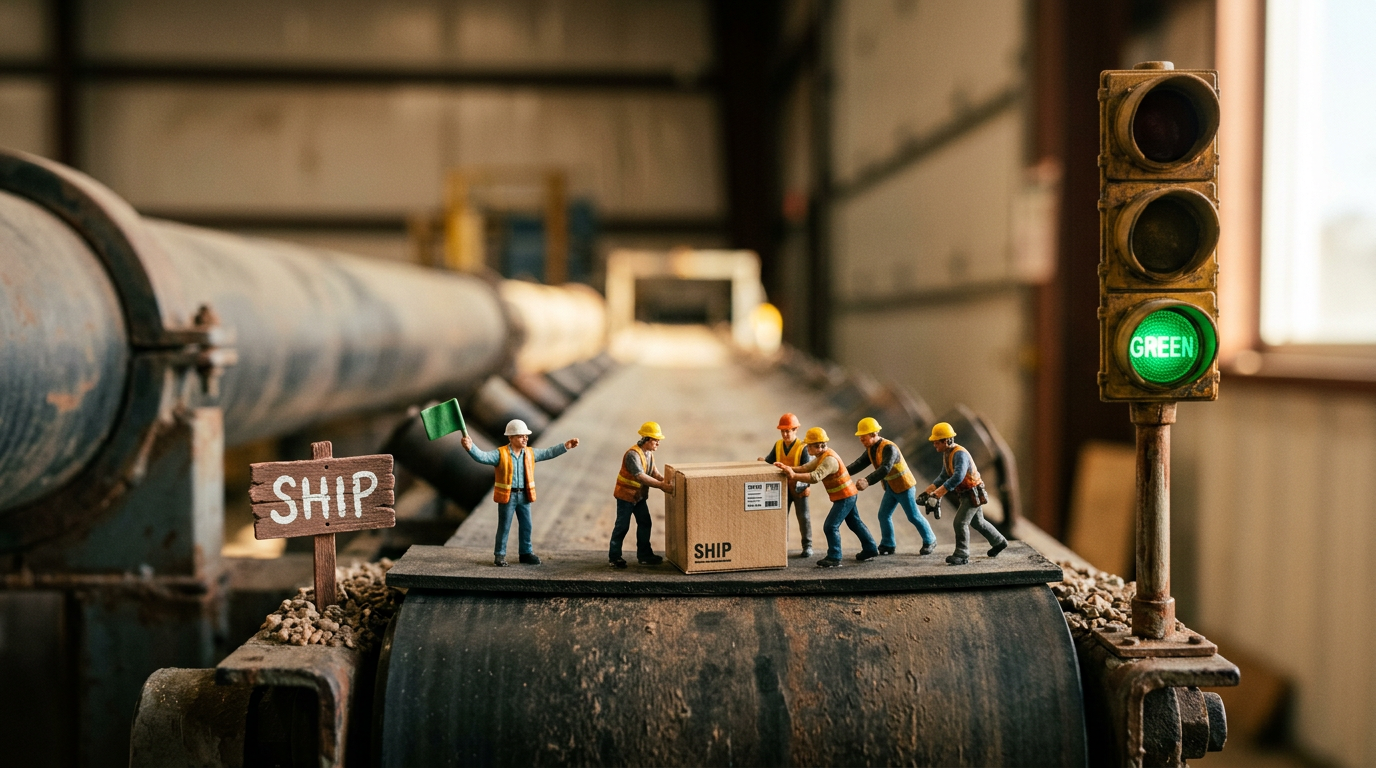
TLDR: If you vibe-code, you know two pains. Stuff that worked last week is mysteriously broken this week, and every time you want to go live it’s a stack of manual steps. CI/CD hands both of those to automation. It checks every change and catches the breakage before it ships, then deploys the whole thing (code, database, secrets) with nobody clicking a button. This is a plain-language walk through how, using my supbse-vibecoding-starter template. It’s five small files.
👉 The repo: alnutile/supbse-vibecoding-starter. This is the starter I clone when I begin something new. It comes with Supabase auth, RLS, realtime, storage, and this whole CI/CD setup already wired in.
If you vibe-code, you know both of these feelings.
The first: you build a feature, it works, you’re happy. A week later you add something new and the thing from last week is broken. You didn’t even touch it. That’s called a regression, an old working thing breaking because of a new change. Vibe-coding makes it more common, because you and the AI are moving fast and rewriting big chunks of code at a time.
The second: actually putting your app online. Every time, it’s the same tedious, numerous steps. Run the database change by hand. Copy the API keys into your host. Click deploy. Hope you didn’t skip a step, because if you did it’s broken in some fresh new way.
CI/CD is the thing that makes both of those go away. That’s what I want to walk you through, with a real repo, not a toy example.
Here’s the no-jargon version of what those two letters mean:
- CI, continuous integration. Every time the code changes, an automation runs your checks. If something broke (a regression) it tells you before it goes live, instead of after a user finds it.
- CD, continuous delivery. Once those checks pass, that same automation ships it for you. The code, the database change, the secrets, all of it. No manual steps.
So the whole promise is that the boring, error-prone parts of shipping get automated, and the automation flat-out refuses to ship anything broken.
That matters even more when you’re vibe-coding, because a lot of the code isn’t coming from you, it’s coming from the AI. In this repo I actually let Claude open its own pull requests (a pull request is just a proposed change to the code, waiting to be accepted). I’m comfortable with that, because Claude’s changes go through the exact same checks any change does. If it writes something broken, the checks stop it, the same as they’d stop anything else.
By the end of this you’ll see how a change gets from an idea to the live site with nobody clicking deploy, how the database change and the secret keys ride along automatically, and how an AI can open pull requests here without any of it being scary. It’s five small files. Let’s break it down.
One key idea: your main branch is the live site
Get this one straight and everything else is simpler. There’s no special “production” copy of your app that you push to. Your main branch is the live site. When code lands on main, it’s live.
A change starts on its own little branch (a scratch copy where you can make a mess), and when it’s proven itself, it merges back into main. That merge is what puts it live.
your branch ──open a PR──► main ──merge──► live siteKeep those branches small and short-lived. This isn’t just my preference. There’s a pile of research behind it (the Accelerate book and the DORA project, both linked at the end) showing that small changes, merged often, ship more reliably and break less. It makes sense when you feel it: a small change is easy to check and easy to fix when something’s off. A giant branch you sat on for three weeks is the opposite.
Catching the breakage before it ships: ci.yml
This is the file that catches your regressions before they go live: .github/workflows/ci.yml. Every time a change comes in, it runs four checks.
name: CI
on:
  pull_request:
  push:
    branches: [main]
jobs:
  build-and-test:
    runs-on: ubuntu-latest
    steps:
      - uses: actions/checkout@v4
      - uses: actions/setup-node@v4
        with:
          node-version-file: .nvmrc
          cache: npm
      - run: npm ci
      - name: Typecheck
        run: npm run typecheck
      - name: Lint
        run: npm run lint
      - name: Test
        run: npm test
      - name: Build
        run: npm run build
        env:
          # Public placeholders — the build only needs these to be defined.
          VITE_SUPABASE_URL: https://placeholder.supabase.co
          VITE_SUPABASE_ANON_KEY: sb_publishable_placeholder
Four checks: typecheck (does the code make sense?), lint (is it tidy and free of obvious mistakes?), test (does it still do what it’s supposed to?), and build (does it actually compile?). That test one is your regression catcher. If a new change breaks something that used to work, a test goes red, and the change can’t ship until it’s fixed.
Here’s the nice part. These are the same four checks the AI runs on its own before it pushes a change, and then this GitHub Action runs them again on every change that comes in. There’s one definition of “good,” it’s written down once (in CLAUDE.md), and nothing depends on anyone remembering to run it. I’m not typing these commands myself. I’m vibe-coding, the AI runs them locally, and the pipeline is the backstop that runs them no matter what.
NOTE: Those
VITE_placeholders in the build step are fake on purpose. The build just needs the values to exist, not to be real. Real secrets never go near this file, which is a nice security win I’ll come back to below.
No more deploy chores: railway.json
Here’s the first chore gone. There’s almost nothing in railway.json, and that’s the point. My host, Railway, watches the main branch and redeploys every time something lands on it.
{
  "$schema": "https://railway.app/railway.schema.json",
  "build":  { "builder": "NIXPACKS", "buildCommand": "npm run build" },
  "deploy": { "startCommand": "npm start", "restartPolicyType": "ON_FAILURE", "restartPolicyMaxRetries": 10 }
}
There’s no “deploy” step anywhere in my setup. The host does it. A change merges, and the site updates on its own. That whole “click deploy, hope” step is gone.
And because shipping is now just a merge, fixing a mistake is also just a merge. You don’t do some scary rollback. You fix the thing and ship again, and it’s live a couple of minutes later. The research folks call this “rolling forward,” and it’s one of the reasons fast, automatic shipping is safer, not riskier: a bad change is cheap to undo.
NOTE: One gotcha, because it’s never quite this smooth the first time. My build was totally green and the site still threw errors on Railway. Nothing wrong with the code. The preview server just rejects a web address it doesn’t recognize, and Railway’s wasn’t on the list. One line fixed it:
// vite.config.ts
preview: { allowedHosts: ['.up.railway.app'] }
I pasted the error into Claude and it pointed me right at that line. That’s CI/CD too. Not just tests, but the boring host stuff between “it built” and “it loads.”
The big one: your database and keys ship with the code
This is the step I never liked doing by hand. Your database change and your server code go out in the same merge as the code that needs them. I’m not logging into anything to run a migration. It’s all in the repo.
Quick term: a migration is just a file that changes your database’s shape, like adding a column or a new table. Normally you run those by hand and pray you did it in the right order. Here, supabase-migrations.yml runs them for you when the change merges:
on:
  push:
    branches: [main]
    paths:
      - 'supabase/migrations/**'
      - '.github/workflows/supabase-migrations.yml'
# ...
      - name: Push migrations
        run: supabase db push --include-all
That --include-all bit matters, and here’s why in plain terms. When you’ve got a few branches going at once (and the AI happily opens several), their migrations get stamped with out-of-order timestamps. Without --include-all, one branch’s migration can sort “before” one that already ran, and the whole thing errors out. With it, the push just applies whatever’s new and skips whatever’s already done, so running it again is harmless. Safe re-runs are the whole game with databases.
The other file, supabase-functions.yml, does the same for your edge functions (small bits of server code), and it also handles your API key for you:
      - name: Sync ANTHROPIC_API_KEY function secret
        env:
          ANTHROPIC_API_KEY: ${{ secrets.ANTHROPIC_API_KEY }}
        run: |
          if [ -n "$ANTHROPIC_API_KEY" ]; then
            supabase secrets set ANTHROPIC_API_KEY="$ANTHROPIC_API_KEY" --project-ref "$SUPABASE_PROJECT_REF"
          fi
      - name: Deploy run-eval
        run: supabase functions deploy run-eval --project-ref "$SUPABASE_PROJECT_REF"
So that other step, copying your API keys into the right place every time, is handled too. The key gets written into Supabase Vault (Supabase’s encrypted safe for exactly this) during the deploy, and it never sits in your code.
A bonus: the pipeline keeps your secrets safe
That last point is worth its own beat, because it quietly solves a mistake everyone makes early on: committing a secret key into their code.
The rule to remember: anything named VITE_ is public. It ships to the browser, so treat it like it’s printed on a billboard. That’s why the checks could build with those fake VITE_ values earlier, they were never secret. Your real secrets (like an API key) live as GitHub Actions secrets, get handed to the deploy for the few seconds it needs them, and land in Supabase Vault. They never touch your repo.
So “don’t commit your secrets” stops being a rule you have to remember and starts being something the setup does for you. Nice.
Now the fun part: vibe coding goes through the same pipeline
Everything above runs the same whether the change came from me or from Claude, and claude-feature.yml is where that gets real. I label a task approved-for-work, that kicks off Claude Code, it does the work on its own branch, and it opens a pull request. It can’t touch main directly. Its change faces the same four checks any change does.
Sit with that for a second, because it’s kind of mind-bending: the vibe coding is now happening inside a pull request. The AI proposes a change the way a teammate would, and the pipeline decides whether it’s safe, the same way it would for anyone.
Two little details in here I really like.
The first is about what counts as “it worked.” Not “the AI didn’t crash.” What I actually want is a pull request sitting there for me. So the very first thing it checks is whether a PR got opened at all:
      # Green must mean "a PR exists", not "the agent didn't crash". Check this FIRST…
      - name: Verify a PR was opened
        run: |
          pr=$(gh pr list --repo "$GITHUB_REPOSITORY" --head "$branch" --state open --json number --jq '.[0].number // empty')
          if [ -z "$pr" ]; then
            gh issue comment ... --body "⚠️ The build run finished without opening a PR…"
            echo "::error::No open PR for $branch…"; exit 1
          fi
The second is a fun gotcha. GitHub has a safety rule: a pull request opened by a bot doesn’t automatically trigger the checks (it stops automations from setting each other off in loops). That would mean Claude’s PR skips the four checks, which is not okay. So the workflow just runs them itself, on the AI’s branch:
      - name: Test the built branch
        run: |
          git fetch origin "$branch"; git checkout "$branch"
          npm ci
          npm run typecheck
          npm run lint
          npm test
          npm run build
GitHub gave the bot a free pass, and the workflow took it back. That’s the whole idea in one move: nothing ships without passing the checks, no matter who or what wrote it. The trust lives in the checks, not in whose name is on the change.
What you just learned
That’s the whole thing, and it really is small:
- Regressions get caught for you.
ci.ymlruns your checks on every change, so “it broke again” happens on a screen, not in front of a user. - No deploy button.
railway.json: a merge is the deploy. - No manual migrations.
supabase-migrations.ymlruns your database changes for you, safely. - No copying keys around.
supabase-functions.ymldeploys your server code and tucks your secret into Supabase Vault. - Even the AI plays by the rules.
claude-feature.ymlruns the same checks on Claude’s work.
None of this is new, by the way. Teams have done it for twenty years, back through tools like Jenkins. What’s new is that the same setup now works whether a human or an AI wrote the code, and that it’s finally simple enough to have on day one. Grab the template, and you start with all five files already in place.
Want to go deeper?
If this clicked and you want the real, well-mapped version of these ideas:
- Continuous Delivery by Jez Humble and David Farley. The book this whole setup comes from.
- Accelerate by Nicole Forsgren, Jez Humble, and Gene Kim. The research on why small, frequent changes ship more reliably.
- dora.dev, the DevOps research project itself, free to read.
- The Lean Startup by Eric Ries. Build, measure, learn, the reason you want to ship small and often in the first place.
- Dave Farley’s Continuous Delivery channel if you’d rather watch than read.
Green means ship.
Frequently asked questions
- What is CI/CD in plain terms?
- CI, continuous integration, means every time your code changes an automation runs your checks and tells you if something broke. CD, continuous delivery, means once those checks pass it deploys the change for you. Together they take the boring, error-prone parts of shipping and hand them to a script that refuses to ship anything broken.
- What is a regression and how does CI/CD help?
- A regression is when something that used to work breaks because of a new change. It is common when you vibe-code because you and the AI move fast and rewrite big chunks at once. CI catches regressions by running your tests on every change, so you find out before it goes live instead of after a user does.
- Do I still have to run database migrations by hand?
- No. A migration is the file that changes your database's shape, like adding a column. You put it in the same pull request as the code that needs it, and a GitHub Action runs it automatically when the change merges. Nothing manual, and re-runs are safe because it only applies migrations the database has not seen yet.
- Do I need a separate production branch or a deploy button?
- No. Your main branch is the live site. When code lands on main, it is live. The host watches main and redeploys on every merge, so there is no deploy button to click and no separate production copy to push to.
- How do I keep API keys out of my code when the pipeline needs them?
- Store them as GitHub Actions secrets and let the workflow hand them to the deploy. In this setup the Anthropic key gets written into Supabase Vault during the deploy and never lives in the repo. Anything named VITE_ is public by design because it ships to the browser, so real secrets never go there.
- Is it safe to let an AI open pull requests in my repo?
- Yes, when it goes through the same checks you do. The AI works on its own branch and opens a pull request, and that pull request has to pass typecheck, lint, test, and build before it can merge. The trust is in the checks, not in who wrote the code.