Build Your Application from Inside the Application 🤯
I drag a feature card in my app and AI writes the code, runs the tests through GitHub Actions, and opens a pull request. I review, merge, and it deploys itself. Here's how the pipeline is wired, from a dragged card to a deploy, and what to do when a step needs a fix.
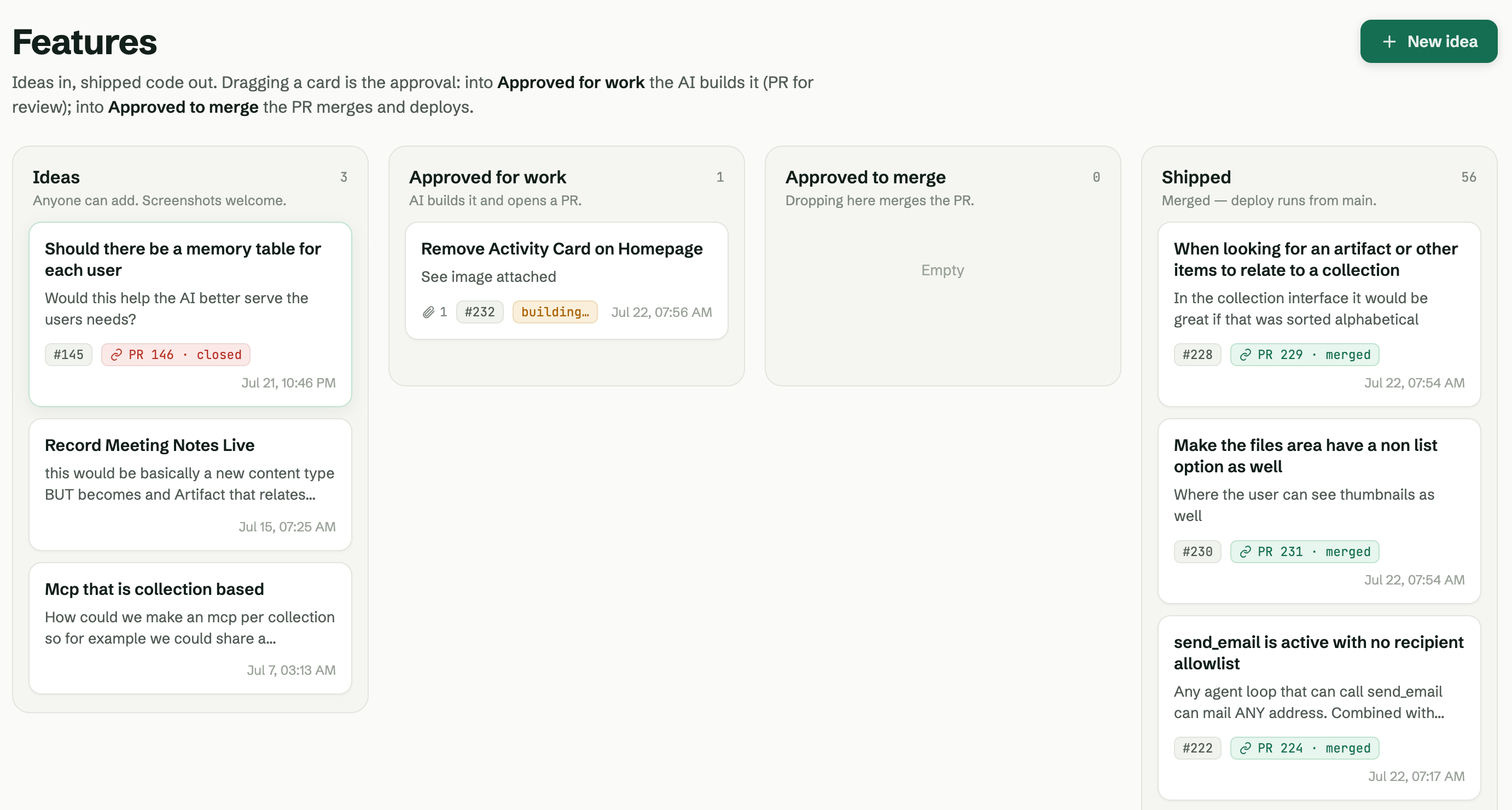
TLDR: I’ve wired my app so a feature is a card you drag. Move it to Approved and AI writes the code on a branch, runs the tests through GitHub Actions, and opens a pull request. I review, merge, and it deploys itself. It’s plain CI/CD under the hood — I’ve just pulled the whole loop inside the app, so building a feature and using the app become the same motion. Below: how it’s wired, and how I handle a step that needs a fix.
📺 The full video here
👉 The starter kit: github.com/alnutile/supabse-vibecoding-starter — download it, run a few prompts, and you’re on Supabase and Railway. The skill that builds this pipeline lives in the repo.
This is what’s working for me right now. There’s more than one way to do all of this, and yours may look different — I’m sharing the shape that’s held up.
The idea: a feature is a card you drag
I’ve been doing CI/CD for years — continuous integration, continuous delivery. There’s a lot of solid research behind it; the DORA reports (DevOps Research and Assessment) are the standard reference. What I’m running here is plain CI/CD. The twist is I’ve pulled the whole loop inside the app, so I barely think about it.
In SupaNet.io, my open-source project, a feature request is a card on a board. A user adds a request. If I approve it — drag the card to Approved — it starts getting built automatically. No ceremony.
The thing doing the work is GitHub Actions. Actions are little runners GitHub gives you: basically a Linux automation box that runs your scripts when something happens. When I approve a feature, an action spins up, writes the code on a separate branch, runs all our tests and checks, and by the time it’s done we know it passes everything we know to test for. Then it opens a pull request for me to review.
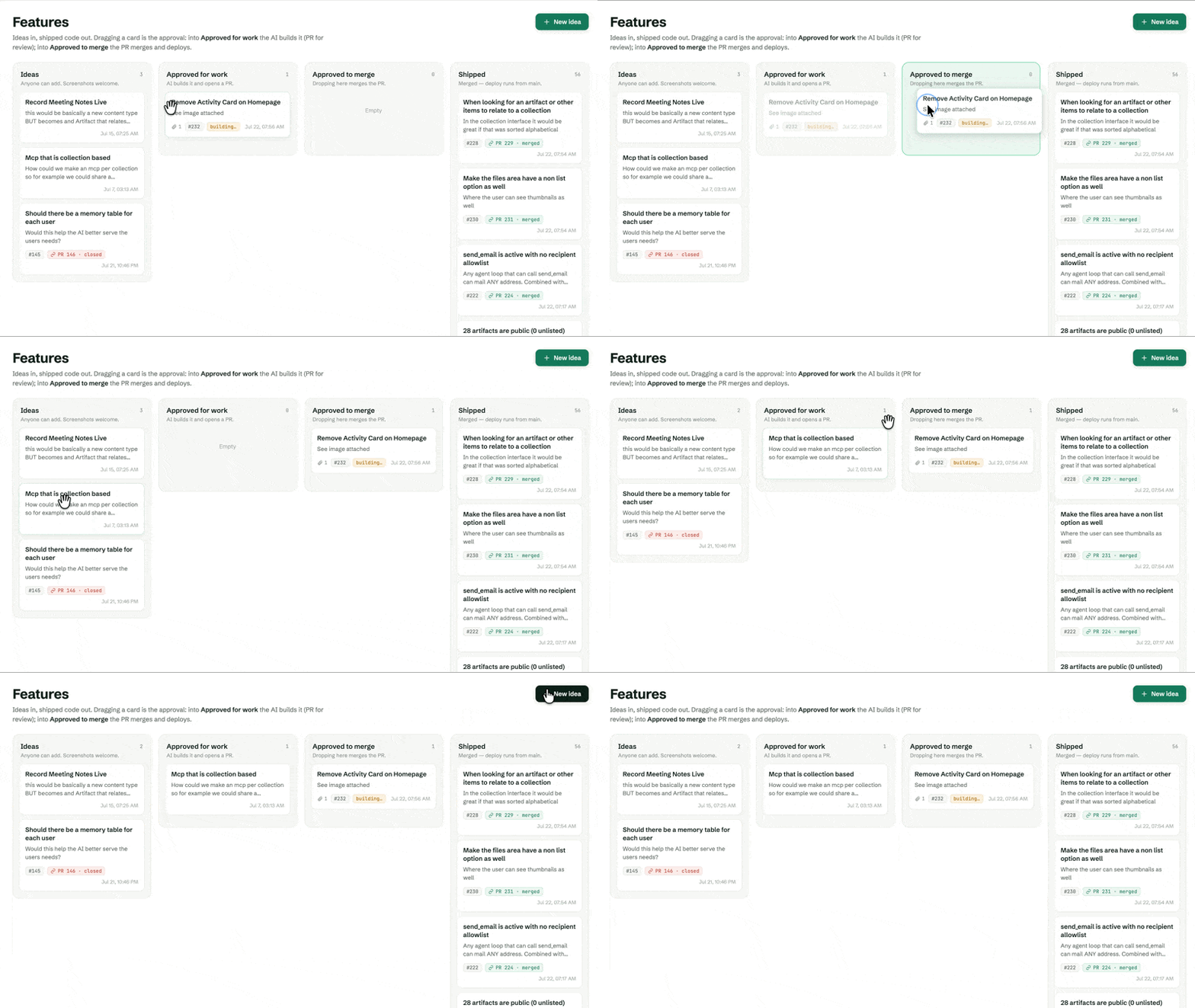 Dragging a card to Approved is the whole trigger. A user can suggest a feature; only an admin can drag it over and kick off the build.
Perfection isn’t the goal — and DORA agrees
This part matters as much as the tech. The goal is never 100%. DORA’s research is worth internalizing: you don’t need to hit production with total confidence every time. You’ll have issues in production some of the time — call it 10–15% — and that’s fine. What you’re aiming for is being able to deploy on demand, and to fix fast when something breaks. A modest failure rate you recover from quickly still lands you at an elite level.
So I’m hitting that target almost by accident, because the AI is building the app while I use the app. The more I sit with it, the more it reads as a genuinely different way to work rather than just a faster one.
The pieces
Nothing here is exotic. It’s a handful of good parts wired together.
The starter kit. Download it, run a few prompts, and you’re set up on Supabase (cloud) and Railway. I run it locally and it deploys to Railway for real, so this isn’t theory — it’s what’s actually shipping. Within reason, you can build whatever you want on top of it.
Supabase does the backend lifting — I wrote up the why in my edge functions post. Postgres for data, storage for documents (it’ll even vectorize them), auth, and edge functions: small, focused bits of server code that deploy automatically, run their migrations, and are testable. Plus a vault of secrets — my keys aren’t in the codebase, they’re in Supabase, encrypted. That last one is a pattern I can’t stress enough.
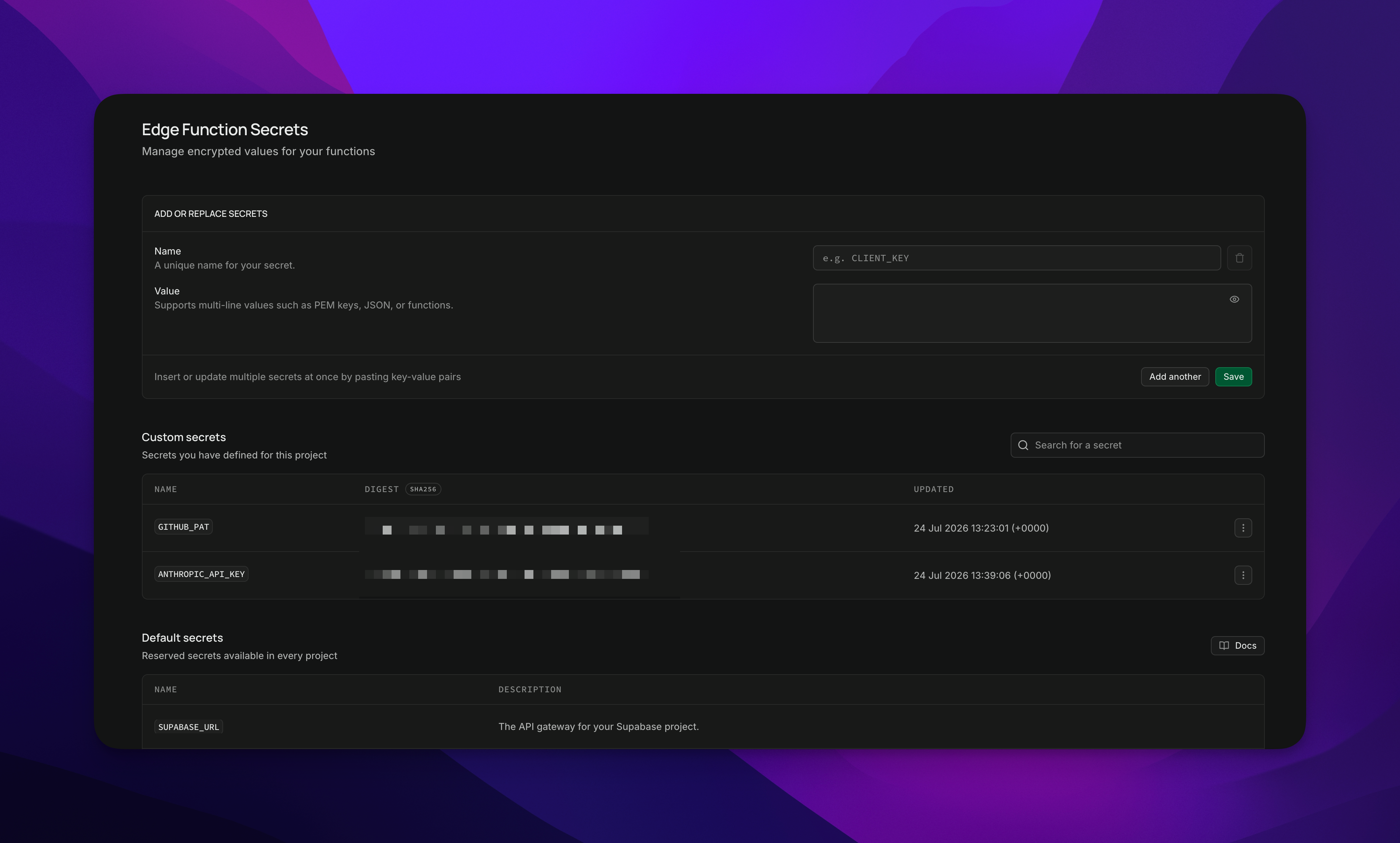 Left: the edge functions that trigger and run the pipeline. Right: the vault, holding the encrypted secret so it never touches the repo.
GitHub Actions is the engine. In the repo there are a few workflows — just named YAML files in .github/workflows/: one that does the feature build once it’s approved, one that runs migrations, and one for CI (the tests).
Claude writes the code, running on Anthropic’s API through the action. You set your API key once as a GitHub secret. You could swap in OpenRouter, OpenAI, Kimi — the pipeline doesn’t care which model does the work.
Wiring the secrets (keep them out of the repo)
Quick, but important. Two secrets to set:
- Your Anthropic API key, as a GitHub Actions secret. I use the GitHub CLI (
gh, install it with Brew): one command stores it under the repo’s Settings → Secrets → Actions, where the workflows read it at run time and I never see it in the code. - A GitHub personal access token, stored in the Supabase vault, so the edge function is allowed to trigger the actions.
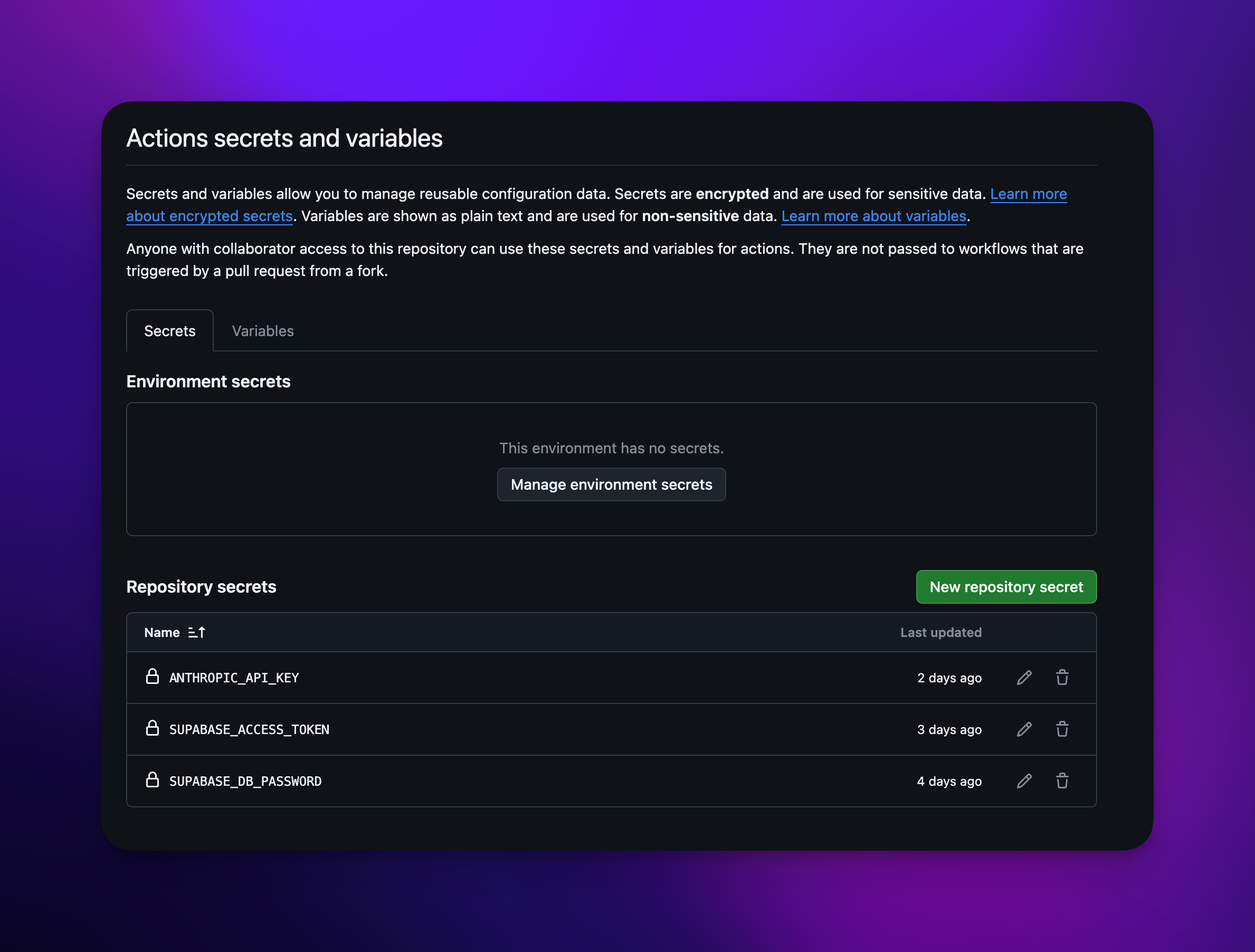 You store the value once; the workflows read it at run time. You never see it again, and it’s never in git.
That’s the whole trick to keeping secrets out of your codebase: GitHub holds what the actions need, the Supabase vault holds what the app needs, and neither lives in the repo.
A feature, end to end
Here’s the loop with a real one — a color change on the site.
I write the request, approve it, and the action kicks off. Claude reads the request, does the work on a branch, and opens a pull request with the changed files. So it runs: issue → action → pull request → I merge → deploy.
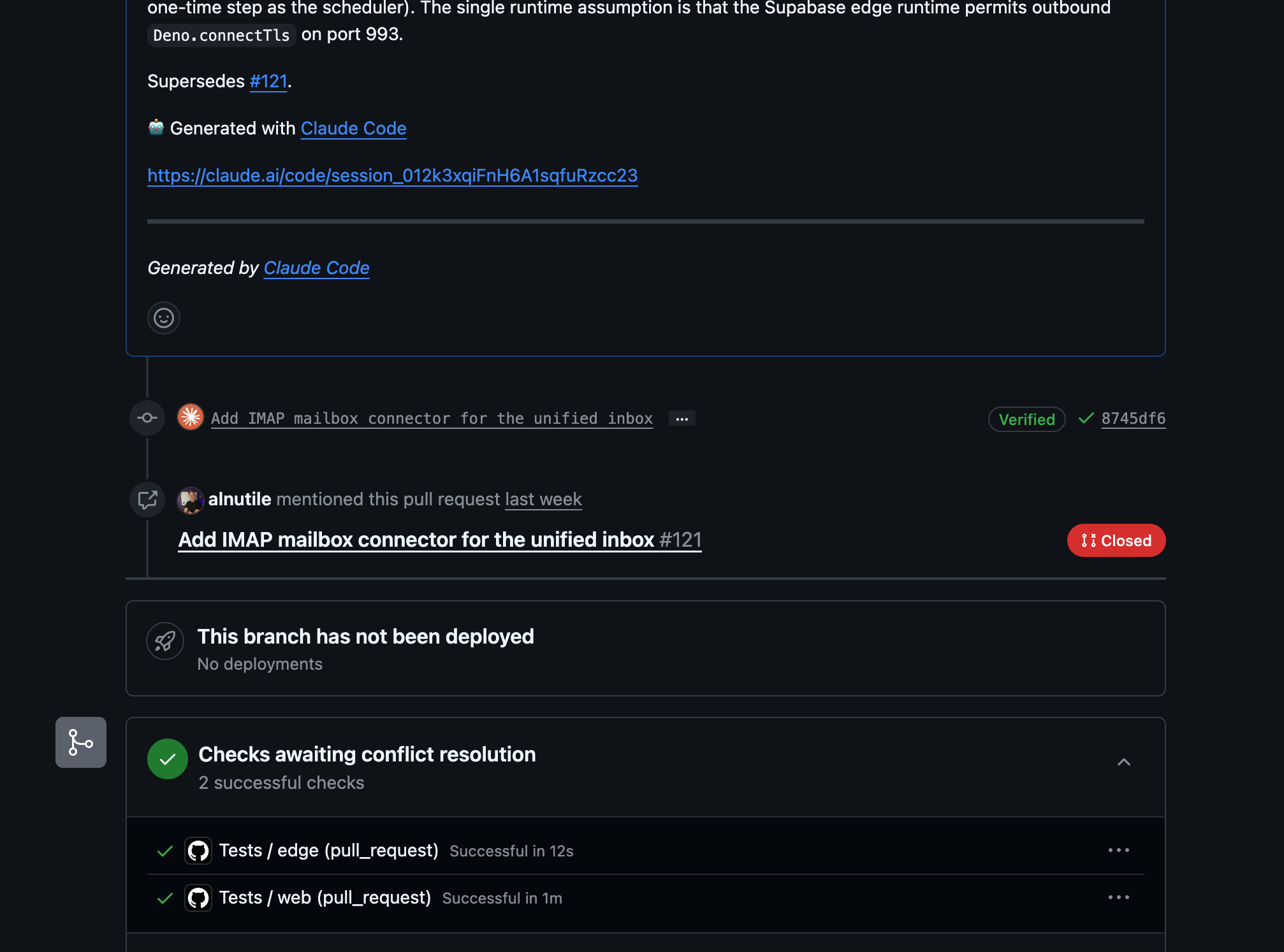 Claude ran inside the action, made the branch, and opened the PR. The checks are the same tests that will run again on main before anything ships.
When I merge, the branch goes into main, which triggers the deploy: apply the Supabase migrations, run CI, then ship to Railway. The app updates itself. And I can watch it from inside the app too — the feature request shows the linked PR right there. Drag, wait a few minutes, done.
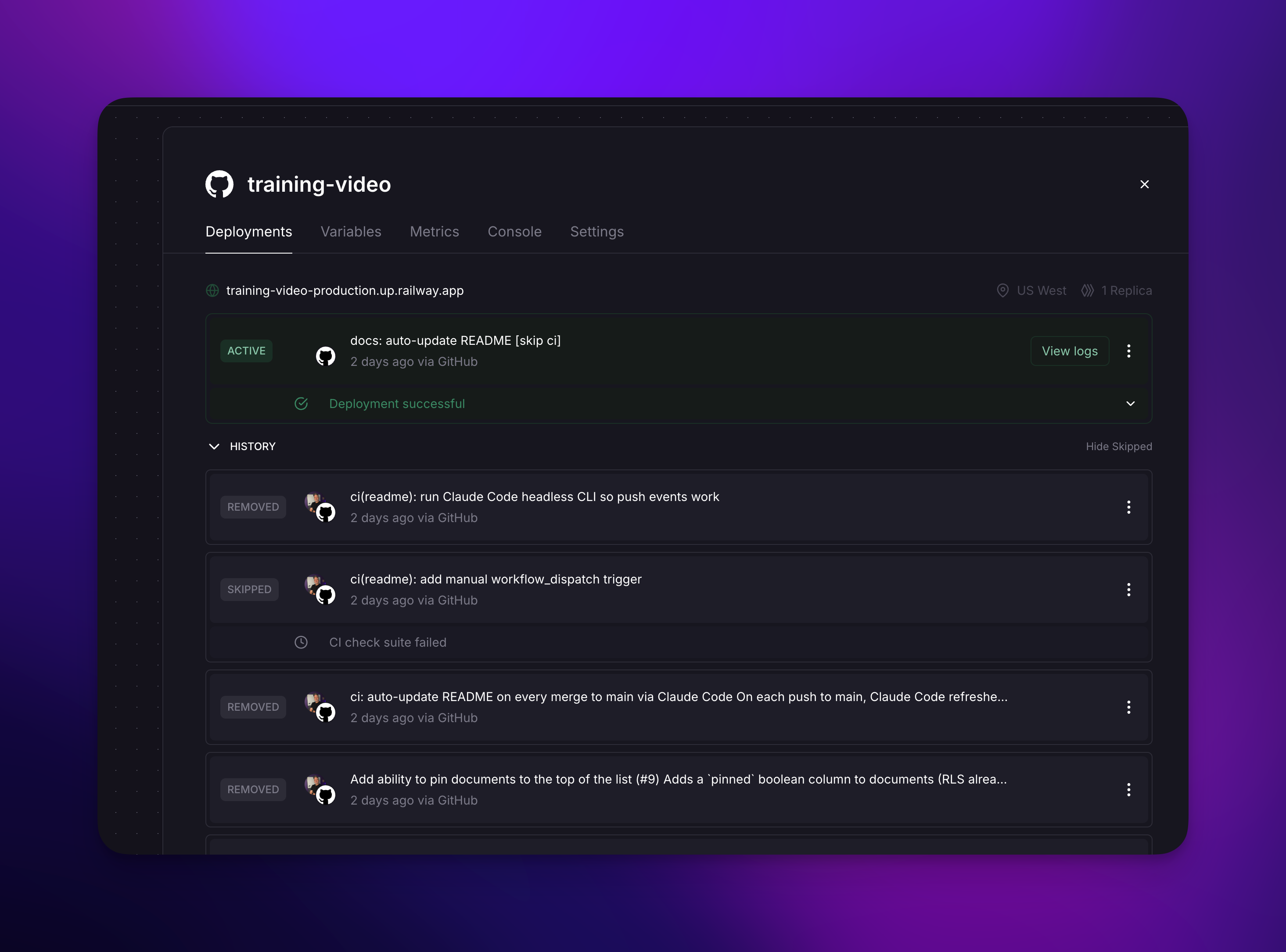 From a dragged card to a live change, with no manual code steps in between.
What to do when a step needs a fix
Things go wrong sometimes — that’s the DORA point in practice: expect it, fix it fast. A few real ones from this session, and how I handled each:
- I forgot to merge an earlier PR, so a later one hit a merge conflict. I didn’t hand-fix it — I told Claude “looks like I got ahead of myself, can you fix this?” and it did. You don’t need to know how to do everything; ask for help.
- I was on the wrong branch and didn’t notice for a bit. Oh My Zsh showing the branch name in my prompt is what caught it. Feature branches are where the work happens; main is what deploys.
- Migrations occasionally collide on their numeric prefixes and the deploy rejects them. That’s a bug in my own flow — a naming rule I still need to tighten — not the platform’s fault.
- Railway didn’t deploy the first time, because I hadn’t wired the Supabase service into its settings. Once I did, it went.
None of that is a reason to back off. Issues like these are normal, and the fix for most of them is the same: describe the problem to the AI and let it get you unstuck.
One setting worth calling out: wait for CI. Don’t let main push to Railway until the tests pass. The checks already ran on the PR; running them once more on main catches anything a second merge slipped in before it goes live.
Zero downtime, and branches as live previews
A nice side effect of this shape: the new version doesn’t go live until it’s ready, and it doesn’t take down the working one while it builds. That’s effectively zero-downtime deploys without me arranging anything.
And because every feature is its own branch, I can point a second Railway environment at a feature branch and test it live — not on some separate “dev,” just on whatever that branch is called. You could drive that over the API too, which means the AI could stand up preview environments as well. That’s the next thing I want to wire up.
What to take from this
I added a pin feature and a color change live, on the fly, while recording. The pin even came out as a map pin, which wasn’t quite what I pictured — but that’s the point: you try it, you see it, you adjust.
You don’t need a big team for this. The pieces are a starter kit, Supabase, GitHub Actions, and an AI with an API key. Wire them once and building a feature becomes: drag a card, review a pull request, merge. Consider it — or, fair enough, freak out about it a little. Either way, it’s worth seeing it work with your own hands.
If you want the groundwork this builds on, I’ve written up vibe coding with confidence and the Supabase side already.
Frequently asked questions
- How does dragging a feature card build the code?
- When you drag a card to Approved, a Supabase edge function triggers a GitHub Actions workflow. The action writes the code on a new branch, runs the full test suite, and opens a pull request. You review it and merge, and merging to main deploys it. The drag is the only manual trigger.
- Do you need to be a developer to run this?
- You review and approve pull requests while the AI writes the code. You do set the pipeline up once from the starter kit and wire two secrets, so some comfort with the tools helps. After that, building a feature is drag, review, merge. When something goes sideways, you describe the problem to the AI and let it get you unstuck.
- Where do the API keys and secrets live?
- Not in the codebase. The Anthropic API key is stored as a GitHub Actions secret, where the workflows read it at run time. Other secrets the app needs, like a GitHub token, live in the Supabase vault, encrypted. Neither is ever committed to git.
- What is DORA and why does it matter here?
- DORA (DevOps Research and Assessment) is the standard research on software delivery performance. Its core point is that you do not need to be perfect: aim to deploy on demand and recover quickly rather than avoid every failure. A modest failure rate that you fix fast still counts as elite. This pipeline lands near that target by default.
- Does deploying this way cause downtime?
- No. The new version does not go live until it is built and passing, and it does not take down the running one while it builds, so you get effectively zero-downtime deploys with no special setup. Because each feature is its own branch, you can also point a separate environment at a branch to preview it live.