Build Modern Web Apps with [INSERT EDITOR HERE], Supabase, and n8n — Fast, No-Code, AI-Ready
The Big Picture – Build Apps Without Code (and Without Regrets) build something that you can change, pivot and grow without feeling like you are playing Jenga.
![Featured image for "Build Modern Web Apps with [INSERT EDITOR HERE], Supabase, and n8n — Fast, No-Code, AI-Ready"](https://substackcdn.com/image/fetch/$s_!LykE!,f_auto,q_auto:good,fl_progressive:steep/https%3A%2F%2Fsubstack-post-media.s3.amazonaws.com%2Fpublic%2Fimages%2F414a1c40-b065-4d99-918a-d78fb758bca5_2166x1654.png)
Note: at the last minute I switch from using my LeadsHub demo to my **WhatDoYouWantToWatch.ai **since it is more polished and has all the examples I will talk about below. So if you see me mention “Leads” sorry about that.
💡 The Example App: What Do You Want To Watch
[
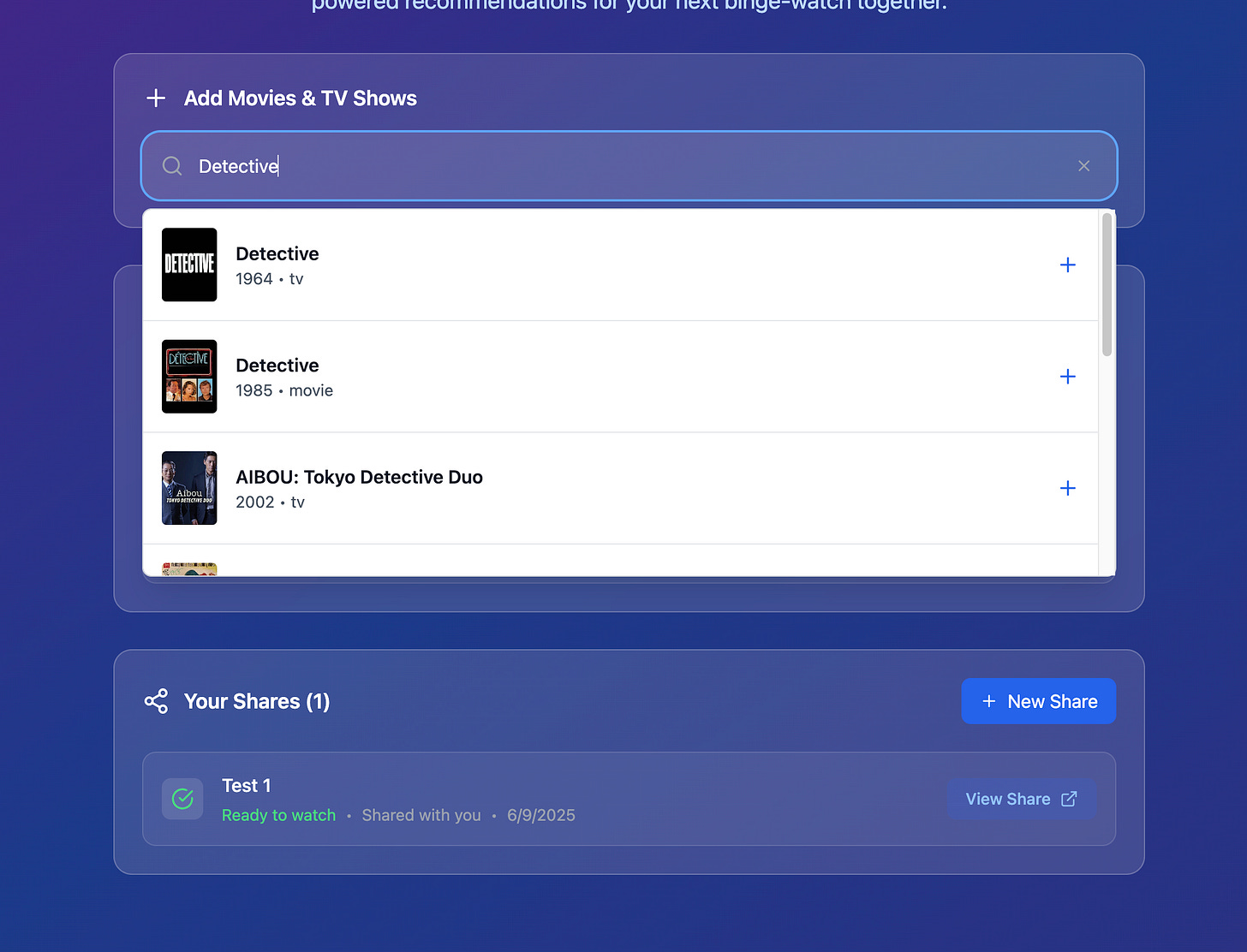
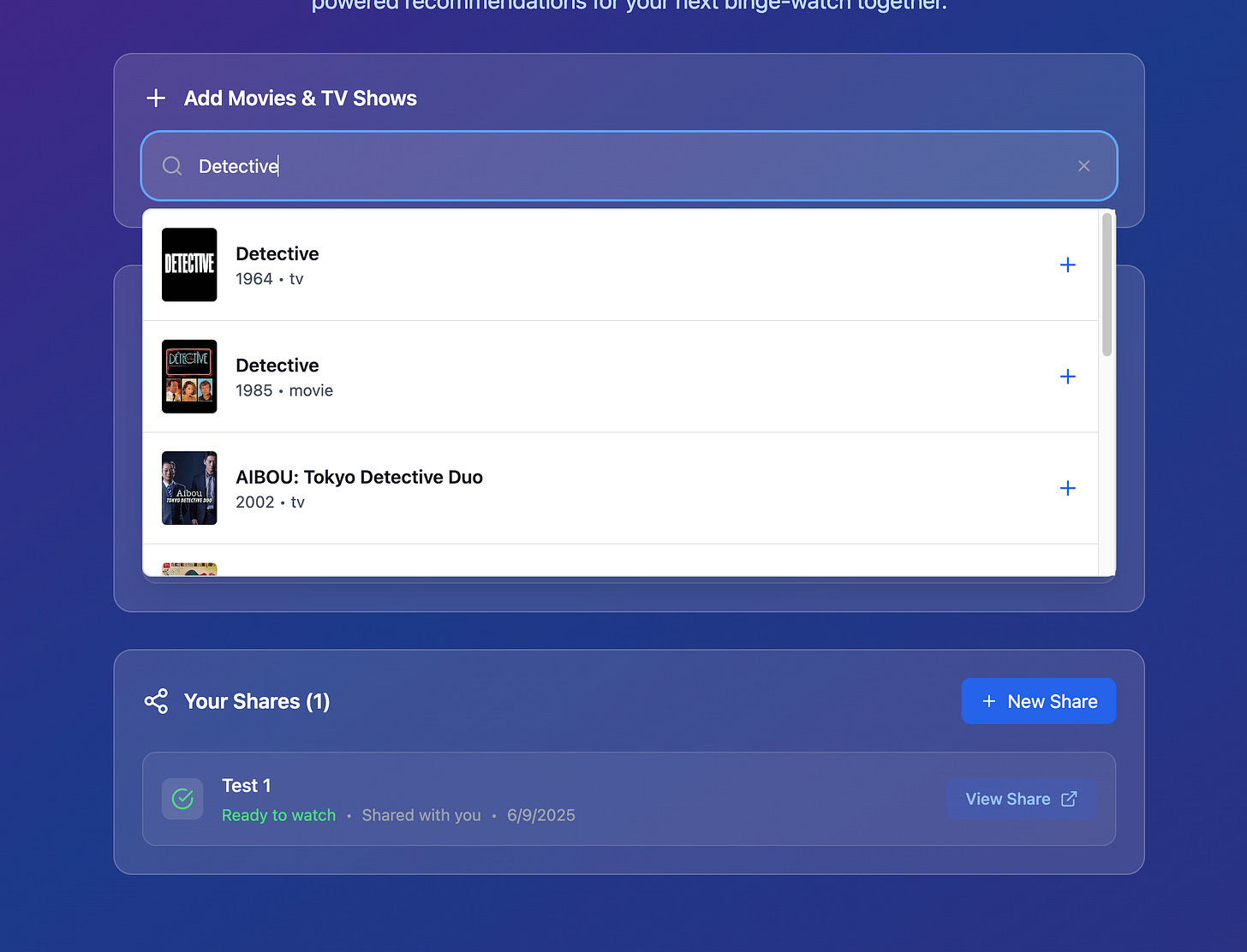
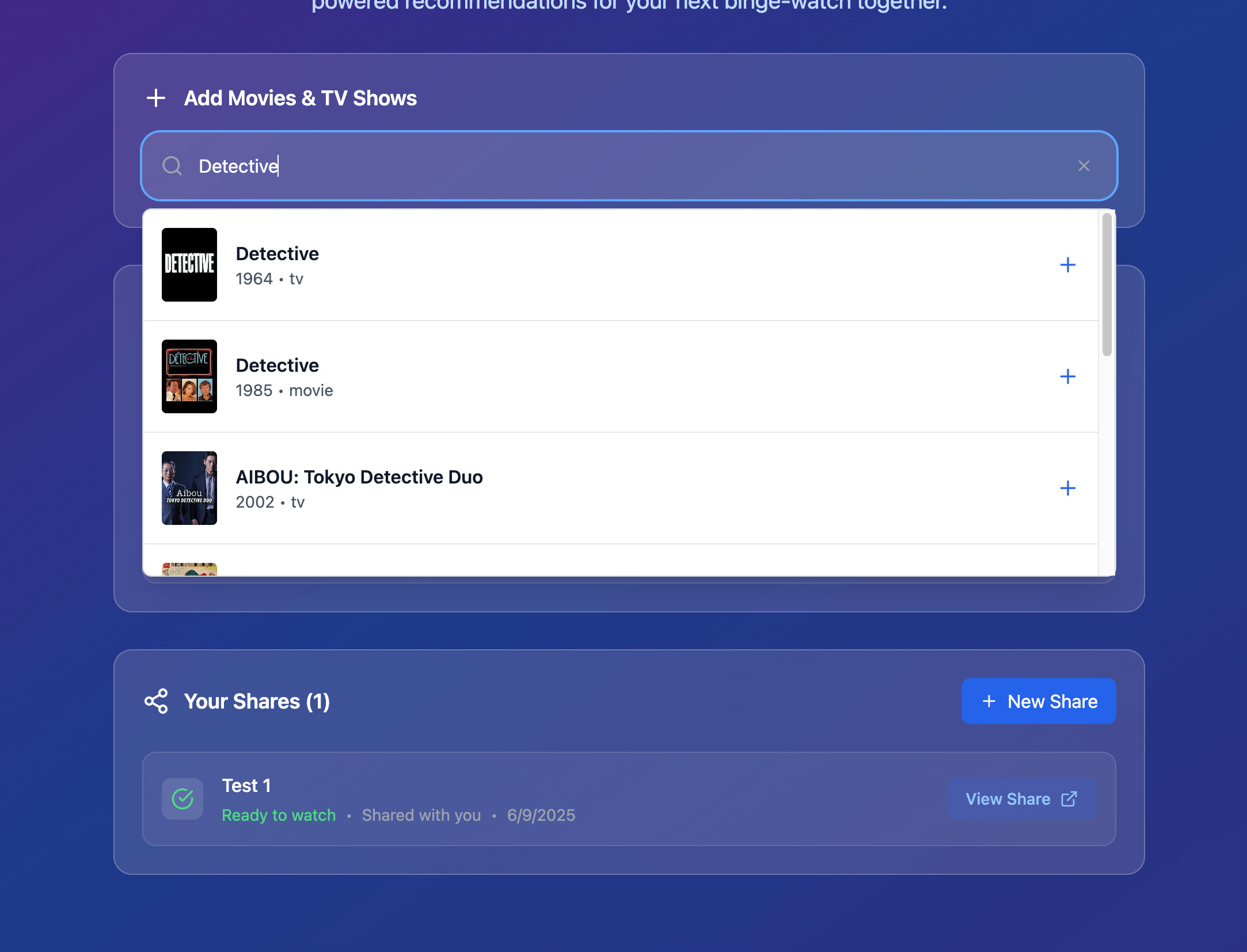
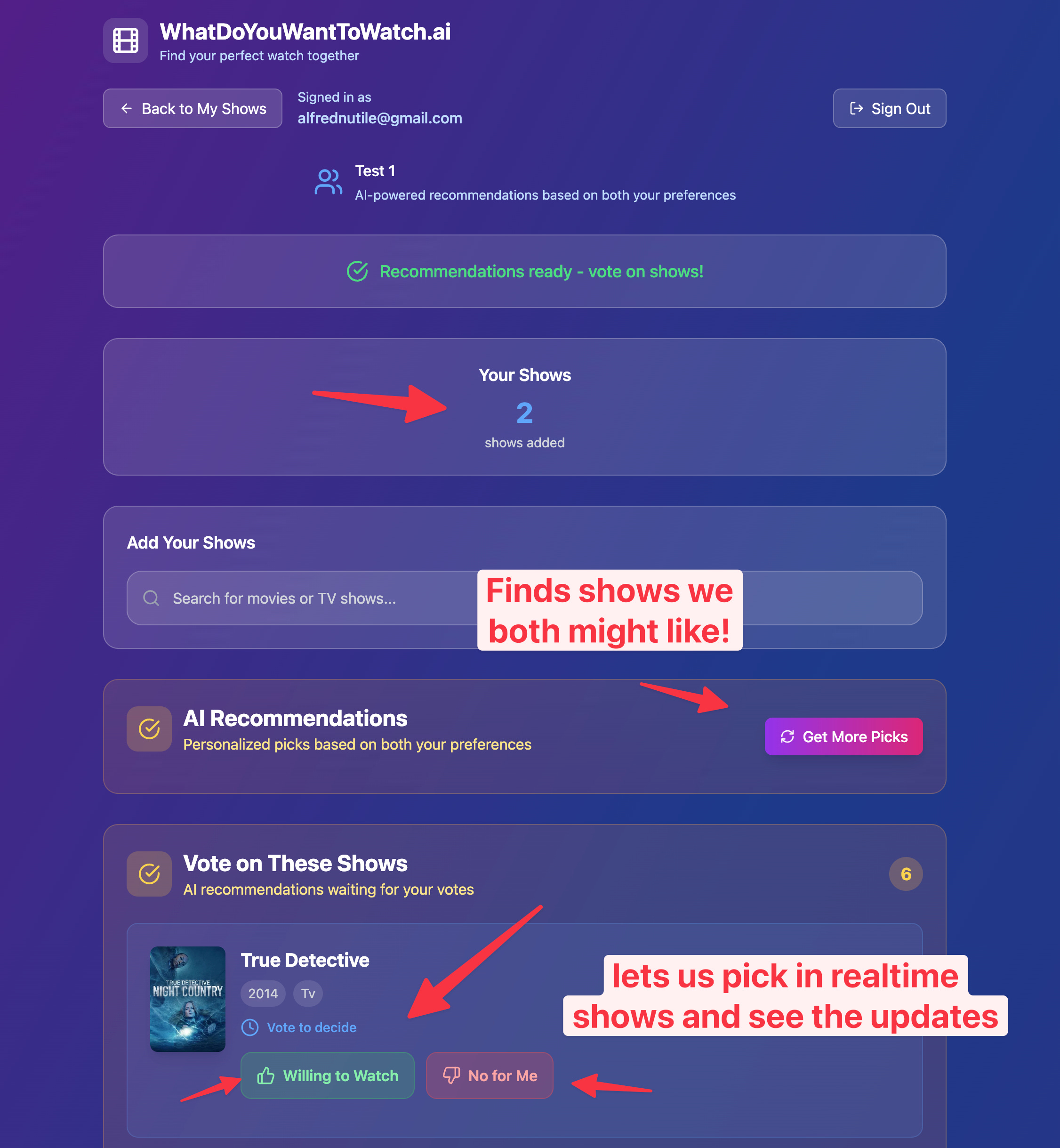
This app helps you find shows that you might want to watch with other people you know.
Authenticate (even using Social logins!)
Save shows you like to a show list
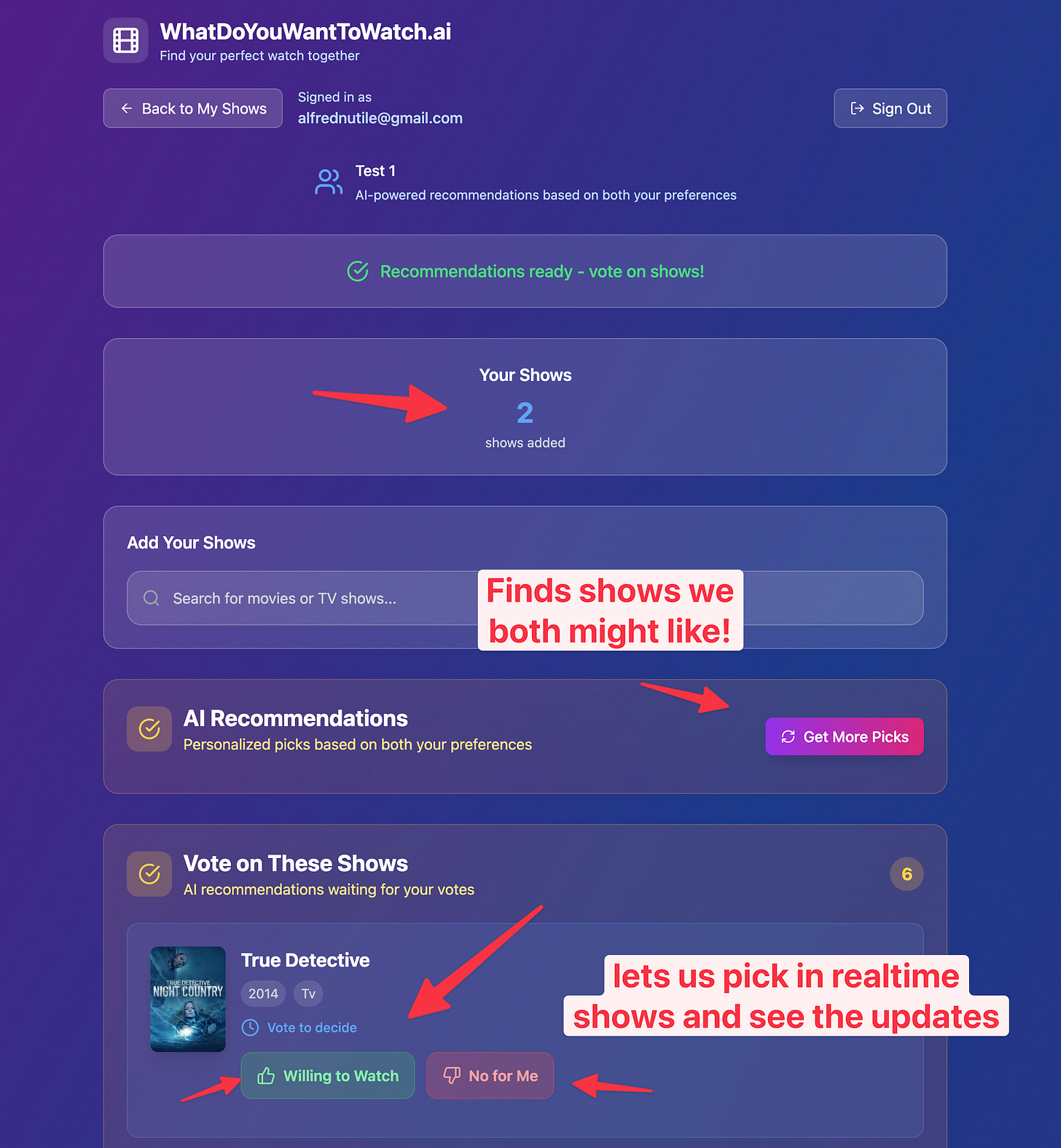
Share with others in a “share” list so you both can then run ai to compare shows and find matches you might both like
Integrates with api TMDB
It’s interactive and dynamic, like any modern web app.
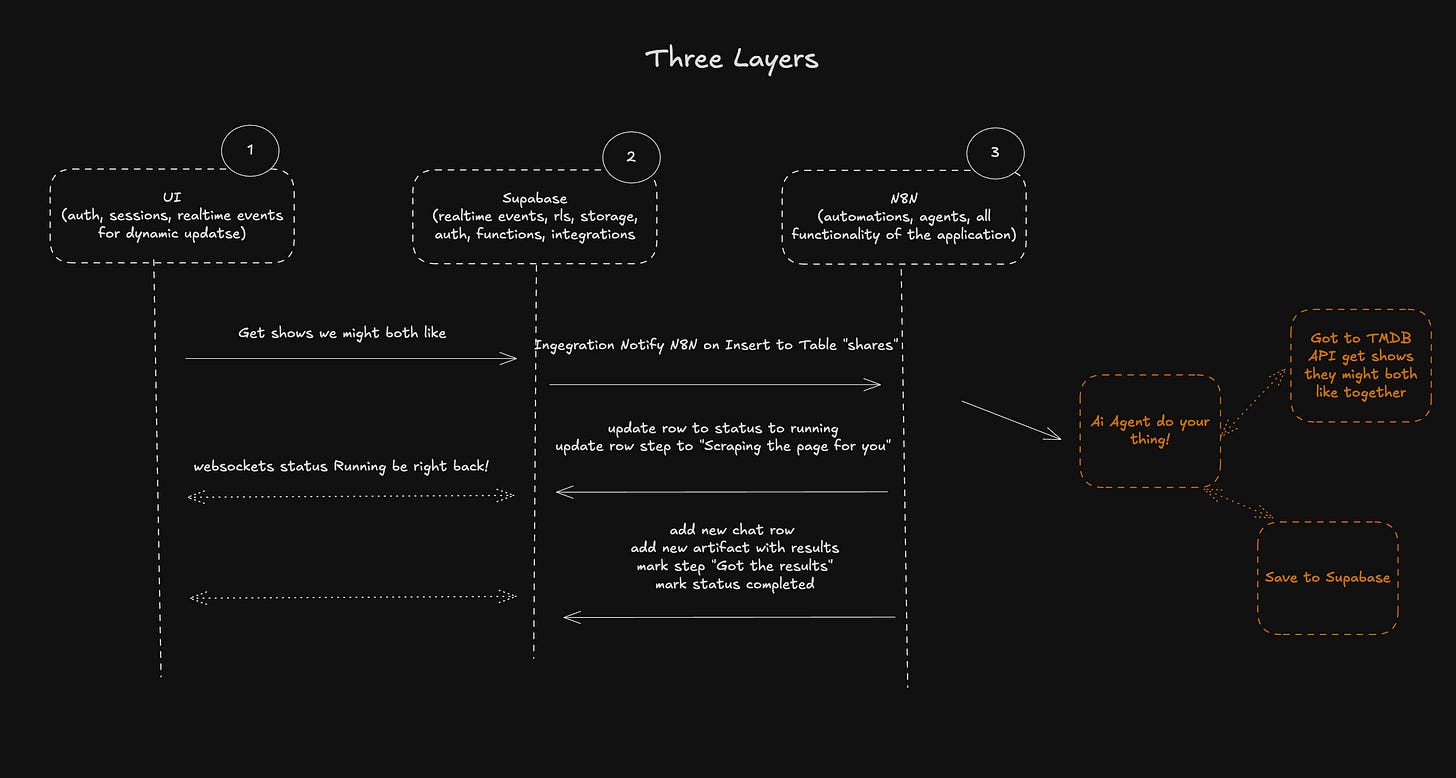
But the frontend (in my case, built with Next.js) talks only to Supabase. It doesn’t know anything about the backend logic.
🎯 That’s the trick:
From the UI’s perspective, all it’s doing is reading and writing to Supabase.
Then, thanks to Supabase’s integrations, the complexity is silently handed off to n8n — where the actual business logic and automation live.
This makes the frontend lightweight and decoupled.
You can move quickly, test independently, and even divide and conquer if working as a team.
For me, even working solo, it’s a dream — I can let one part run while I work on another.
By the end of this walkthrough, you’ll have a clear sense of how to connect these tools into a simple, powerful, low-code stack:
AI-powered UI creation with Bolt or Next.js
Event-driven middle layer with Supabase
Visual logic and AI automation with n8n
We’ll lean heavily on:
🔁 Supabase real-time events
🔗 Supabase integrations
🔐 Supabase authentication
📦 (Optional) Supabase storage
I’ll also share code, screenshots, and full examples so you can see how it all fits together.
Alright — let’s dig in.
⚡️ Layer 1: The UI (Bolt or Next.js with Guardrails)
We’re using tools that change fast. Today it’s Bolt, which defaults to Vite (Vuejs) and React. I don’t mess with that. I just let it do its thing — because it does it well.
The moment I say, “Use Supabase,” it connects and sets up auth. Done in seconds. No boilerplate. No weird configs. Supabase handles it because this is a consistent, clean pattern.
🧪 The Flow: From User Input to Real-Time Updates
So what’s the actual job of the frontend?
[
It’s just this:
Authenticate the user
Let them write to a Supabase table
Listen for changes (real-time) on that table
That’s it.
Take this example where the user starts a chat. We could call it a project, sure — and in future versions I do — but let’s keep it simple.
The user enters a message
We create a chat row in Supabase
We redirect to /chats/:uuid
The UI waits (via Supabase websockets) for updates to that row
💬 The chat input isn’t magic — it just creates a row with a status = pending.
Then we sit back and wait for Supabase to notify us as that row changes.
[
🎯 Schema Simplicity
Every row we track typically has two key columns:
status: pending, running, complete, or failed
step: a human-readable label like “Scraping the page for you”
These two alone make for excellent UX, and they make life easier on the backend when n8n listens and responds accordingly.
[
This is real-time UX without polling — just using Supabase’s websocket channel features.
🔑 Authentication
Auth is completely Supabase-managed. We use two things:
Supabase URL
Supabase anon/public key
That’s enough for the frontend to:
Authenticate the user
Create records scoped to their user ID
Read/write/delete rows
Listen for updates
If we need to talk to Stripe or another external system, we’ll put the public key in the frontend and secret key in Supabase functions (auto-generated by Bolt in most cases).
The integration to Supabase is simple
[
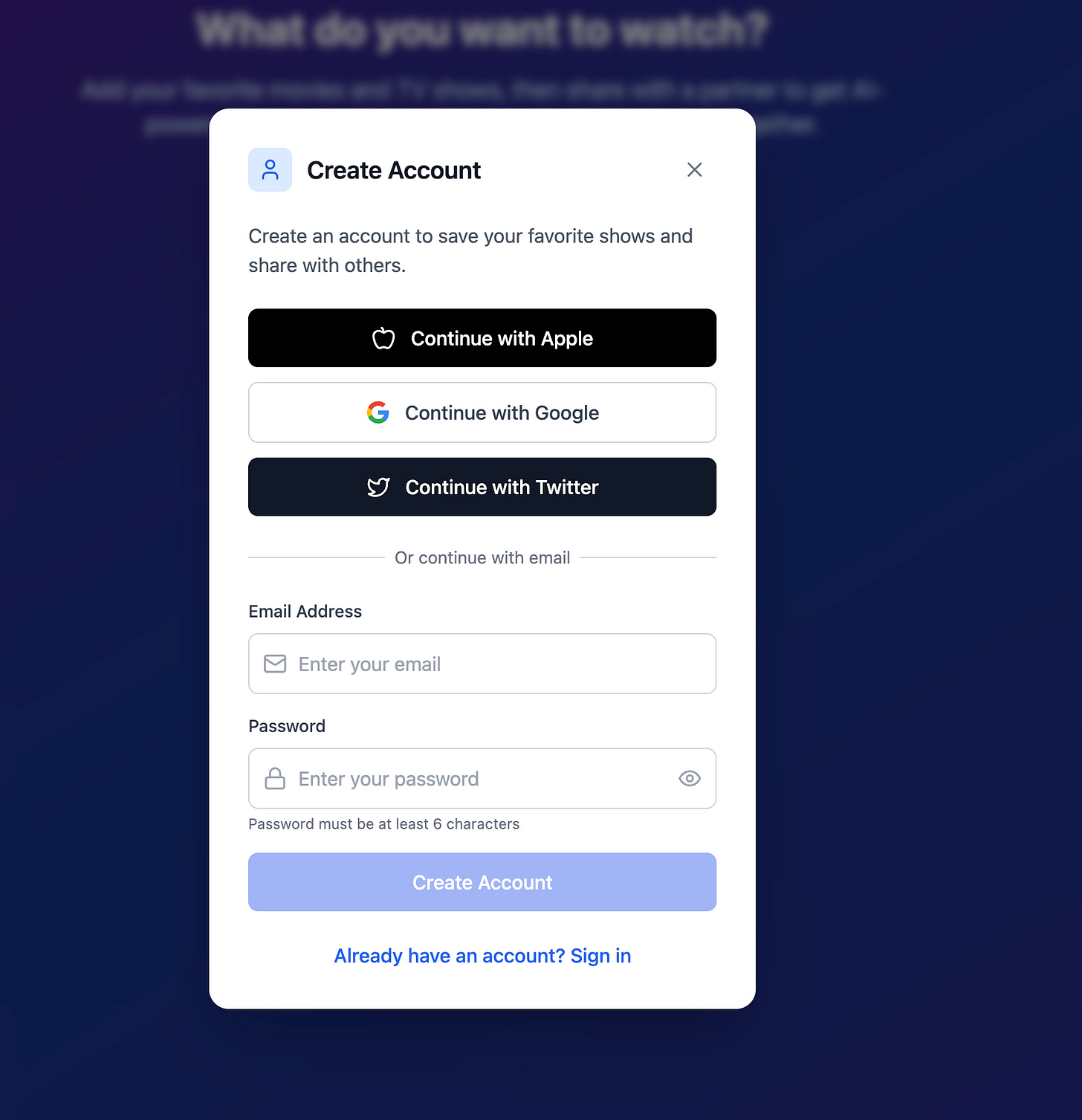
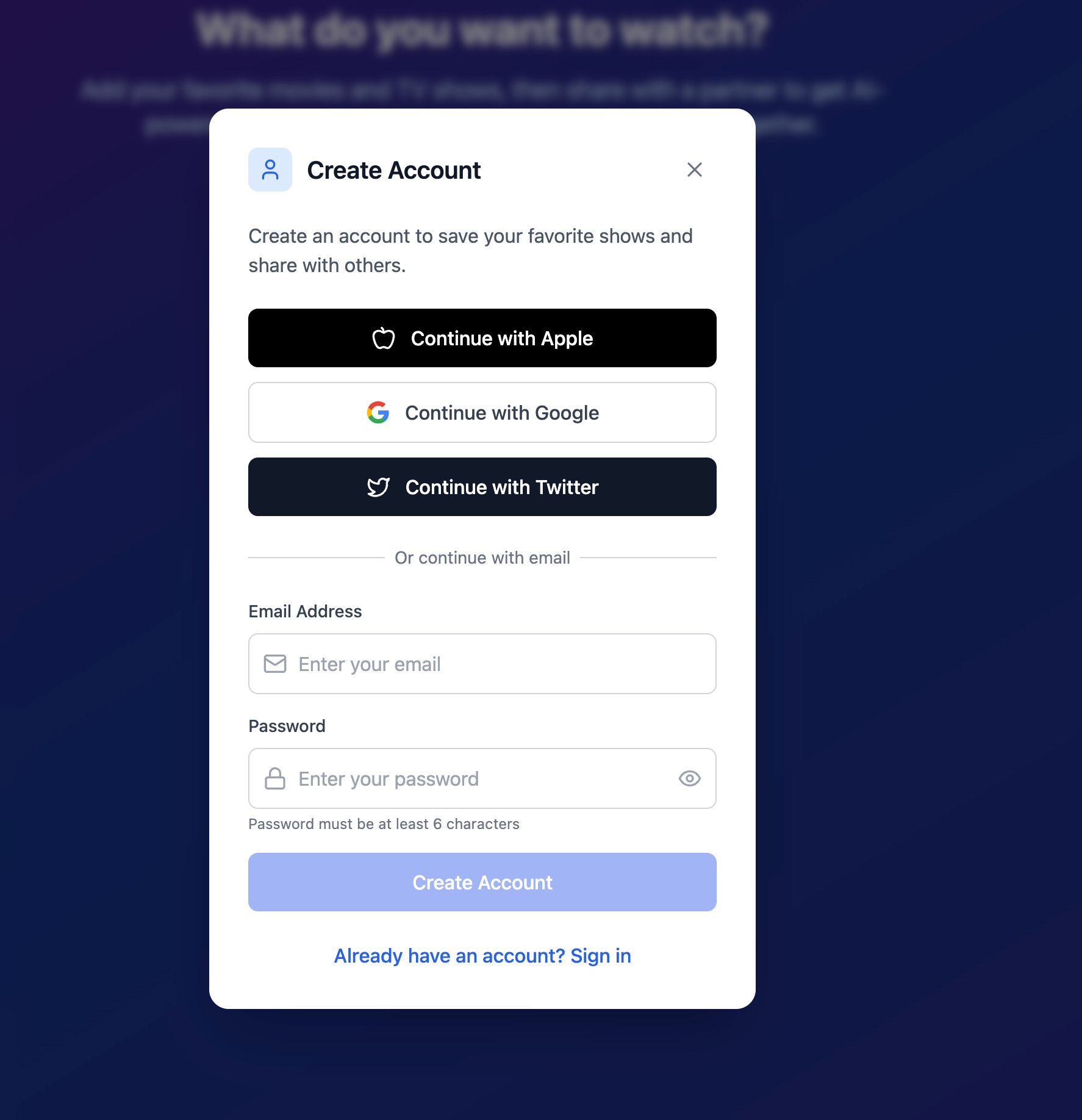
with social logins!
[
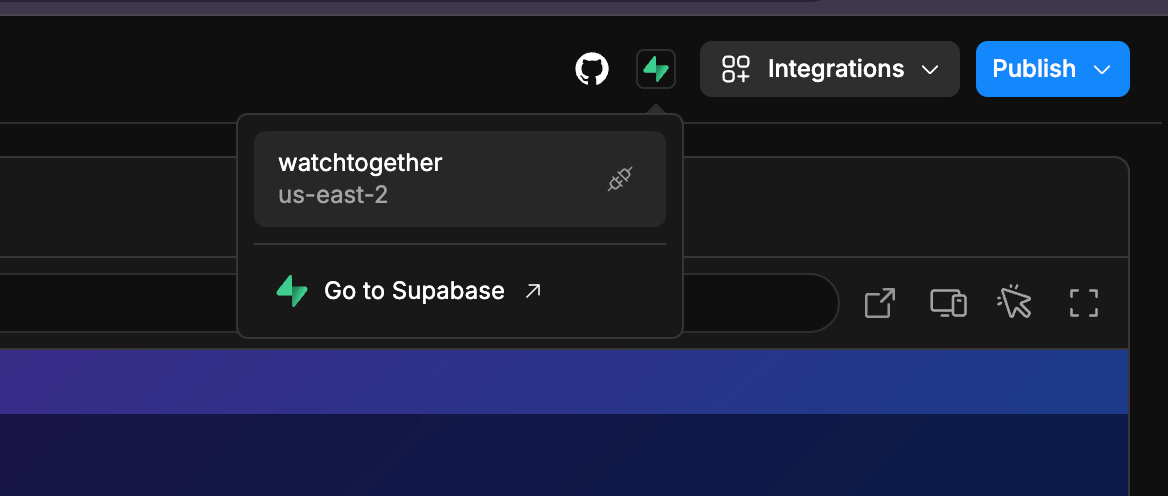
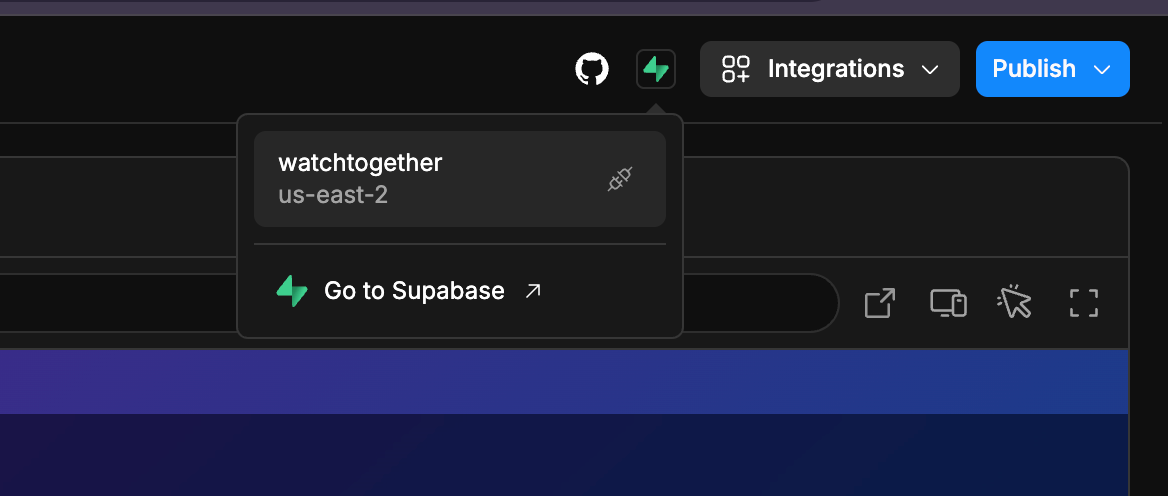
If you are using self hosted Supabase all you need to do is add a .env file into the code with your keys and vars
VITE_SUPABASE_ANON_KEY=eyJhbGciOiJIUzI1NiIsInR5cCI6IkpXVCJ9.eyJpc3MiOiJzdXBhYmFzZSIsInJlZiI6Im1qYmV2eHFiamNnZ3BqYnl2a2V5Iiwicm9sZSI6ImFub24iLCJpYXQiOjE3NDAyODc1MDgsImV
VITE_SUPABASE_URL=https://foobar.supabase.co
🔌 What Not to Do (a.k.a. Guardrails)
I don’t let the UI:
Touch OpenAI keys
Trigger complex business logic
Know anything about downstream processes
That’s for n8n. The UI’s job ends at state updates.
Think of it like this:
“Hey, Supabase — here’s a new chat row. I’ll just hang out here and watch it for updates.”
That’s all it does.
No AI calls, no orchestration logic — just write and listen.
✨ Why It Still Feels Fast
“But Alfred — if we’re waiting on Supabase → n8n → OpenAI → back to Supabase… isn’t that slow?”
No. Not at all. It feels fast because the user sees instant status feedback, and they know it’s working.
Whether it’s scraping a URL, processing a doc, or building leads — they’re fine waiting 30–60 seconds if:
They see progress
They get notified when it’s done
And they don’t see any UI jank because the frontend’s job is small and focused.
Here we use Realtime events in Supabase (more on that in a moment)
[
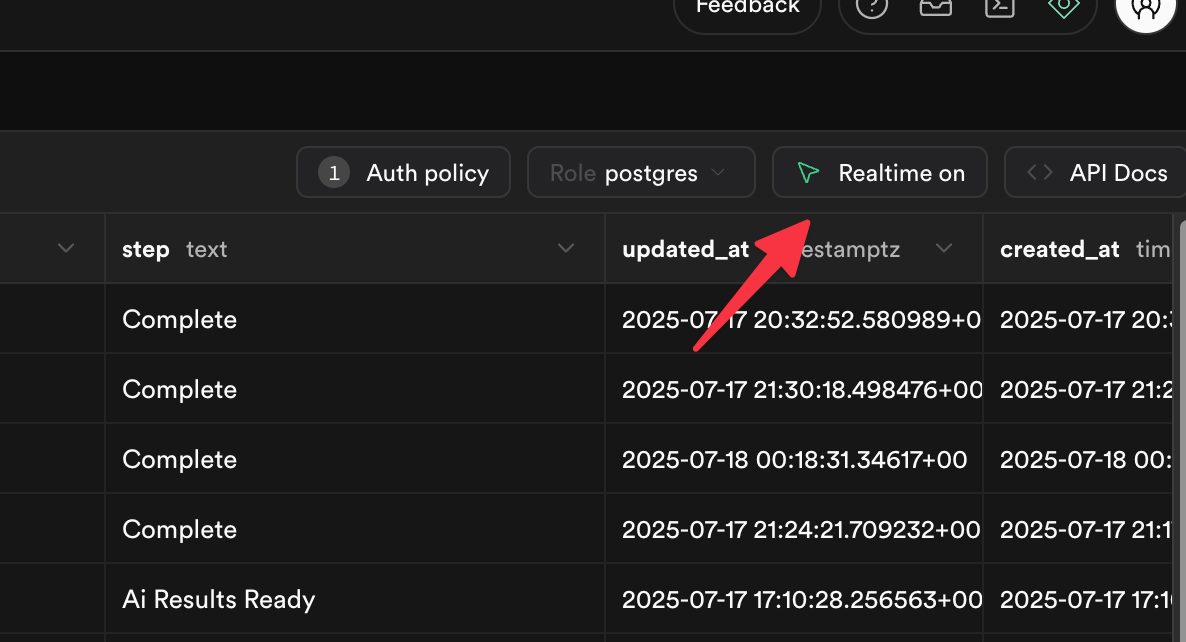
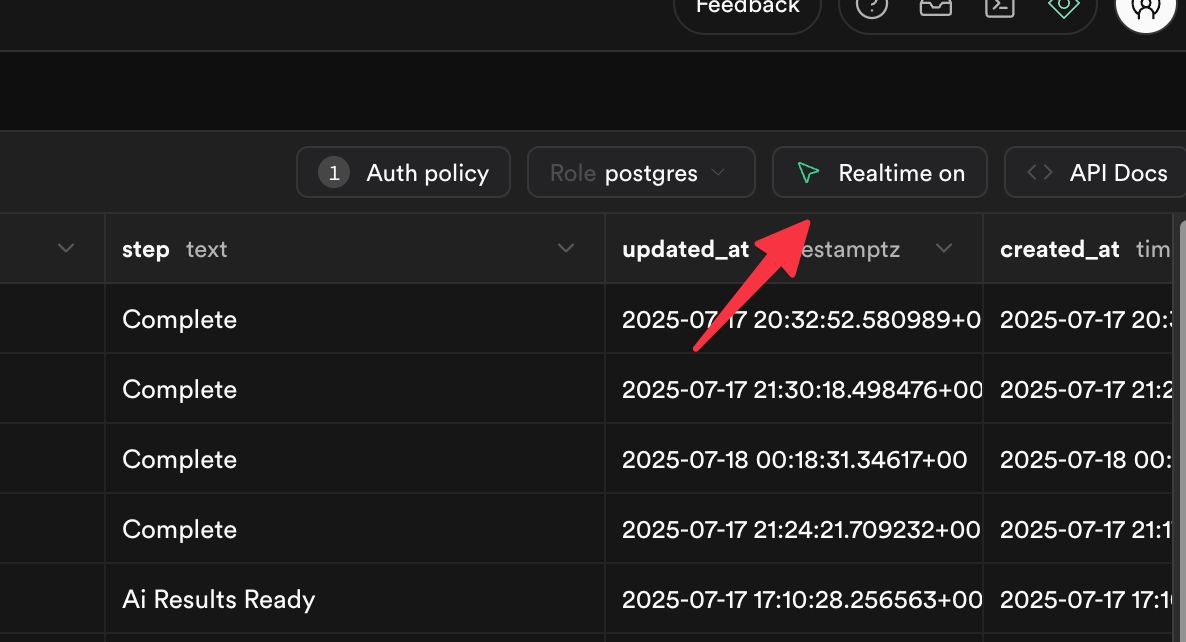
Here you see we “subscribe” to channels to listen for updates.
[
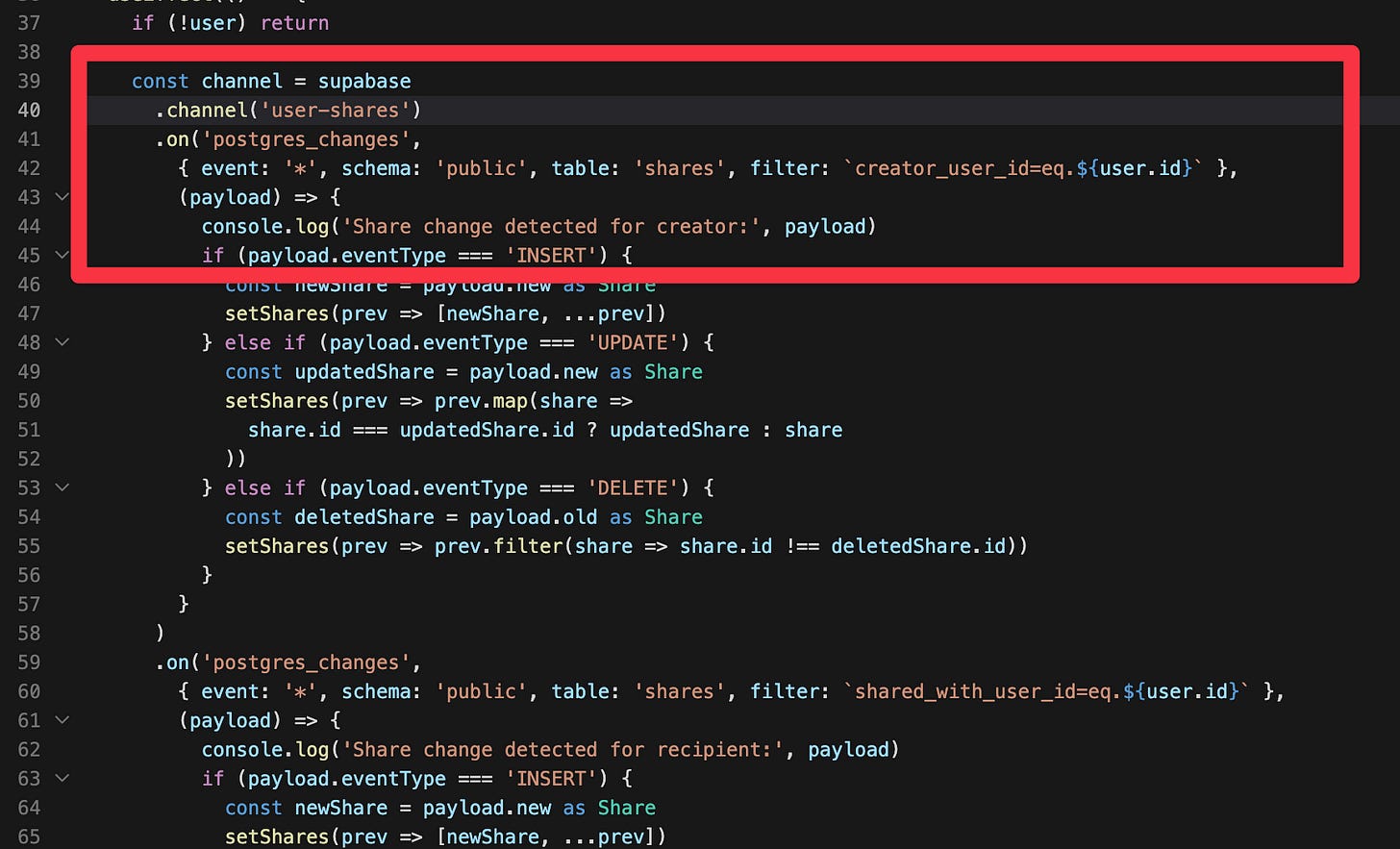
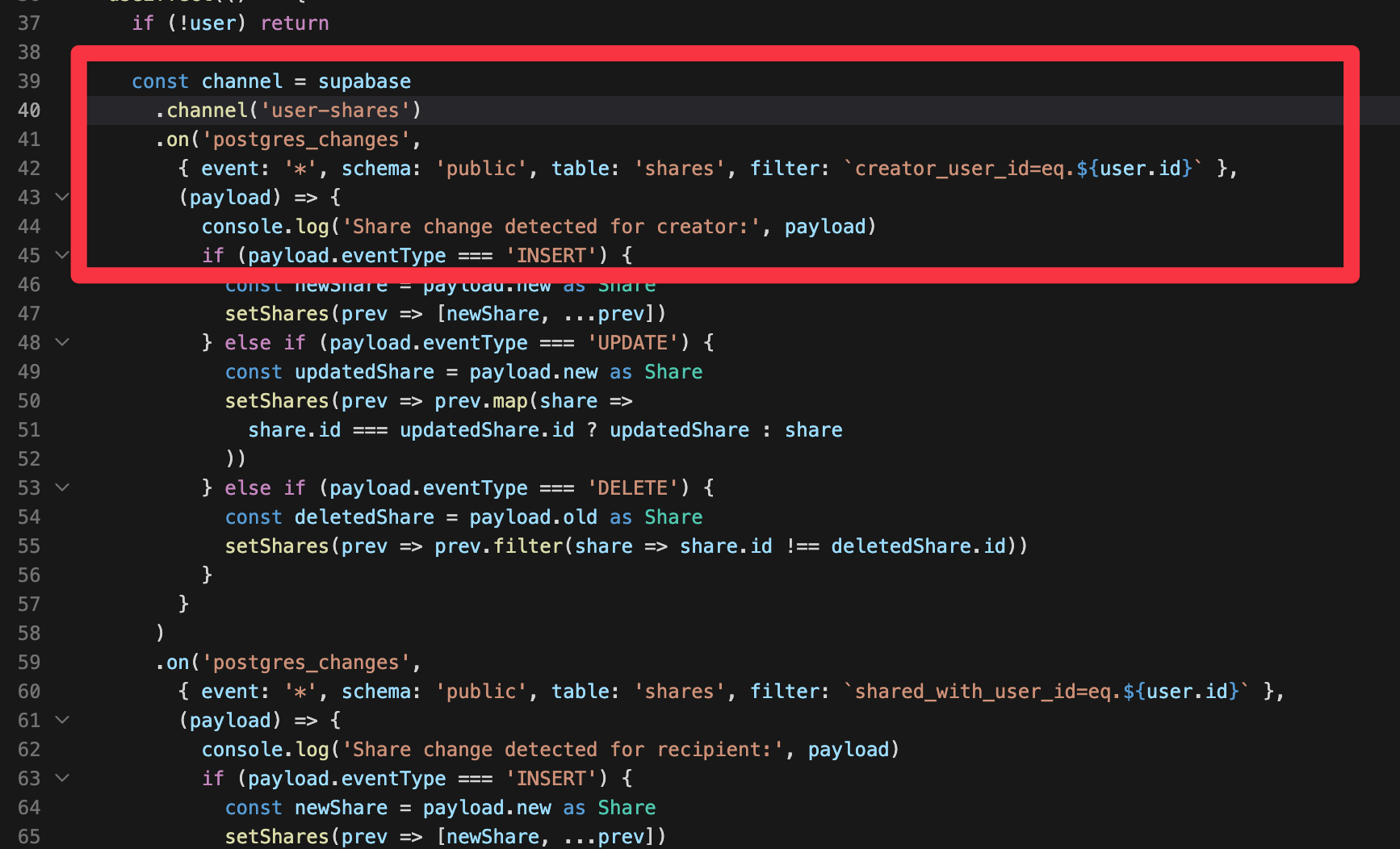
This means the moment the “status” or “step” field gets updated in Supabase we get results that fast. You can see some of this as a demo here https://supabase.com/ui/docs/nextjs/realtime-chat as they show off the power of websockets and realtime events.
In this app I only had status but future apps I lean heavily on step and status with step being how I show things going on in the ui that a human can understand more than just “running” :). Since n8n writes this all the ui has to do is read and show it as websockets update.
✅ Recap
The frontend layer’s job:
Write to Supabase
Listen to Supabase
Show Supabase data
That’s it. And that’s all it needs to do.
You can use Bolt, Next.js, Svelte — doesn’t matter.
Just draw the line and hold it:
❌ No logic.
✅ Just clean interaction with your state layer (Supabase).
Lesson one — done. Go build and keep it that simple.
🧱 Layer 2: Supabase — Real-Time, Role-Level, and Ready for Action
Alright, let’s dig into Supabase — and the few core concepts you really need to understand. If you’ve already read the frontend section, you saw how we’re relying on real-time events, authentication, and n8n integrations. This layer is what makes the system dynamic, reactive, and secure — with almost no code.
Here’s what we’ll cover:
🕰 Real-time events
🔐 Role-level security (RLS)
🧩 Integrations (aka: talking to n8n)
🔑 Authentication (quick mention, but worth knowing)
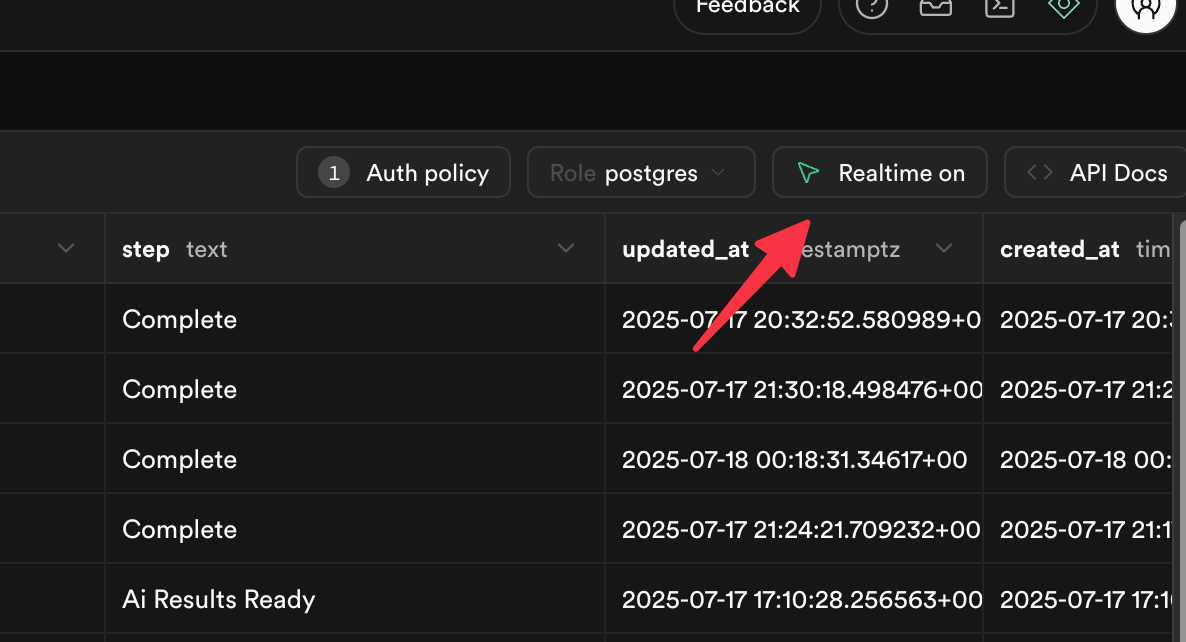
🕰 Real-Time Events: Turn It On or It Won’t Work
Supabase has real-time listeners, but you’ve got to enable them per table. It’s incredibly easy to forget this, and then your frontend just… never updates.
You’ve got options here:
Ask Bolt to turn on real-time for a table (when generating the schema)
Or go into the Supabase dashboard and enable it manually
Or ask Supabase AI to help configure it — which works surprisingly well
Once it’s turned on, you can subscribe from the frontend using the Supabase JS client and build features like:
Realtime status updates (e.g. “Scraping…” → “Done”)
Reactive chat threads
Live feedback from automation pipelines
[
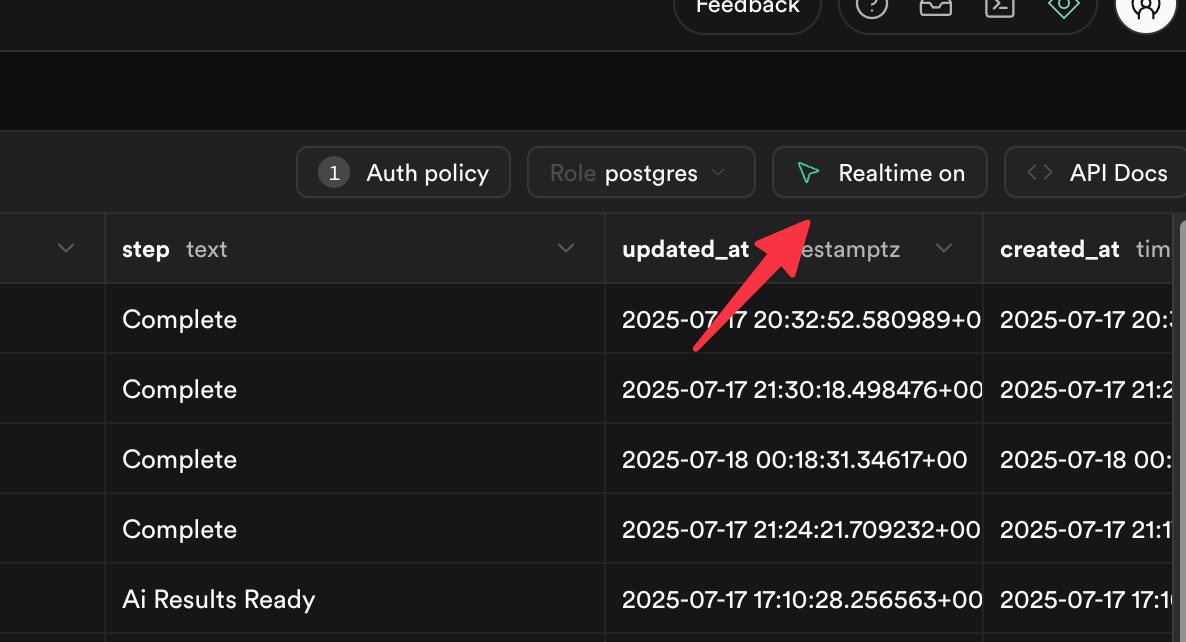
🔐 Role-Level Security (RLS): Don’t Skip This. Ever.
This one’s huge.
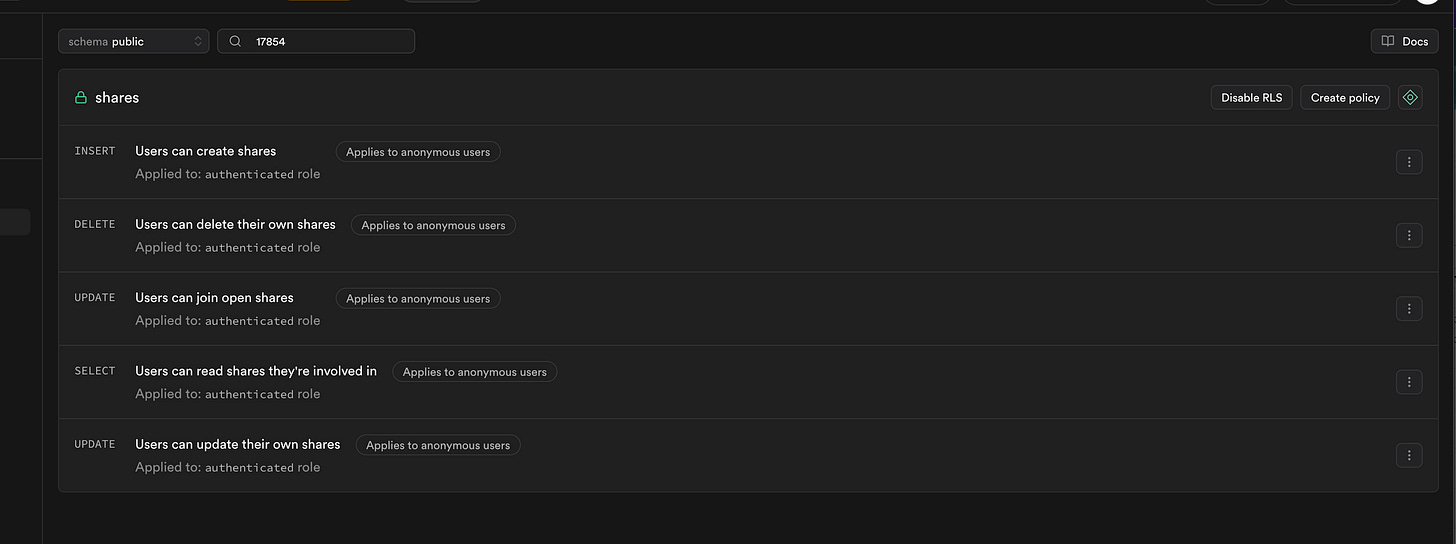
RLS = who can see which row and why.
It’s the security guard of your whole app.
Let’s break down a few examples:
A blog post marked as public → anyone can read
A private doc tied to user_id = auth.uid() → only the owner sees it
A chat that belongs to a specific team or project → scoped to project_id or team_id
[
Get help with Ai
[
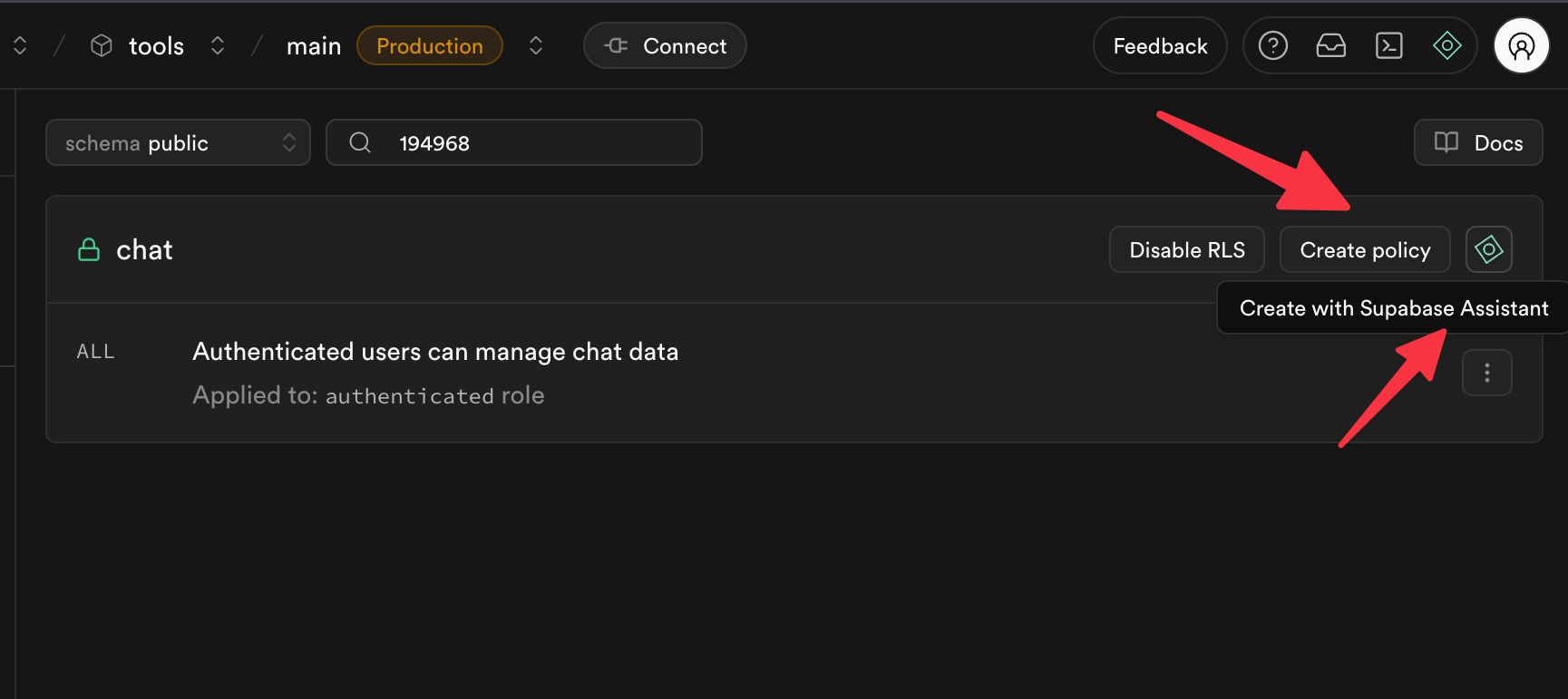
Or choose from their templates to get started
[
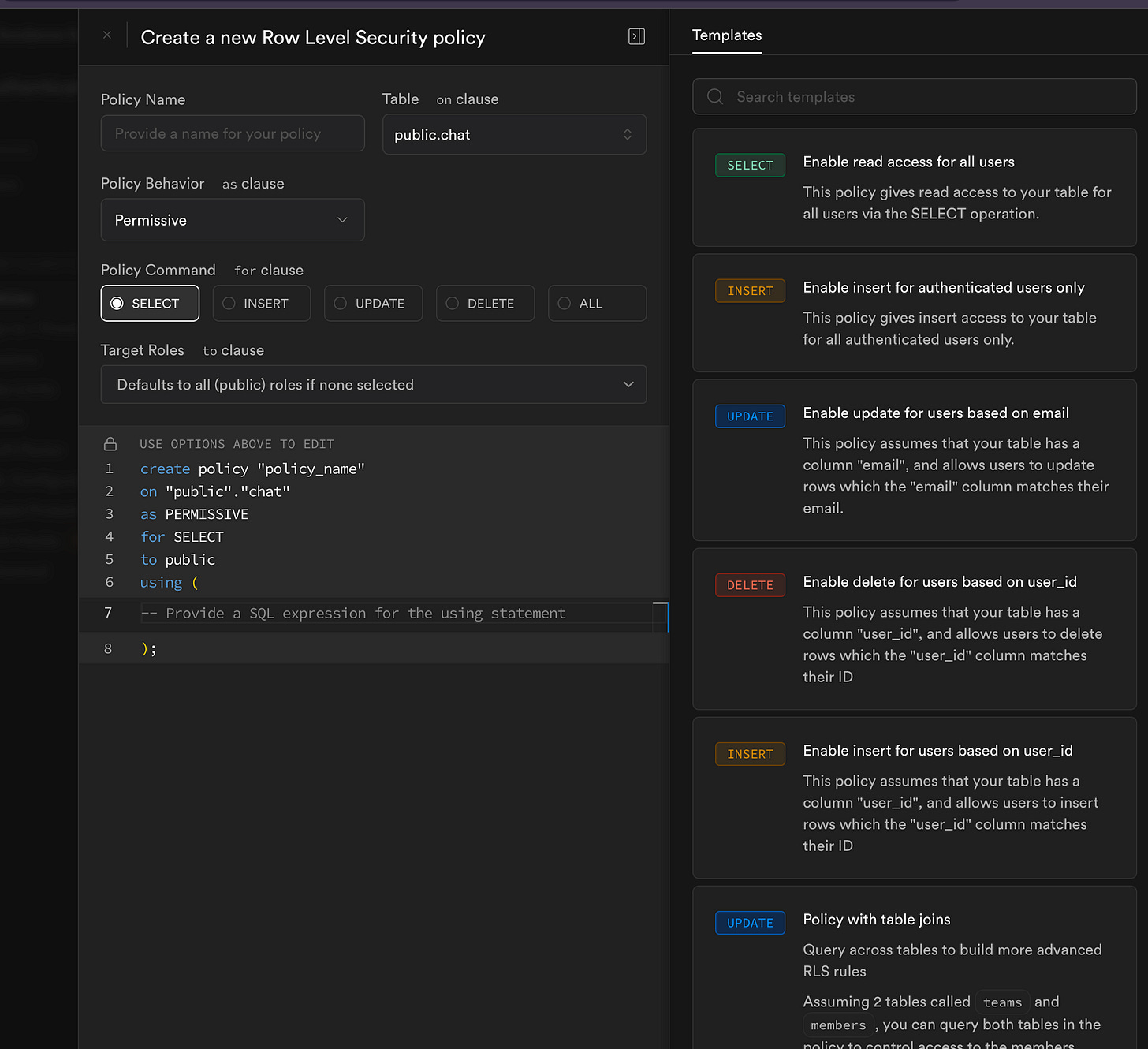
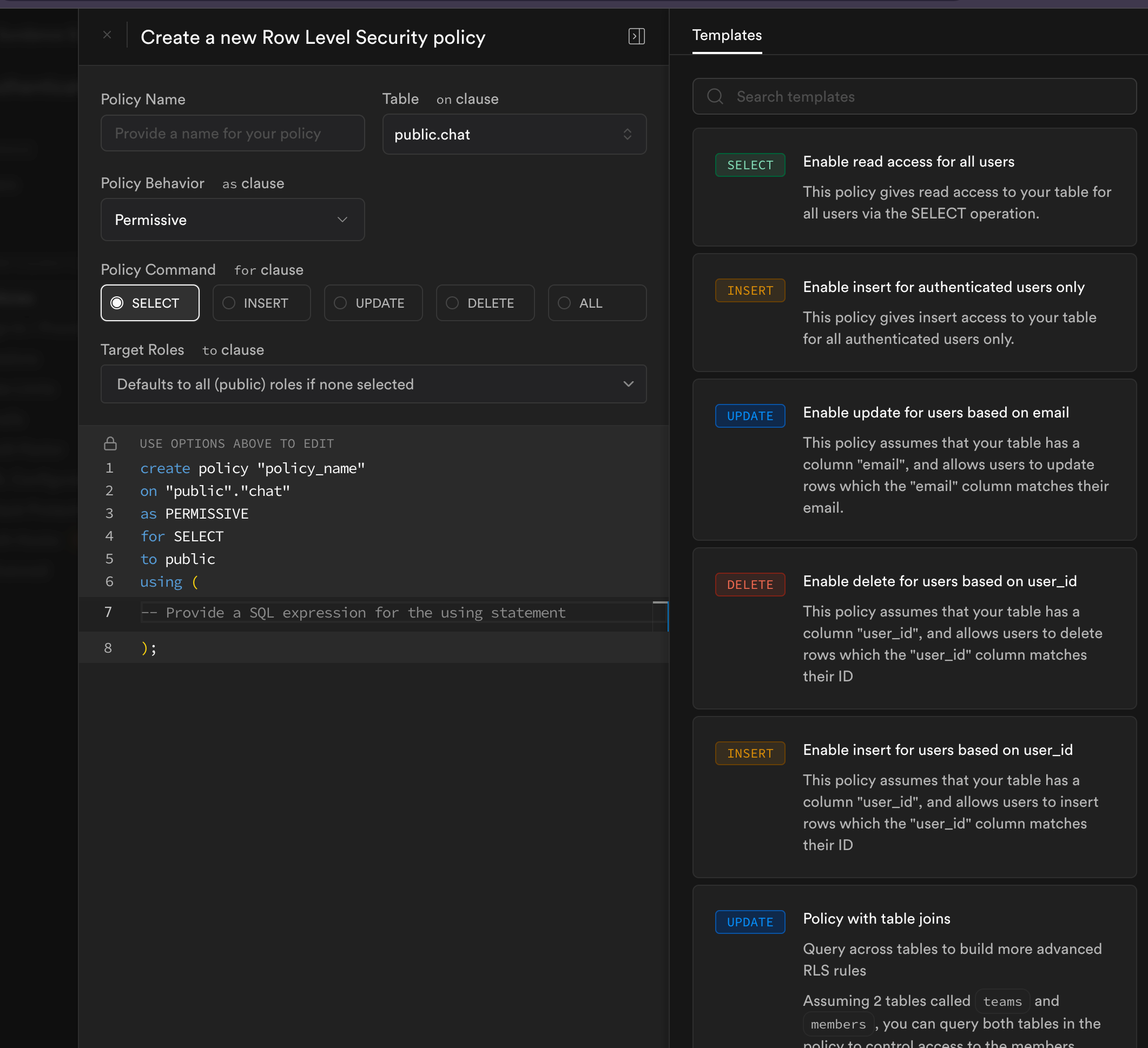
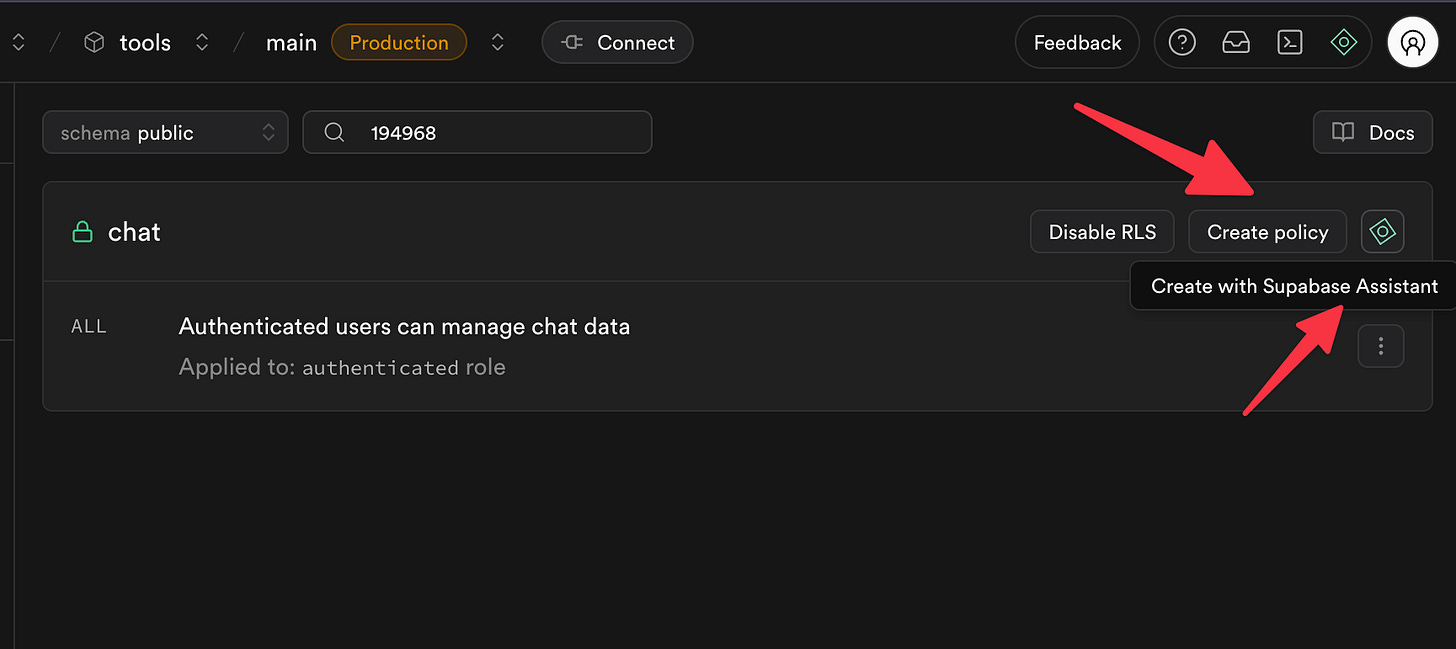
🧠 Pro tip: Use the Supabase AI assistant to help write your policies. It’s shockingly good at generating safe defaults.
Once your RLS rules are solid:
The frontend never needs to filter things manually
You never worry about data leaks from bad UI logic
You simplify all future development
📌 Note: This is the foundation of your app’s security.
Do not skip this. Do not delay this. You’ll pay for it later.
🔑 Auth That Just Works
Supabase handles email/password, OAuth, password reset flows, and more — right out of the box.
All you need to do is:
Plug in your frontend URL (for redirects) in the dashboard
Tell Bolt to use Supabase Auth
Add the Supabase keys to your frontend
That’s it.
The rest — including password recovery emails — just works.
[
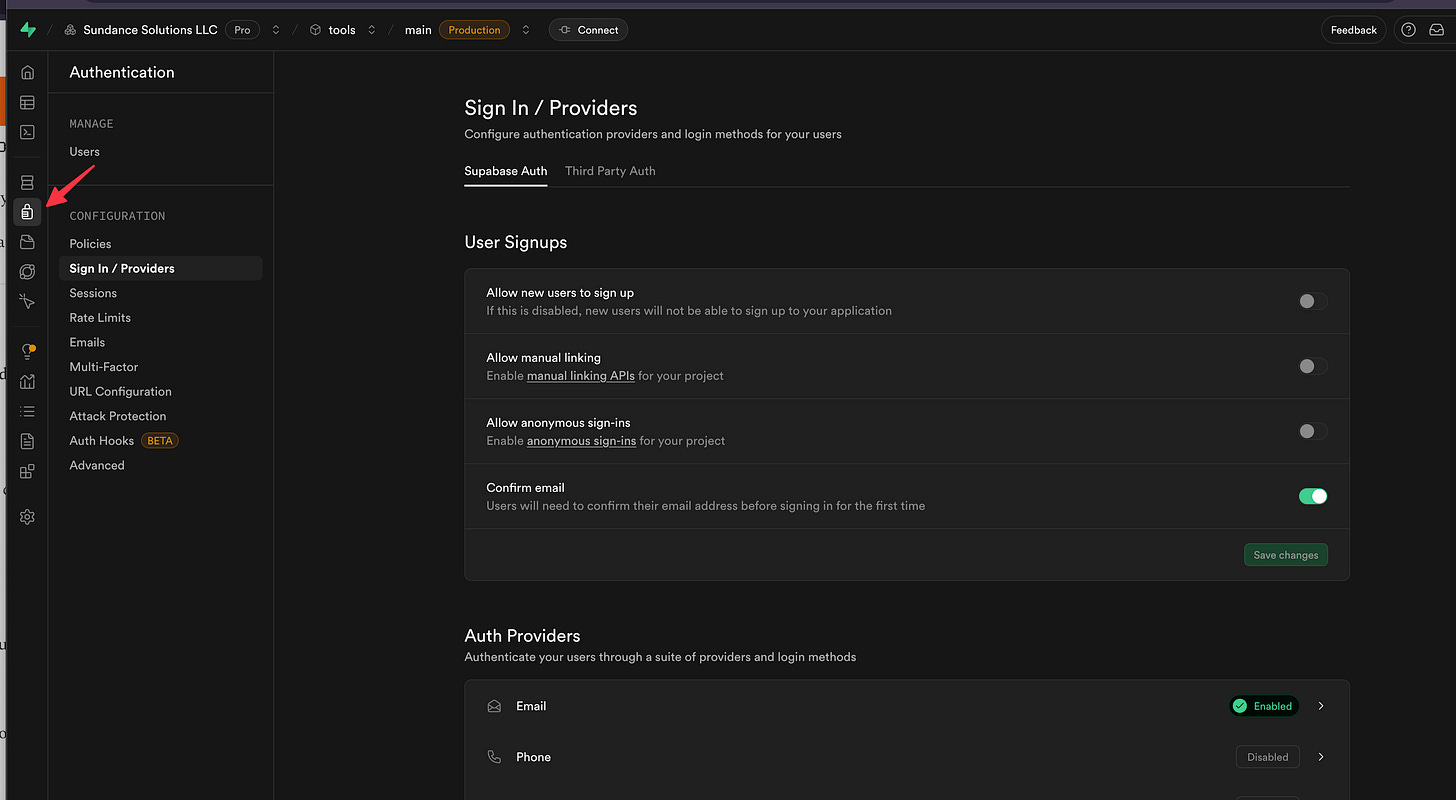
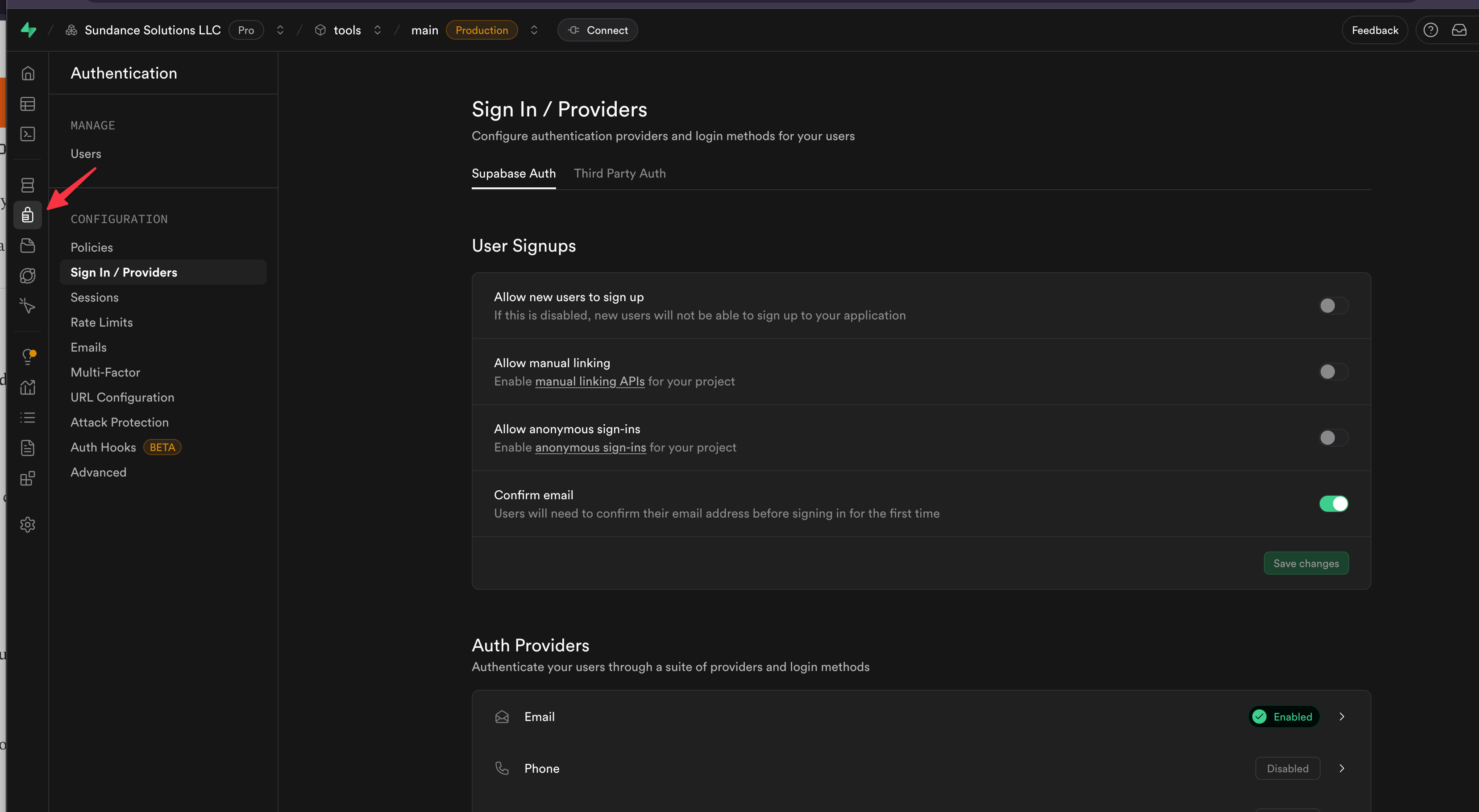
Take advantage of social logins 🎉
[
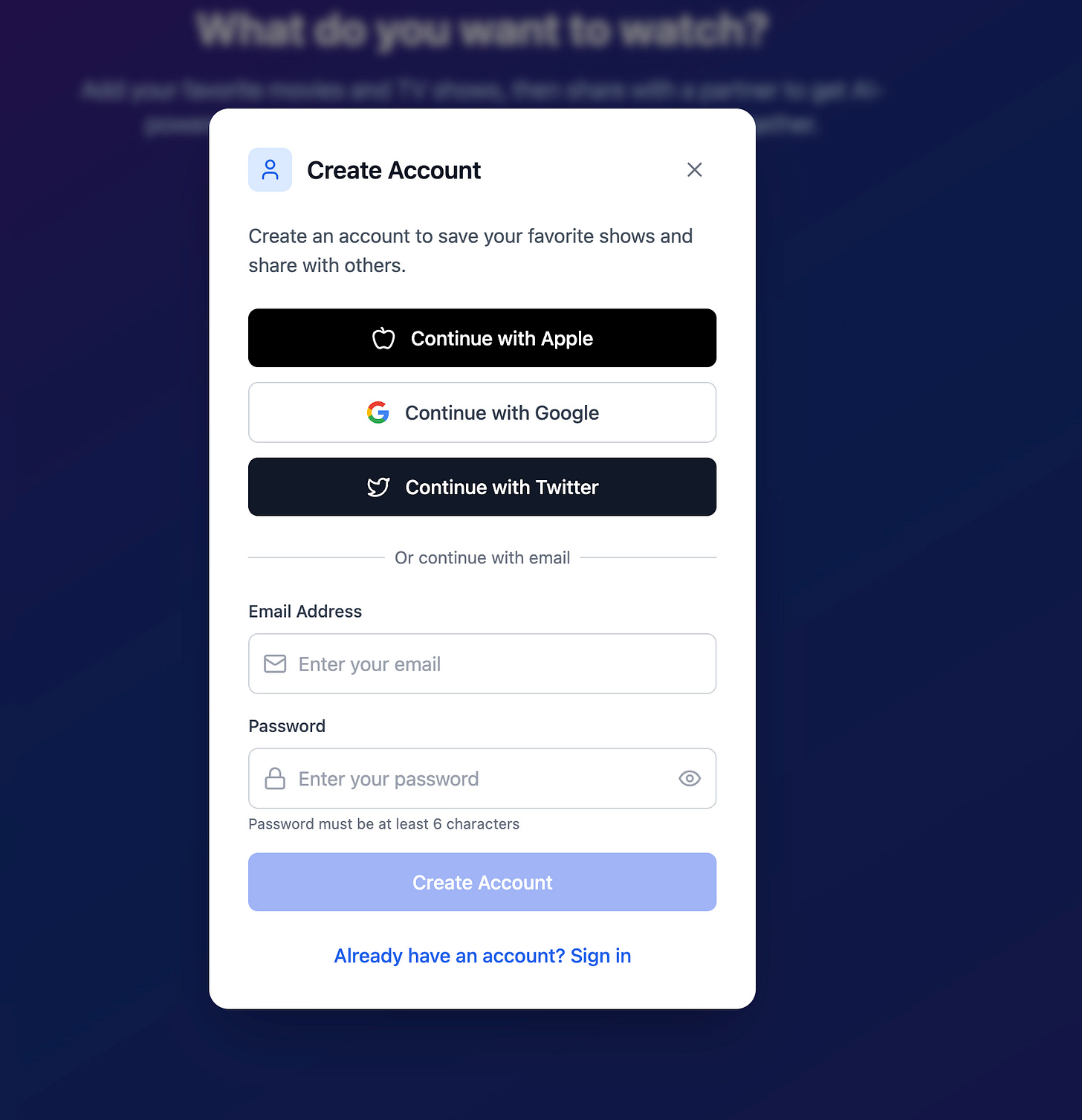
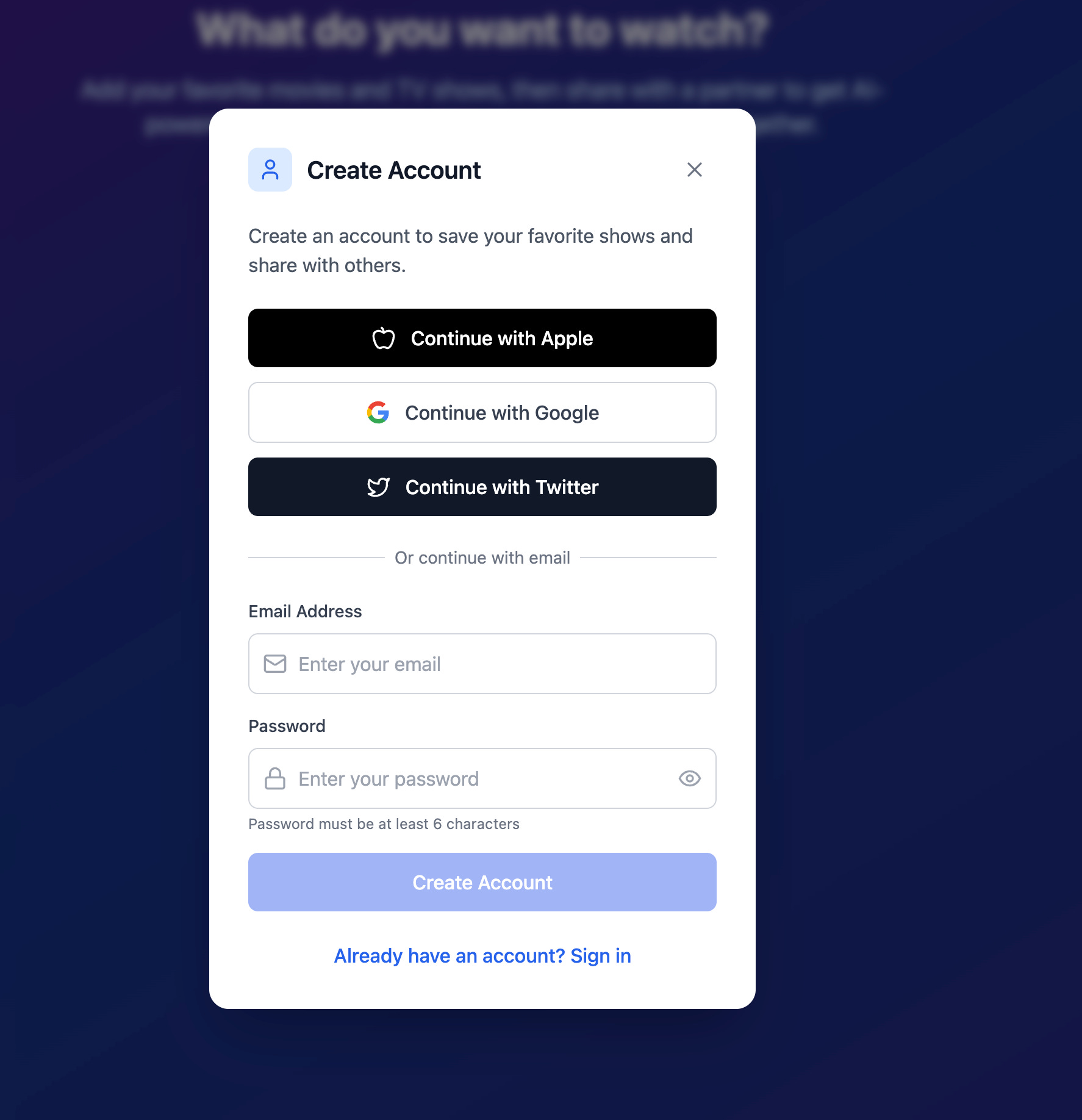
And honestly, Supabase docs for auth are top tier. You can find everything you need with just one search.
🧩 Integrations: How Supabase Talks to n8n
This is where things get exciting.
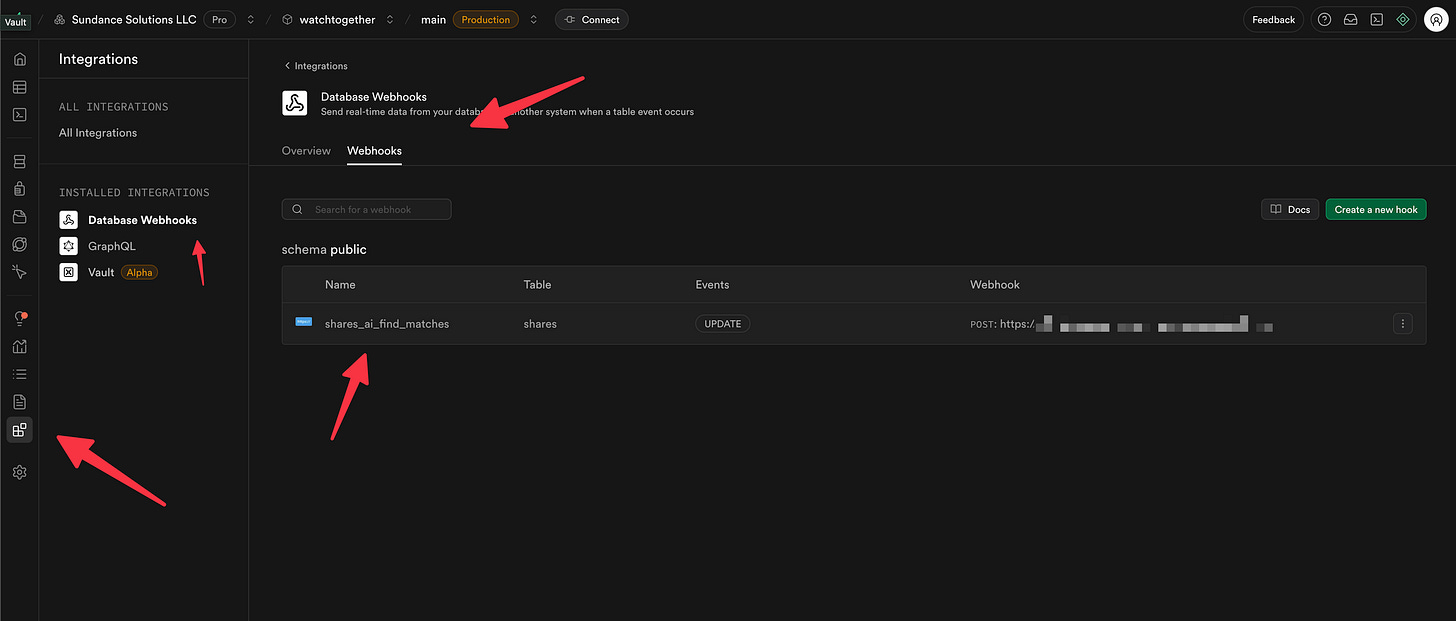
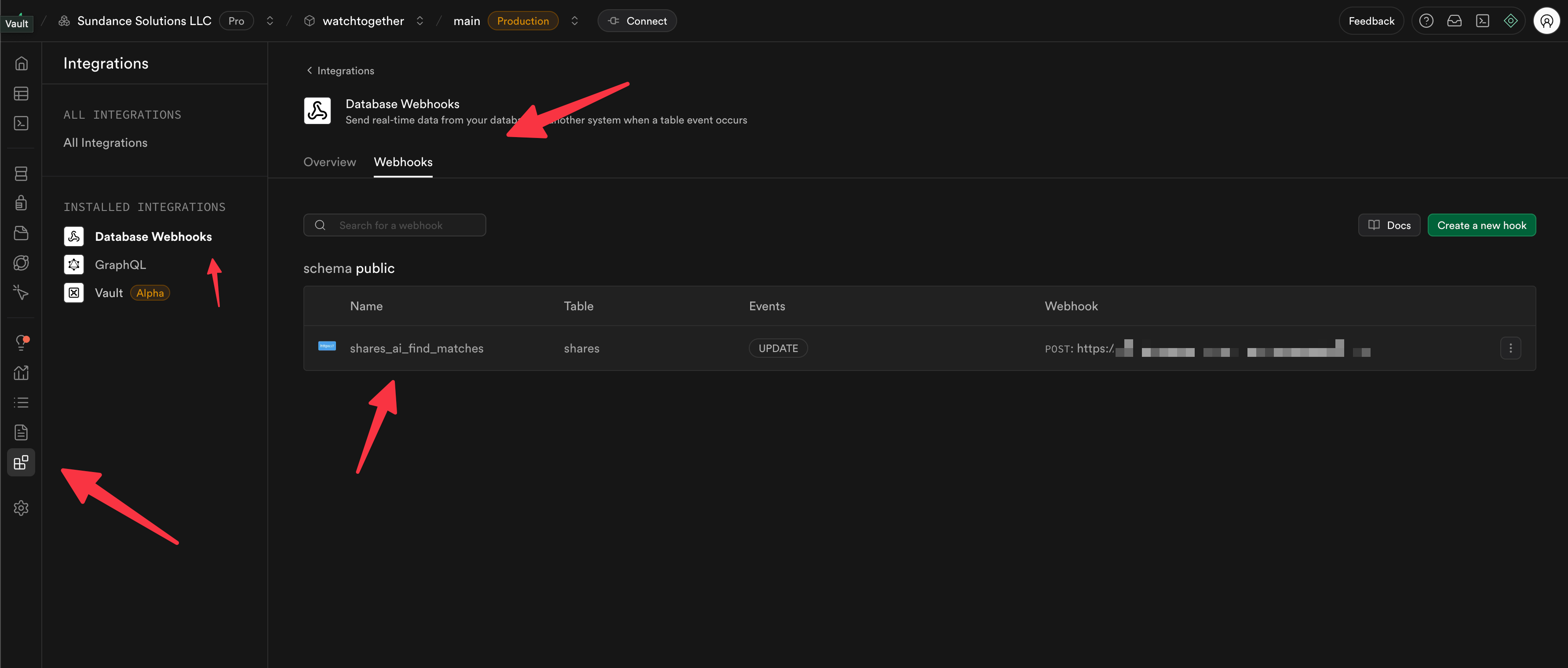
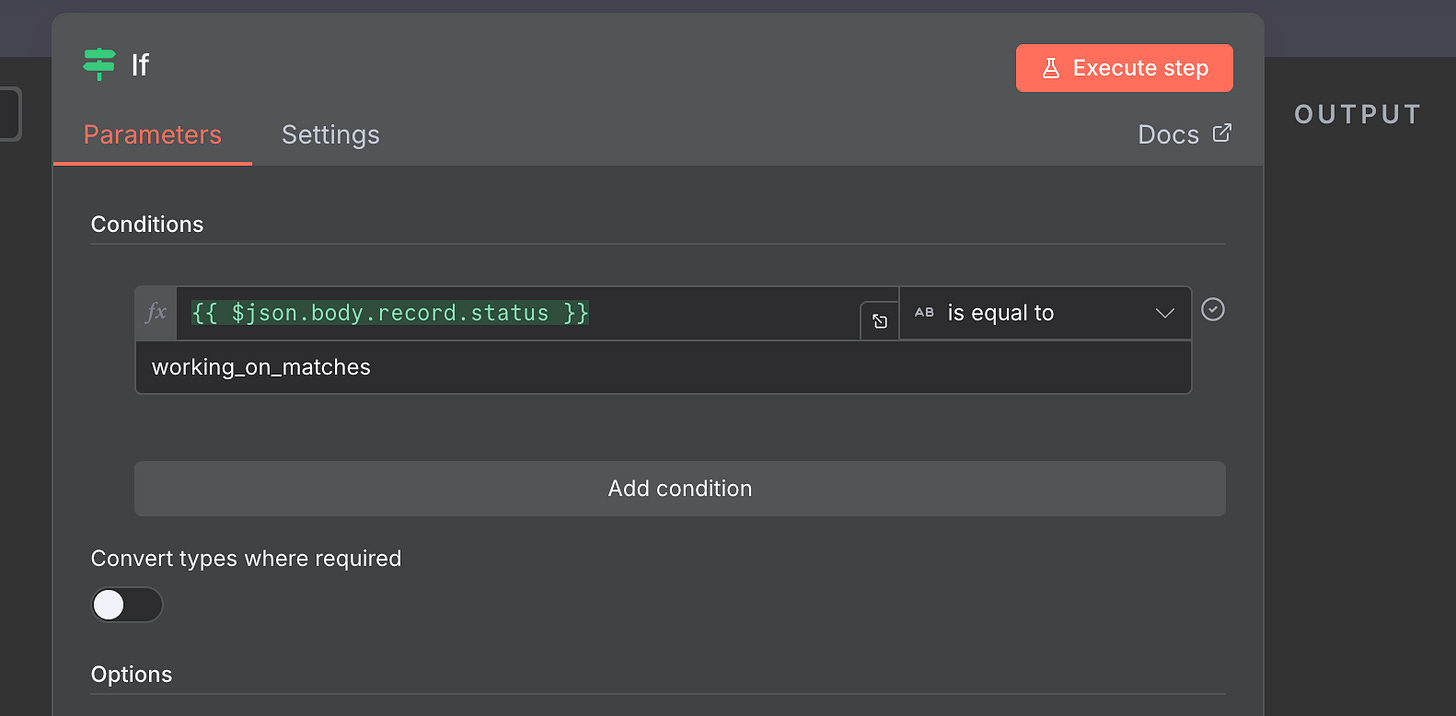
Supabase has a feature called database webhooks, which lets it notify external systems (like n8n) when rows are created, updated, or deleted.
Here’s the flow we’ll explore in the next chapter:
User writes a new row to a table (e.g. system is looking for shows they might like goether)
Supabase triggers a webhook
n8n picks it up and runs a workflow
All you have to do is enable the webhooks extension and define the trigger (e.g. on INSERT to table chat).
This is the glue that connects Supabase to the automation layer.
[
🛠 Troubleshooting: Real-Time Logging
When something isn’t working:
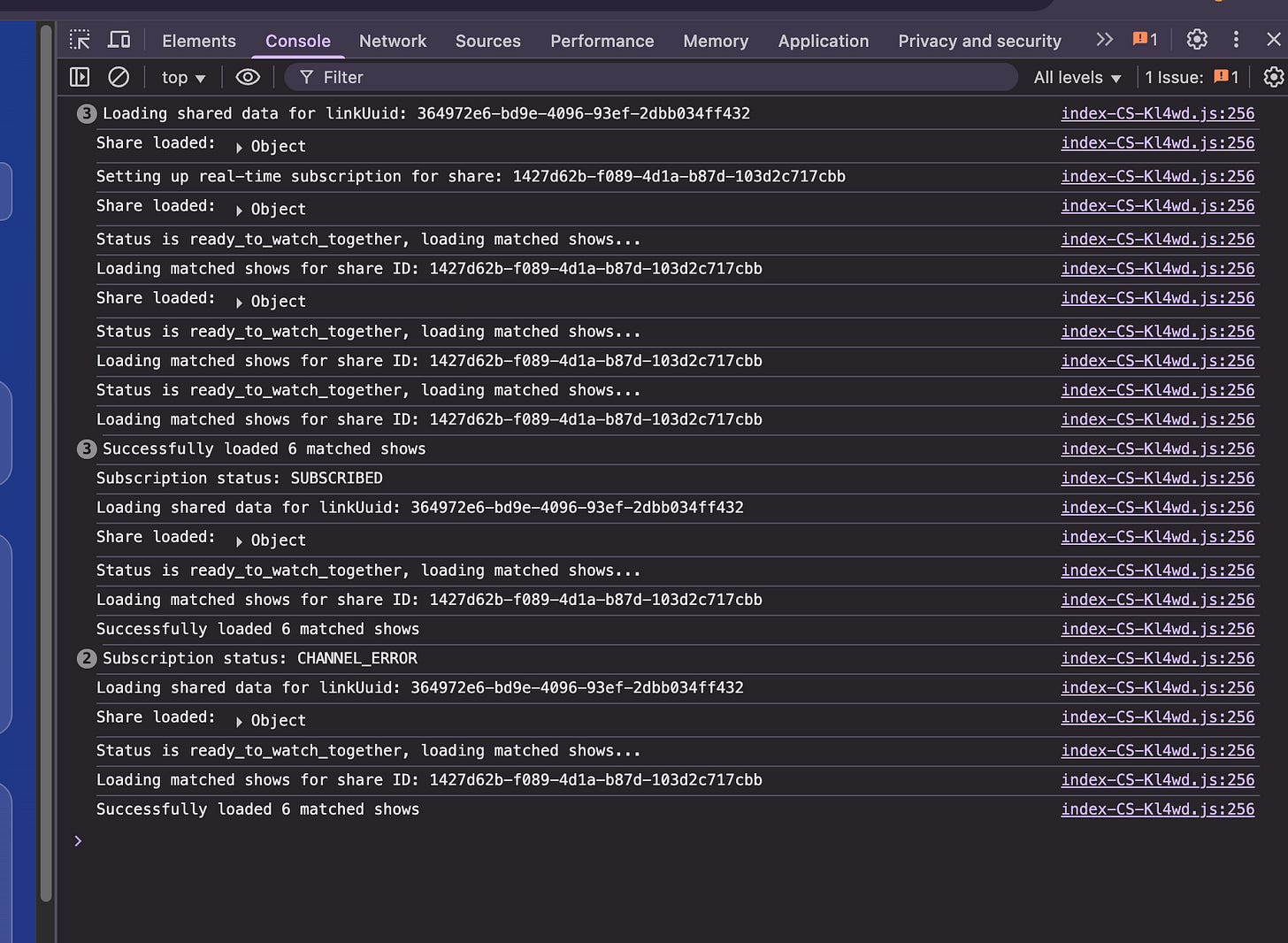
First, check your console logs in the frontend
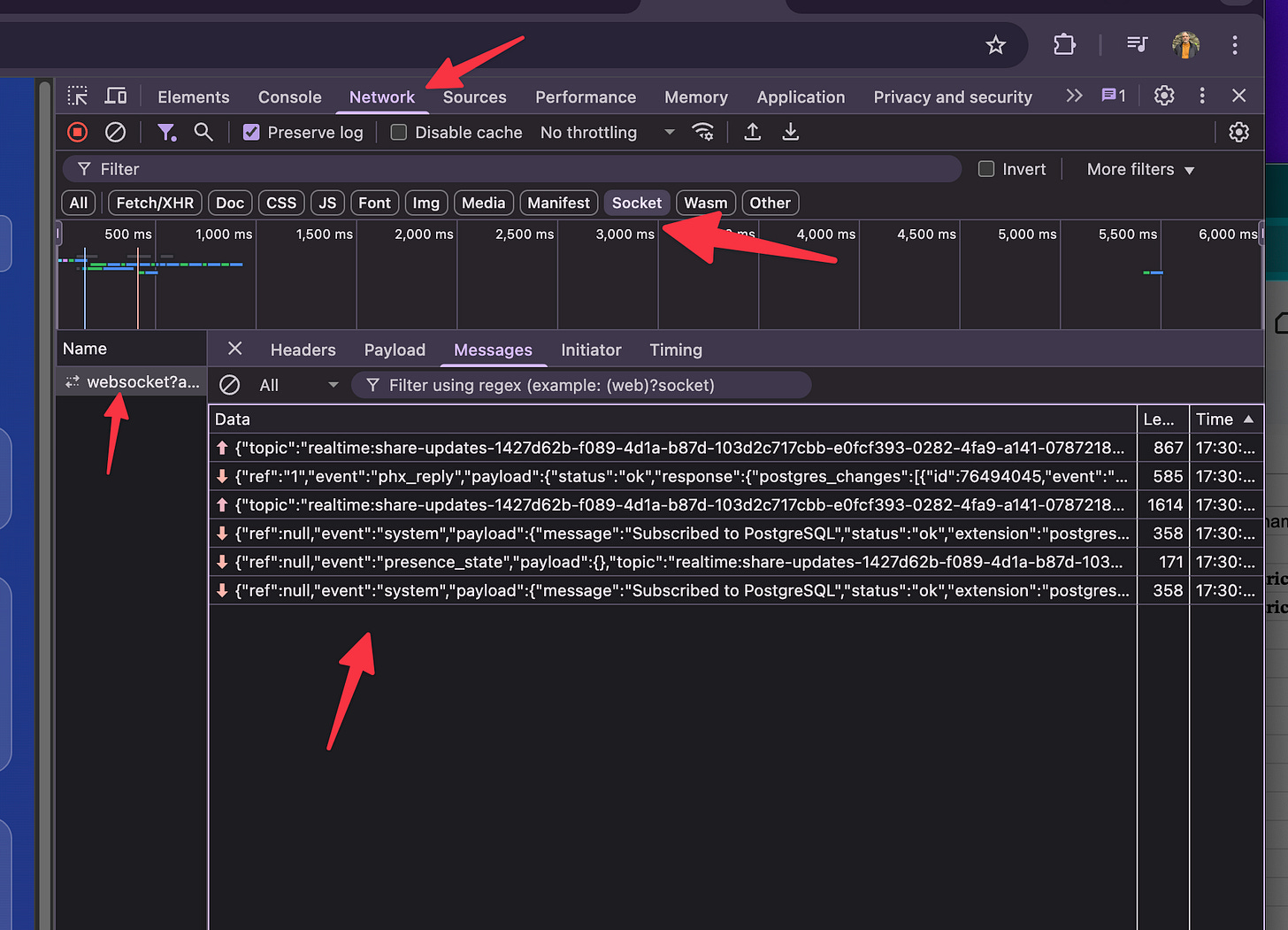
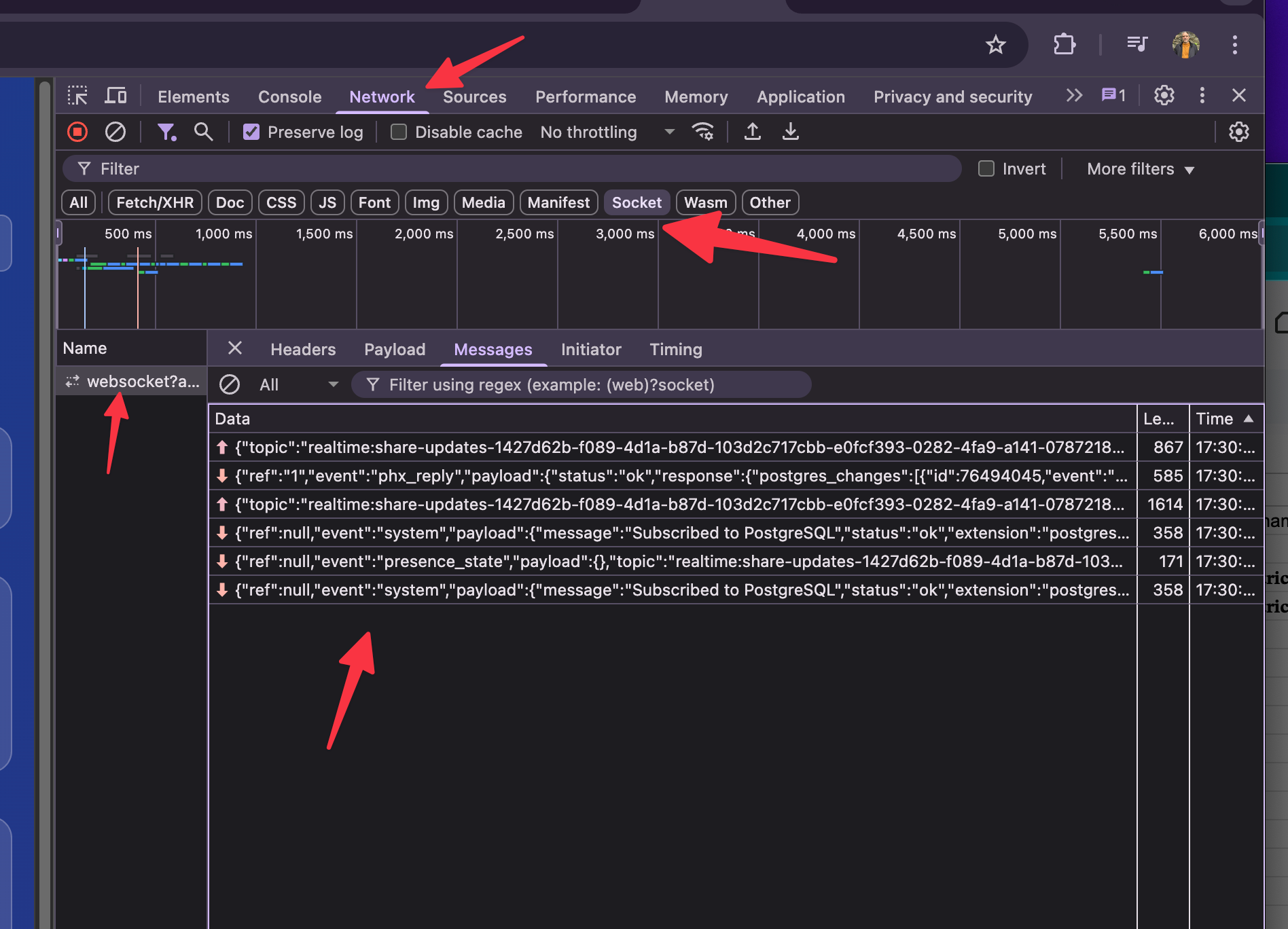
Then check websocket logs in the Supabase dev tools
If you’re not seeing activity, it probably means:
You didn’t join the real-time channel
You didn’t enable it on the table
Your RLS is silently rejecting the row (ouch)
Console log look for errors
[
Websockets
[
✅ Recap
Nail these three things and you’re golden:
Turn on real-time for every table you need
Get RLS right — no exceptions
Use webhooks to bridge to n8n
And remember: Supabase isn’t just a database.
It’s your state machine, your auth layer, and your event bus — all in one.
Alright — now that we’ve got data, security, and events flowing…
👉 Let’s move into the automation brain: n8n.
🧠 How the n8n Workflow Actually Works (Behind the Scenes)
Let’s break down what’s happening in the workflow shown below.
[
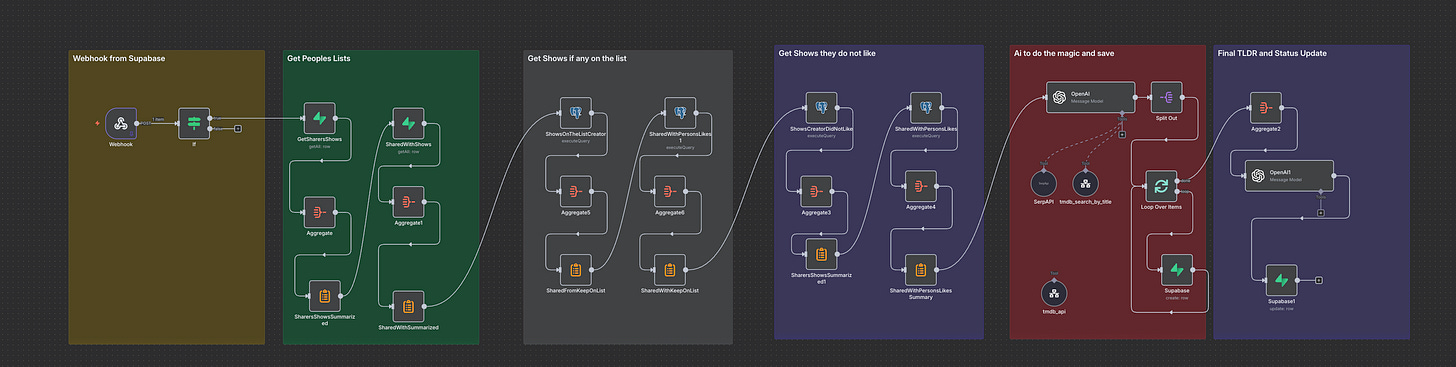
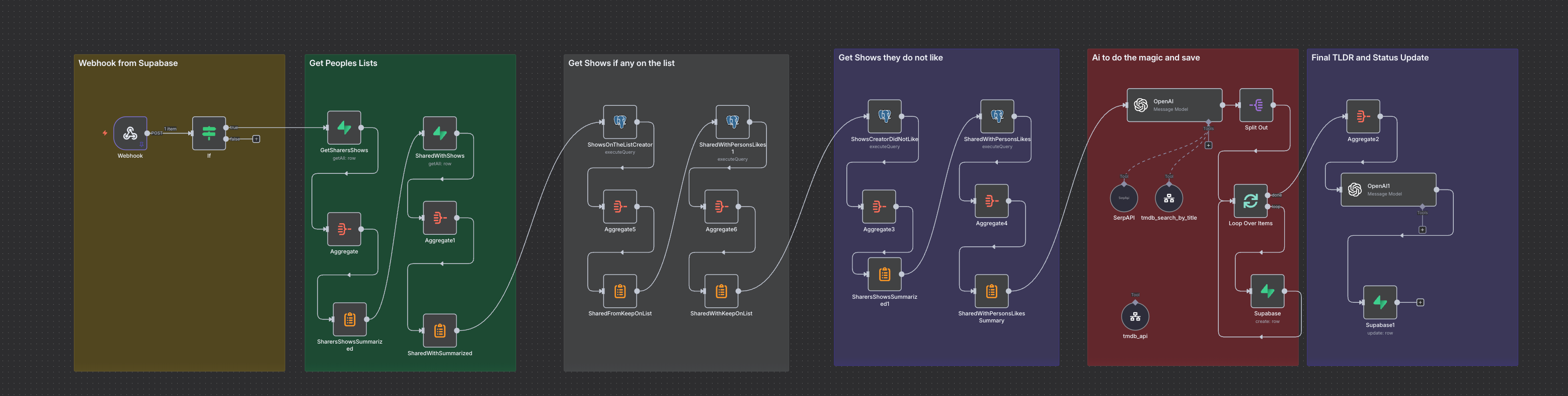
😱😱😱😱😱😱😱😱 I know but you can keep it simple. This one at its essence is a few database queries to get the shows the two people like and do now like, then use an ai agent to find suggestions!
This entire sequence is triggered when the user clicks the button “Find Shows” this just changes the status so it is the one this workflow cares about.
[
[
This is the button though after the first time it changes to this label.
🟢 Step 1: Gather What They Like
The workflow begins by pulling:
The list of shows one person likes
The list of shows the other person likes
Then it checks for overlap — basically:
“What have they both said they like already?”
❌ Step 2: Filter Out the Shows They’ve Rejected
We also grab the list of shows either person has marked as “No thanks.”
This prevents the system from recommending stuff they’ve already decided not to watch.
So at this point, we have:
✅ Liked shows (User A and B)
🚫 Rejected shows
🧙♂️ Step 3: Let AI Work Its Magic
Now the fun part.
The AI agent:
Uses what it knows (memory, context, prompt instructions)
Calls out to the web to find new or relevant shows
Hits the TMDB API to enrich that info: posters, summaries, tags
Builds a reason for why this show is a match
So it’s not just “Here’s a show.”
It’s “Here’s a show — and here’s why we think you’ll both like it.”
Then it saves all that back into Supabase.
🖼️ Step 4: Update the UI, Live
As each recommendation gets added, the UI updates in real-time.
The user sees:
The poster
The title and summary
The AI-generated rationale
A 👍 or 👎 button to vote on each result
Here is a demo
🔁 Bonus: Feedback Loops
[


As the user clicks 👍 or 👎:
Supabase captures their reaction
The UI auto-hides rejected results
Thumbs-upped shows get pinned to the top
By the end of the session, they’ve got a clean list of shows they’ve both agreed on — ready for movie night.
✅ Summary
This is the real power of n8n in your stack:
Listening to signals from Supabase
Coordinating API calls, AI prompts, and logic
Writing clean, structured responses back to the database
Driving a responsive UI without the frontend knowing any of the complexity
And what’s beautiful is — all of this is visible, testable, tweakable in one n8n flow.
Well that is the breakdown, I hope this makes more sense and helps people dig in more and try these out. I will have a 3 part series on this for those who are paid subscribers so please let me know in the comments you are excited for this to help me focus on the right content.