Video is here 👉🏻
[
](https://substackcdn.com/image/fetch/$s_!n7r2!,f_auto,q_auto:good,fl_progressive:steep/https%3A%2F%2Fsubstack-post-media.s3.amazonaws.com%2Fpublic%2Fimages%2F0d447ace-e56f-4e5c-97c5-5e6d5fd7328f_2464x1262.png)
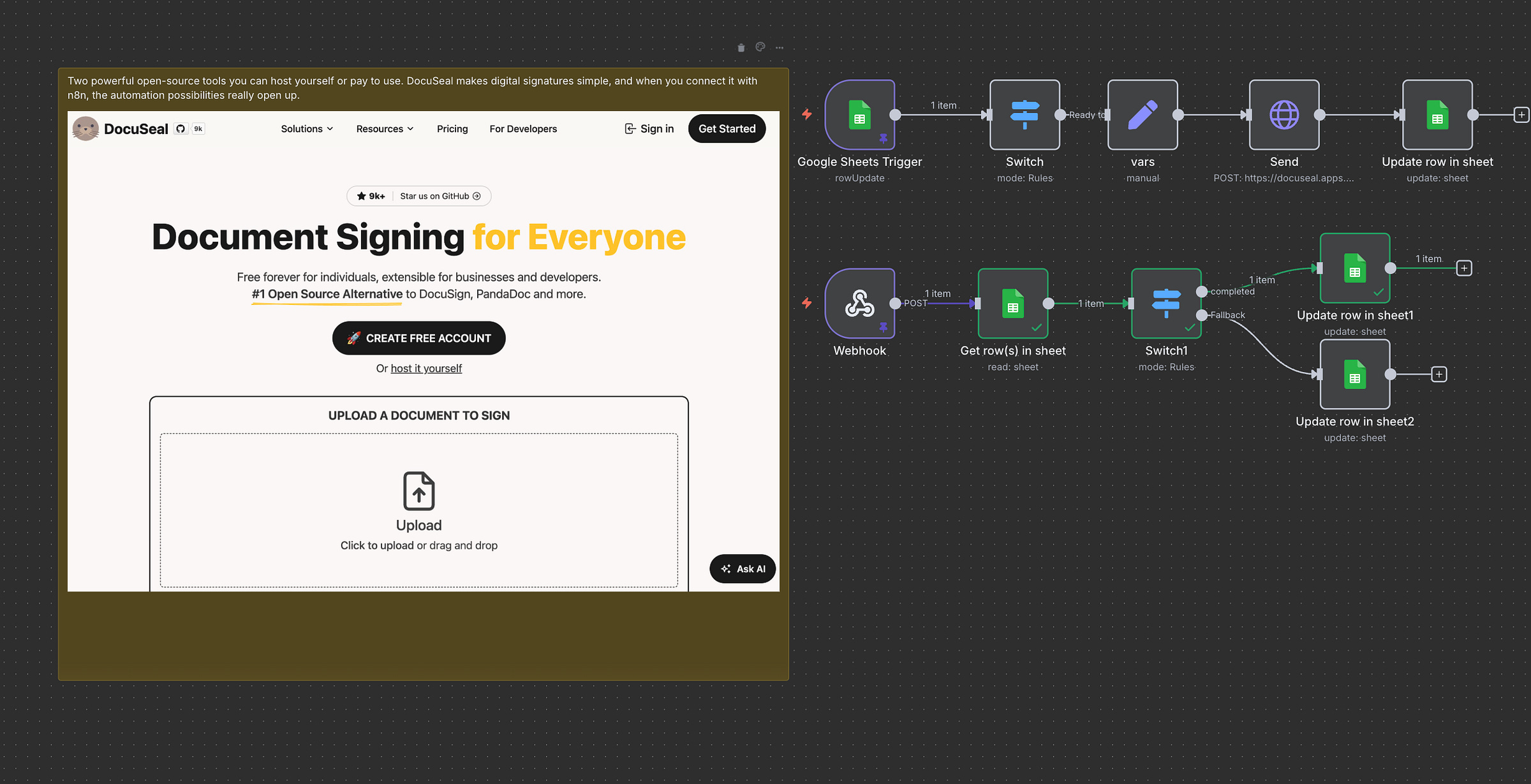
In this post (and later in a video), I’m going to show you how to use DocuSeal and n8n to automate sending and tracking signable documents.
The flow is simple:
We’ll start in DocuSeal, get a document template ready, and connect it to n8n.
We’ll use a Google Sheet as our trigger example (but you could use anything).
n8n will then send out signable documents with prefilled data.
Finally, once a document is signed, n8n can trigger the next automation.
By the end, you’ll see how DocuSeal gives you full control over sending documents, tracking signatures, and plugging it all into automations.
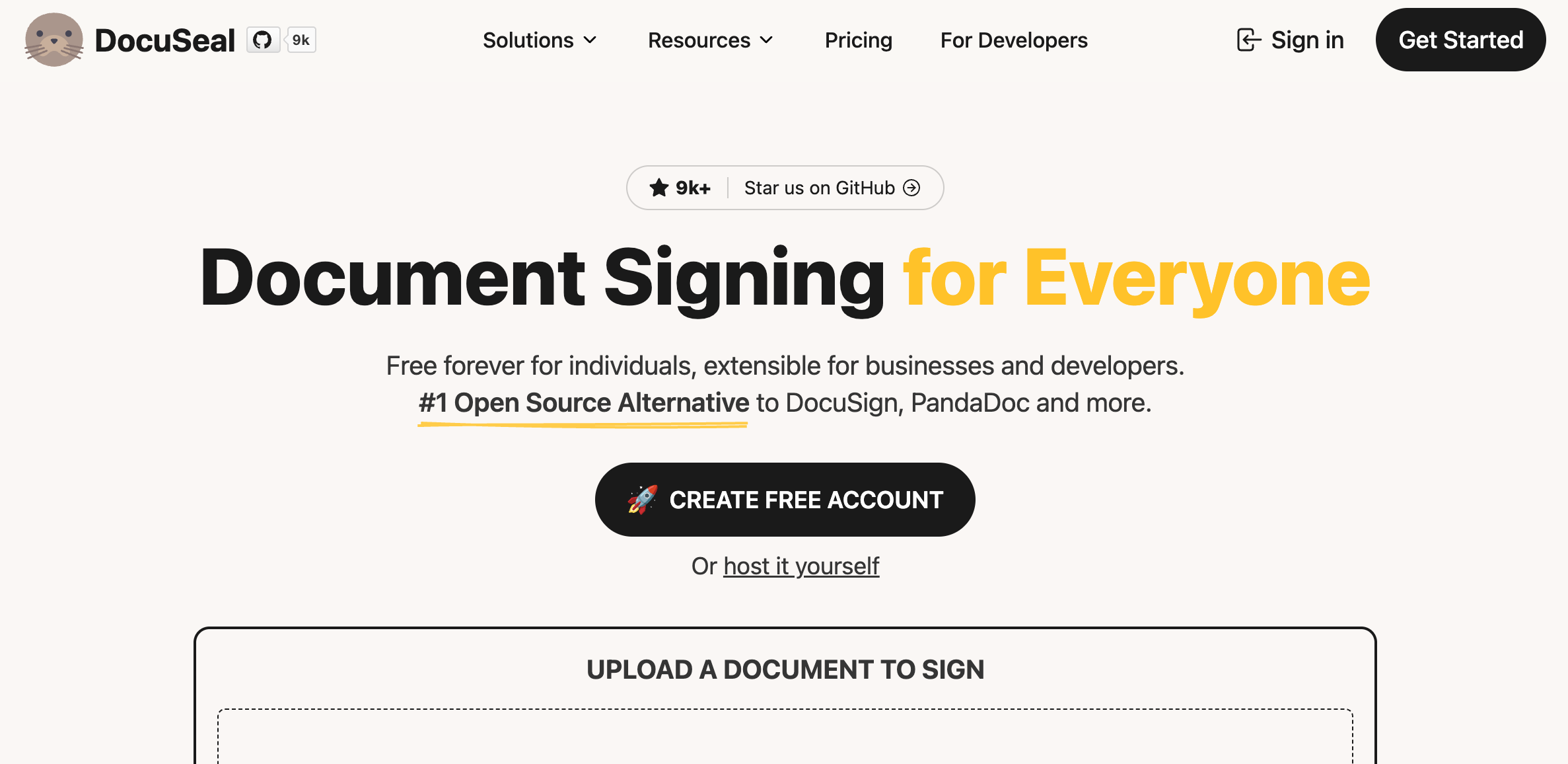
What is DocuSeal?
[
](https://substackcdn.com/image/fetch/$s_!3lLL!,f_auto,q_auto:good,fl_progressive:steep/https%3A%2F%2Fsubstack-post-media.s3.amazonaws.com%2Fpublic%2Fimages%2F5628af19-b9c3-4075-9f25-d4553a6d2d7a_2374x1156.png)
DocuSeal is one of those rare tools that gets the details right for both developers and end users. It’s open source, but you can also use their hosted service to support the project.
Self-host for free
Hosted: around $20/month
Or totally free if you only send up to 10 documents a month
👉 Docs
👉 Pricing
I’ll be using a self-hosted setup here, but honestly either way works.
I’ve even used DocuSeal for a project where:
One document needed two people to sign (without seeing each other’s signatures)
Then it automatically went to an admin for final approval
This worked flawlessly because DocuSeal has a clean API, great docs, and a flexible flow system.
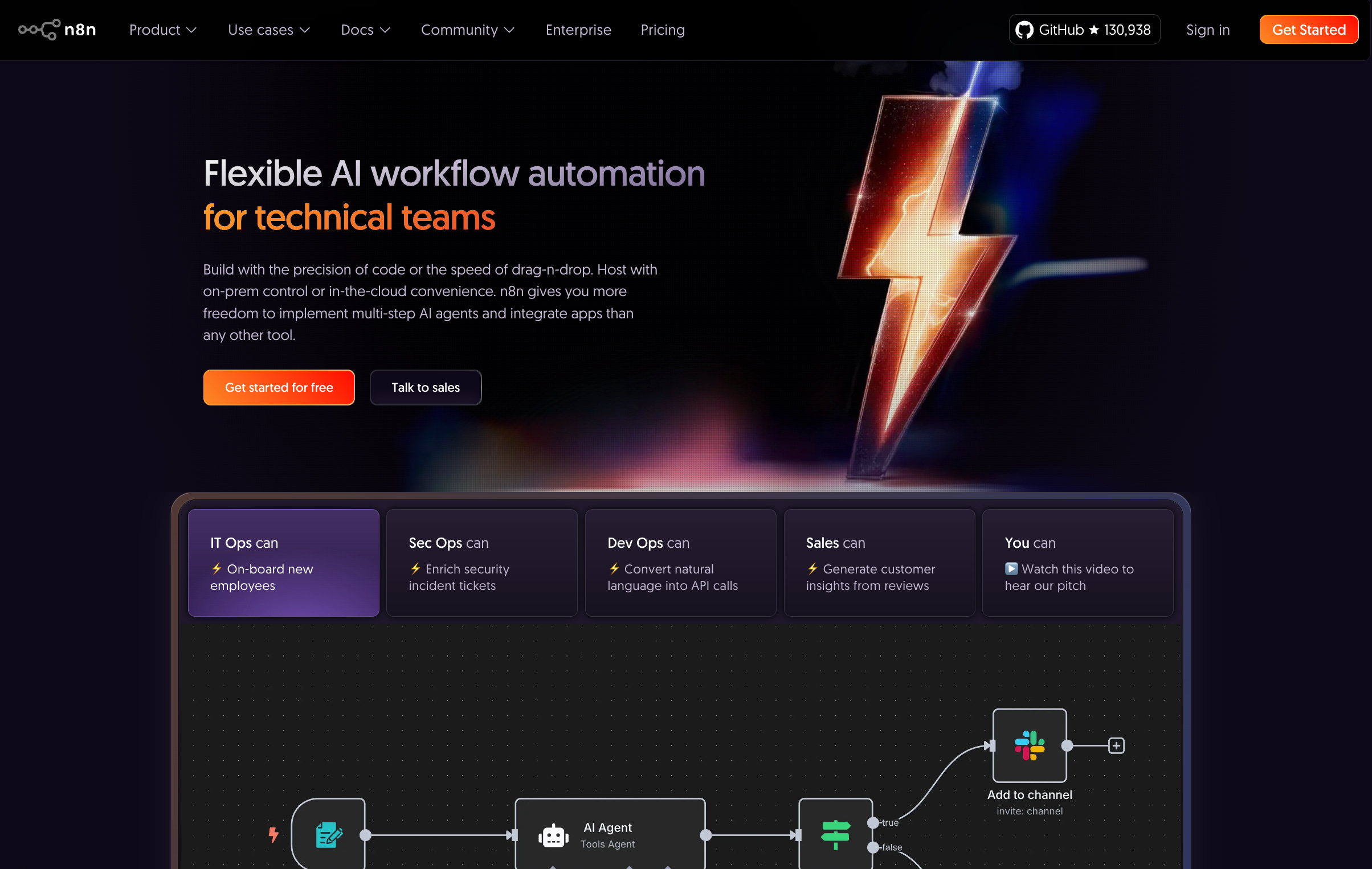
What is n8n?
https://n8n.io/
[
](https://substackcdn.com/image/fetch/$s_!XWea!,f_auto,q_auto:good,fl_progressive:steep/https%3A%2F%2Fsubstack-post-media.s3.amazonaws.com%2Fpublic%2Fimages%2F4ea50670-7745-404a-9a1b-a56df90f797f_2408x1526.png)
n8n is the glue here. It listens for events (like “ready to send” or “signed”) and runs automations: sending documents, updating spreadsheets, or kicking off the next workflow.
Step 1: Setting Up DocuSeal
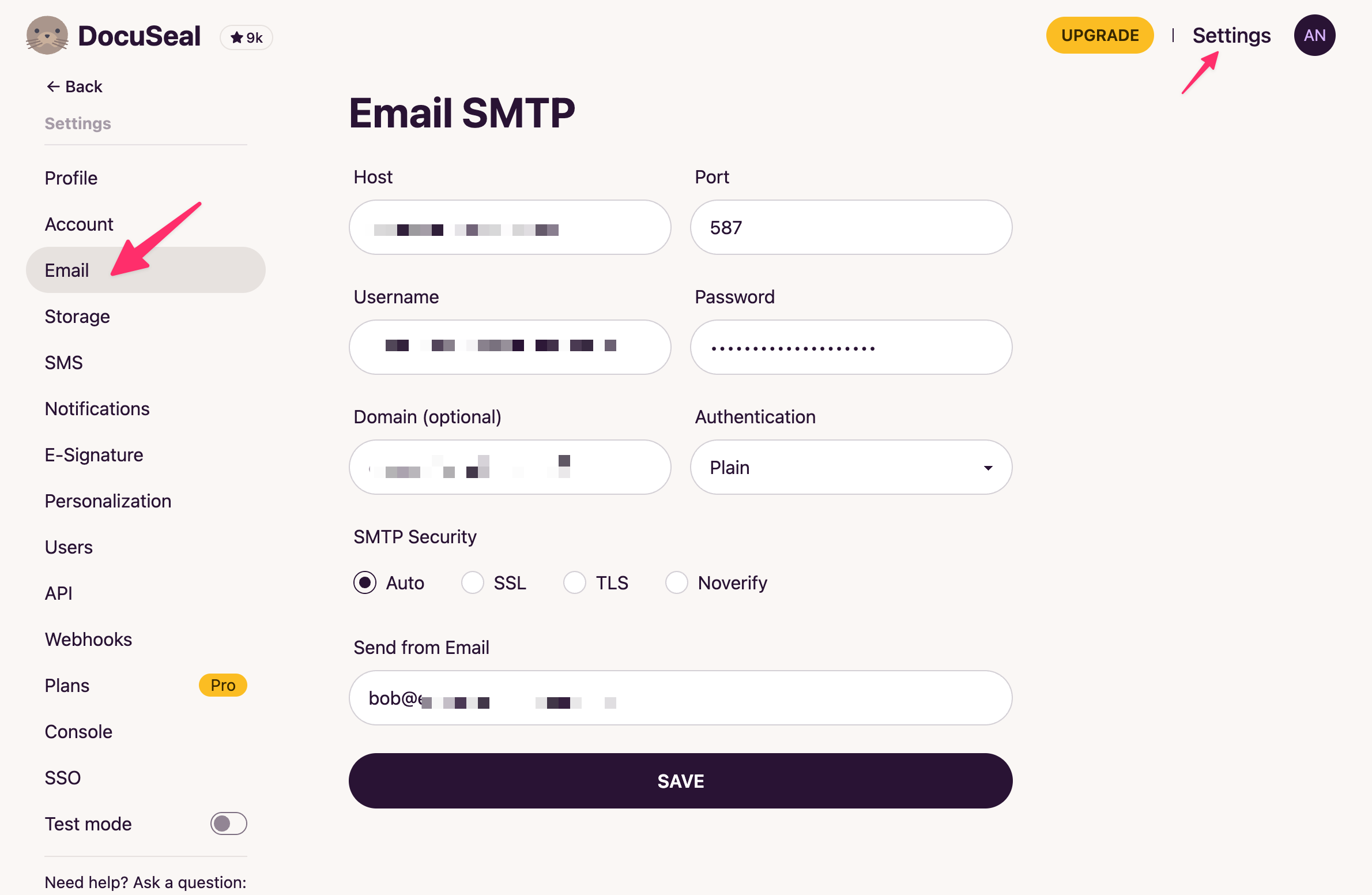
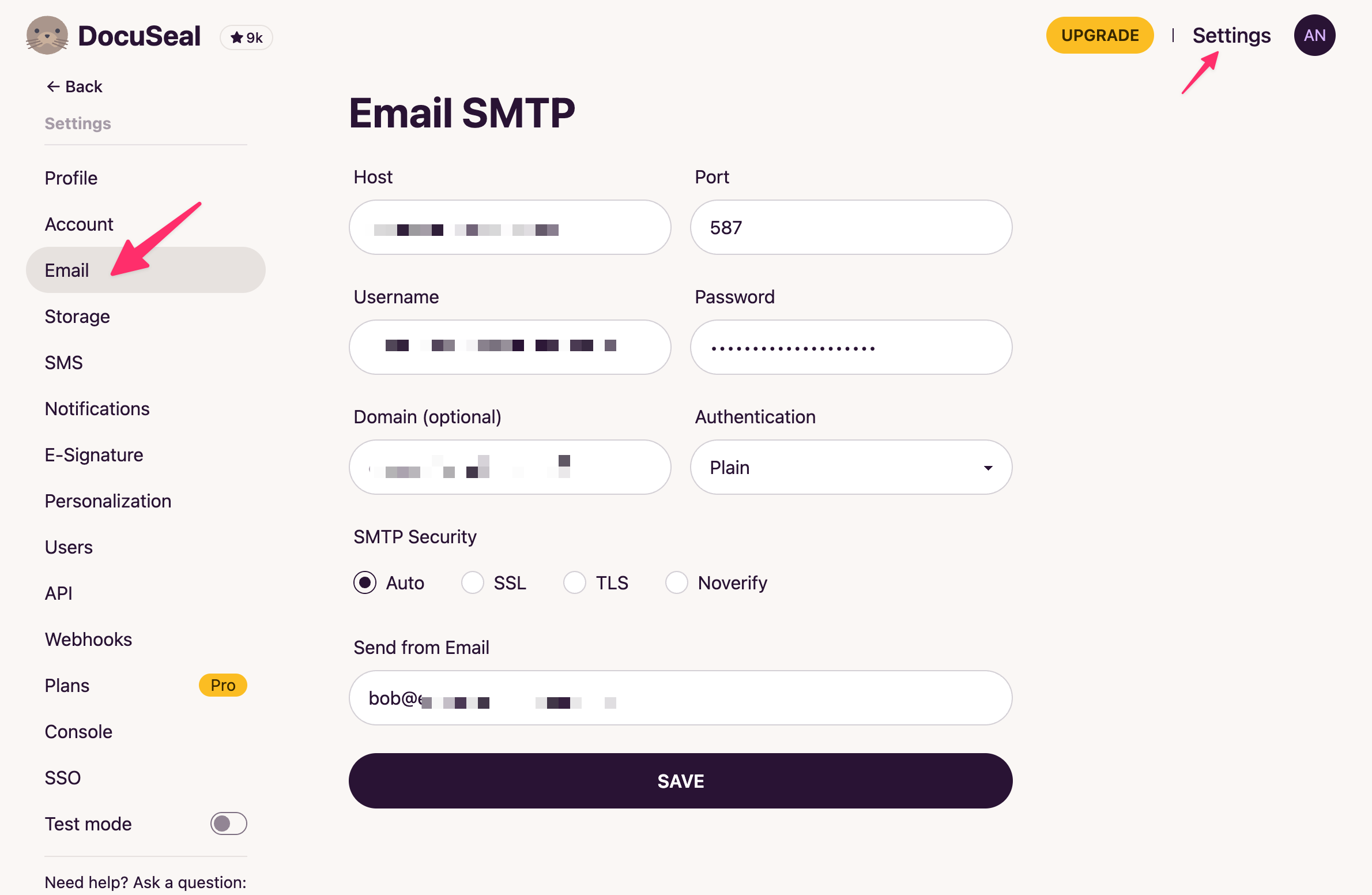
Email settings – configure how documents are sent (skip if you’re on hosted).
[
](https://substackcdn.com/image/fetch/$s_!9VnO!,f_auto,q_auto:good,fl_progressive:steep/https%3A%2F%2Fsubstack-post-media.s3.amazonaws.com%2Fpublic%2Fimages%2Fb9a51b4b-836f-4540-b901-7a283b6340e1_2380x1552.png)
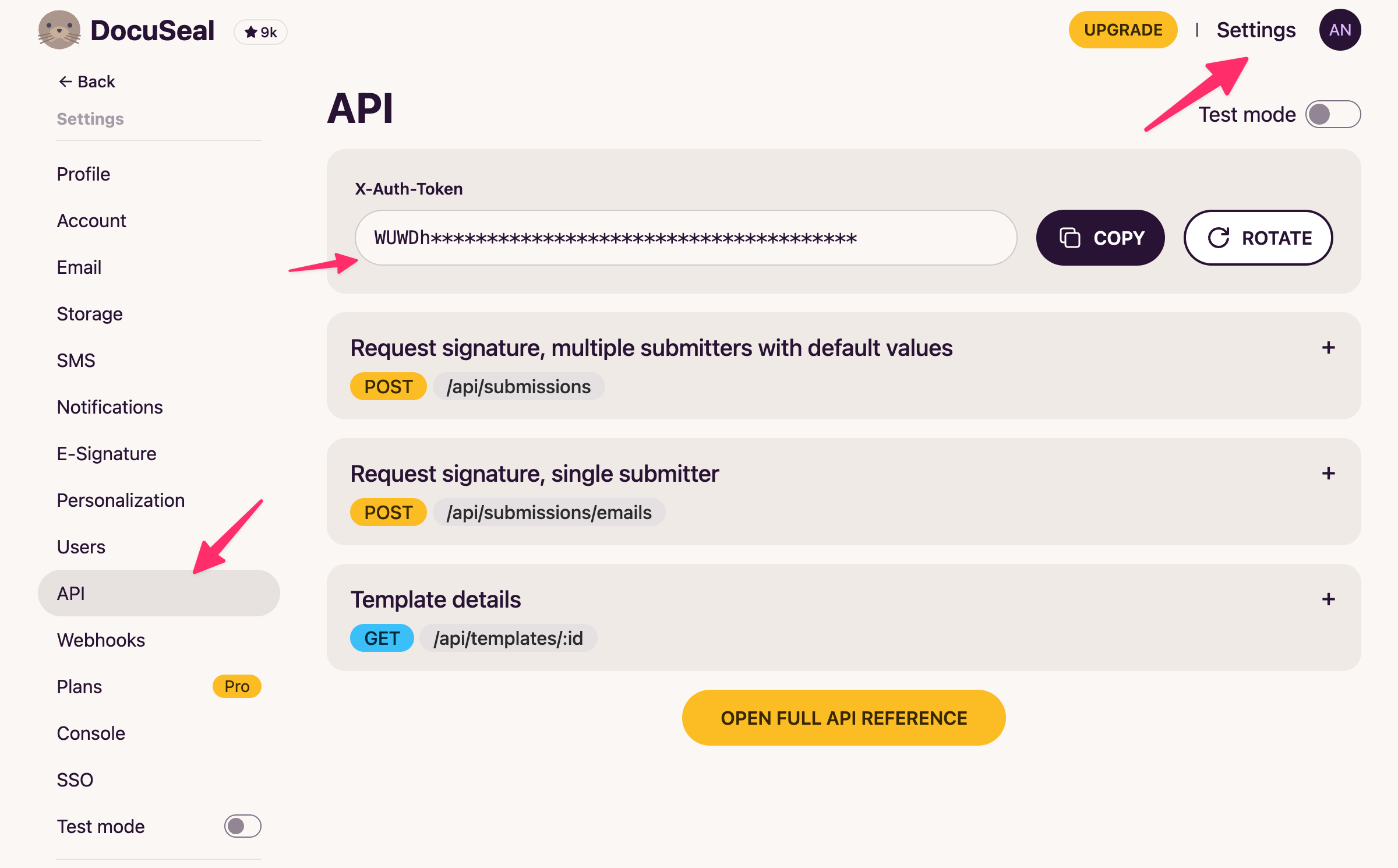
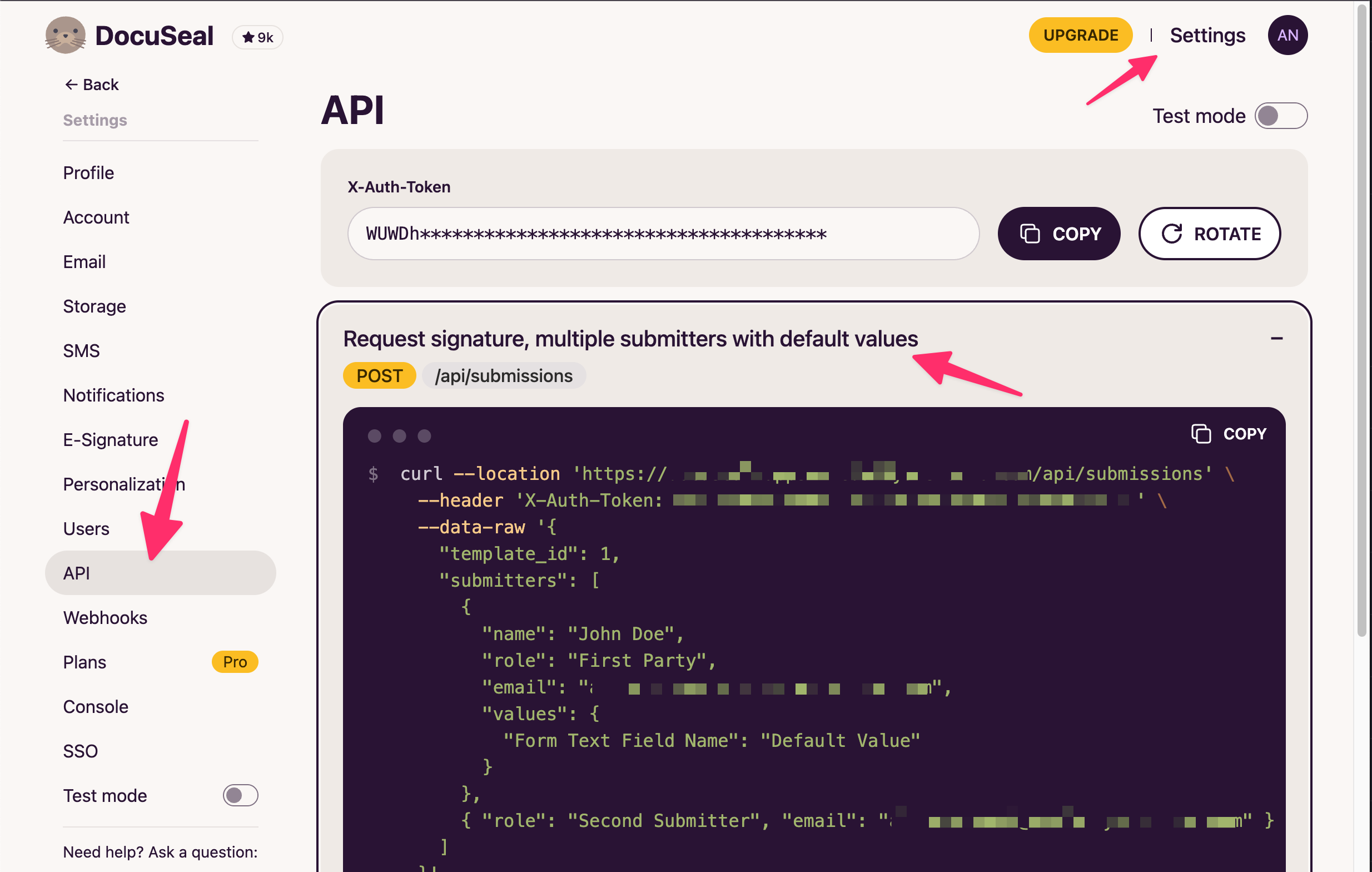
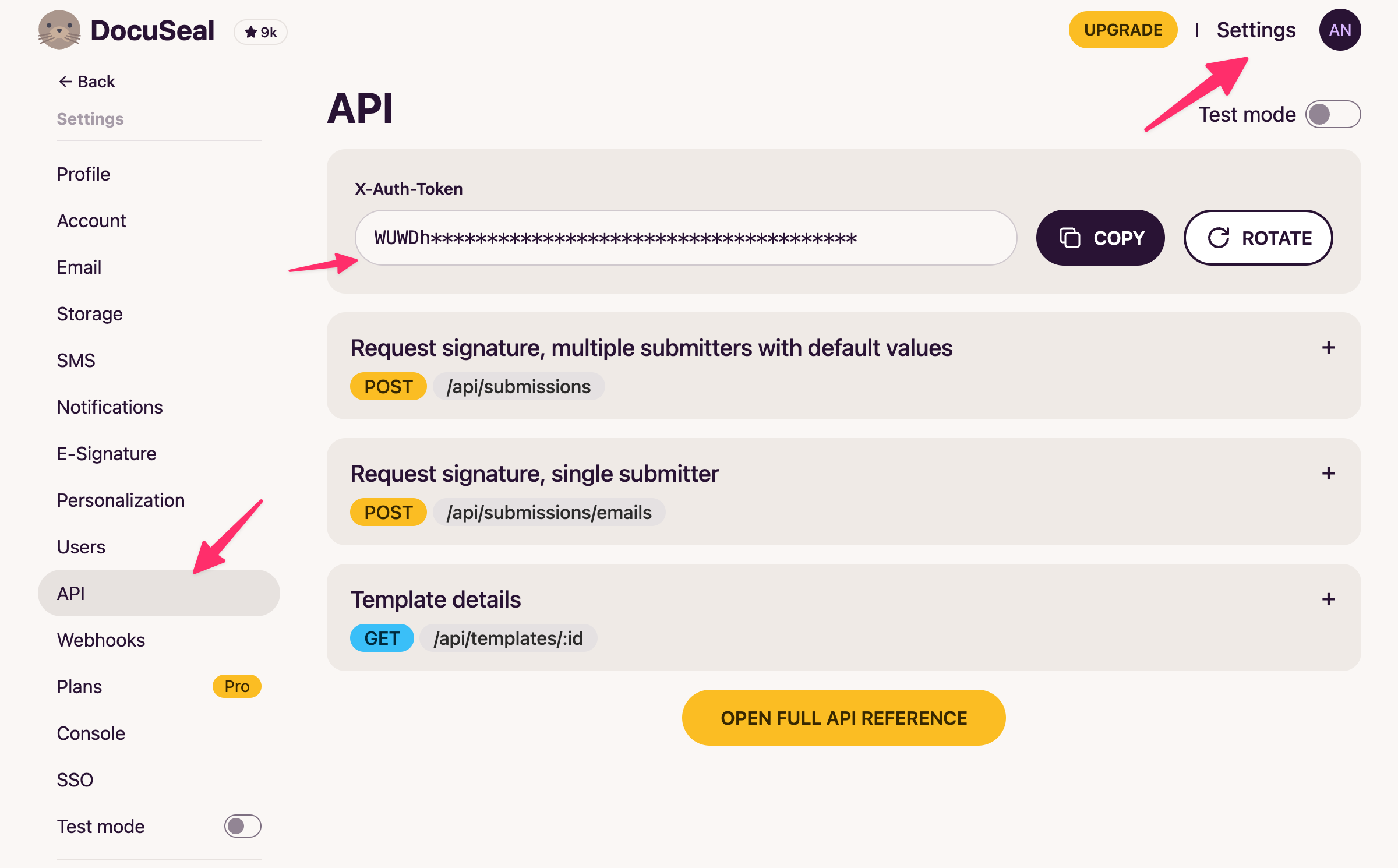
API token – grab your token for connecting to n8n.
[
](https://substackcdn.com/image/fetch/$s_!dUZY!,f_auto,q_auto:good,fl_progressive:steep/https%3A%2F%2Fsubstack-post-media.s3.amazonaws.com%2Fpublic%2Fimages%2F7eb16ed6-9c07-4820-9707-96ce05ad6cdb_2400x1490.png)
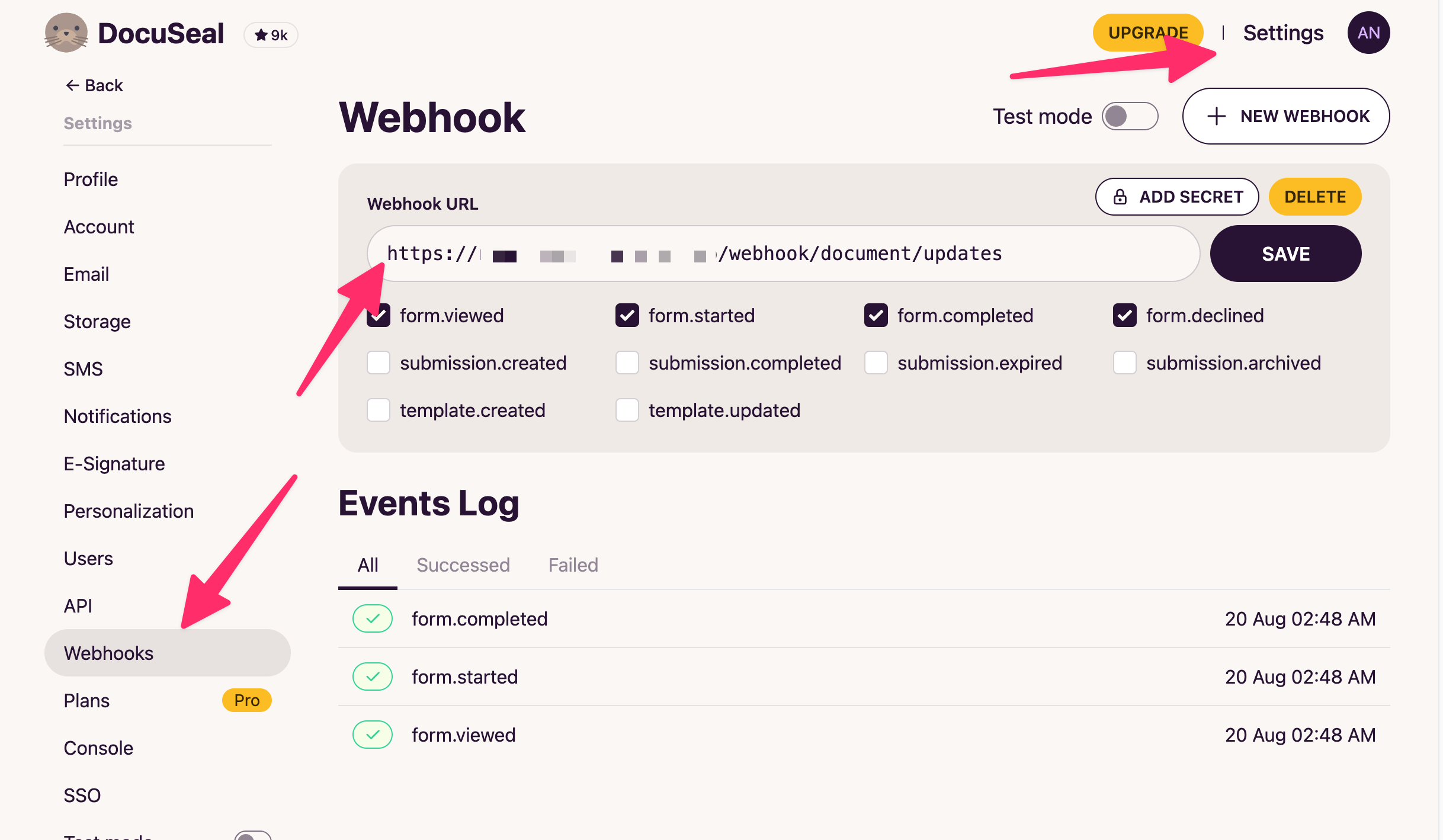
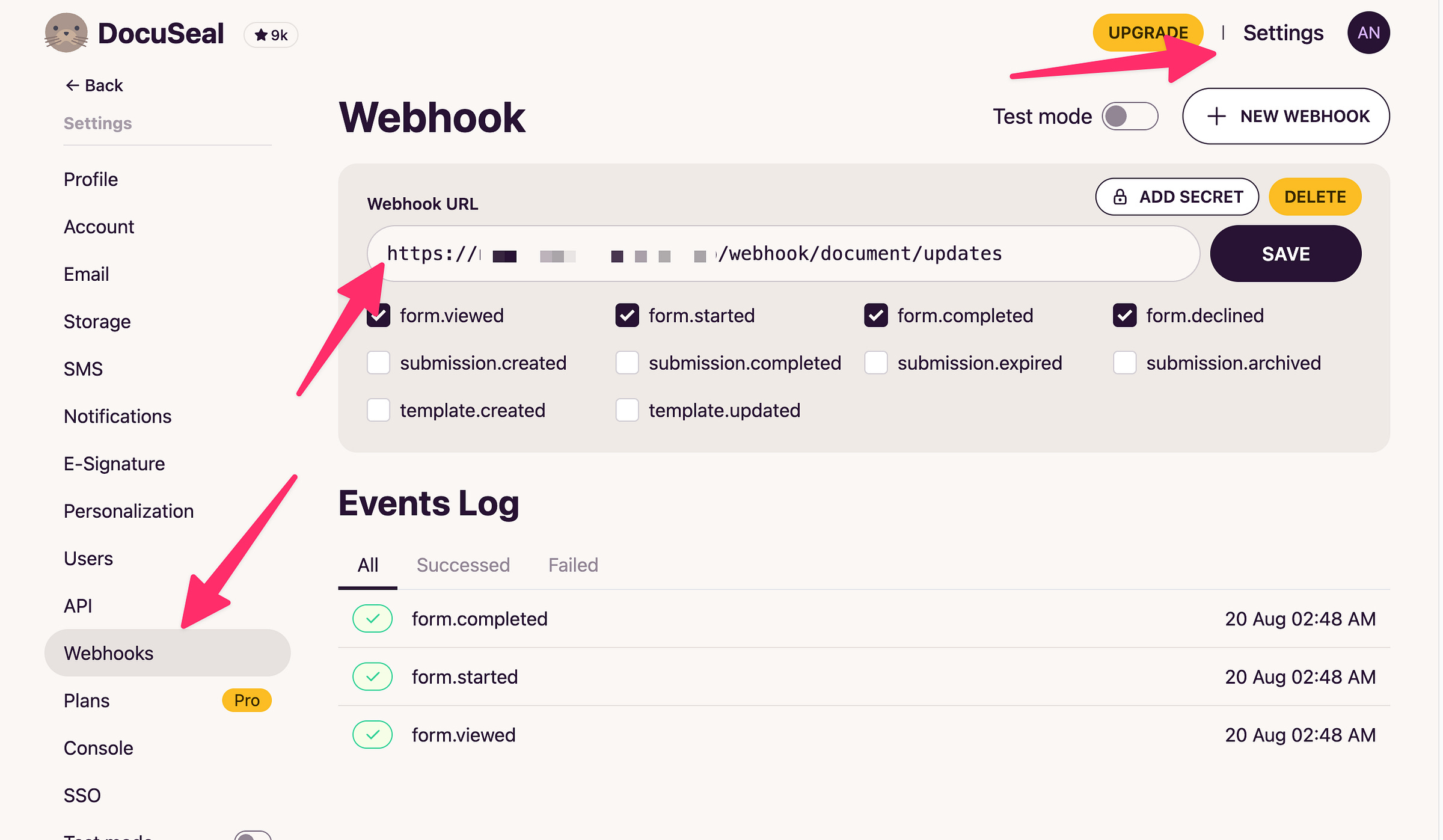
Webhooks – we’ll come back here once we wire things up in n8n.
[
](https://substackcdn.com/image/fetch/$s_!YfdQ!,f_auto,q_auto:good,fl_progressive:steep/https%3A%2F%2Fsubstack-post-media.s3.amazonaws.com%2Fpublic%2Fimages%2F71959a7d-5bed-4fc0-a8cd-11d996b5185c_2436x1418.png)
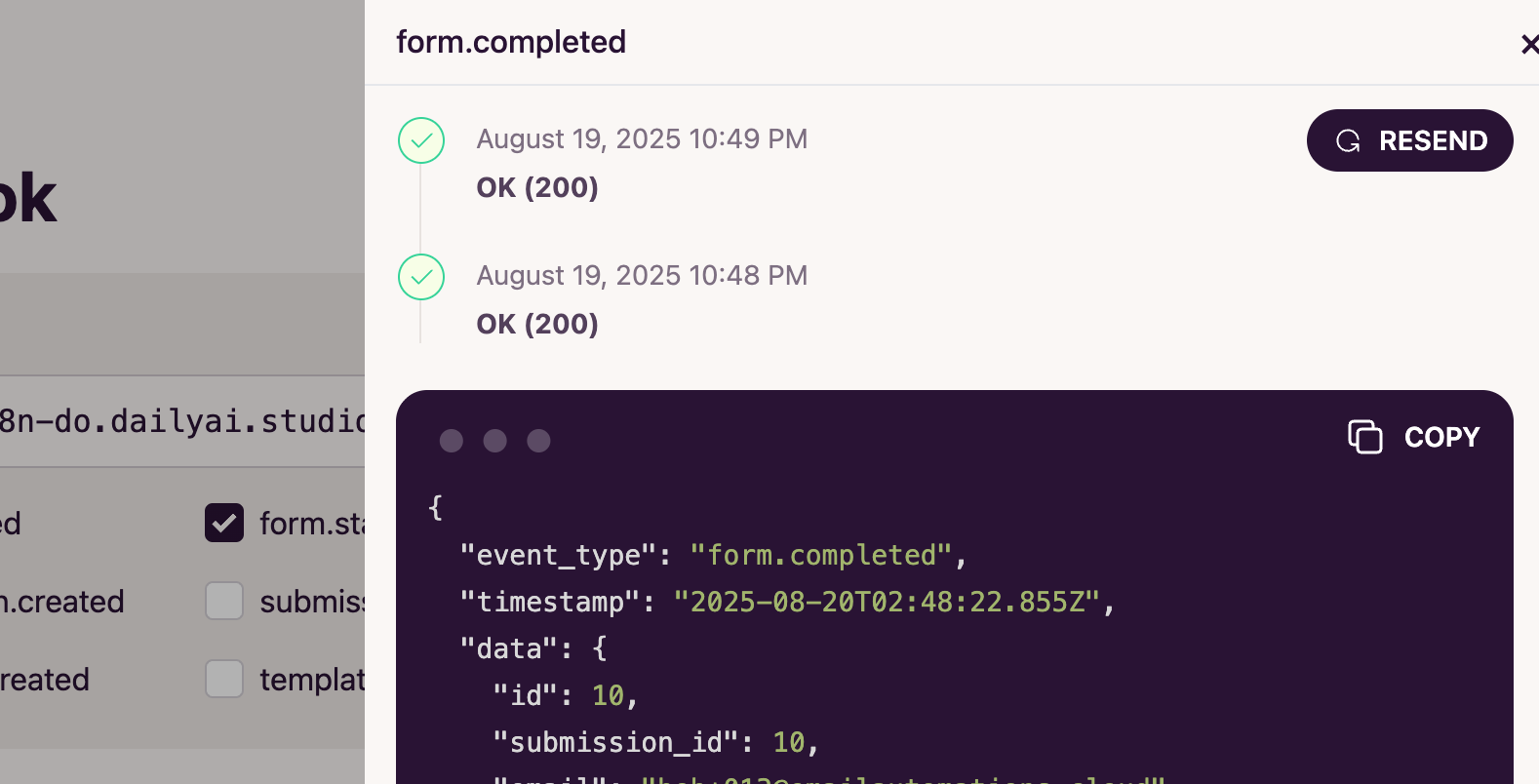
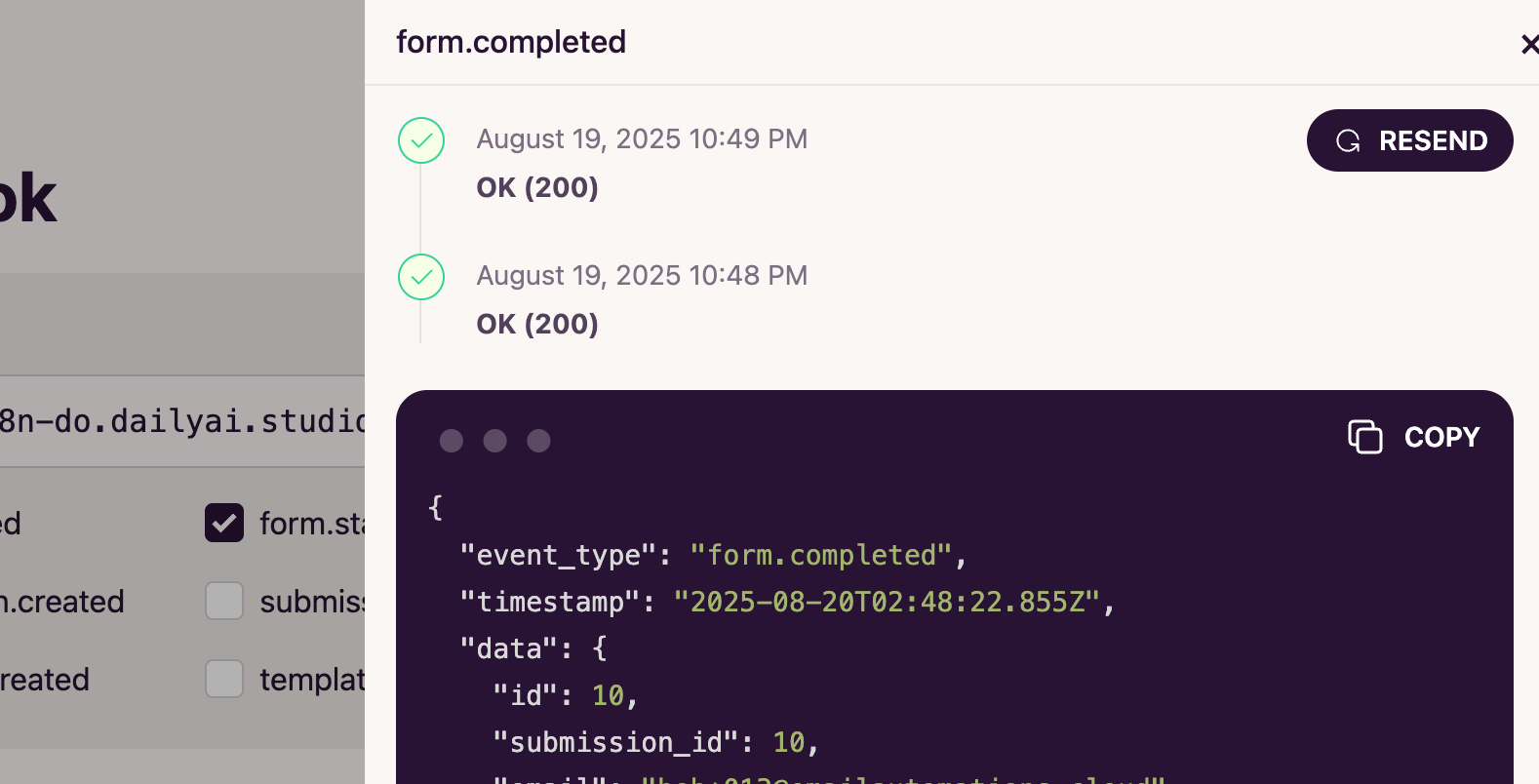
You can even test Webhooks here by resending ones.
[
](https://substackcdn.com/image/fetch/$s_!5KSW!,f_auto,q_auto:good,fl_progressive:steep/https%3A%2F%2Fsubstack-post-media.s3.amazonaws.com%2Fpublic%2Fimages%2Fe00aedd8-b278-4a13-8b98-3b1d258b09a1_1578x804.png)
Step 2: Making Our First Document
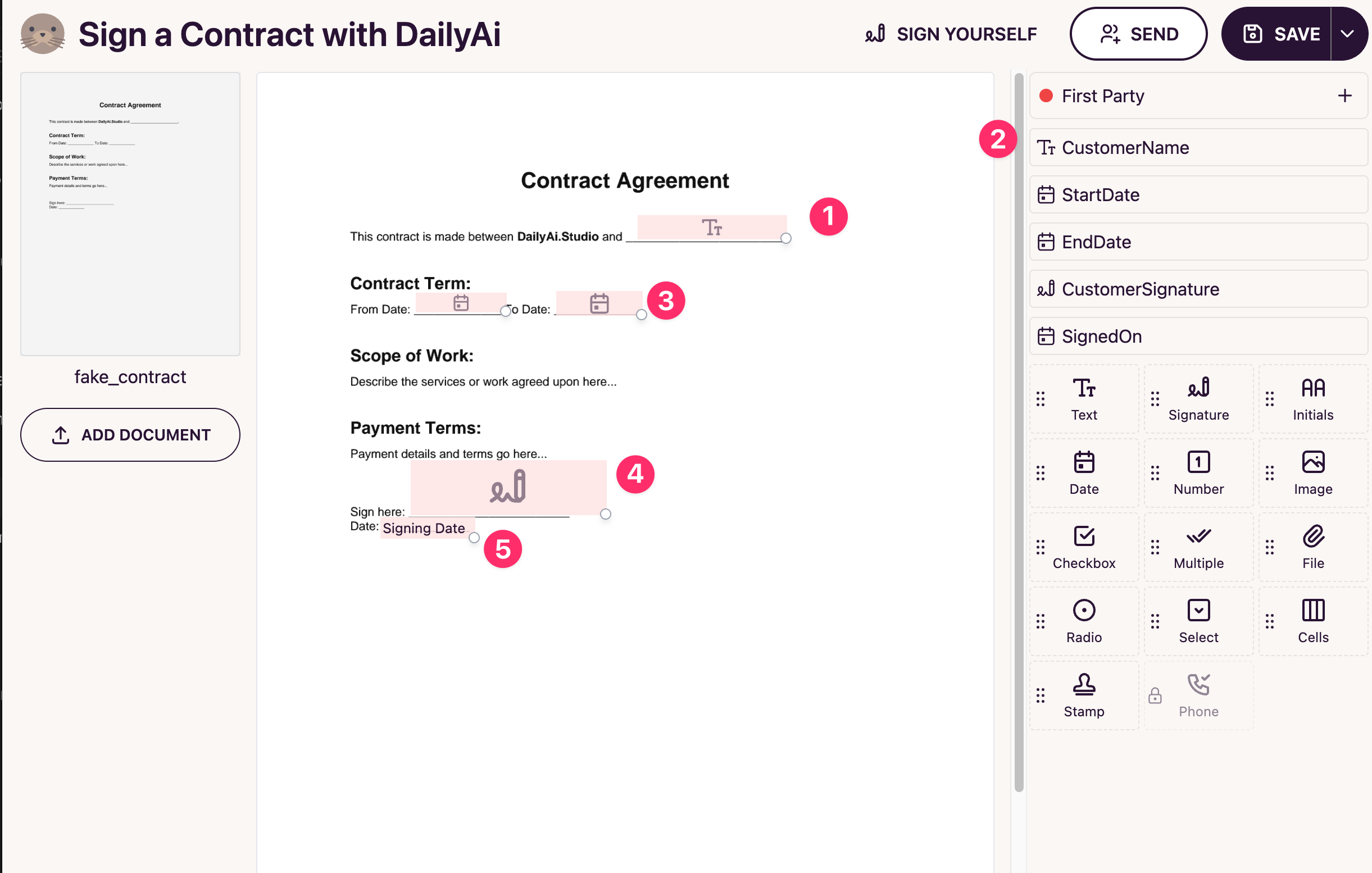
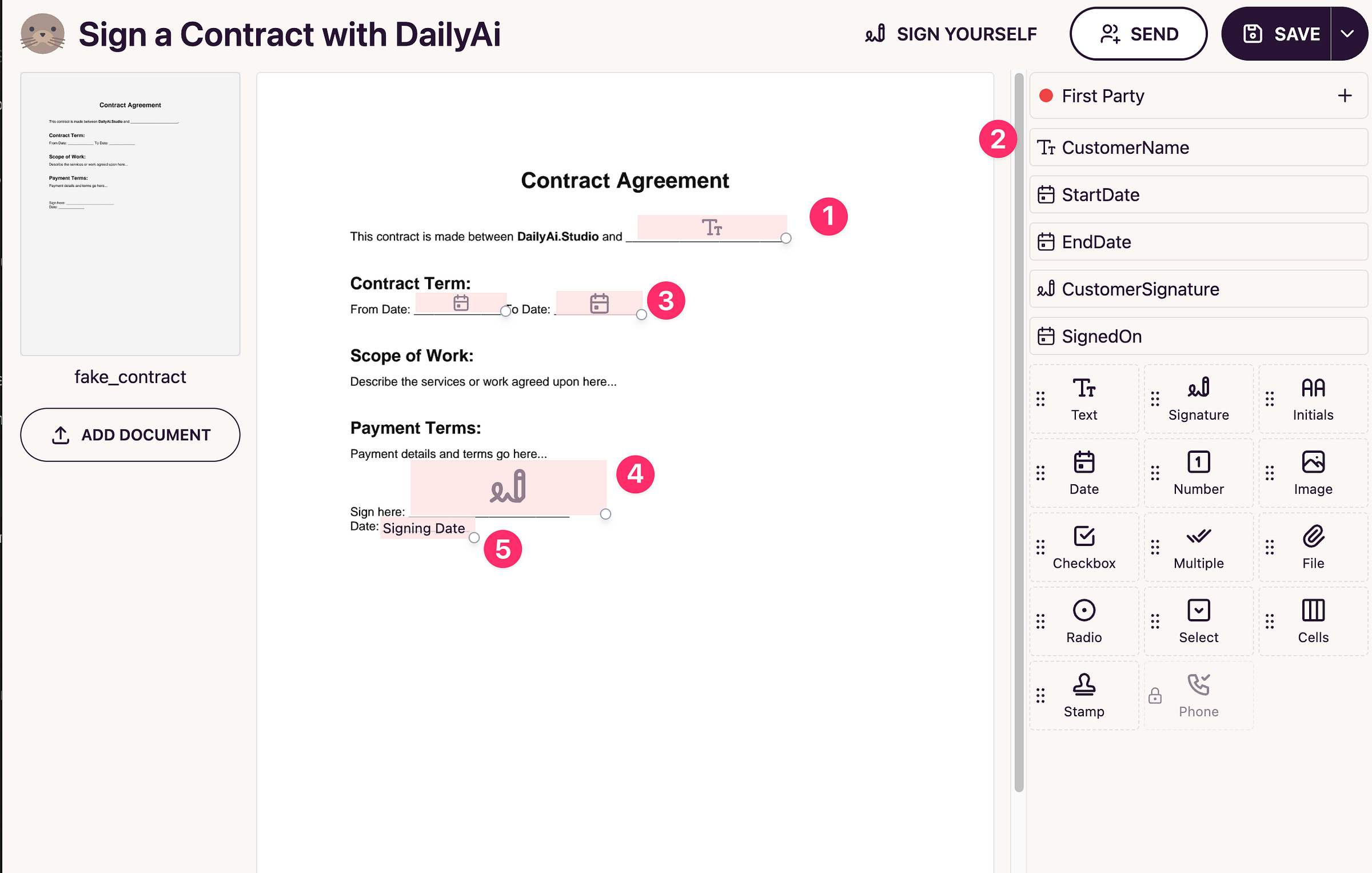
Upload a PDF and drag in fields. I like to use camelCase names so it’s easier to prefill them later, but it’s not required.
You can also set defaults (like today’s date for a signature) so the signer doesn’t need to fill everything.
[
](https://substackcdn.com/image/fetch/$s_!9H5M!,f_auto,q_auto:good,fl_progressive:steep/https%3A%2F%2Fsubstack-post-media.s3.amazonaws.com%2Fpublic%2Fimages%2Fdc155438-0ad6-45e6-90ff-97325a1eb033_2442x1554.png)
1 - You can put the Text and other boxes here. And then
2 - You can name them for later one when we send data over the api to prefill the info
3 - Dates etc we will fill as well using the API
4 - Of course they can sign it!
5- And this is an example of a field I set to the date signed so the user does not have to
👉 Tp: in the URL you’ll see the template ID:
https://YOUR_URL/templates/1
Step 3: Wiring It Up in n8n
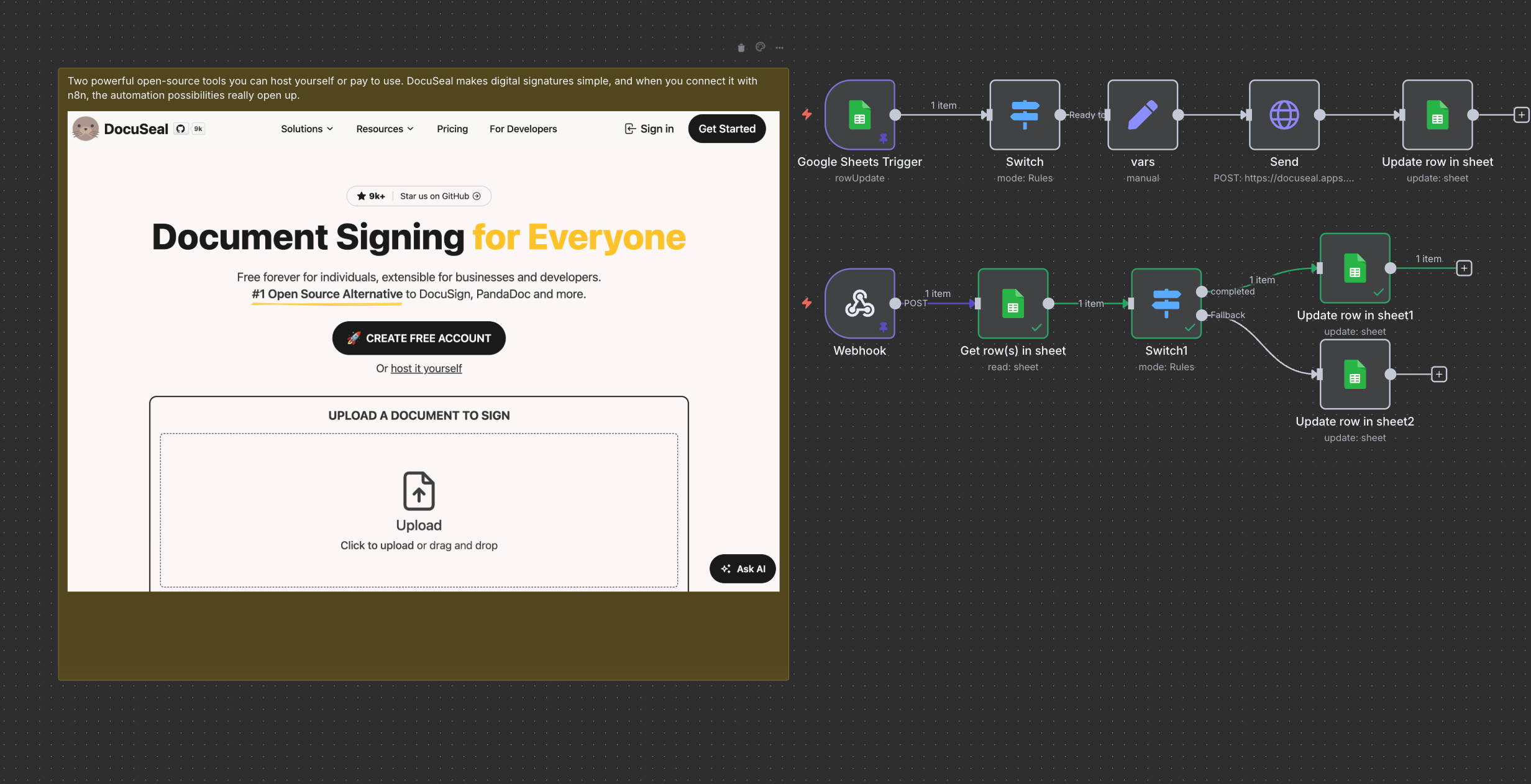
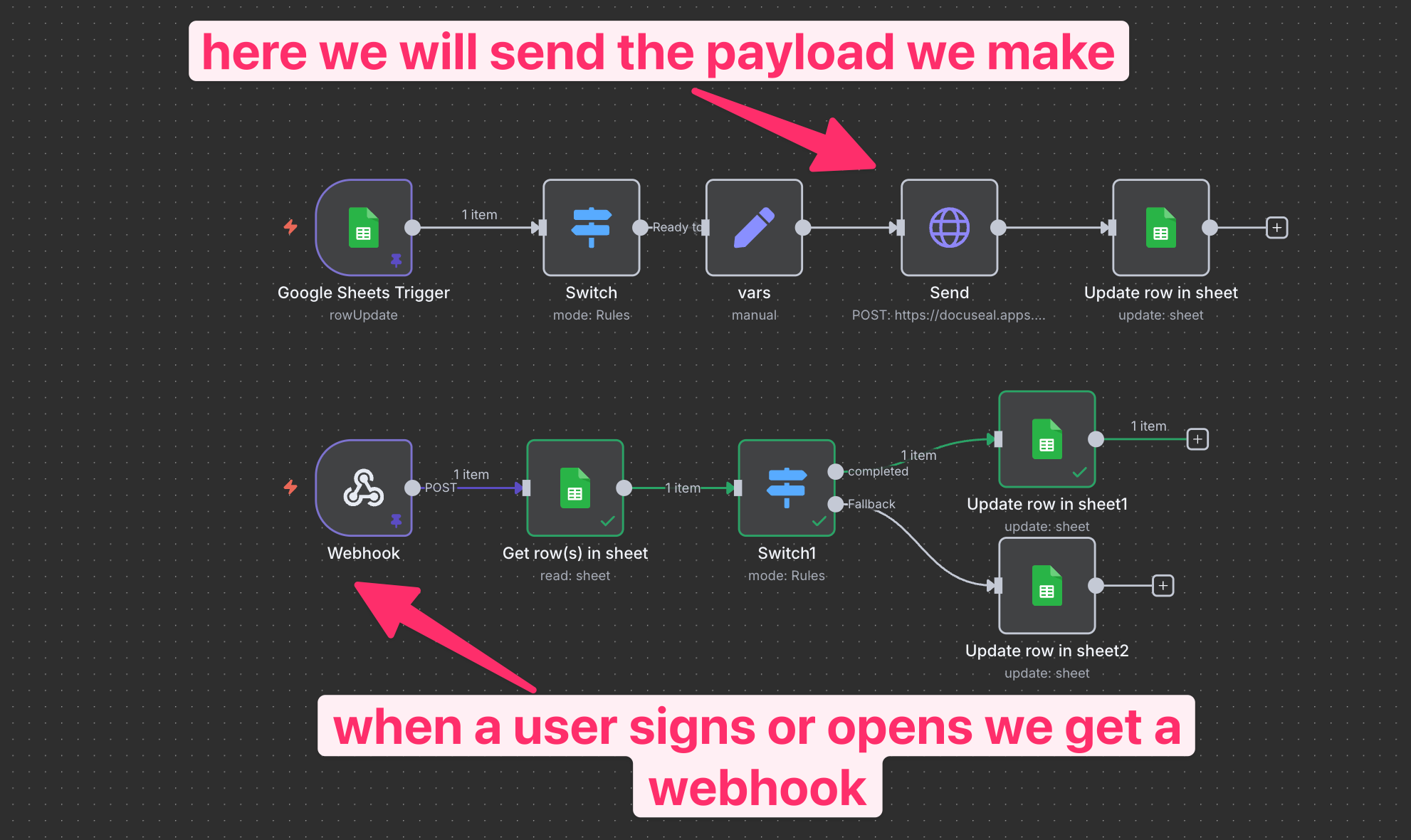
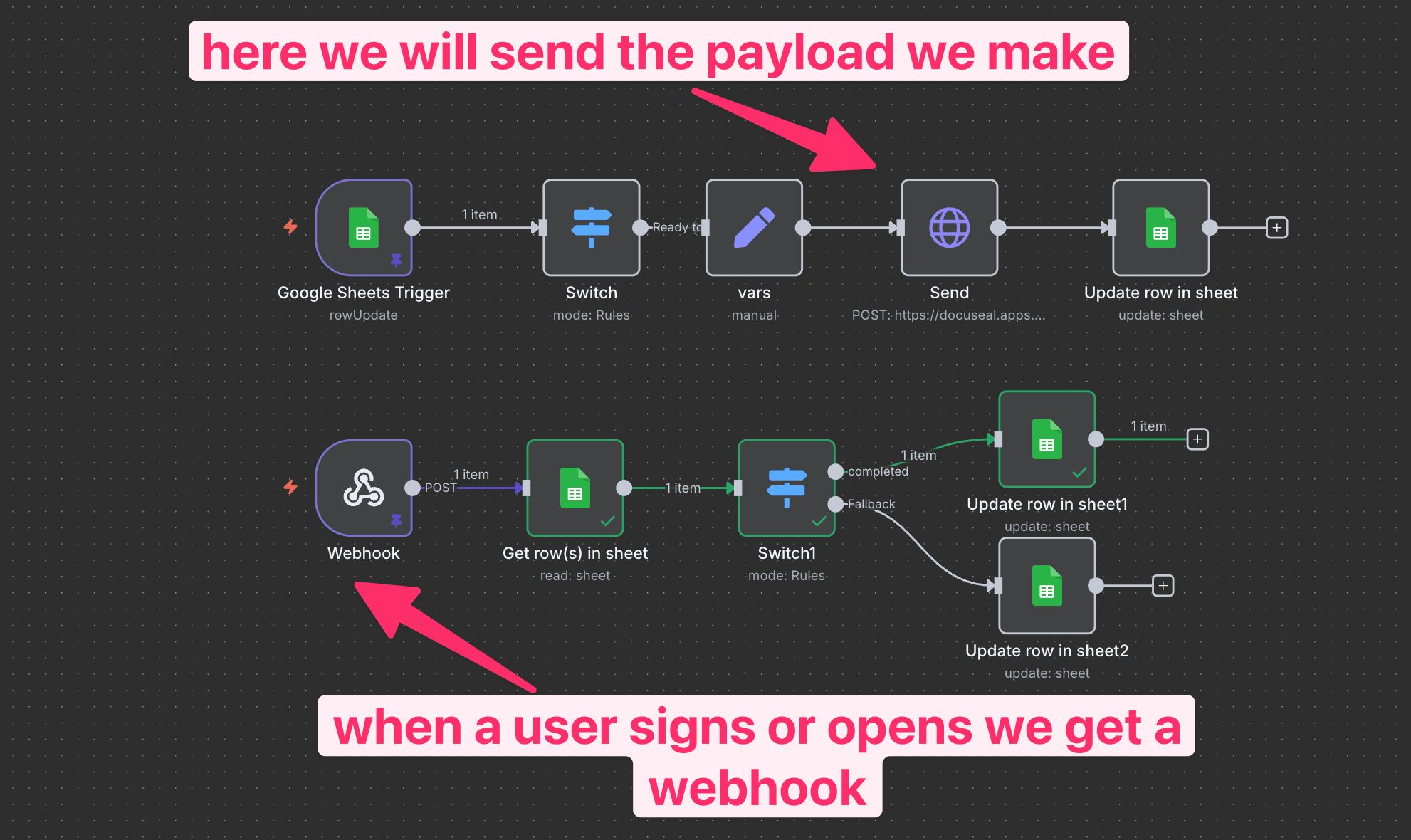
Here’s the workflow we’ll build:
[
](https://substackcdn.com/image/fetch/$s_!jmwG!,f_auto,q_auto:good,fl_progressive:steep/https%3A%2F%2Fsubstack-post-media.s3.amazonaws.com%2Fpublic%2Fimages%2Fd28c8d6c-27a8-46ae-87fa-af27a4dbd758_1982x1180.png)
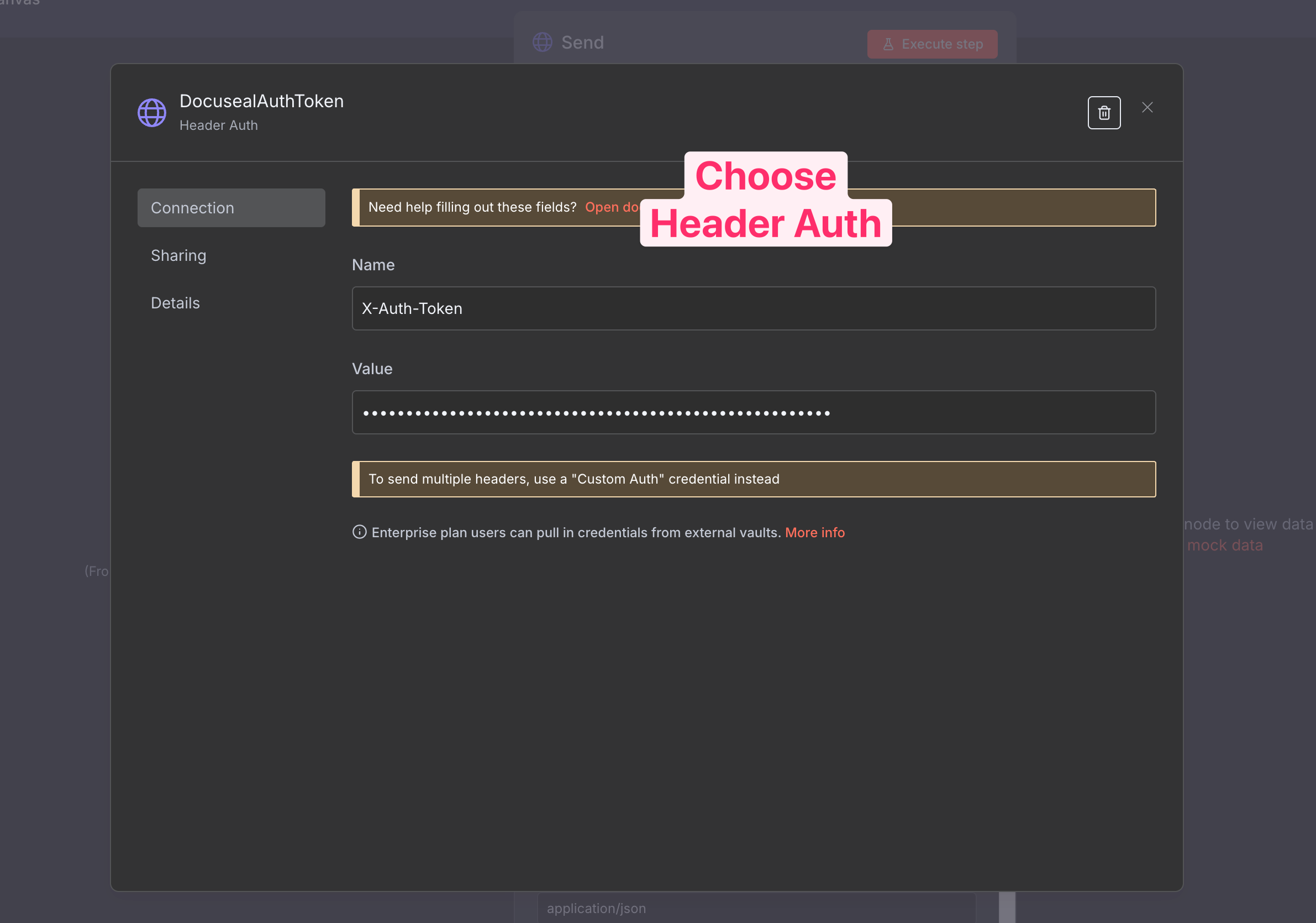
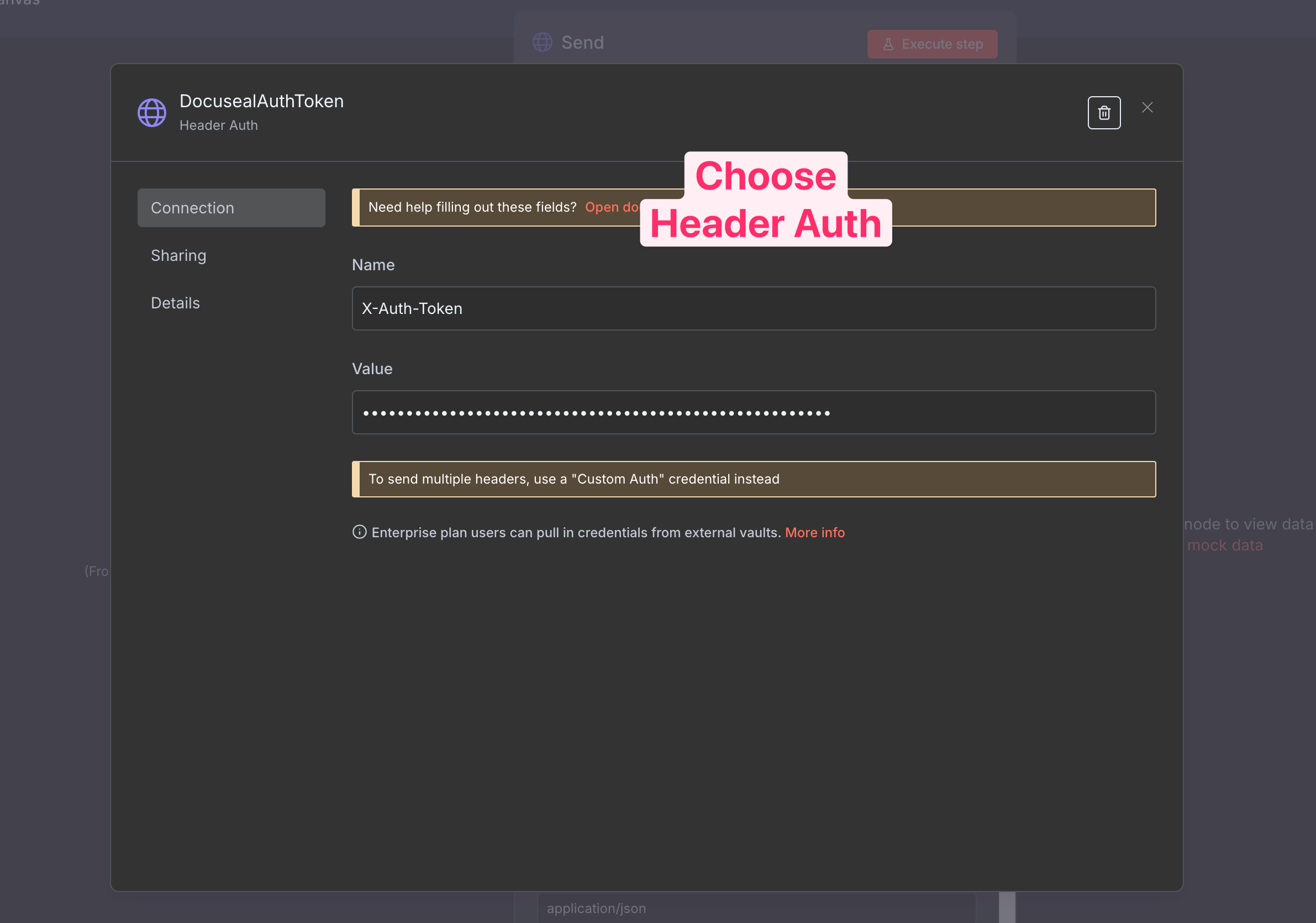
Add your DocuSeal credentials (the token from earlier).
[
](https://substackcdn.com/image/fetch/$s_!Pkrx!,f_auto,q_auto:good,fl_progressive:steep/https%3A%2F%2Fsubstack-post-media.s3.amazonaws.com%2Fpublic%2Fimages%2Fb0af06b6-b011-464e-b4b2-c5f523827705_2382x1670.png)
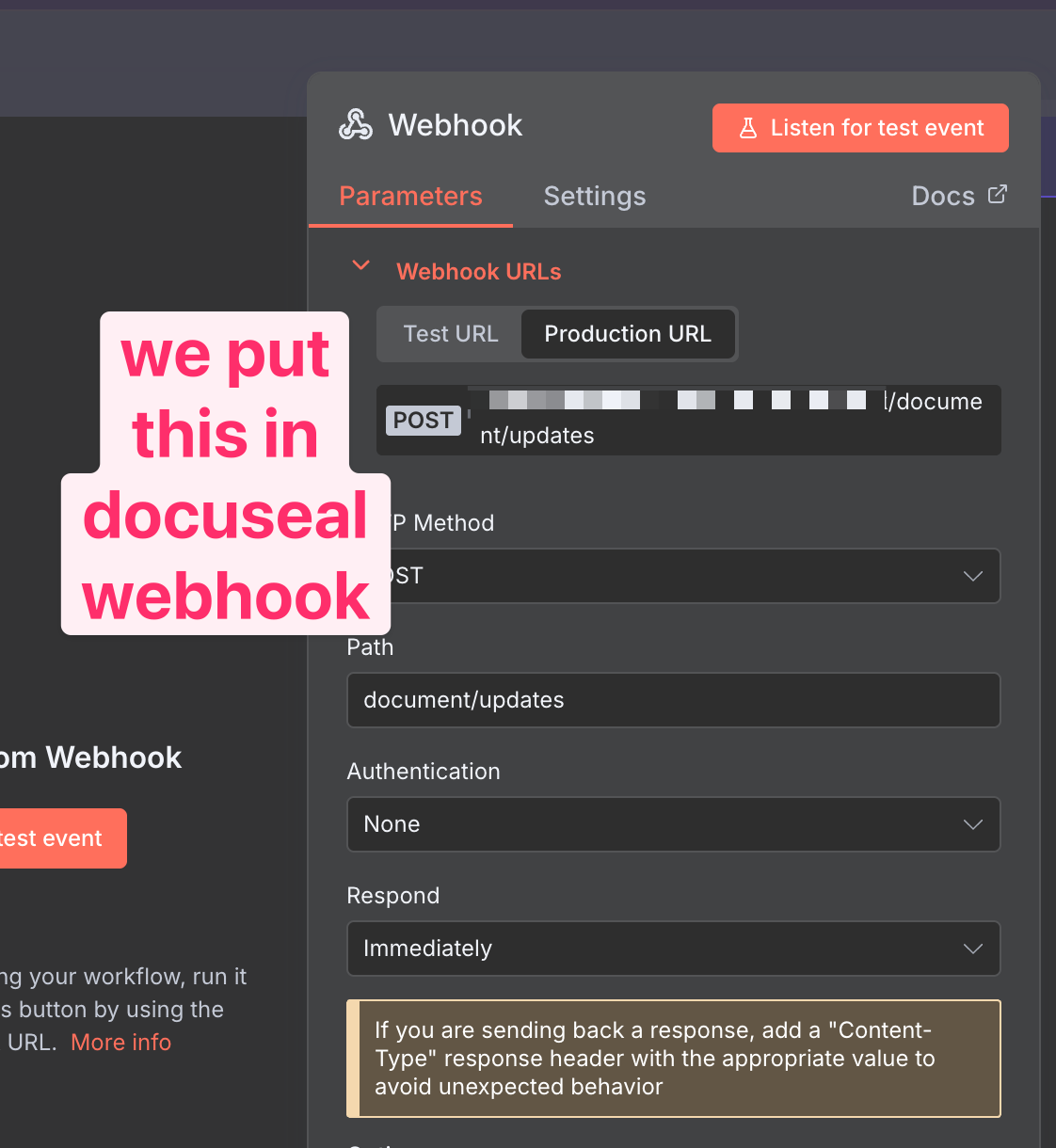
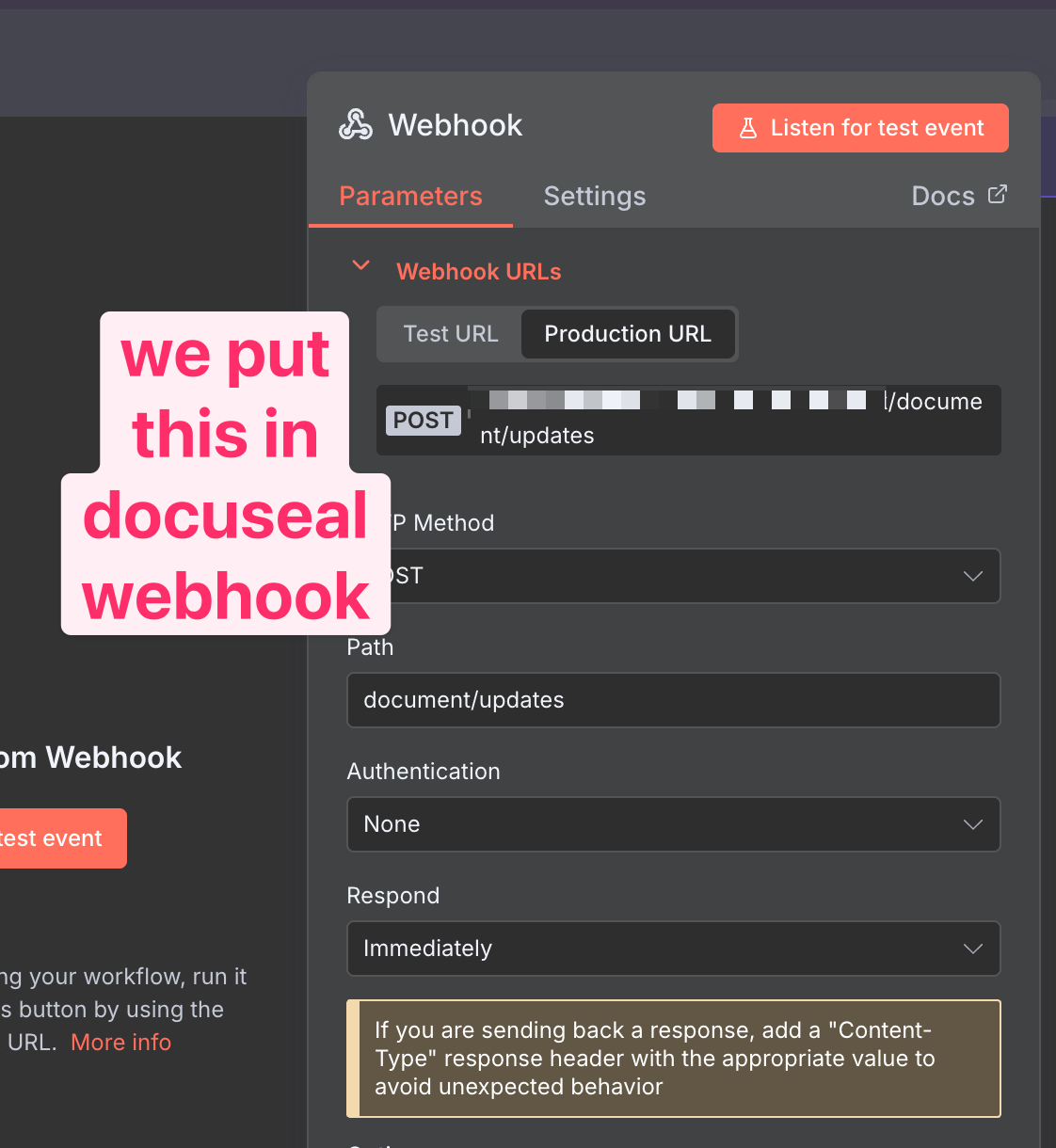
Create a Webhook – we’ll paste this back into DocuSeal.
[
](https://substackcdn.com/image/fetch/$s_!Eq3W!,f_auto,q_auto:good,fl_progressive:steep/https%3A%2F%2Fsubstack-post-media.s3.amazonaws.com%2Fpublic%2Fimages%2Ff76dac2c-0ed2-41c8-89dd-5c9ecd768c72_1122x1220.png)
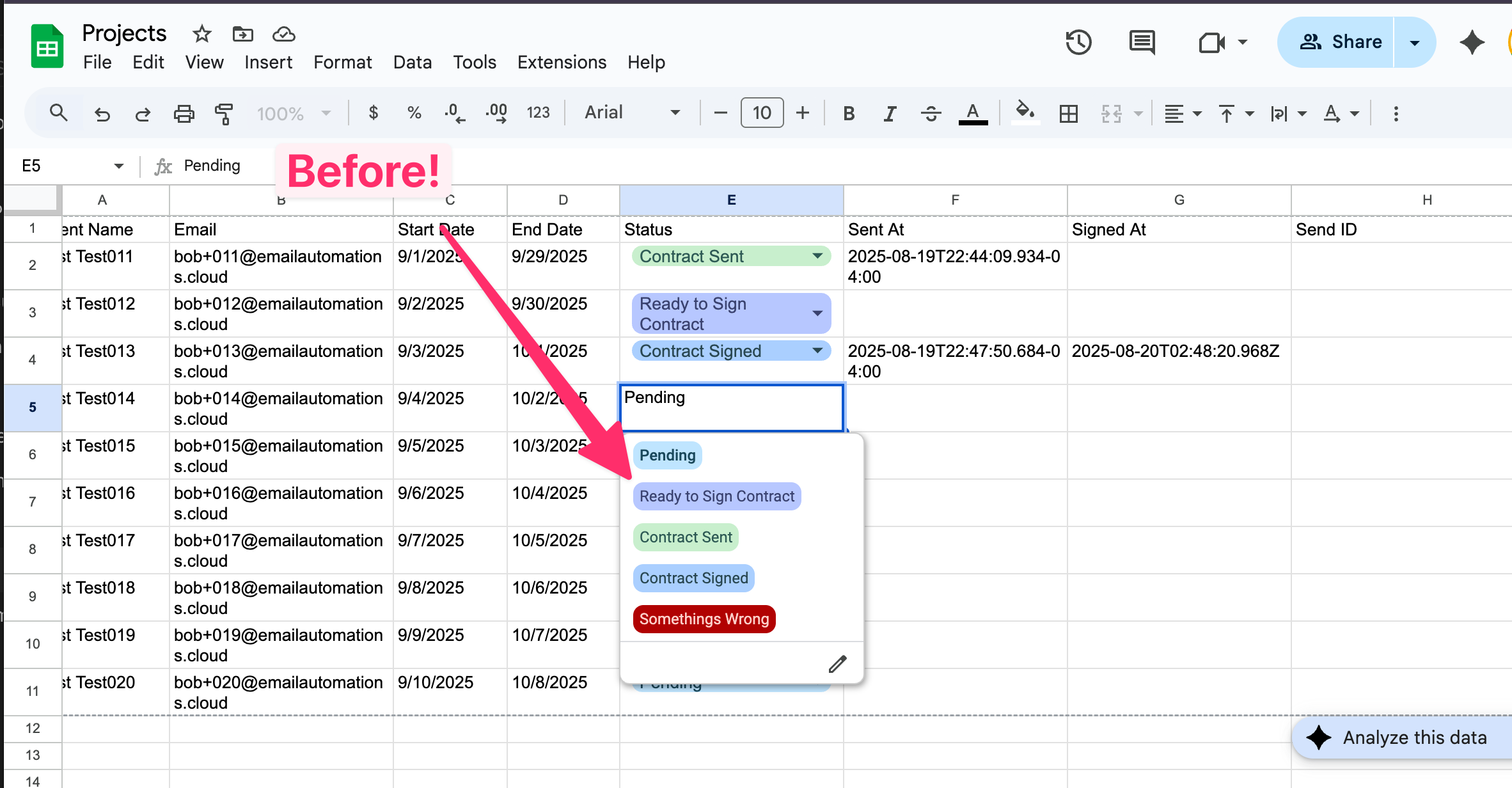
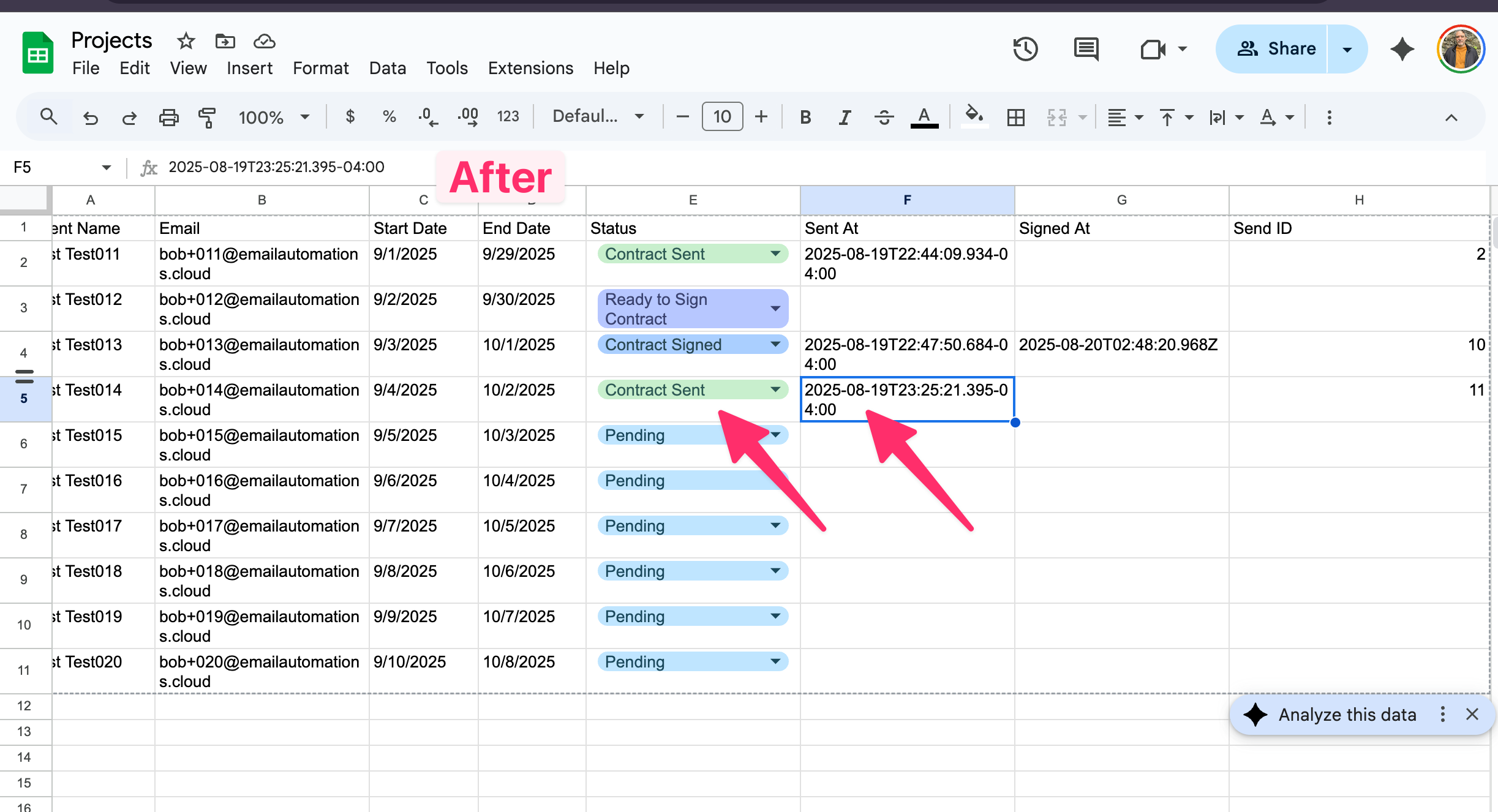
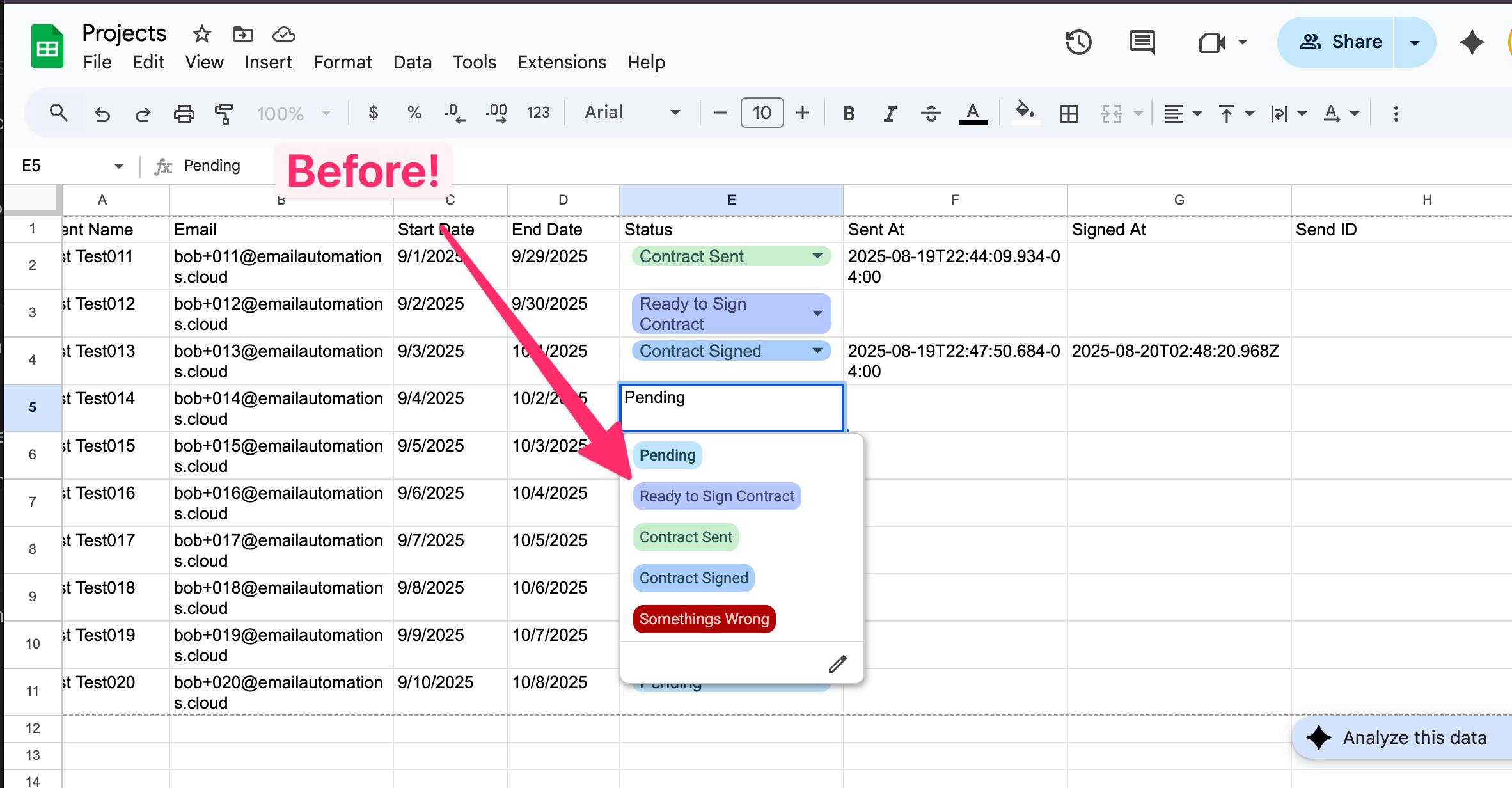
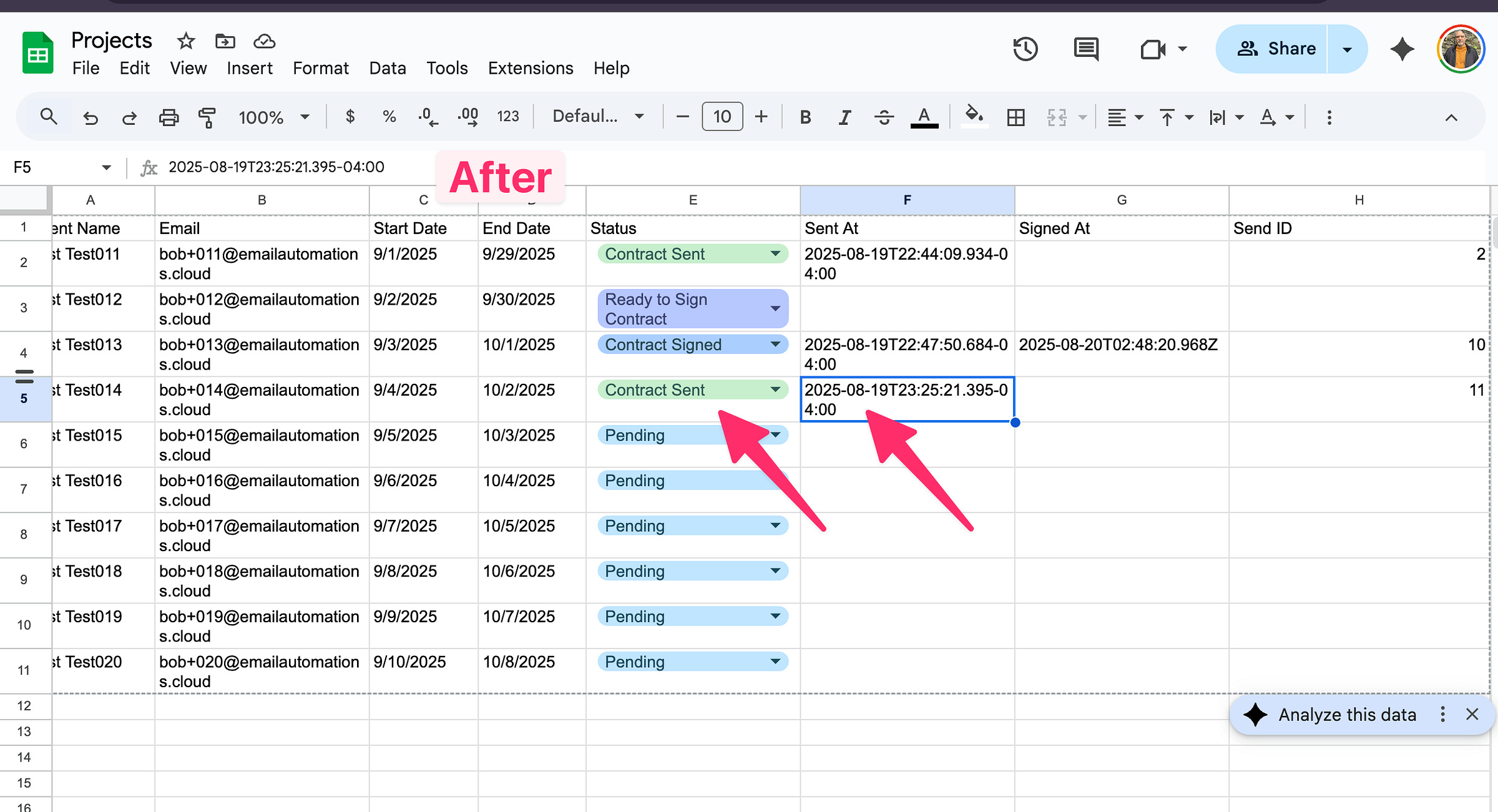
Use a Google Sheet as the trigger. In my case, when I mark a row as “Ready to Sign,” n8n sends the contract out.
[
](https://substackcdn.com/image/fetch/$s_!VcCB!,f_auto,q_auto:good,fl_progressive:steep/https%3A%2F%2Fsubstack-post-media.s3.amazonaws.com%2Fpublic%2Fimages%2F3b54839e-4657-4c11-a7a0-acd0c7c56bdd_2364x1232.png)
[
](https://substackcdn.com/image/fetch/$s_!4mNx!,f_auto,q_auto:good,fl_progressive:steep/https%3A%2F%2Fsubstack-post-media.s3.amazonaws.com%2Fpublic%2Fimages%2Fb5e81703-28d4-441e-bd4f-7d44f3072d8a_2446x1326.png)
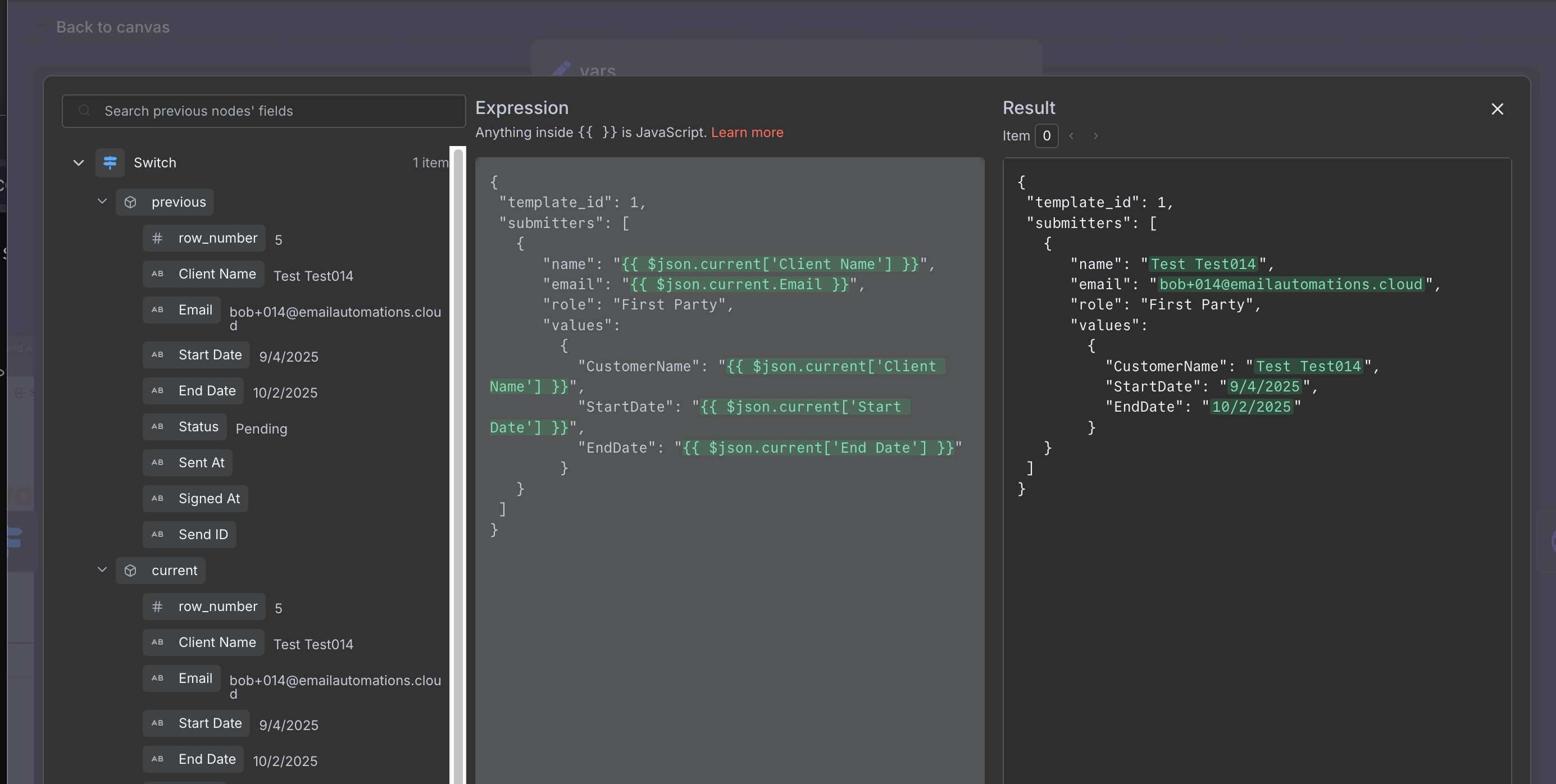
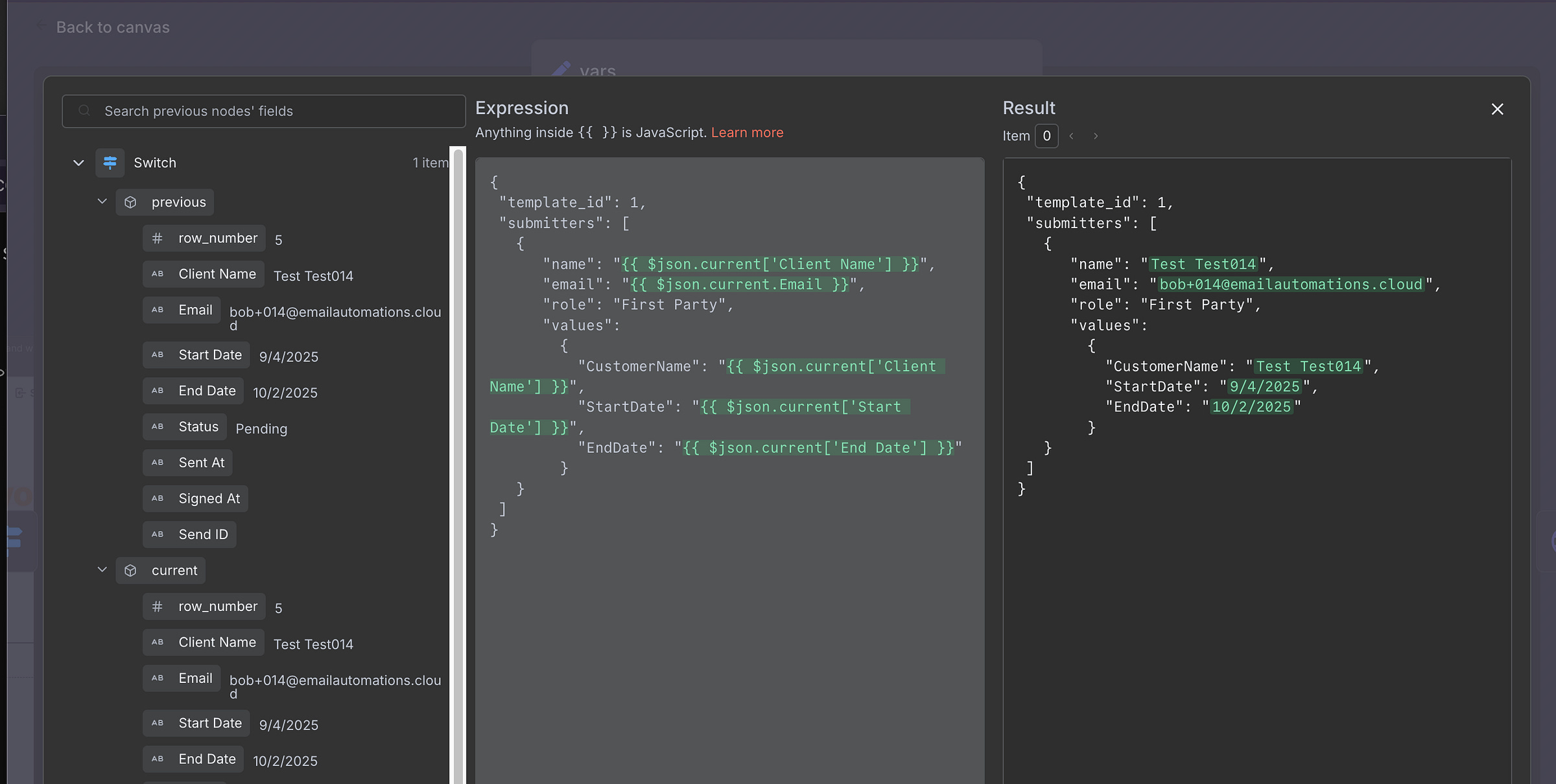
Then we build the payload → send it → track it.
This is the payload we send.
[
](https://substackcdn.com/image/fetch/$s_!7FEp!,f_auto,q_auto:good,fl_progressive:steep/https%3A%2F%2Fsubstack-post-media.s3.amazonaws.com%2Fpublic%2Fimages%2F37acf559-5629-43e7-bbb9-ed6cc632165d_2770x1396.png)
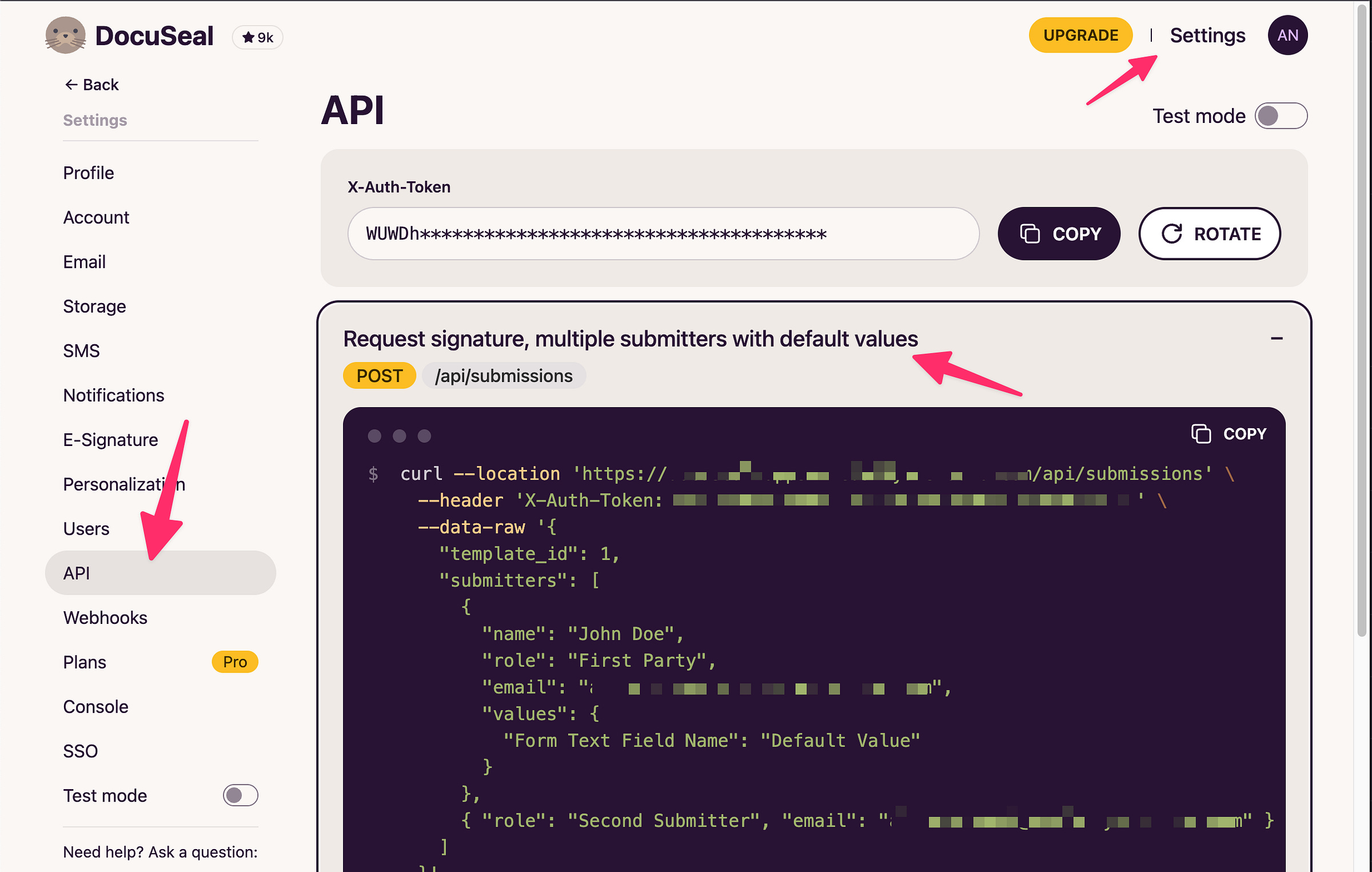
What is amazing is they tell you how to do all this here
[
](https://substackcdn.com/image/fetch/$s_!-ma4!,f_auto,q_auto:good,fl_progressive:steep/https%3A%2F%2Fsubstack-post-media.s3.amazonaws.com%2Fpublic%2Fimages%2Ff29d3e99-bb17-414d-b7fd-94ff19b1438e_2468x1568.png)
And their really really good api docs https://www.docuseal.com/docs/api
Step 4: Testing It Out
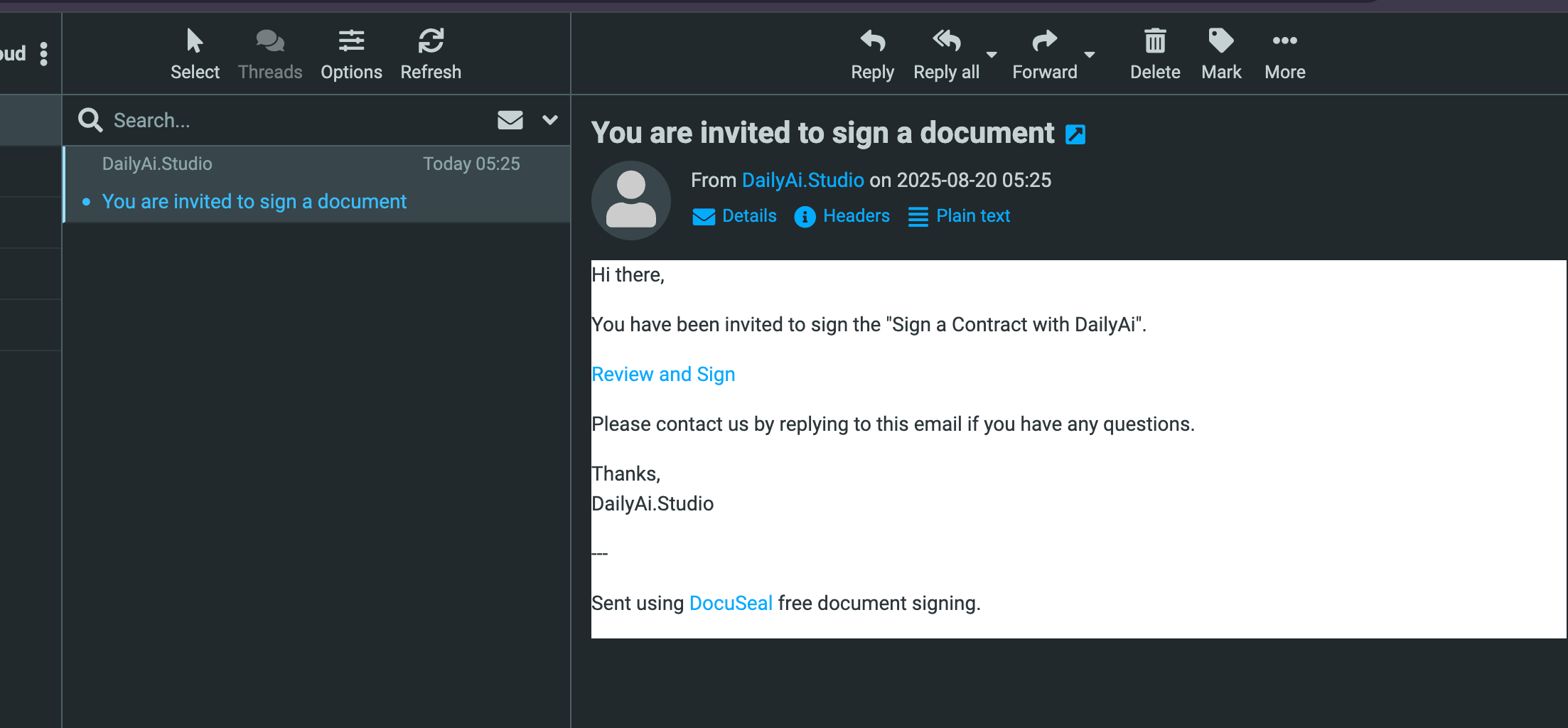
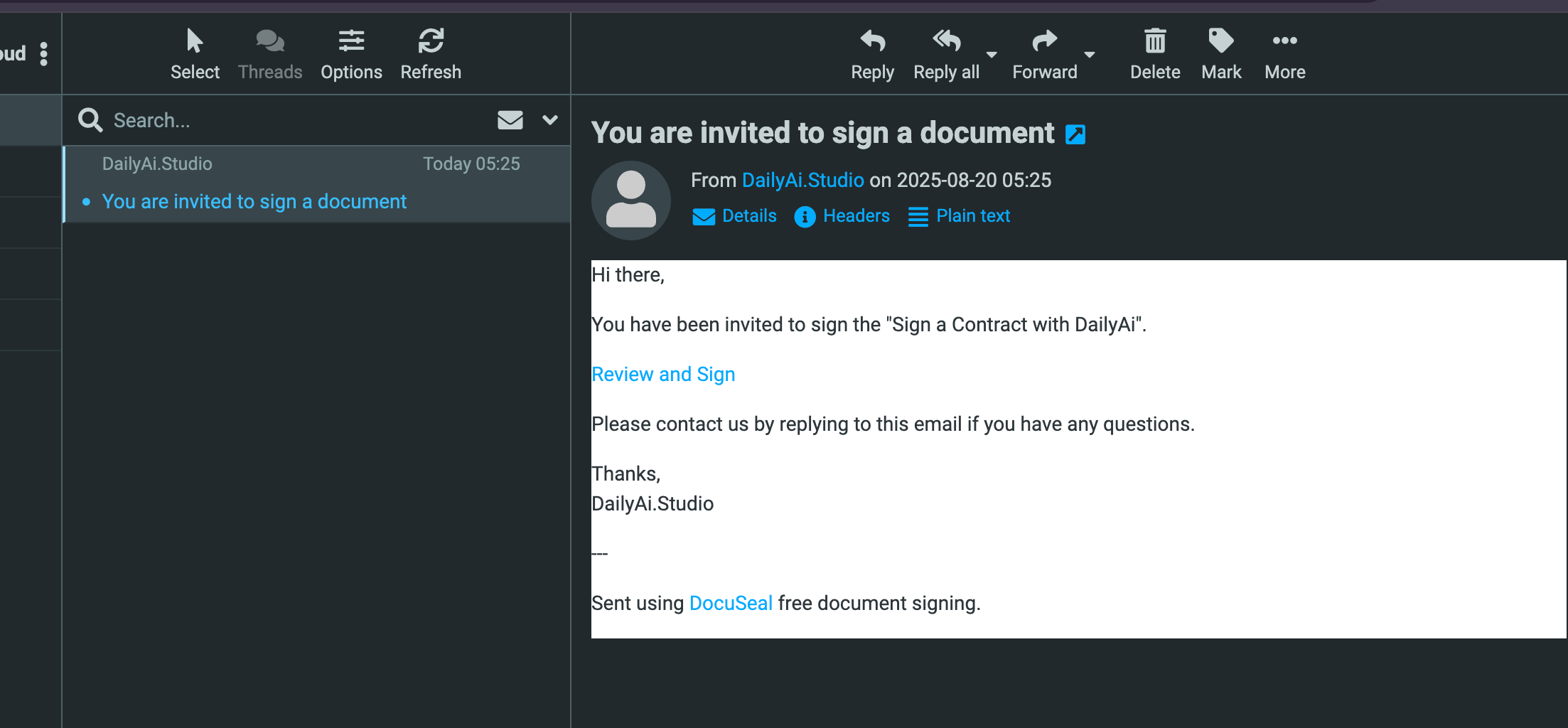
Now when I mark a row in the sheet, the document goes out. Here’s the email that arrives:
[
](https://substackcdn.com/image/fetch/$s_!ykxX!,f_auto,q_auto:good,fl_progressive:steep/https%3A%2F%2Fsubstack-post-media.s3.amazonaws.com%2Fpublic%2Fimages%2F5abbf213-e515-441c-9154-879658e8e4e4_2206x1024.png)
DocuSeal also has templates and more styling options, so you can really polish the message.
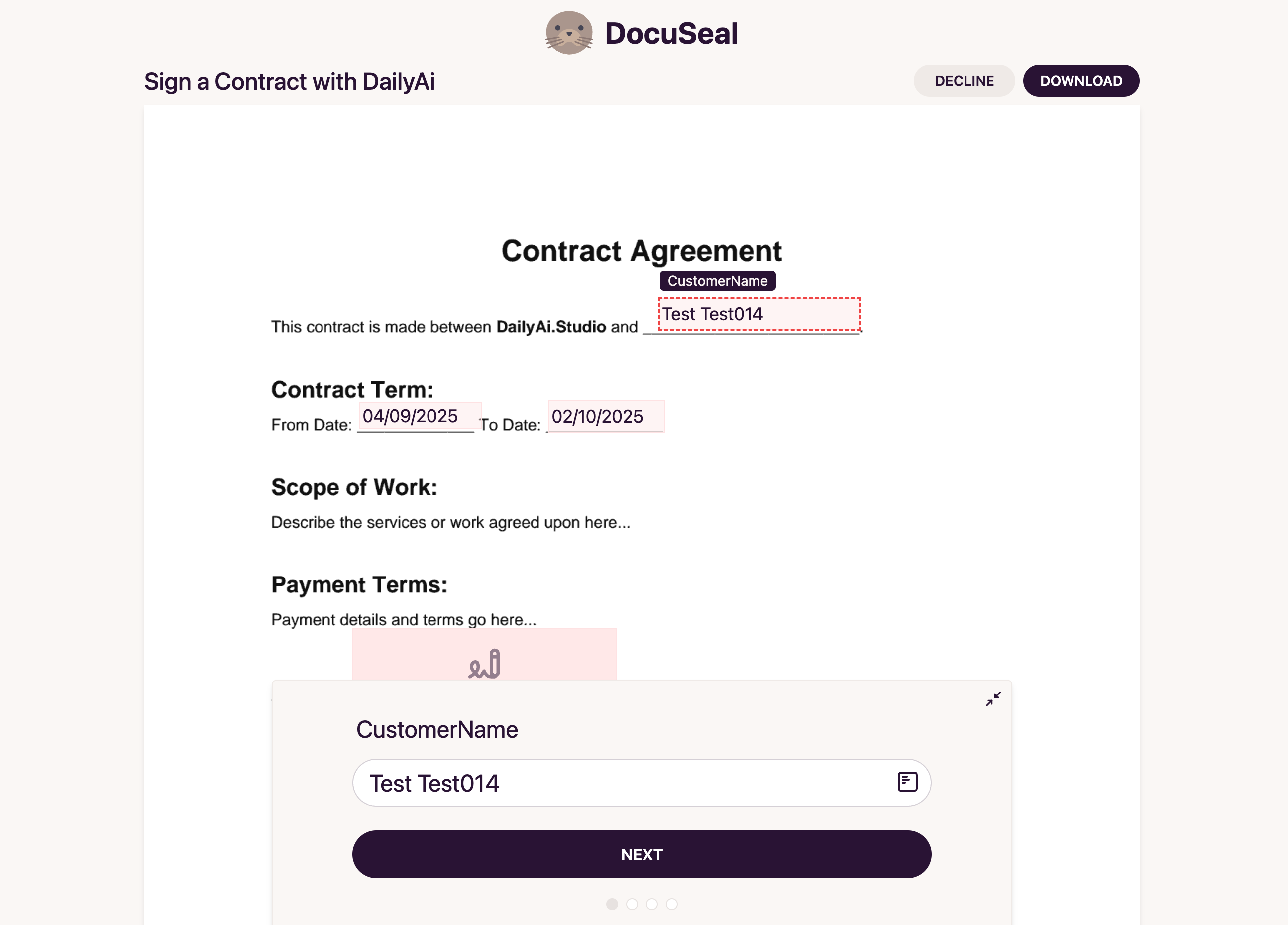
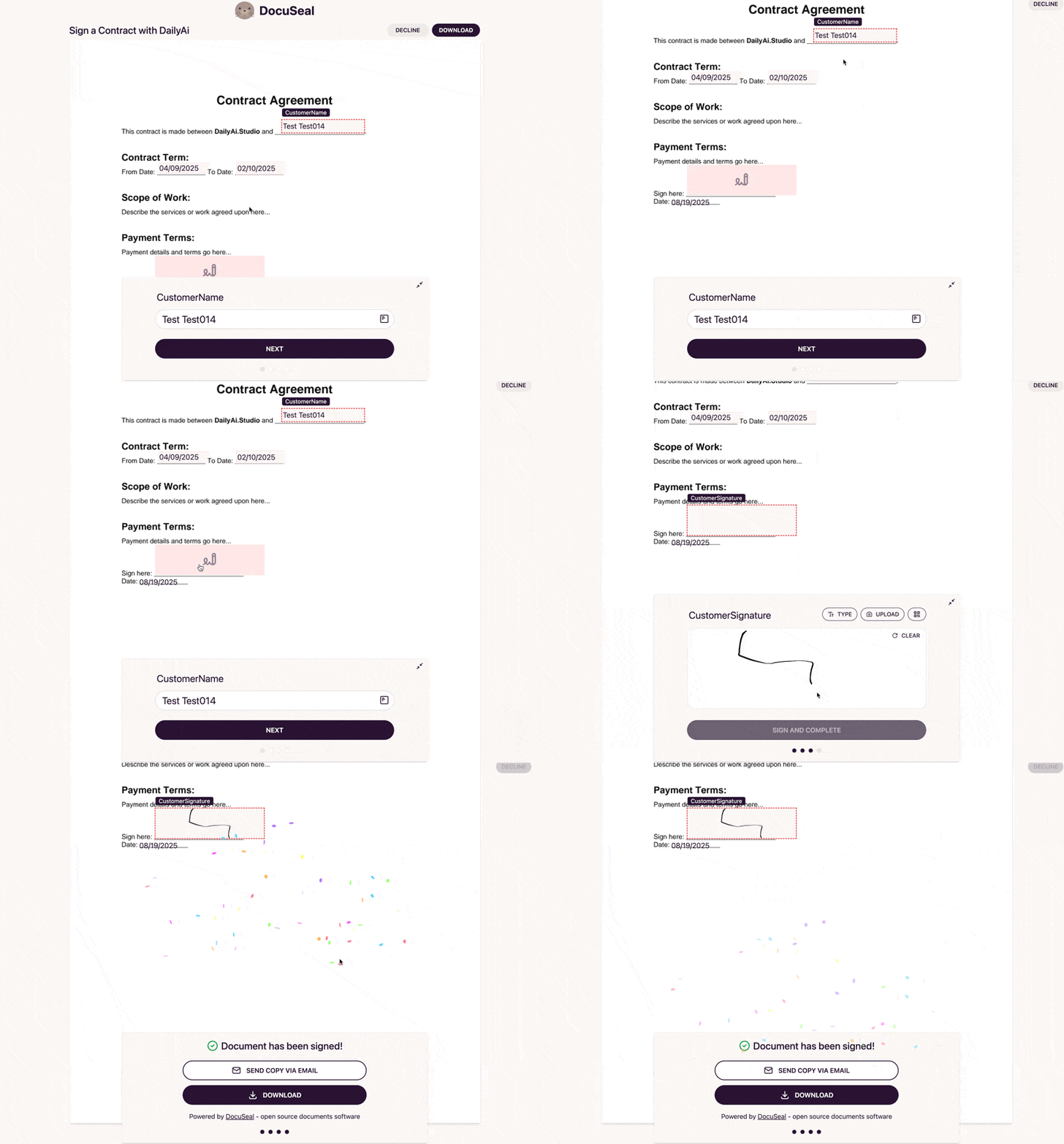
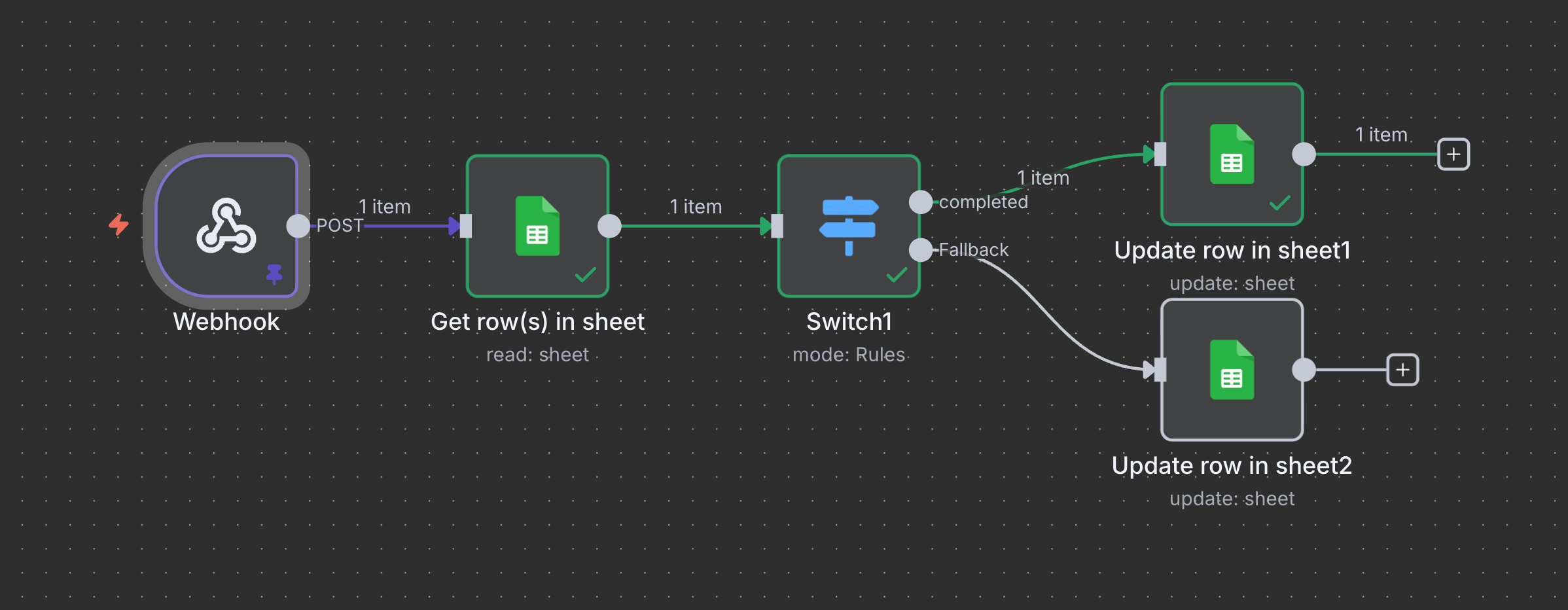
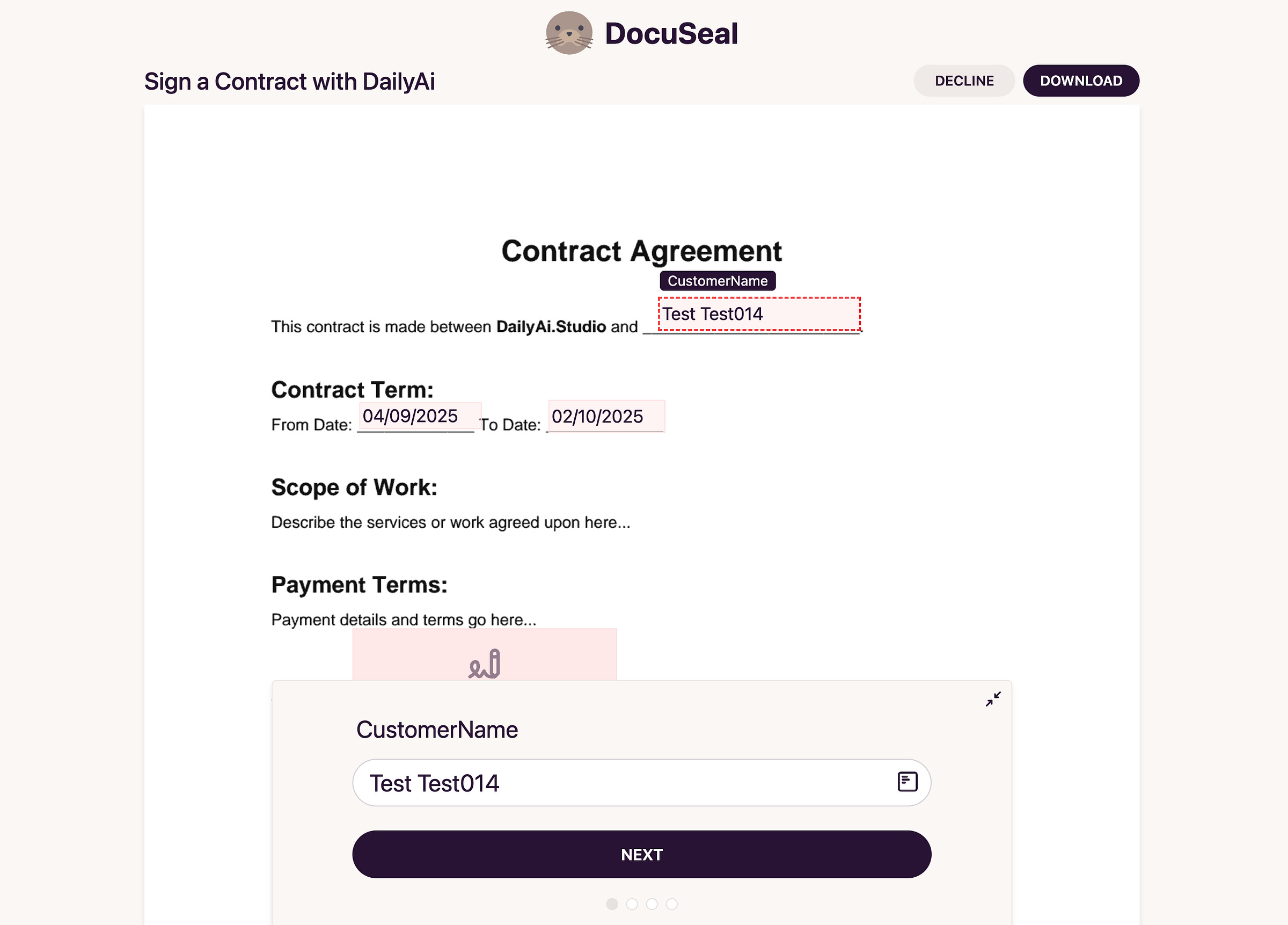
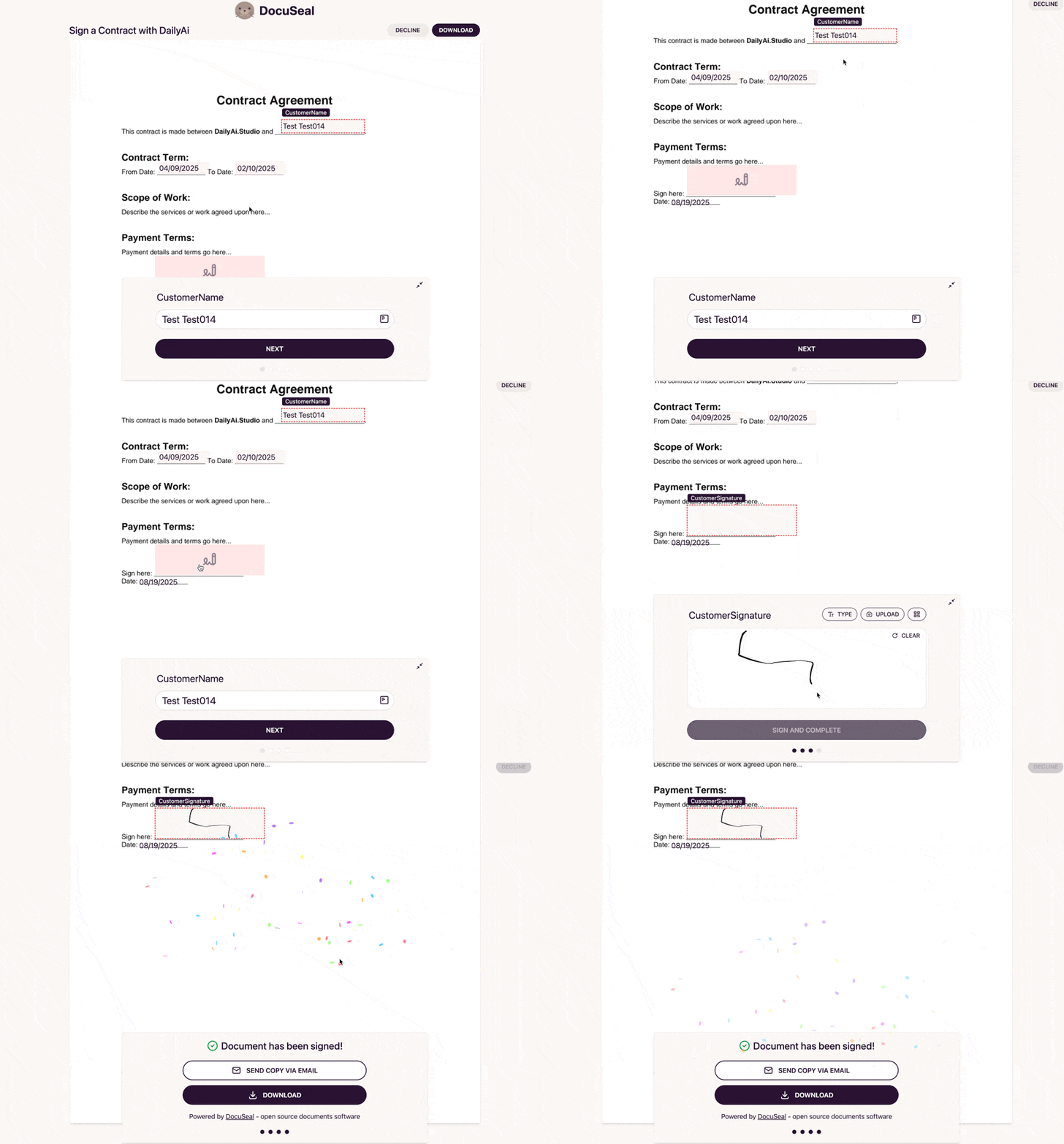
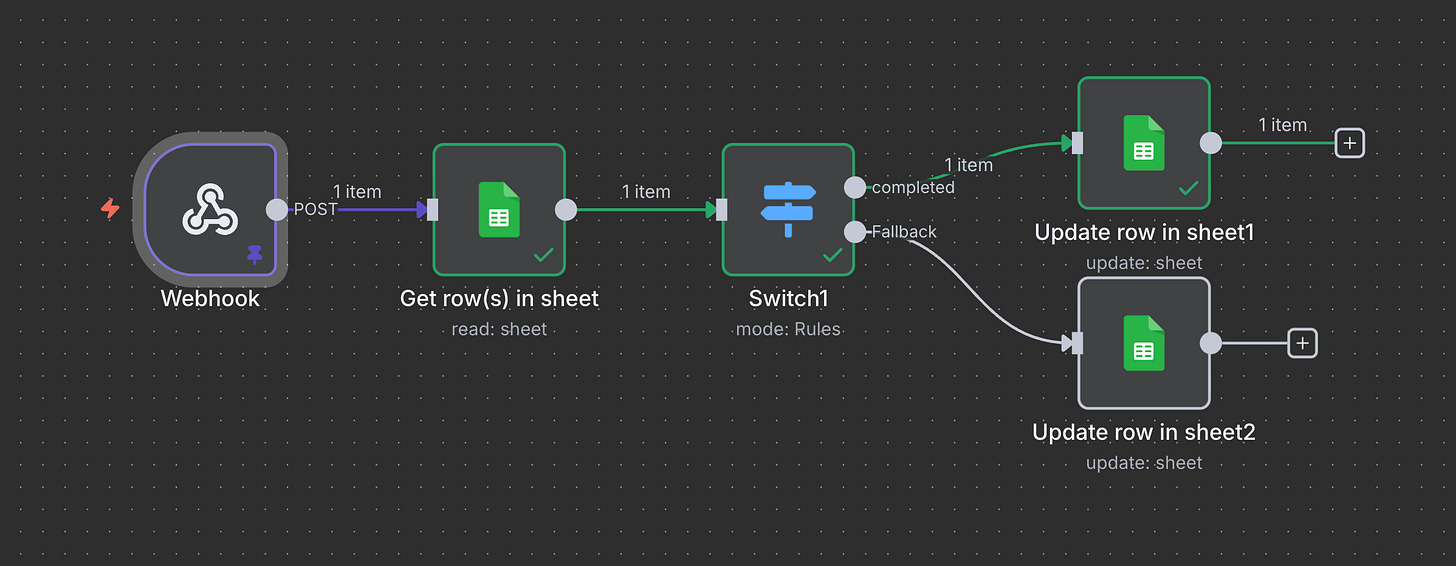
When the signer completes it, DocuSeal even drops a webhook back into n8n. That lets us:
Find the right row in Google Sheets
Update the status
Trigger the next step if we want
[
](https://substackcdn.com/image/fetch/$s_!oUED!,f_auto,q_auto:good,fl_progressive:steep/https%3A%2F%2Fsubstack-post-media.s3.amazonaws.com%2Fpublic%2Fimages%2Ff878f3ee-246b-42d8-9d7a-a22f46f671df_2588x1858.png)
[
](https://substackcdn.com/image/fetch/$s_!oCJQ!,f_auto,q_auto:good,fl_progressive:steep/https%3A%2F%2Fsubstack-post-media.s3.amazonaws.com%2Fpublic%2Fimages%2F0190bb45-34b4-4cbf-9e6b-0c91f7dfc28a_800x574.gif)
Then we see that come into N8N where we can do what ever we want with that data.
[
](https://substackcdn.com/image/fetch/$s_!YSfS!,f_auto,q_auto:good,fl_progressive:steep/https%3A%2F%2Fsubstack-post-media.s3.amazonaws.com%2Fpublic%2Fimages%2F1aaa8bfe-bee3-4452-8209-2e34e3d00bfa_2396x932.png)
And that’s it — start to finish, we’ve got a full digital signature automation loop.
Full Workflow
You can grab the workflow here