Making No-Code Frameworks Your Go To Backend
Most people think of n8n as a workflow tool. But I use it as a full backend system — the part that actually makes your app work.
Most people think of n8n as a workflow tool. But I use it as a full backend system — the part that actually makes your app work.
👉 Video coming soon subscribe at https://www.youtube.com/@AlfredNutile
I am going show how you can use n8n (or other no-code frameworks) as your backend system (not just automations and ai!)
What is a Backend?
The backend is the part of a system that handles the behind-the-scenes logic — where data is stored, processed, and served to your frontend or API. It’s everything that happens after a button is clicked or a file is uploaded — managing databases, authentication, background jobs, and integrations that make the app actually work.
In this example I will cover a common task I build for clients and the patterns I use to make it easier to build and support.
The common goal here is uploading a upload CSV files (anywhere from 100 to 100,000 rows) and run two enrichment steps to bring in data from outside services to fill in some info for the rows in the file. Since I can not use client setups I made one here that I can demo for you and use it myself after this post 😀.
For this example I have a list of 50 companies in my area and I want to import that into the system and then watch ai find the phone numbers, contact names, and email addresses so I can reach out to them. Sure I can use Manus to just do all of this but I am more trying to show you how to put together a few steps in a long running process using Events and Listeners. This will allow you to build more complex systems but at the same time having “simple” steps to make it easier to build and support.
What you will understand by the end of this is how you can build backend systems that can be used by the UI you are building, or as an api, etc. You will also see how I break down the size of the process into smaller batches, for example process 1000 rows at a time verses all 300,000. How I then break up the enrichment process into two steps. Some of this is overkill for this example but there are real customer facing problems I have had to solve with these patterns
Backend Systems and Breaking Down the Complex
UI or API to upload the file
We will take a file and use N8N’s csv node to just shove those rows into Postgres! Keeping in mind N8N can be the backend to your ui as well as your api and more. In this example I will use Postman but you could easily use NextJS, Softr.io or other framework to upload the file to N8N or indirectly to Supabase etc.
But you will see in the workflow I do two things. First I track the “import” using the import table I made which has one job really and that is to track this process from start to end and show the user, if there is a ui, the status of the entire process. In some systems there would be a “type” column so I could have the right n8n workflow pick up the next step based on the “type” or import. For this customer there are “people” imports and there are “meta_data” imports.
[
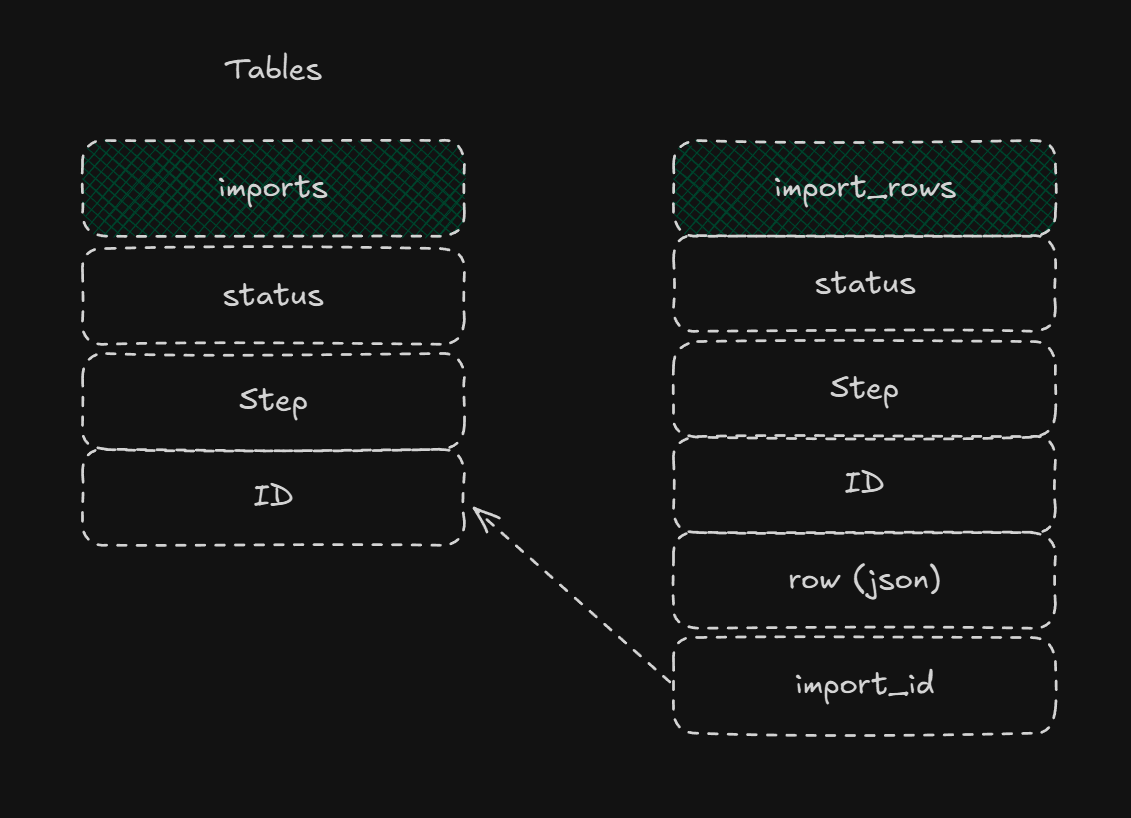
You can extend this further by having a “type” column for the imports table then you can have the workflow listen for that “type” to do the workflow needed. This way your users can have one place to upload any type of csv files and they all end up in the right database.
Breaking the “Complex” into the “Simple”
At this point it could be tempting to do “all” the steps here at once, upload the file, map it into the import_rows database, do the three enrichment steps and notify the user it is done! But even if that took less than a minute I would be tempted still to think smaller steps.
So we’ll do one step at a time and use that imports table to track the progress both for ourselves and for the user. Let me first show the steps we now will build out and how we manage the progress and order of them.
NOTE: I send the rows to the metadata column as JSON. This way if I have to run the import again I do not need the file since I have the raw data in the metadata column.
Steps
*✅ Insert all rows into the “generic” import_rows table. This allows us to “listen” to the event “import row created” and decide if it is the “type” of import to process.
From here all these steps are the “same” concept. Listen for an event, set up the workflow webhook to decide if it is an event it needs to handle, then run the process.
🟩Run Enrichment step 1 here we use a service to begin pulling in data related to the records
🟩Run Enrichment step 2 same idea different service rinse and repeat
All along we update the Import tables UI so the user knows exactly what “step” we are on in a human readable format. More on that later.
🟩Final notice to the user of the progress including errors and completed count
Let’s take one “step” and show how we trigger it, how we batch the process inside of it, and then how we can mark it as done.
Step Enrichment
Once the file is uploaded, the backend takes over. Here’s how I break that down.
Let’s look at this step. How does this workflow know when to start? What is it “listening” for?
[
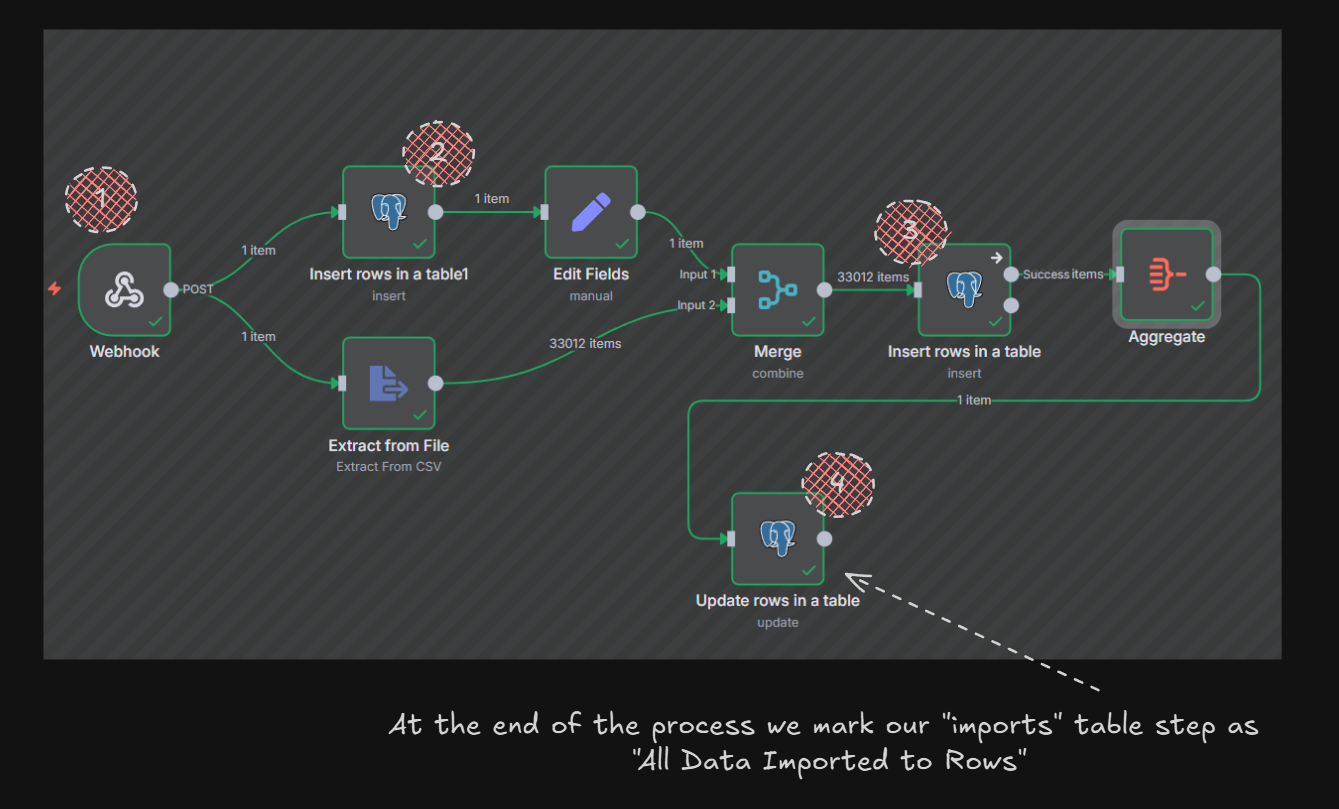
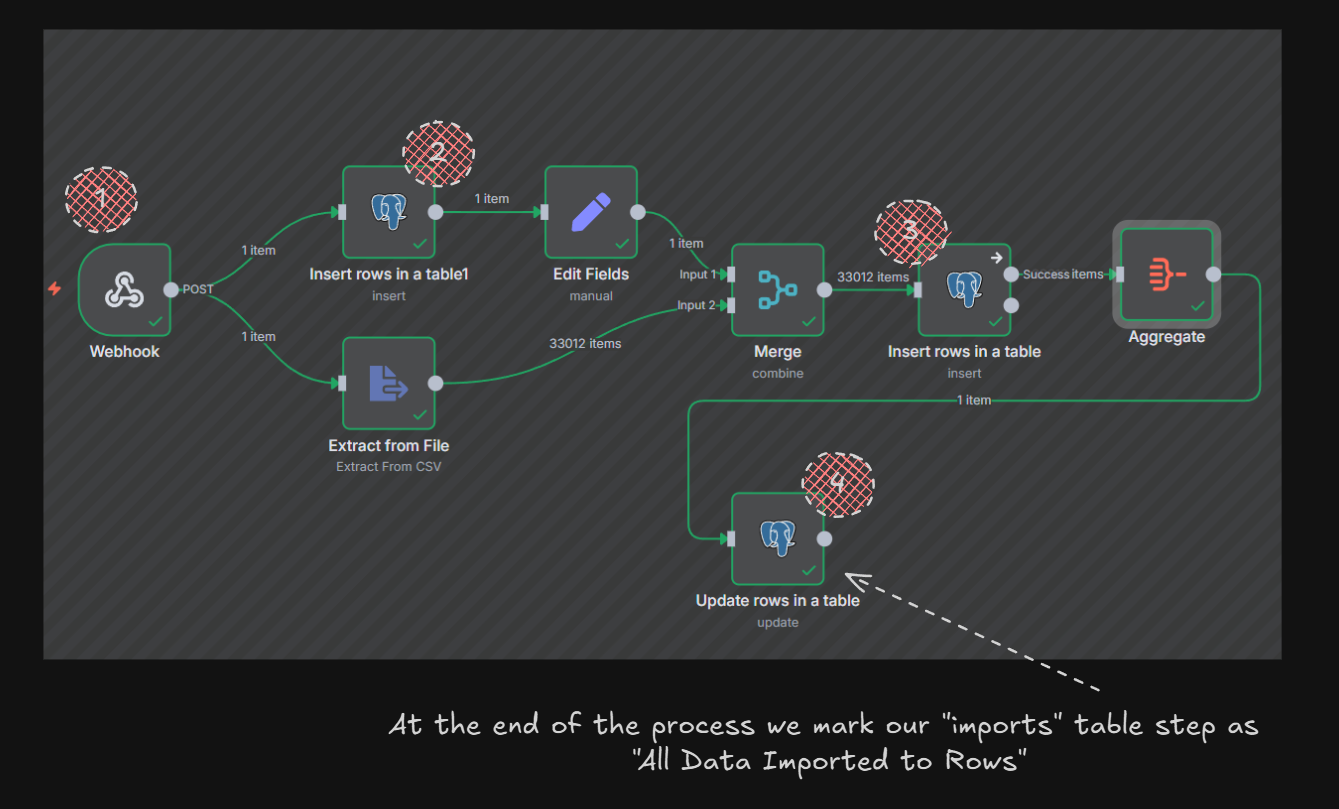
So the files comes into the “webhook” in #1 then we make a row in the “imports” table with the status “running” and the “step” as “Processing file into Import Rows”, #3 we insert all that data into the “import_rows” table tracking the related “import_id” relationship and then #4 we mark the “imports” table as “Ready for Enrichment”
Listening for the Event
The way I will do this is with Supabase Database Integrations but there are so many ways to do this pattern.
[
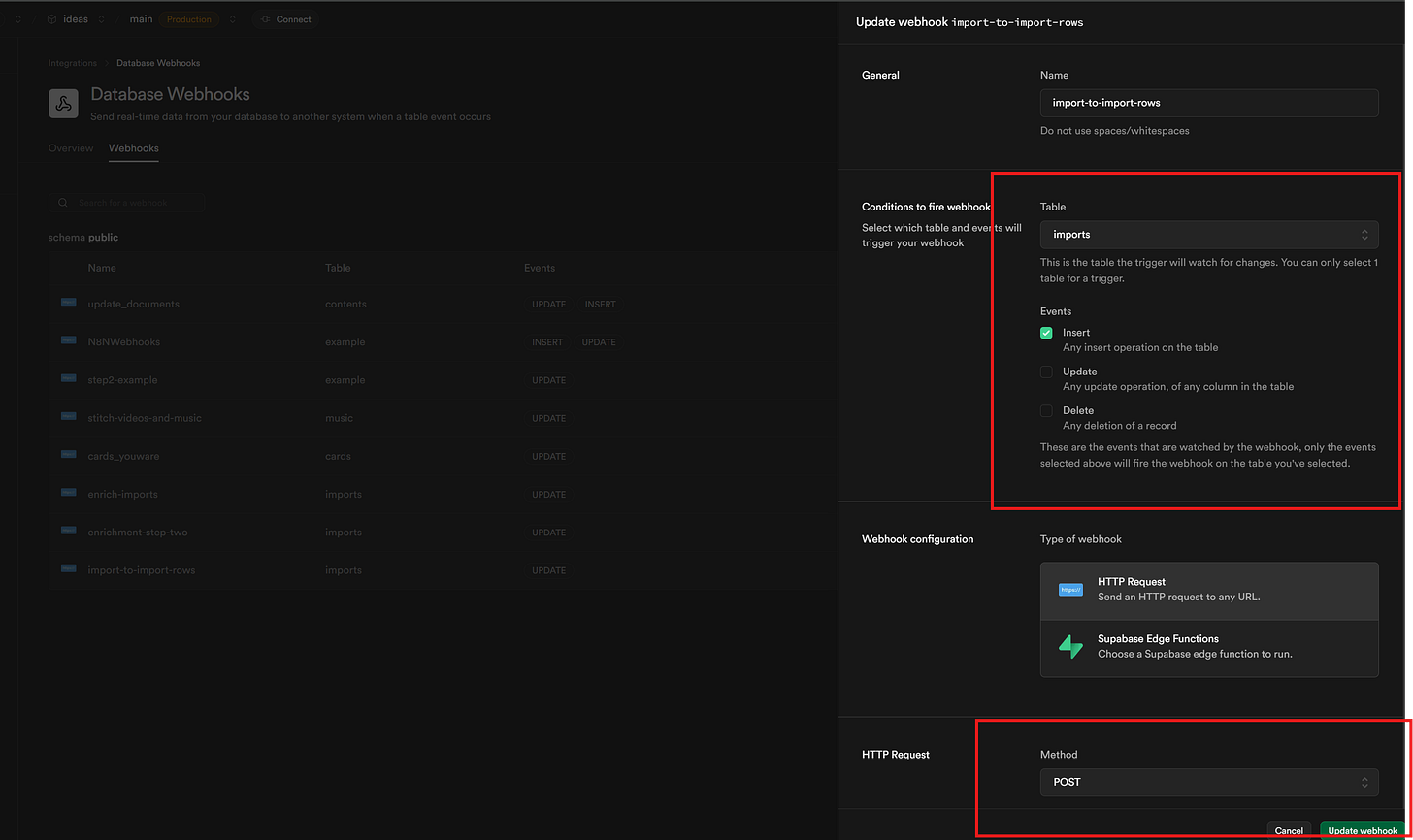
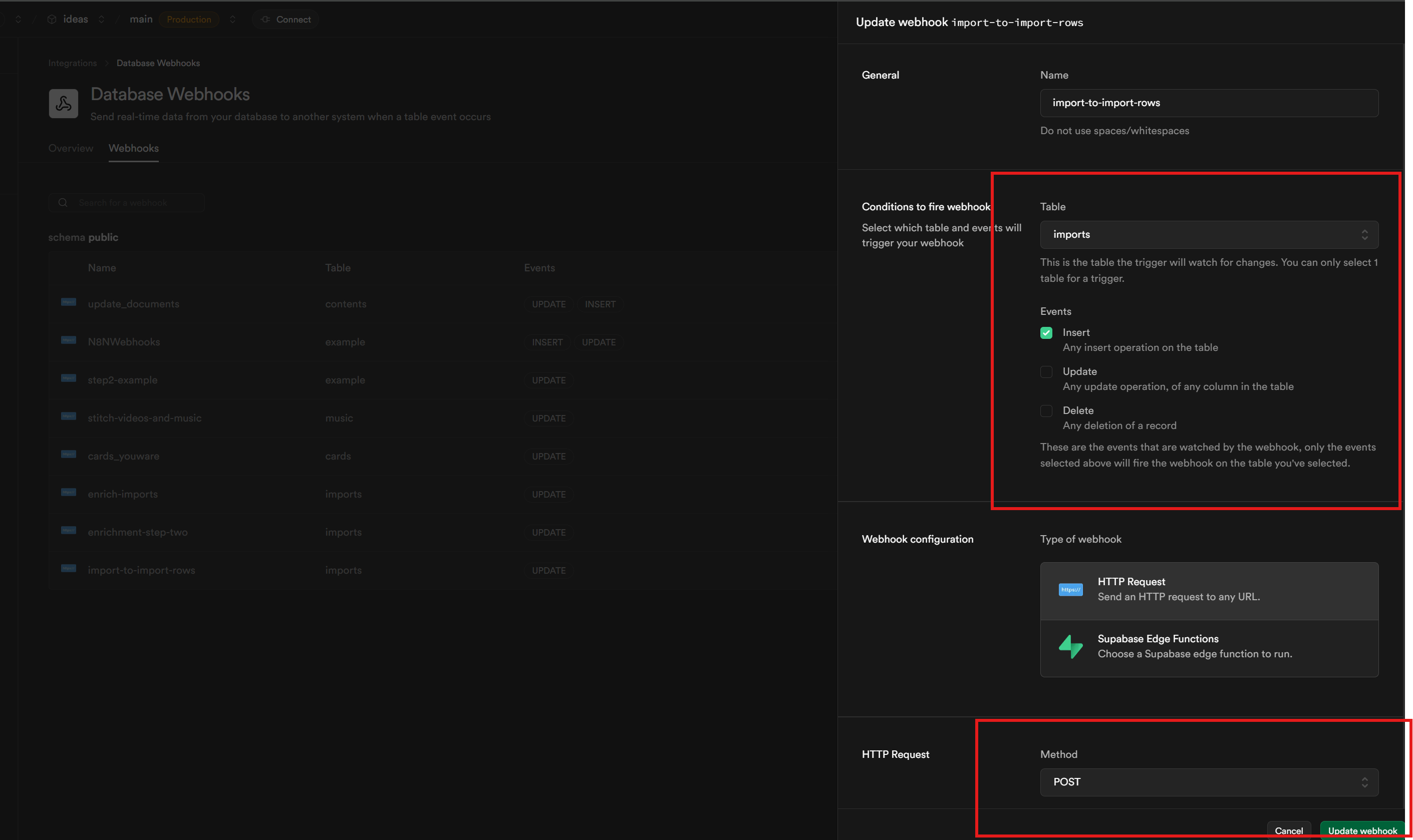
We can see the Integration here as I tell Supabase for every Insert into the imports table send a POST to the url (under the post area). And that is it.
Lets look again at Event -> Listen -> Event in this flow
Upload → Store → Enrich Step 1 → Enrich Step 2 → Notify User
[
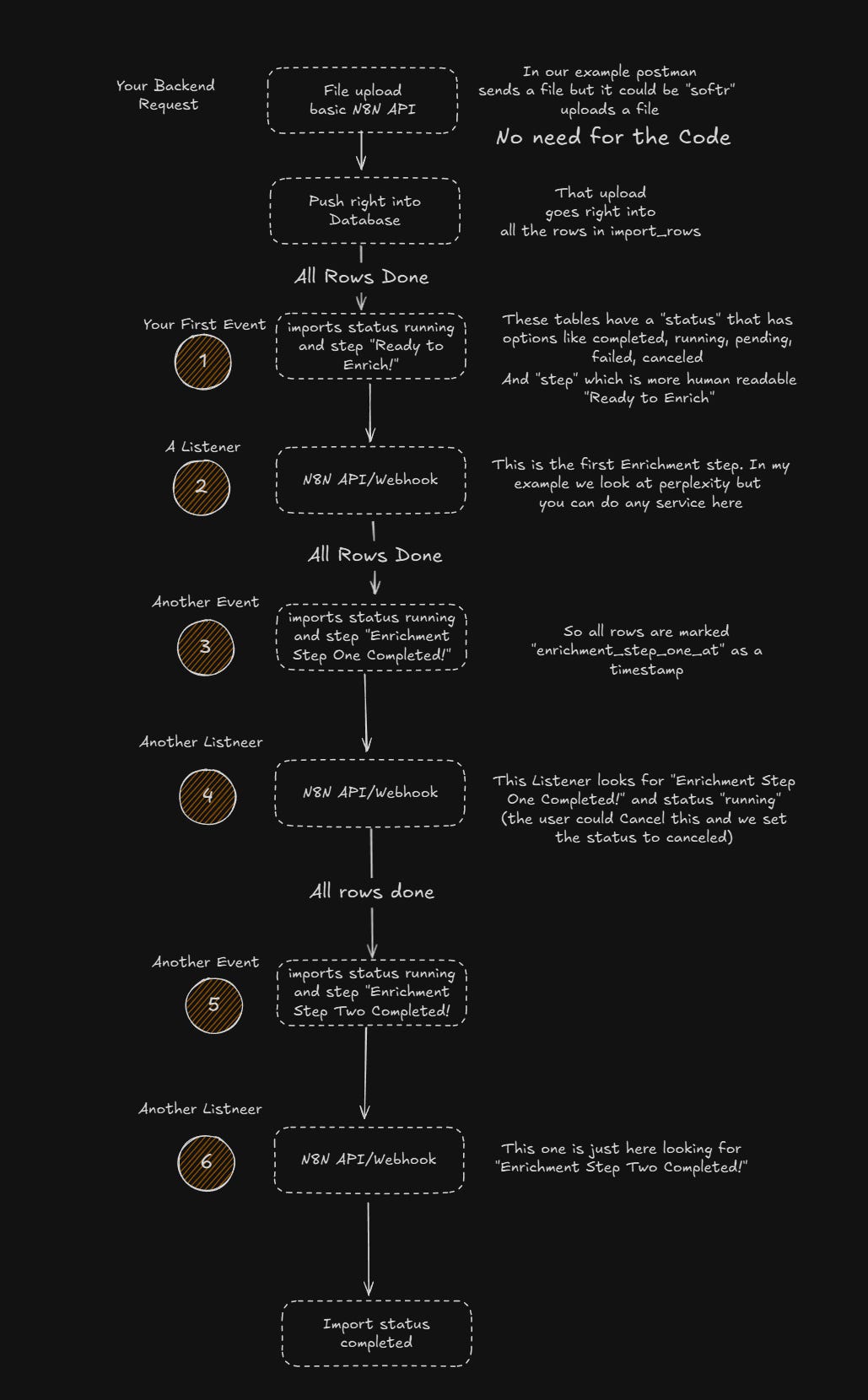
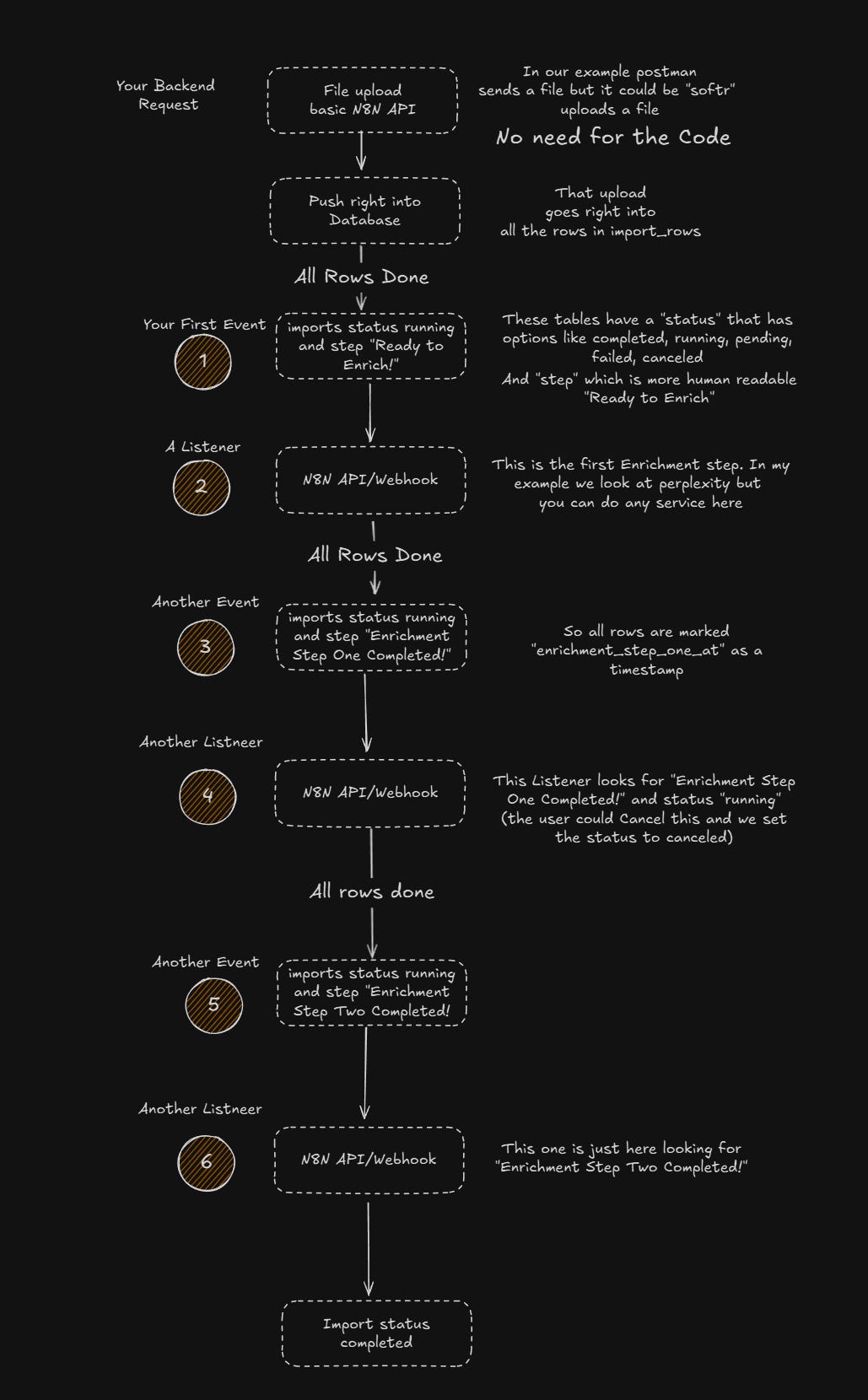
Ok so lets see this from the users perceptive then N8N Workflows
Postman uploads the file (I later move it into Softr.io)
{
“id”: 13,
“status”: “running”,
“step”: “Ready to Enrich”,
“name”: “amherst_northampton_businesses.csv”,
“page”: 1,
“total_rows”: 54,
“per_page”: 1000,
“total_pages”: 1,
“updated_at”: “2025-10-20T22:50:04.691Z”
}
Alright lets go look!
[
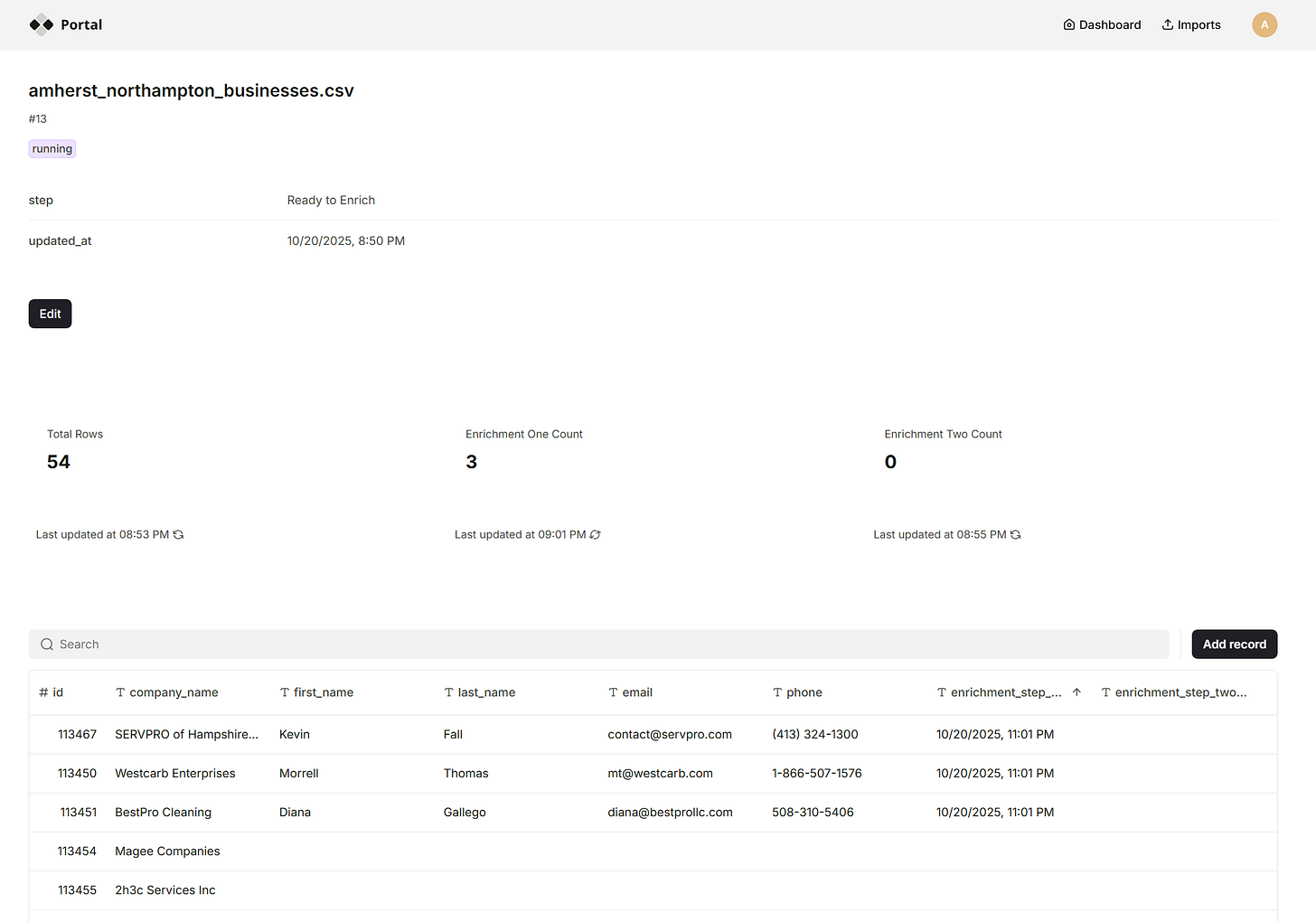
The user can see it going into the system. We are using Perplexity here to just make this step work but so many options out there.
[
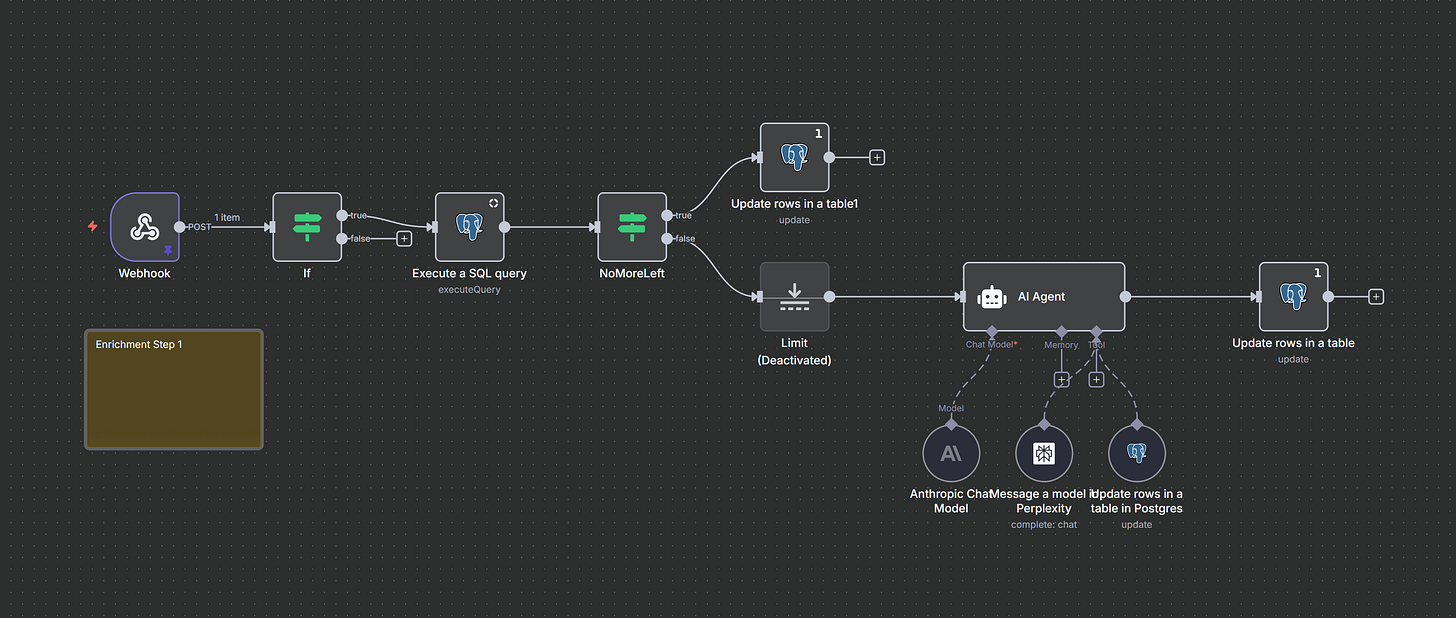
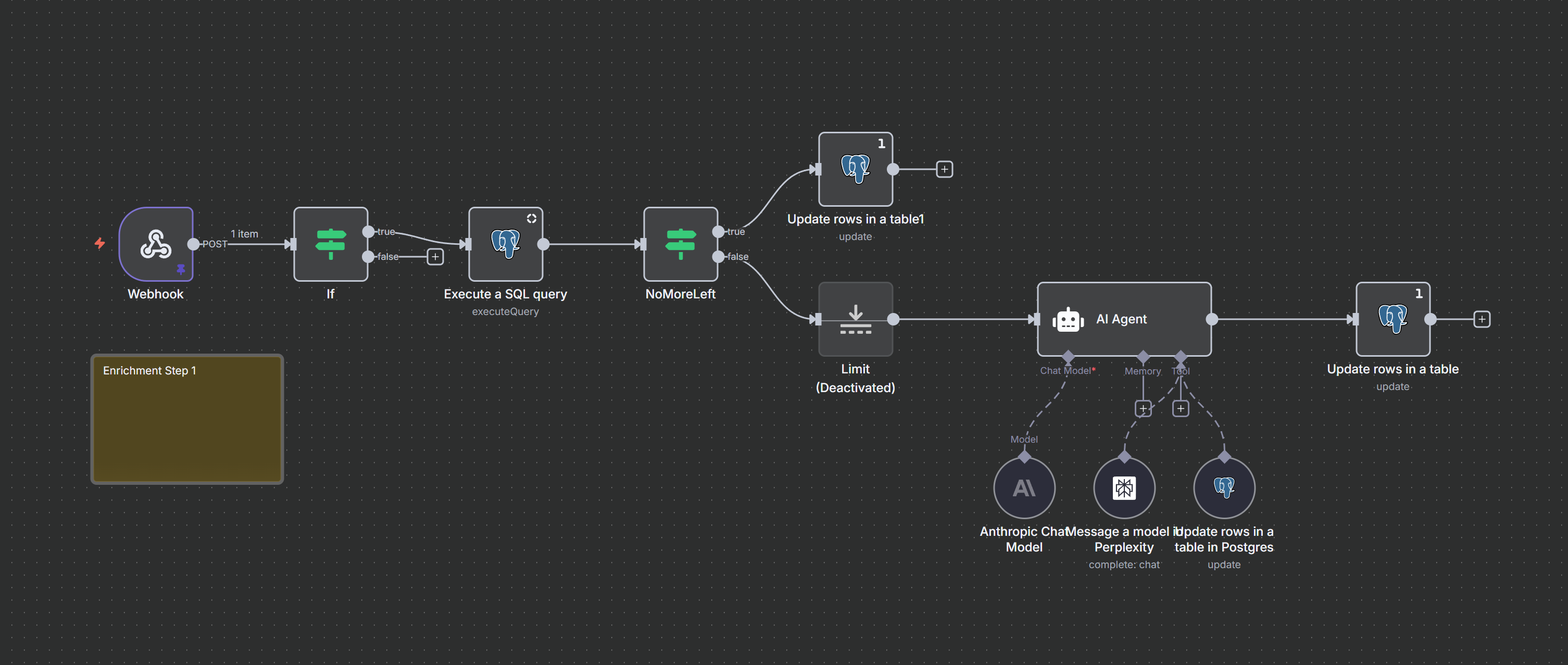
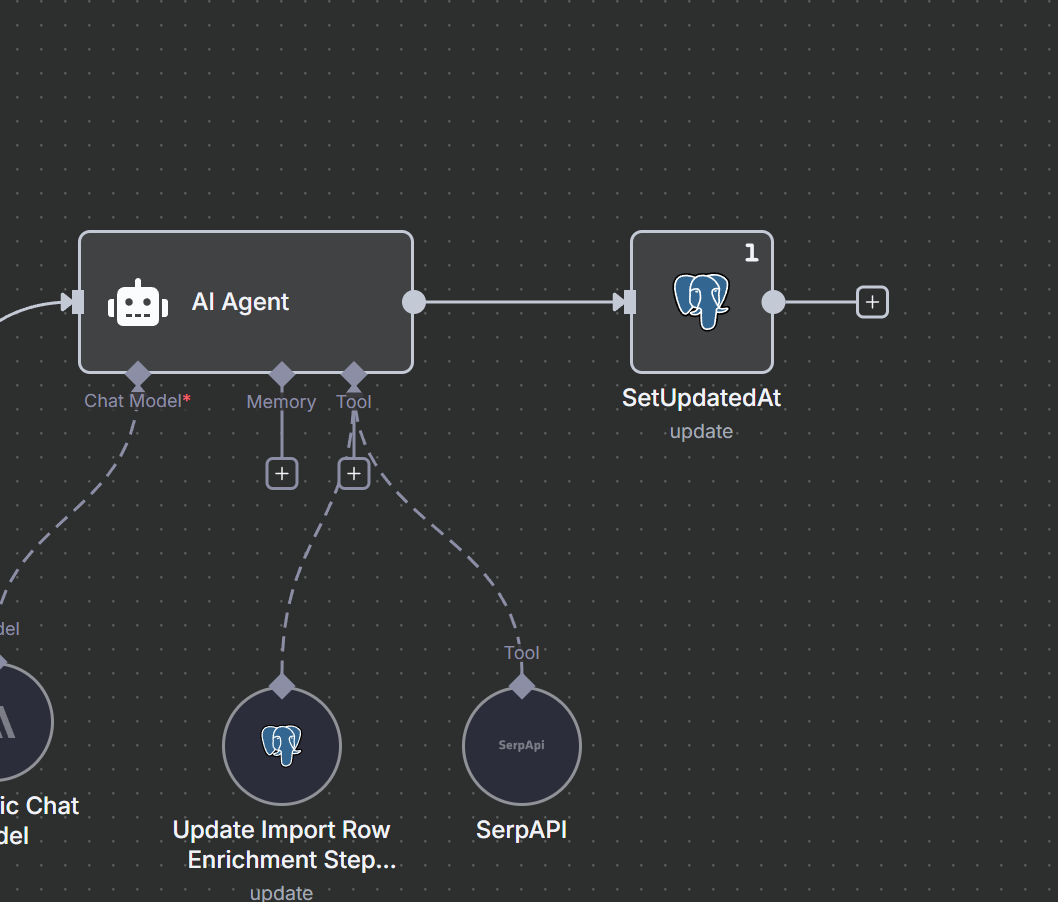
NOTE at the end of the Ai Agent I update the “imports” as seen below. {{ $now}} for updated_at this kicks off the Listener again so this runs again till there are “no results”
[
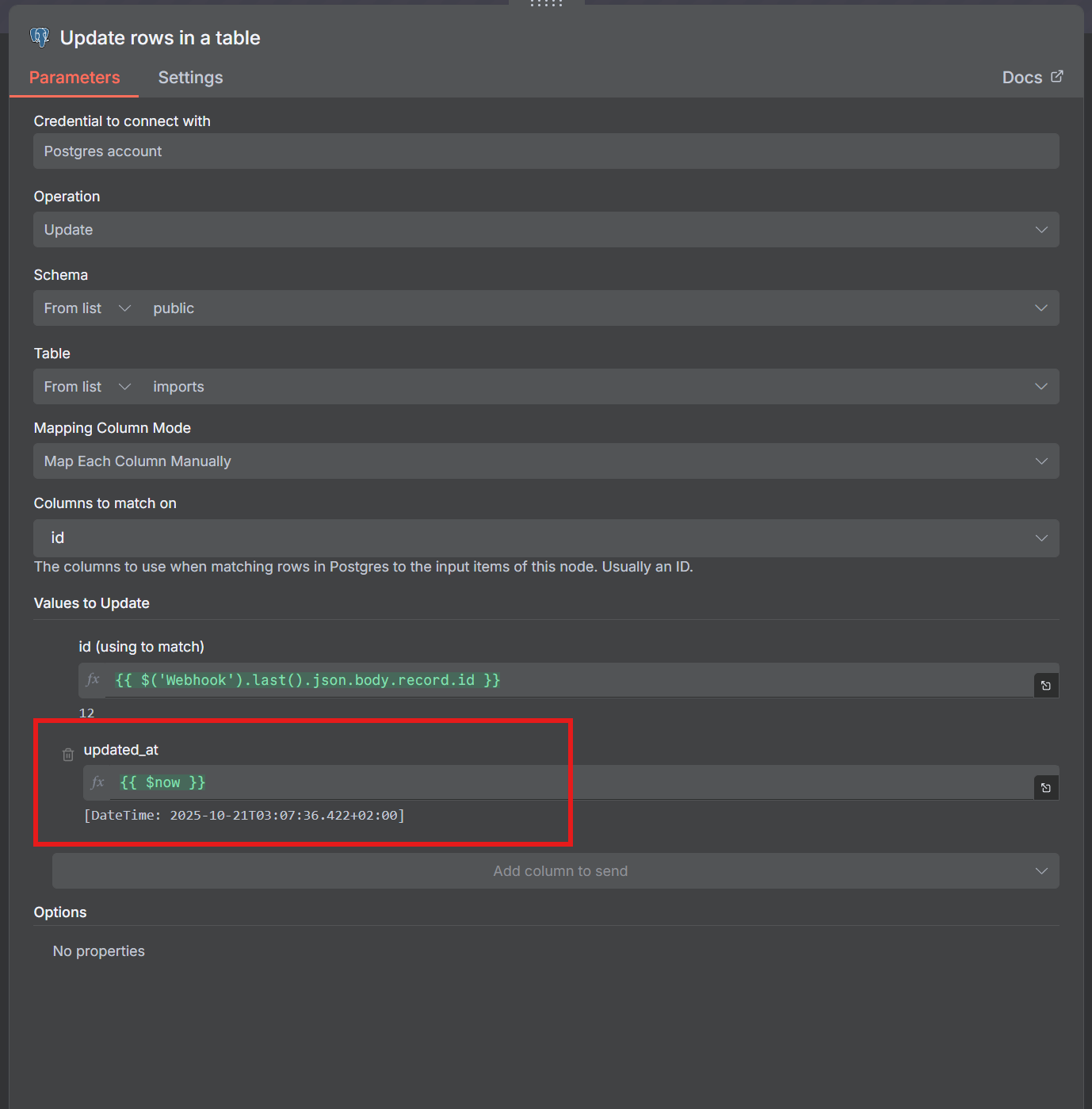
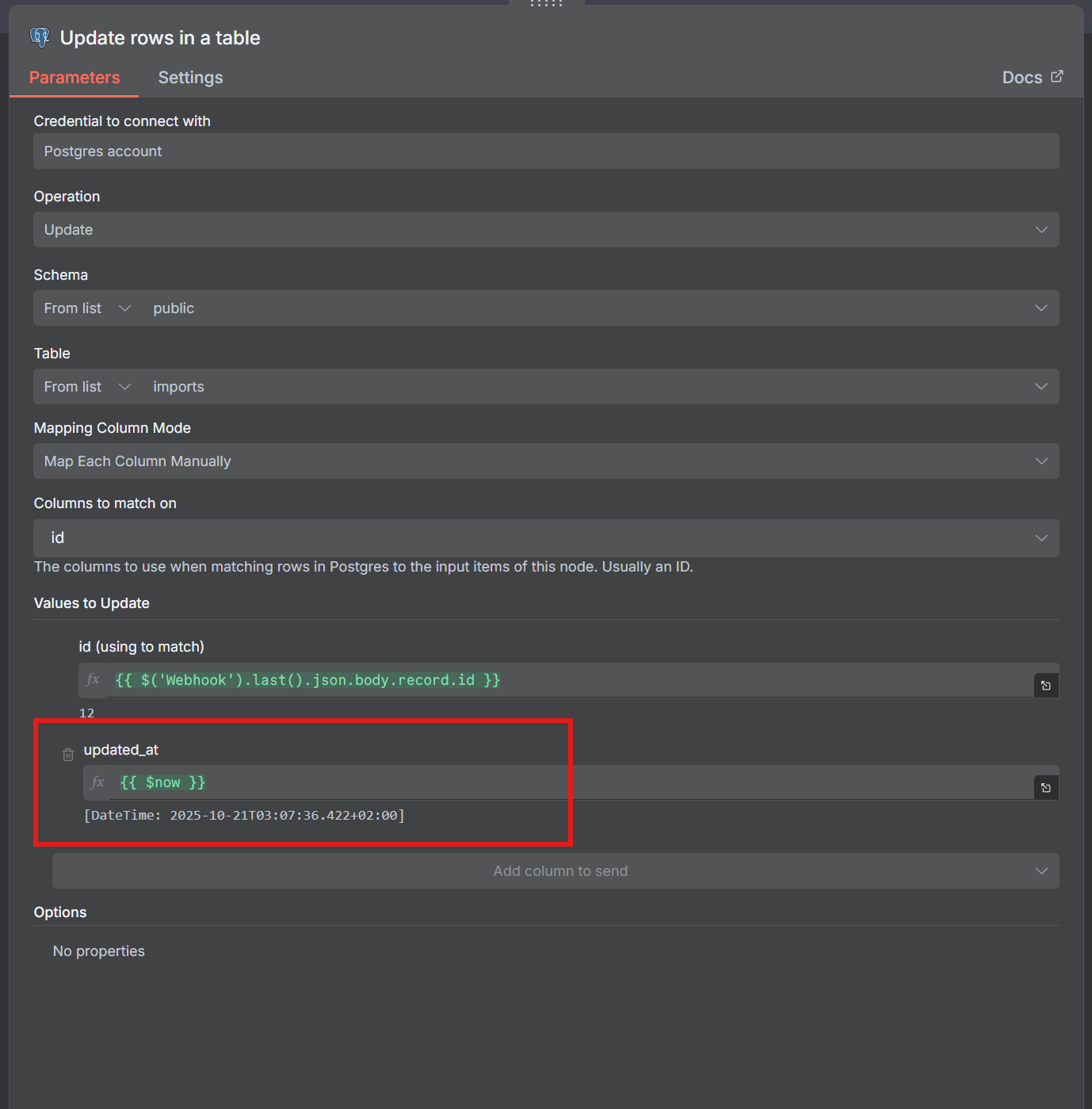
Also note how I query and handle “no more results”
[
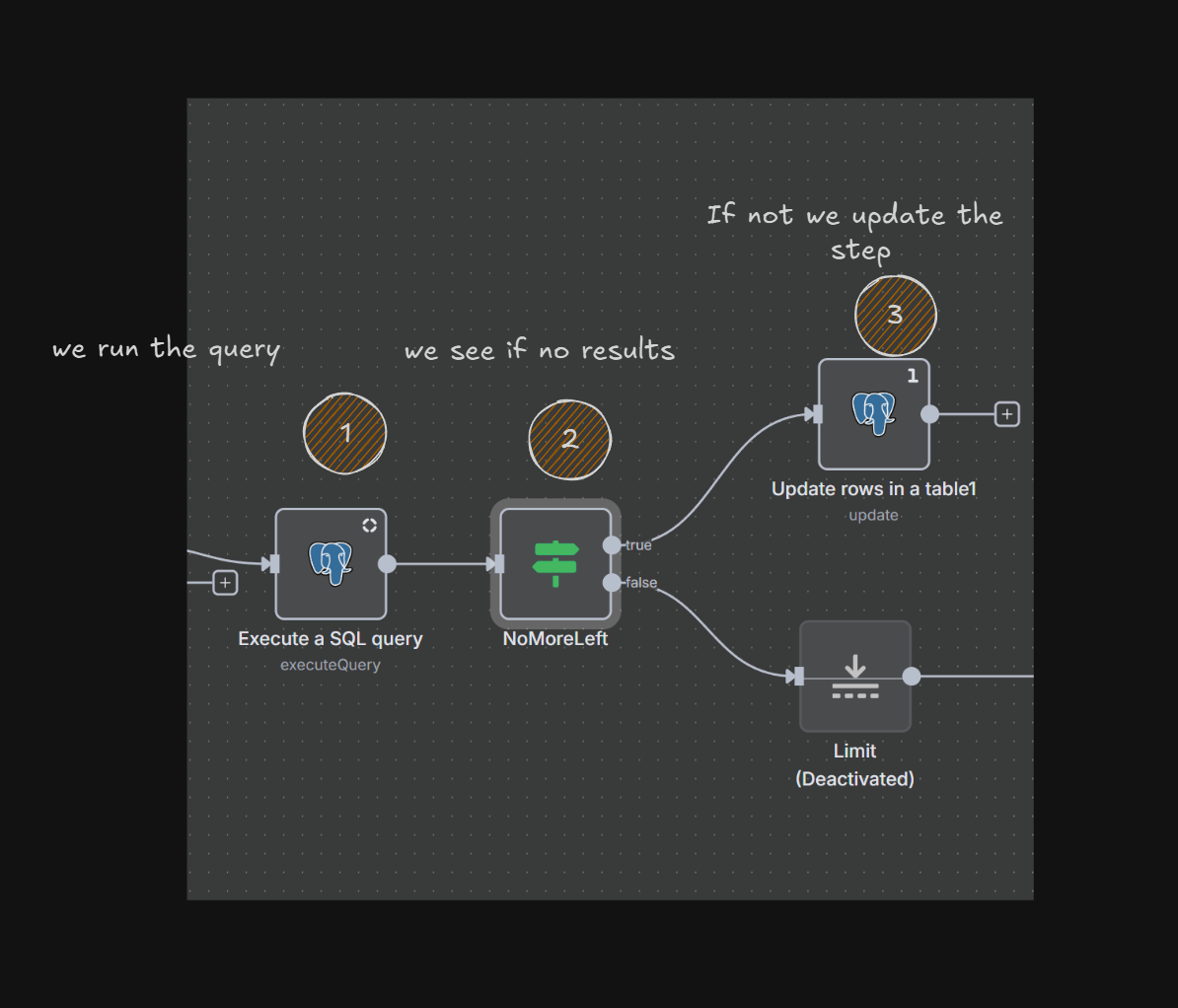
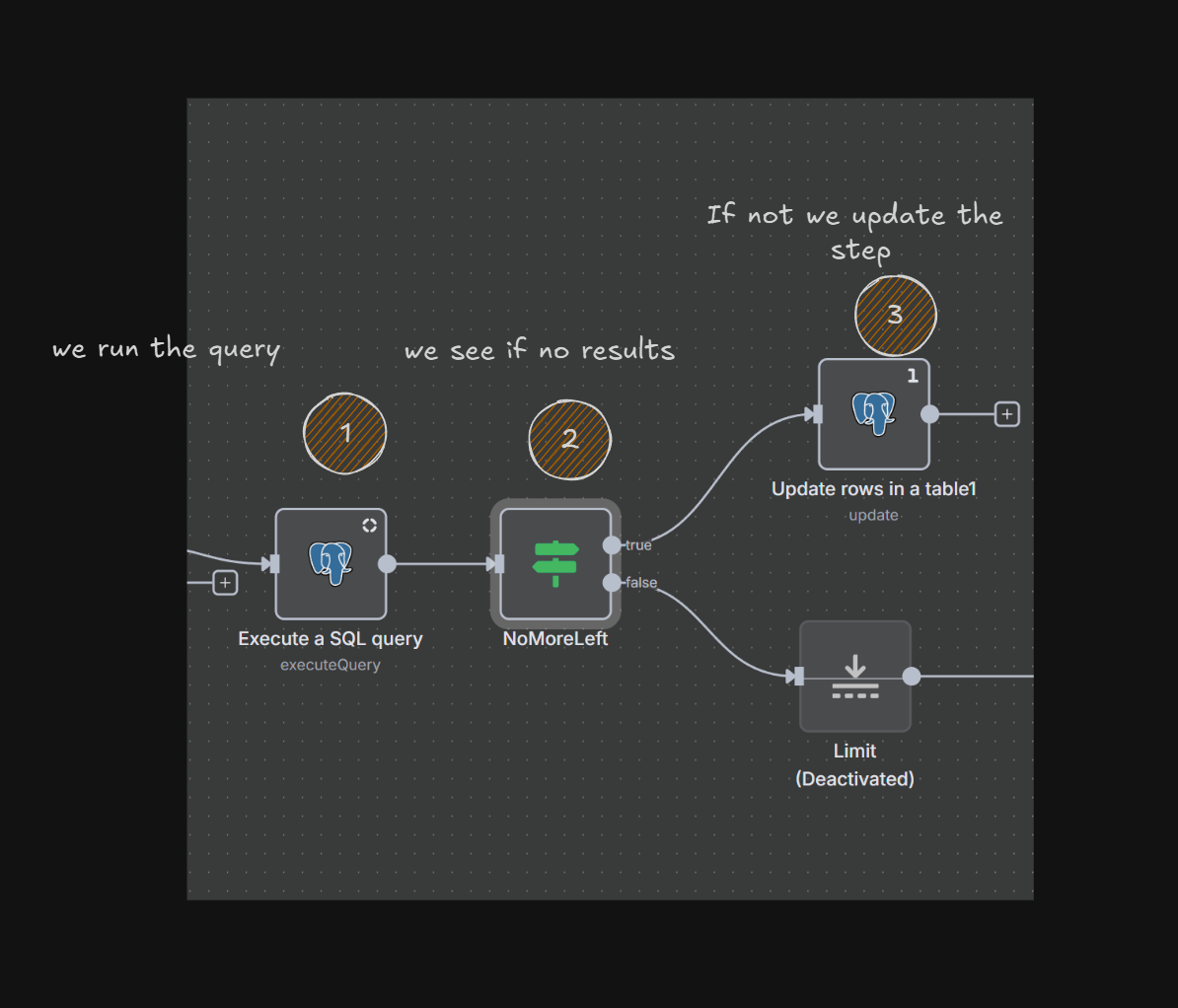
The query is something like this
SQL
select * from import_rows where enrichment_step_two_at
IS NULL and phone = ‘’ and import_id = $1 limit 10
So when there are “no results”
[
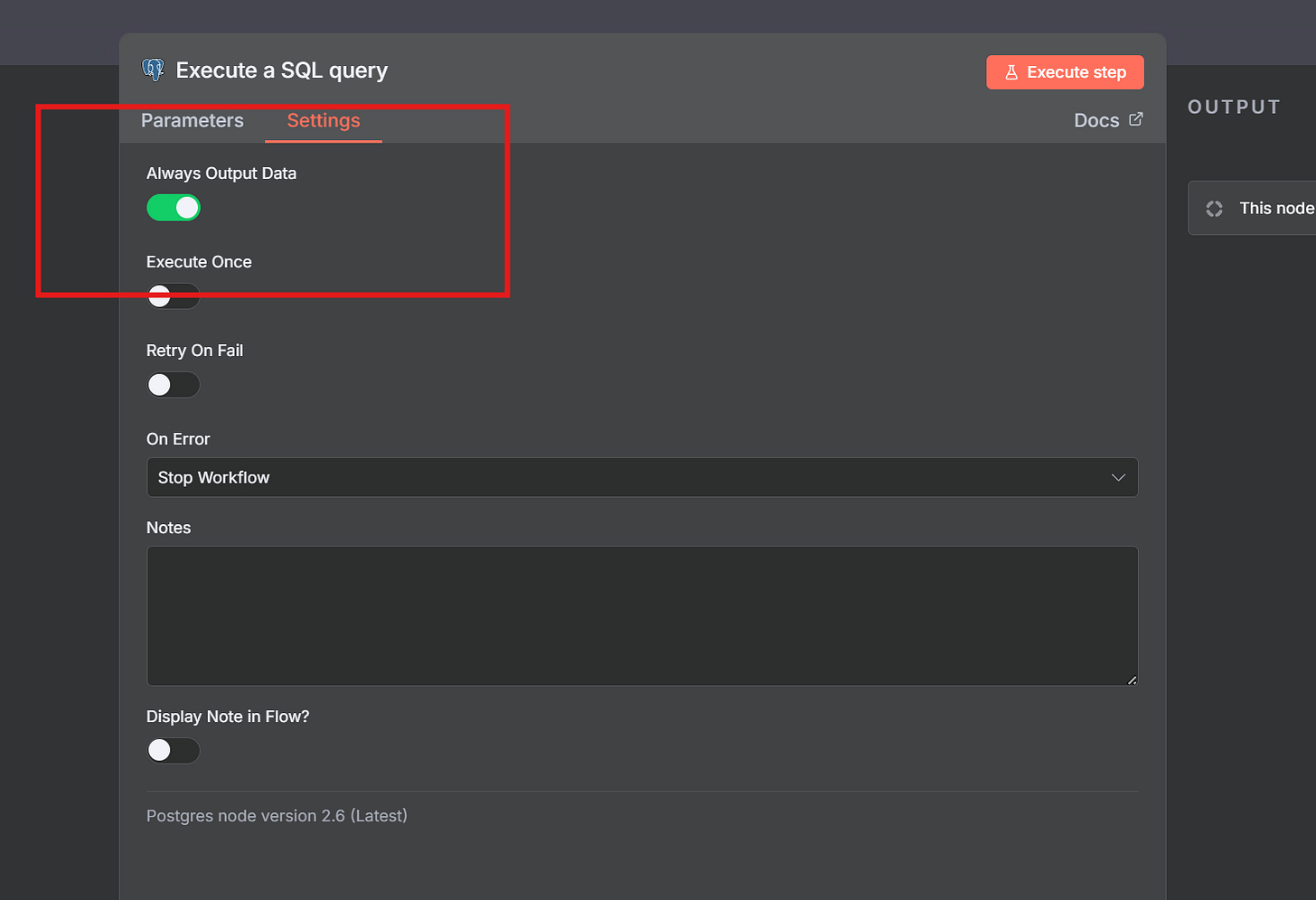
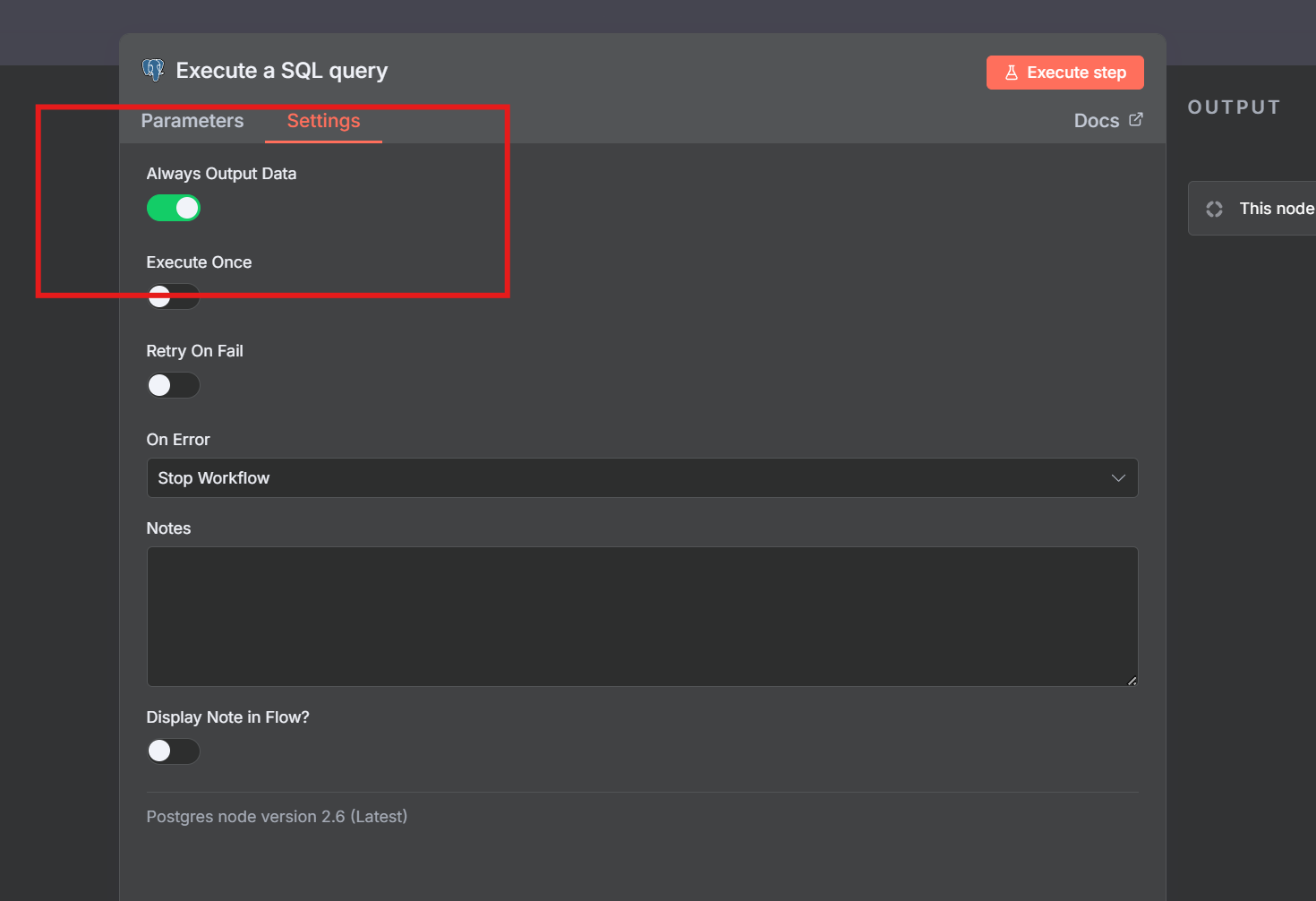
And the If Statement is and “Empty Object”
[
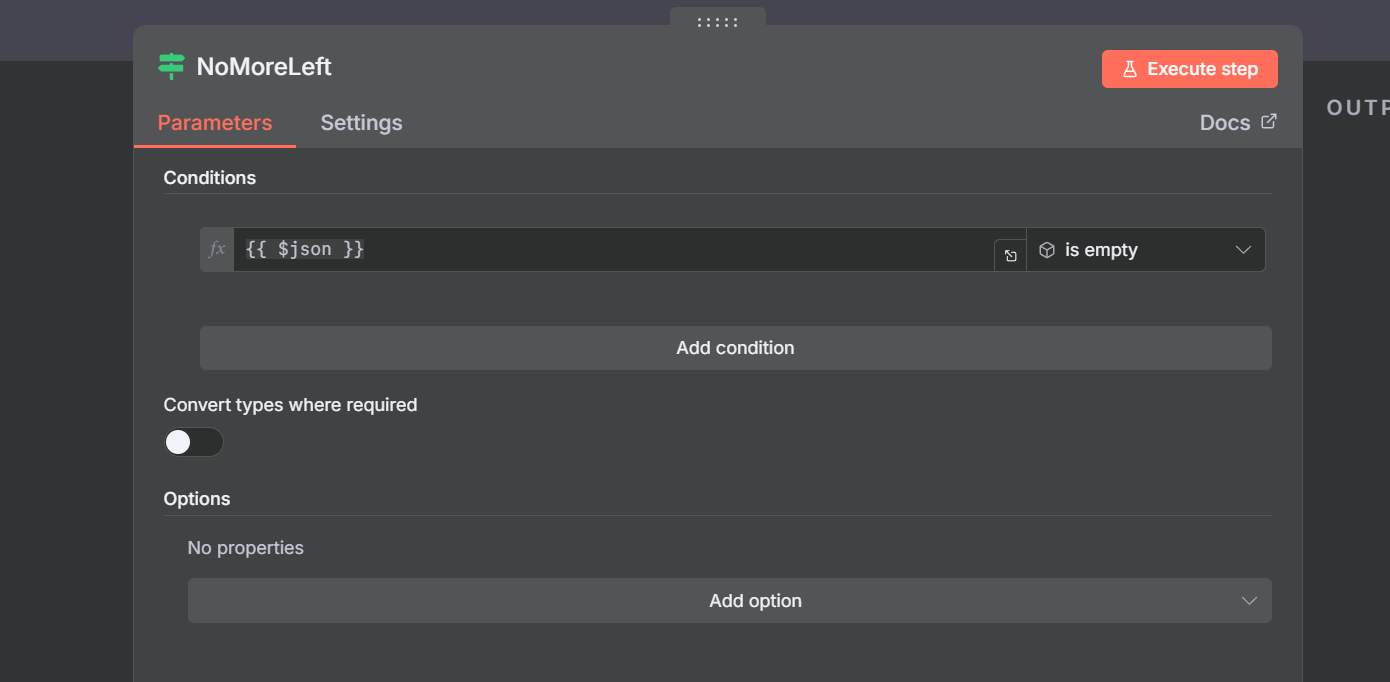
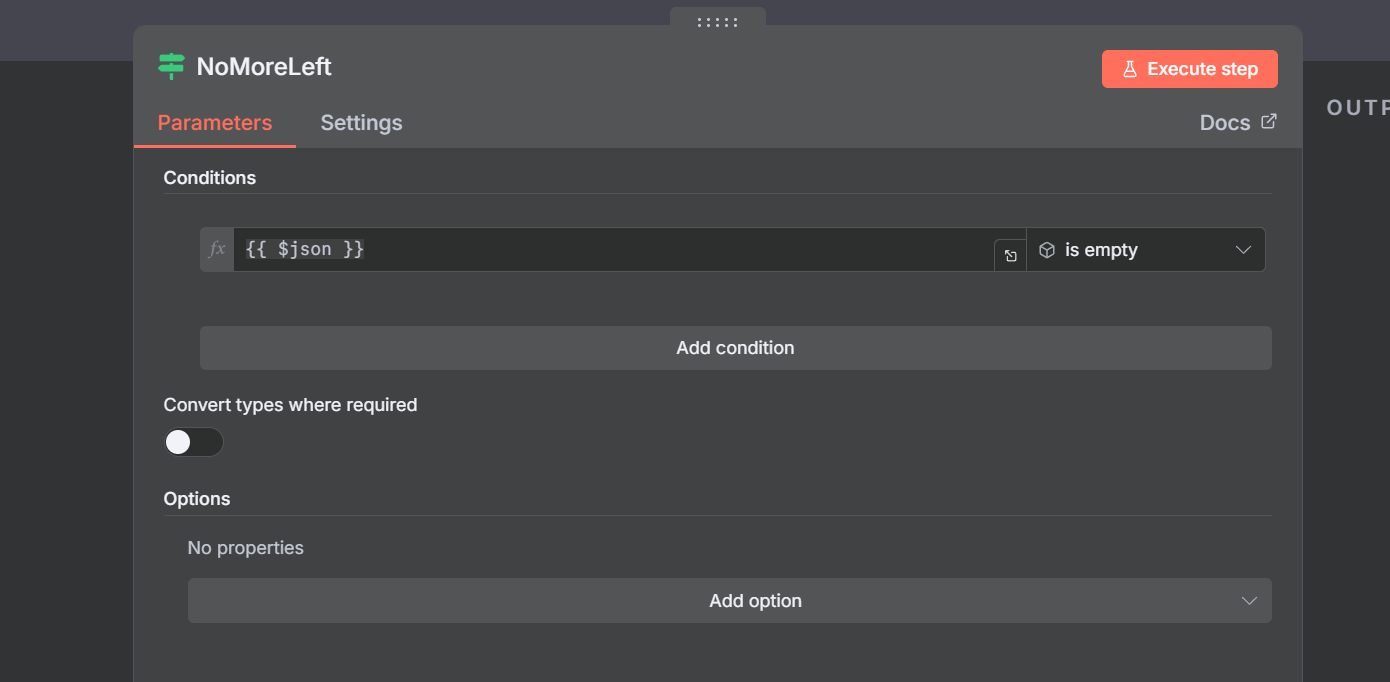
Then it will change the Step so some other Listener can pick up on it.
And then Enrichment Two kicks in when that one is done
[
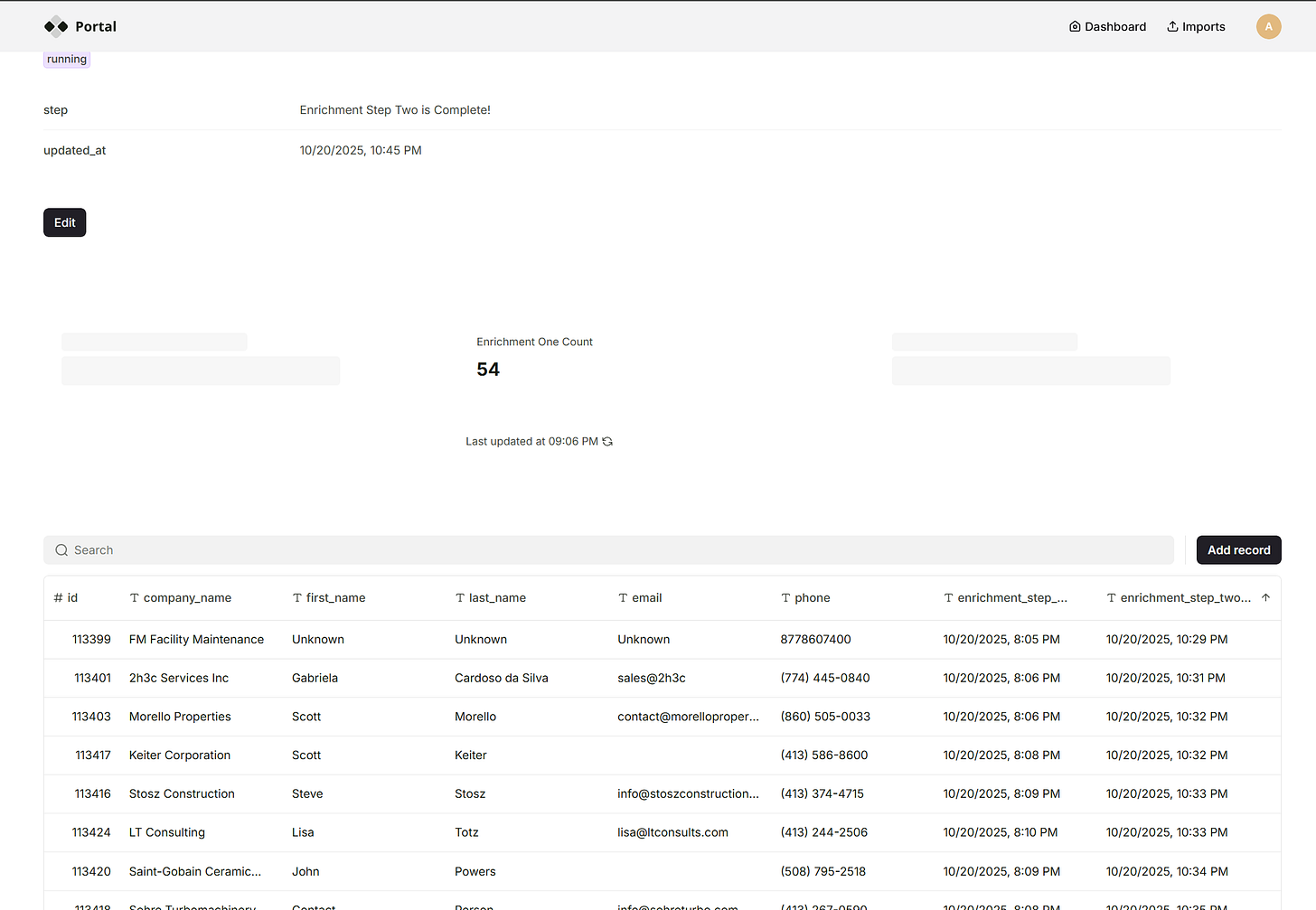
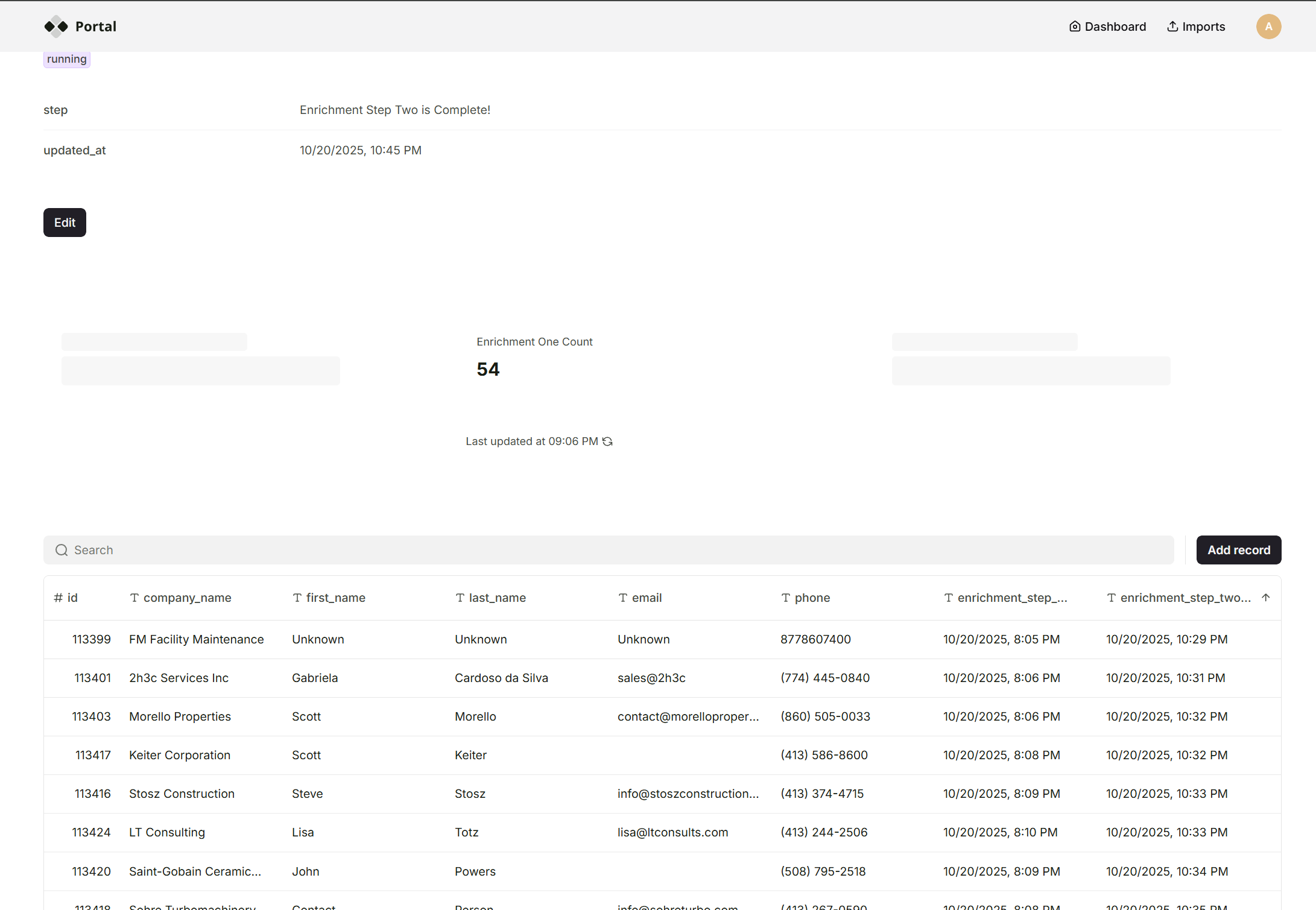
Risks and Gotchas!
Loops!
These loops are where no-code meets real software engineering — you start thinking like a backend dev, guarding against runaway processes.
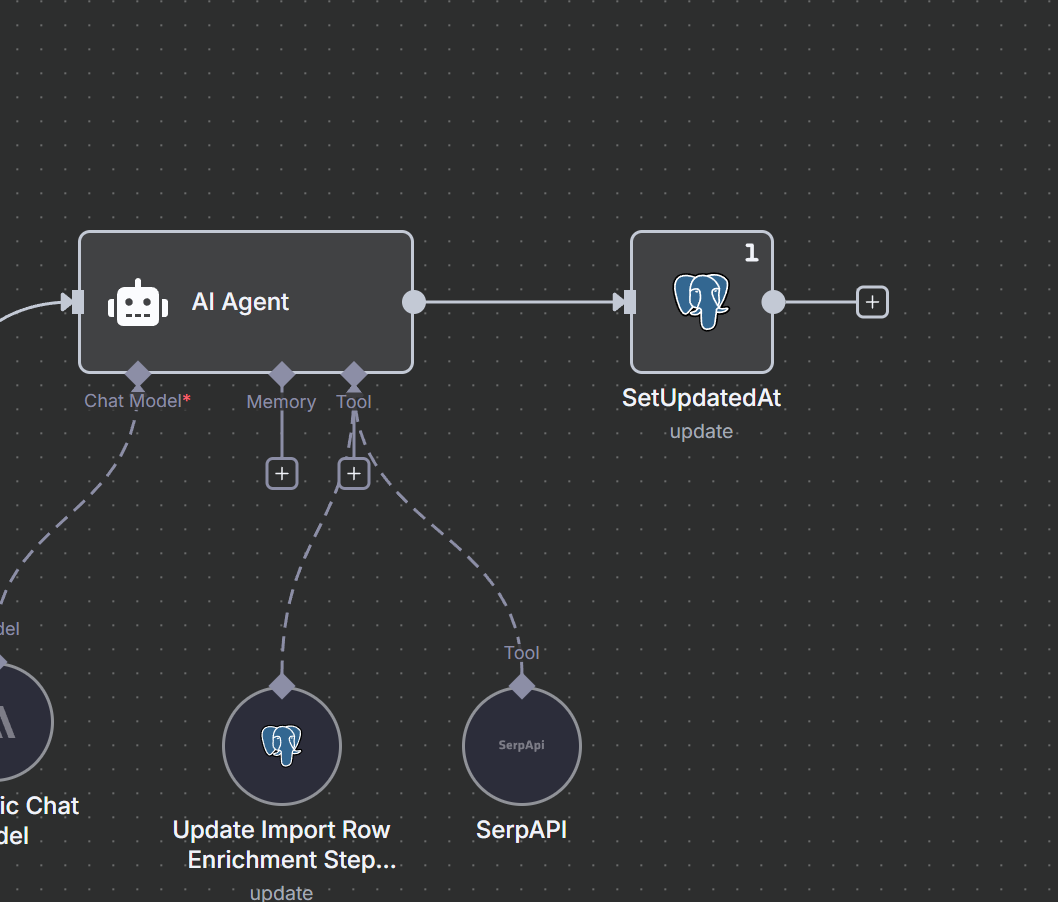
This is tricky you might like I did forget to set this last node to “Execute Once”
[
[
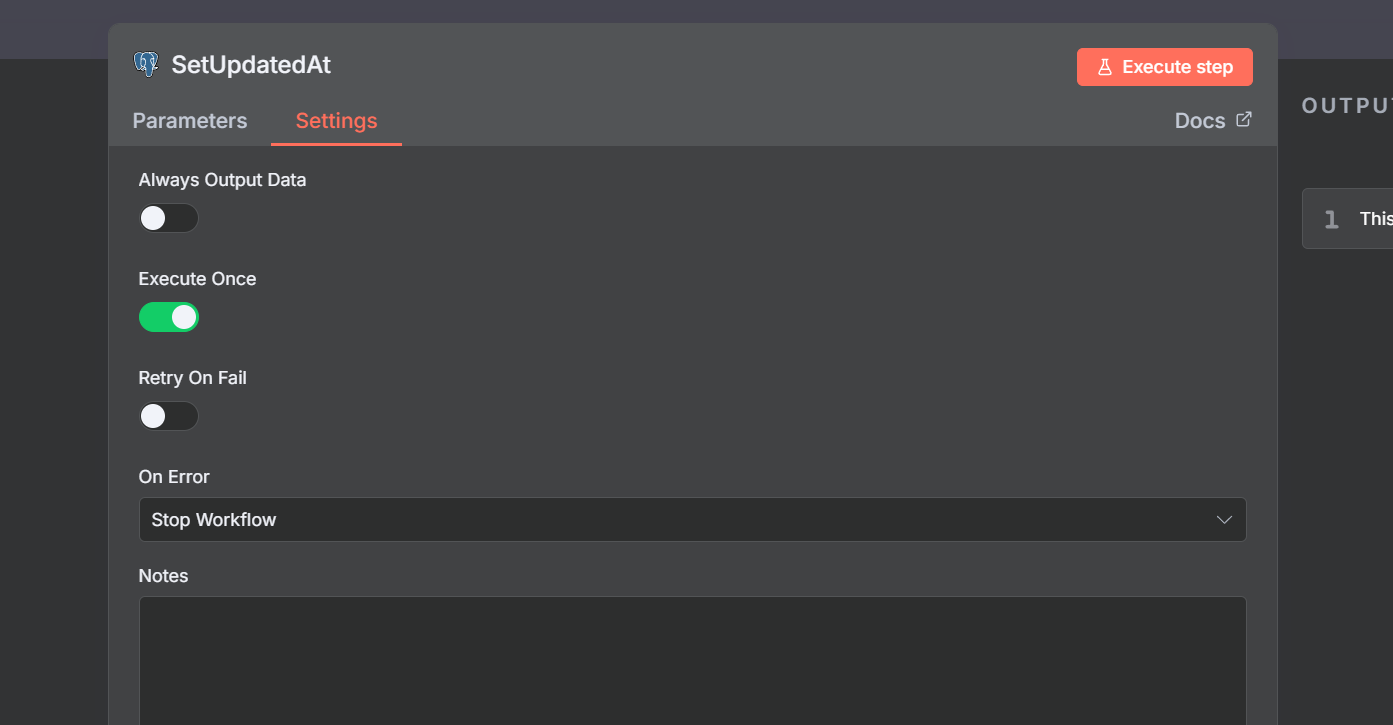
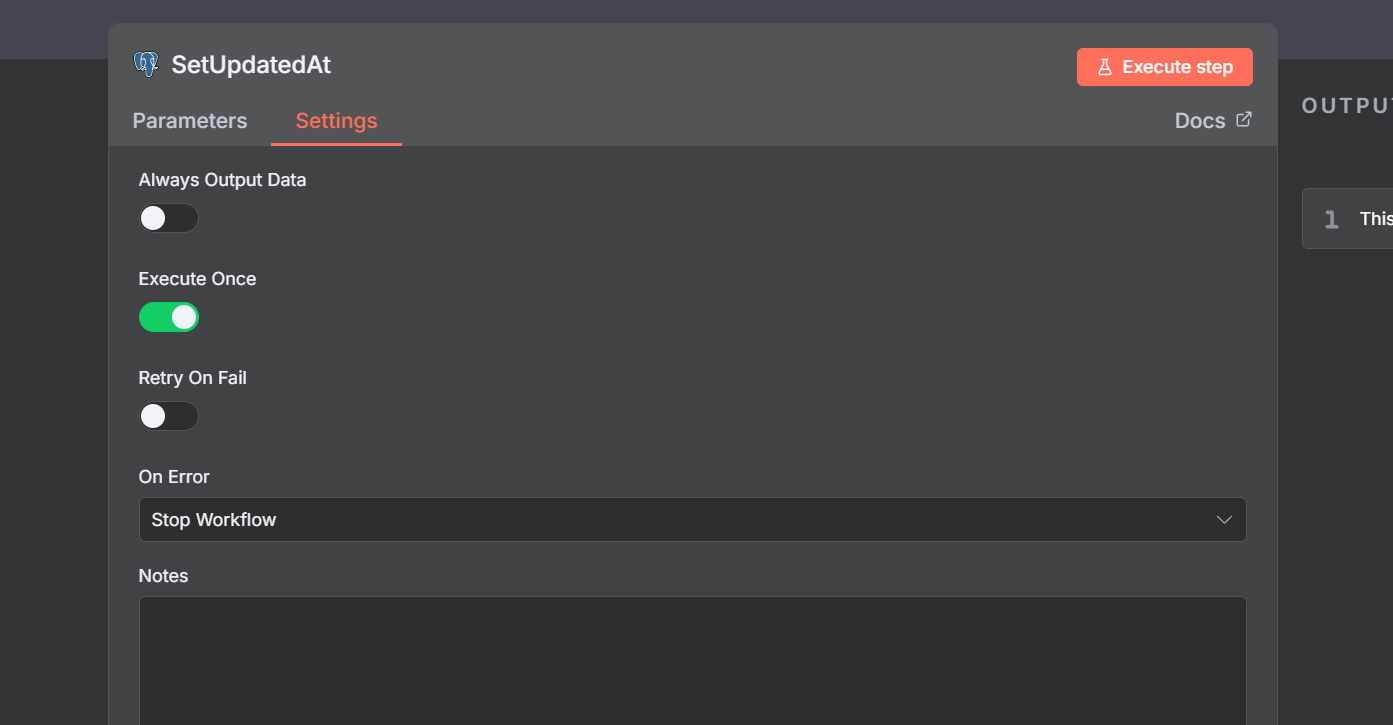
And boom! There goes a ton of ai tokens and more :(
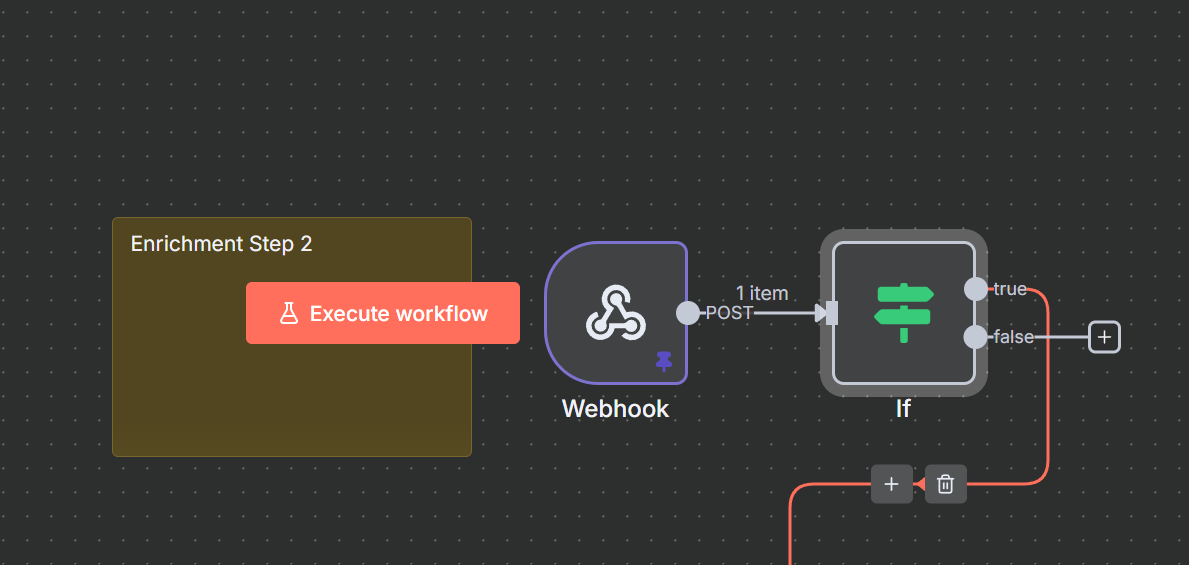
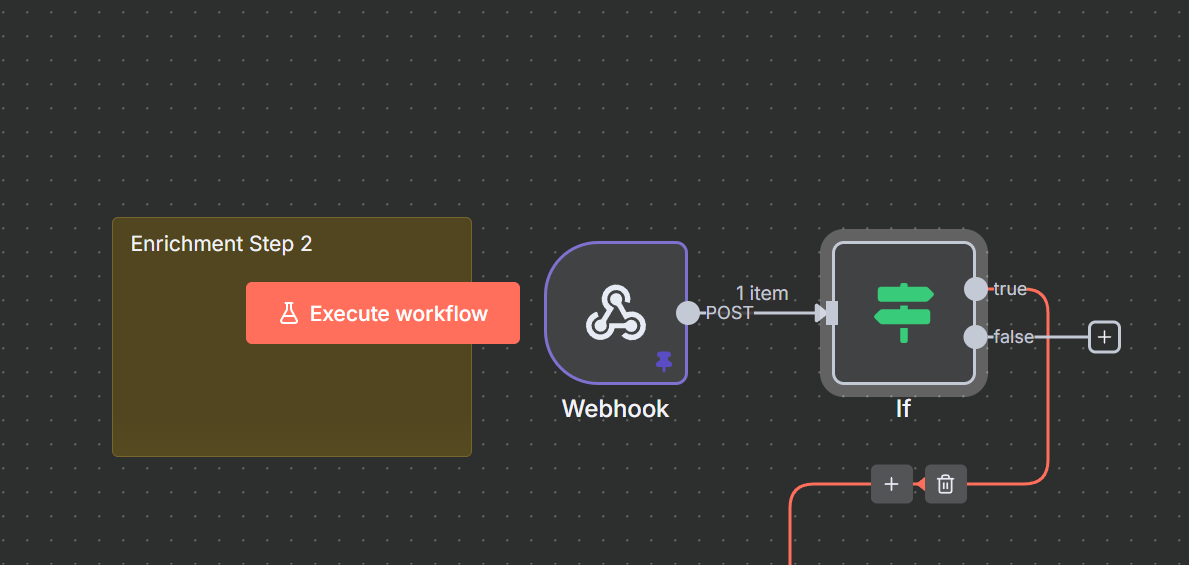
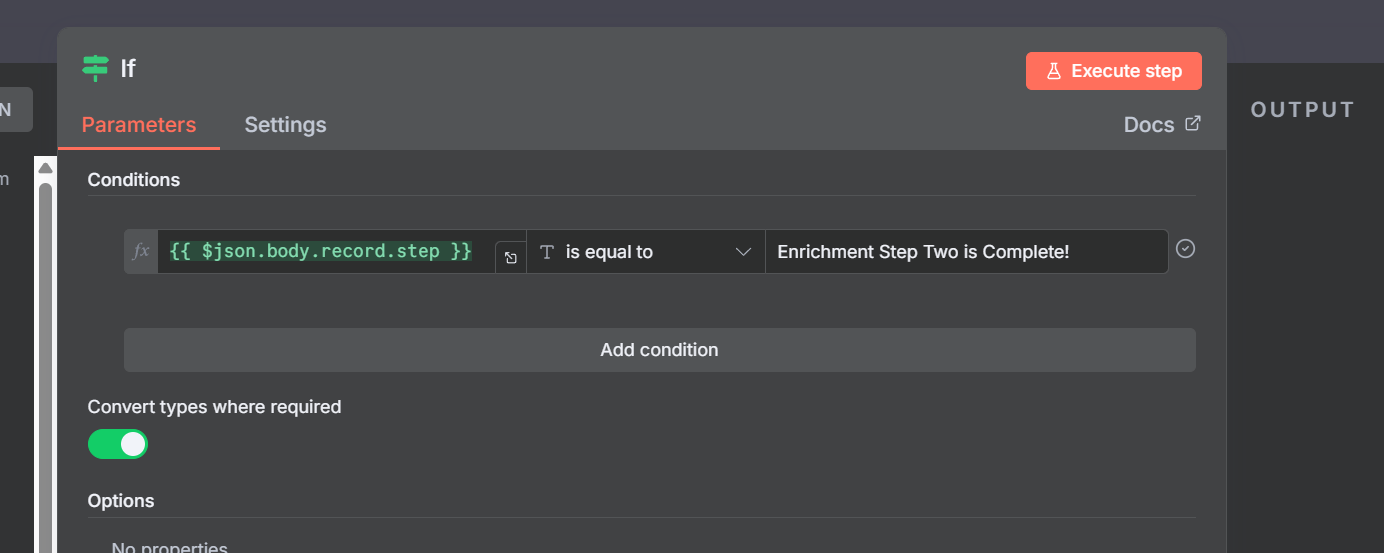
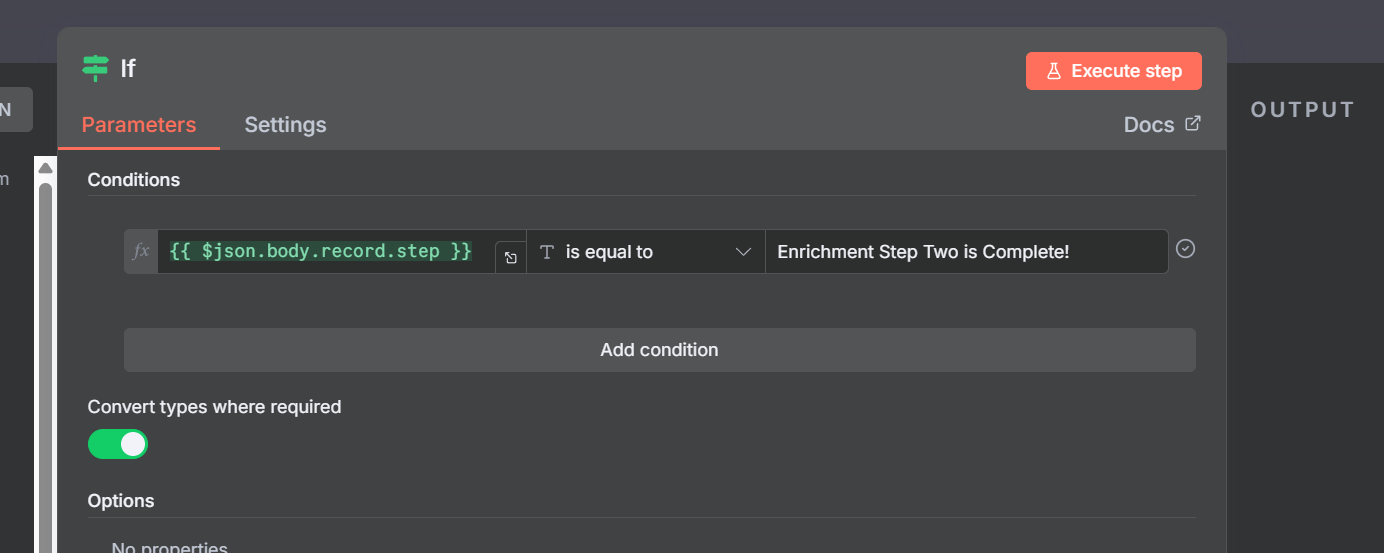
Or you may cause a loop for example if the “If” node is not there then this listener will run even if the step is not the right step.
[
[
Workflows!
Below are the three workflow
-
File Upload
-
Enrichment One
-
Enrichment Two
👉 https://dailyaistudio.preview.softr.app/
And the schemas if you want to run it are simply
Schema
create table public.imports (
id integer generated by default as identity not null,
status text null,
step text null,
name text null,
page integer null,
total_rows integer null,
per_page integer null default 1000,
total_pages integer null,
updated_at timestamp without time zone null default now(),
constraint imports_pkey primary key (id)
) TABLESPACE pg_default;
create trigger trigger_set_total_pages BEFORE INSERT
or
update on imports for EACH row
execute FUNCTION set_total_pages ();
create trigger “event-ready-part-two”
after
update on imports for EACH row
execute FUNCTION supabase_functions.http_request (
‘https://YOUR_DOMAIN/webhook/part/two’,
‘POST’,
‘{”Content-type”:”application/json”}’,
‘{}’,
‘5000’
);
create trigger “enrichment-step-one”
after
update on imports for EACH row
execute FUNCTION supabase_functions.http_request (
‘https://YOUR_DOMAIN/webhook/part/one’,
‘POST’,
‘{”Content-type”:”application/json”}’,
‘{}’,
‘5000’
);
create table public.import_rows (
id integer generated by default as identity not null,
raw_data jsonb null,
import_id integer null,
enrichment_step_one_at timestamp without time zone null,
enrichment_step_two_at timestamp without time zone null,
first_name text null,
last_name text null,
company_name text null,
phone text null,
email text null,
constraint import_rows_pkey primary key (id),
constraint import_rows_import_id_fkey foreign KEY (import_id) references imports (id)
) TABLESPACE pg_default;