Looping and N8N Quick Dive
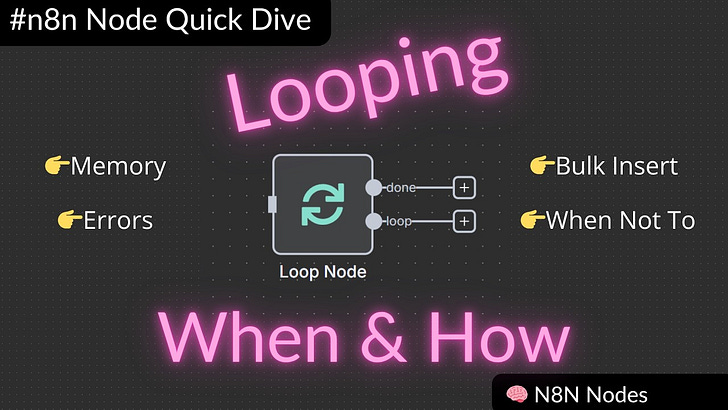
Understanding when to use loops in n8n can be challenging at first. This guide walks through several practical examples to demonstrate when loops are necessary and when n8n's built-in processing is su
Workflow is below
👉The workflow can be seen here
When You Don’t Need a Loop
n8n has built-in looping capabilities that handle many scenarios automatically. When retrieving 100 rows from a spreadsheet and sending them to another service, n8n processes each item individually without requiring an explicit loop node.
The built-in processing works well for straightforward data transfers where there are no rate limiting concerns. You can even transform data during this process using nodes like Edit Fields without needing additional loop structures. The system handles each incoming data item as part of an internal loop mechanism.
However, this approach has limitations when dealing with external API constraints.
The Problem with Rate Limits
When working with services that have rate limits, the built-in processing can cause failures. For example, if a service like Softr has a limit of 20 requests per second, attempting to process 104 records simultaneously will trigger an error.
The challenge becomes more complex when errors occur partway through processing. Without proper tracking, it becomes difficult to determine which records were successfully processed and which failed. This creates a situation where rerunning the workflow might process some records multiple times while missing others entirely.
Even with retry mechanisms, the fundamental issue remains: there’s no visibility into the processing state when failures occur.
Basic Looping with Batching
The solution involves using the Loop Over Items node with batching. Instead of processing items one at a time, you can configure the loop to handle multiple items in each iteration while staying within API limits.
For a service with a 20-request-per-second limit, processing 10 items at a time provides a safety margin for other systems that might be using the same API. This approach includes several key components:
Batch Processing: Configure the loop to handle a specific number of items per iteration that aligns with API constraints.
Error Handling: Set up retry mechanisms with appropriate wait times between attempts.
Progress Tracking: Mark processed items to enable workflow resumption after failures.
This pattern transforms an unreliable workflow into a robust system that can handle interruptions and resume processing from the correct point.
Handling Read-Only Systems
When working with read-only systems where you cannot mark records as processed, a different approach is needed. The workflow must check for existing records before creating new ones to avoid duplicates.
The process involves querying the destination system for each record before attempting to create it. If the record exists, the workflow skips to the next item. If it doesn’t exist, the workflow creates the new record.
This creates an idempotent process that can be run multiple times safely. Whether processing fails due to network issues, API limits, or other problems, rerunning the workflow will only process the records that weren’t successfully created previously.
Production Workflows with Sub-Loops
Complex production workflows often require breaking down processing into smaller, manageable components. This involves creating sub-workflows that handle specific parts of the overall process.
In a production scenario where the initial data retrieval might return 50 or more items, processing everything in a single workflow becomes unwieldy. The solution is to create separate workflows for different processing stages and use loops to coordinate between them.
The main workflow retrieves the initial data and uses a loop to send each item to a specialized sub-workflow. This sub-workflow might have its own internal loops for handling complex processing requirements.
This modular approach provides several benefits:
Easier Testing: Individual components can be tested and debugged separately.
Better Maintainability: Changes to specific processing logic don’t affect the entire workflow.
Improved Reliability: Failures in one component don’t necessarily break the entire process.
Key Takeaways
The decision to use loops in n8n depends on several factors:
•API Constraints: Services with rate limits require explicit loop management
•Error Recovery: Complex processes benefit from trackable, resumable workflows
•Data Volume: Large datasets often need batching for reliable processing
•System Complexity: Multi-step processes work better when broken into sub-workflows
Understanding these patterns helps in designing workflows that are both efficient and reliable.